
1. Product Overview
This manual provides essential information for the safe and efficient operation, installation, and maintenance of your Voltas Inverter Split Air Conditioner. Please read it thoroughly before using the appliance and retain it for future reference.
Key Features:
- Inverter Compressor: Variable speed compressor adjusts power based on heat load, offering energy efficiency and quieter operation.
- Capacity: 1.5 Ton, suitable for medium-sized rooms (111 to 150 sq ft).
- Energy Rating: 5 Star with an ISEER value of 4.51, ensuring low annual energy consumption (891.86 units).
- Copper Condenser Coil: Provides enhanced cooling performance and requires minimal maintenance.
- Air Filtration: Equipped with an anti-dust filter and anti-microbial protection, including a PM 2.5 filter.
- Display & Control: LED display, self-diagnosis function, illuminated remote control buttons, and dual temperature display.
- Operating Modes: Sleep mode, Turbo mode, Swing mode, Timer, and Energy-saving mode.
- Refrigerant: Uses R32, an environmentally friendly refrigerant with no ozone depletion potential.
- Wide Operating Range: Capable of operating in ambient temperatures up to 52°C.
2. Safety Information
Always adhere to the following safety precautions to prevent injury or damage to the unit:
- Ensure the air conditioner is installed by a qualified technician.
- Do not attempt to repair or modify the unit yourself. Contact authorized service personnel.
- Ensure the power supply matches the unit's specifications (230 Volts).
- Do not insert fingers or objects into the air inlet/outlet.
- Keep the outdoor unit clear of obstructions to ensure proper airflow.
- In case of unusual smells, sounds, or smoke, immediately turn off the unit and disconnect the power supply.
3. Setup and Installation
Professional installation is highly recommended for optimal performance and safety. The package includes an indoor unit, an outdoor unit, an installation kit, a remote control with batteries, and this user manual.
3.1 Components Included:
- Indoor Unit
- Outdoor Unit
- Installation Kit (Copper pipes, electrical wiring)
- Remote Control with Batteries
- User Manual
- Warranty Card
3.2 Outdoor Unit Placement:
The outdoor unit should be placed on a stable, level surface, away from direct sunlight and heat sources, with adequate space for airflow. Ensure it is not exposed to excessive dust or debris.
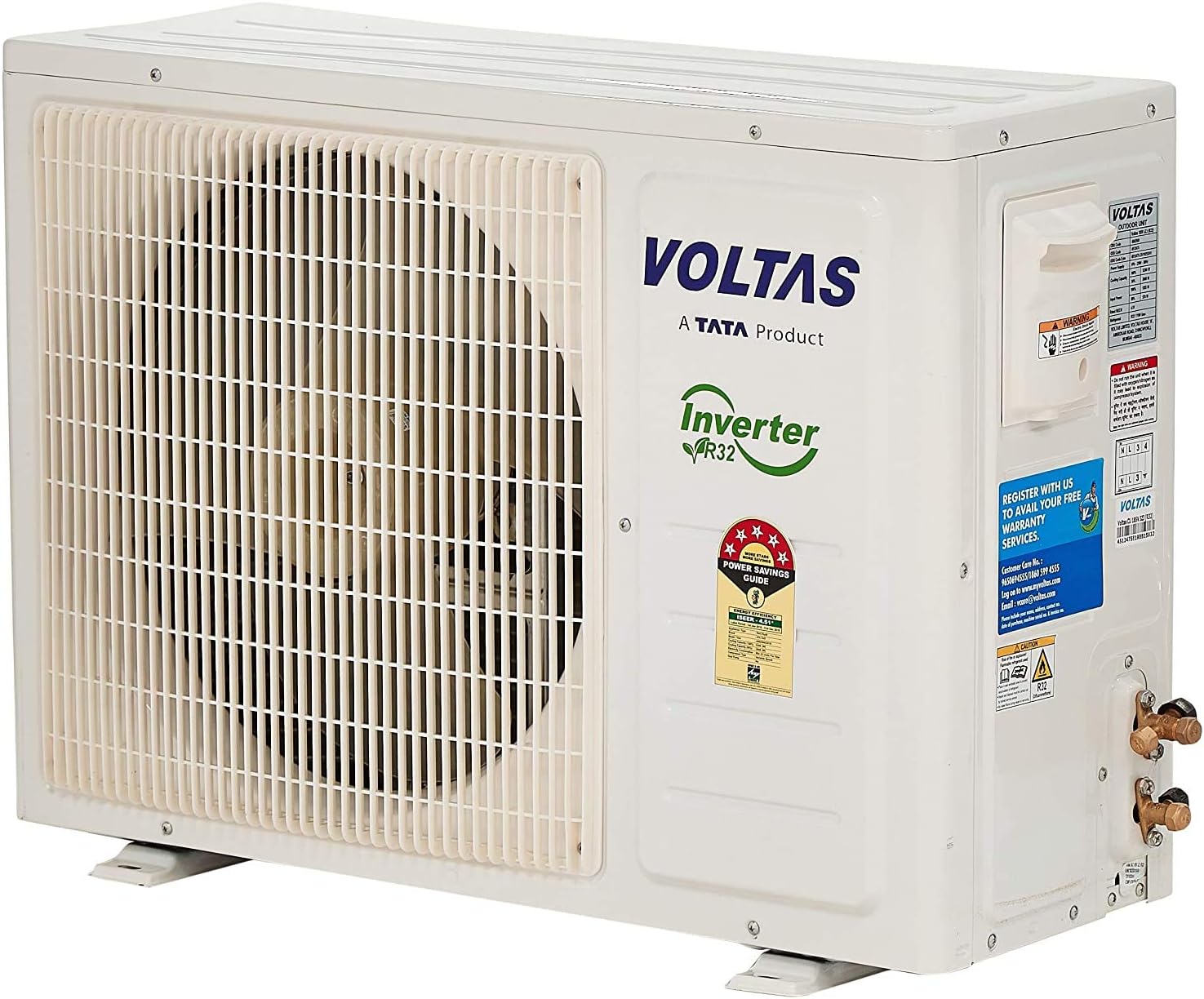
Image: Voltas Inverter Split AC Outdoor Unit. This unit houses the compressor and condenser coil.
3.3 Indoor Unit Placement:
The indoor unit should be mounted on a wall, ensuring it is level and has clear space around it for optimal air circulation. Avoid placing it above heat-generating appliances.

Image: Voltas Inverter Split AC Indoor Unit with approximate dimensions (Height: 31.5 cm, Depth: 24.2 cm, Width: 99 cm).
3.4 Installation Kit:
The installation kit includes the necessary copper piping and electrical wiring to connect the indoor and outdoor units. Proper connection is crucial for system integrity and performance.

Image: Components of the installation kit, including insulated copper pipes and electrical cables.
4. Operating Instructions
Your Voltas AC is controlled via the provided remote control. Ensure batteries are correctly inserted.
4.1 Remote Control Functions:
- Power Button: Turns the unit On/Off.
- Mode Button: Cycles through operating modes (Cool, Fan, Dry, Auto).
- Temperature Adjustment: Use '+' and '-' buttons to set desired temperature.
- Fan Speed: Adjusts fan speed (Low, Medium, High, Auto).
- Swing Button: Activates or deactivates the vertical swing function. (Note: Horizontal swing may require manual adjustment on some models).
- Timer Button: Sets the On/Off timer for scheduled operation.
- Sleep Mode: Adjusts temperature gradually for comfortable sleep and energy saving.
- Turbo Mode: Provides rapid cooling by operating at maximum fan speed and compressor capacity.
- Energy Saving Mode: Optimizes operation for reduced power consumption.
- Self-Diagnosis: The unit can display error codes on the LED screen for troubleshooting.
4.2 Basic Operation:
- Press the Power button to turn on the AC.
- Select your desired mode using the Mode button.
- Adjust the temperature using the temperature adjustment buttons.
- Set the fan speed as preferred.
- Activate the swing function for even air distribution.
5. Maintenance
Regular maintenance ensures efficient operation and extends the lifespan of your air conditioner.
5.1 Air Filter Cleaning:
The anti-dust and anti-microbial filters should be cleaned regularly (every 2-4 weeks, depending on usage and air quality). Refer to the indoor unit's manual for specific instructions on how to remove and clean the filters. Use a vacuum cleaner or wash with lukewarm water and mild detergent. Ensure filters are completely dry before re-inserting.
5.2 General Cleaning:
Wipe the indoor unit's exterior with a soft, damp cloth. Do not use harsh chemicals or abrasive cleaners. Ensure the unit is powered off before cleaning.
5.3 Professional Servicing:
It is recommended to have your air conditioner professionally serviced at least once a year to check refrigerant levels, clean coils, and inspect electrical components.
6. Troubleshooting
Before contacting service, review the following common issues and solutions:
| Problem | Possible Cause | Solution |
|---|---|---|
| AC not turning on | No power supply; Remote control batteries depleted | Check circuit breaker; Replace remote batteries |
| Insufficient cooling | Dirty air filters; Doors/windows open; Temperature setting too high; Outdoor unit obstructed | Clean filters; Close openings; Lower temperature; Clear obstructions |
| Unusual noise | Loose parts; Unit not level; Foreign object | Inspect for loose parts; Ensure unit is level; Power off and check for objects |
| Water leakage | Blocked drain pipe; Improper installation | Clear drain pipe; Contact service for inspection |
| Error code displayed | System malfunction | Note the code and contact authorized service. |
If the problem persists after attempting these solutions, please contact Voltas customer support.
7. Specifications
Detailed technical specifications for your Voltas Inverter Split Air Conditioner.
| Feature | Detail |
|---|---|
| Brand | Voltas |
| Model Number | 4502919-SAC 185V JZJT |
| Capacity | 1.5 Ton |
| Energy Rating | 5 Star |
| ISEER Value | 4.51 |
| Annual Energy Consumption | 891.86 Units |
| Refrigerant | R32 |
| Condenser Material | Copper |
| Power Source | Corded Electric |
| Voltage | 230 Volts |
| Wattage | 5200 Watts |
| Noise Level (Indoor Unit) | 46 Decibels |
| Outdoor Unit Dimensions (L x W x H) | 53.7 x 182.5 x 55.5 cm |
| Outdoor Unit Weight | 48.5 kg |
| Indoor Unit Dimensions (H x D x W) | 31.5 x 24.2 x 99 cm (approx.) |
| Display Type | LED |
| Special Features | Anti-bacterial filter, Dust filter, Air purifier |
7.1 Energy Efficiency:
This air conditioner is rated 5-star for energy efficiency, indicating superior performance in reducing electricity consumption. The ISEER (Indian Seasonal Energy Efficiency Ratio) of 4.51 reflects its high efficiency over a cooling season.
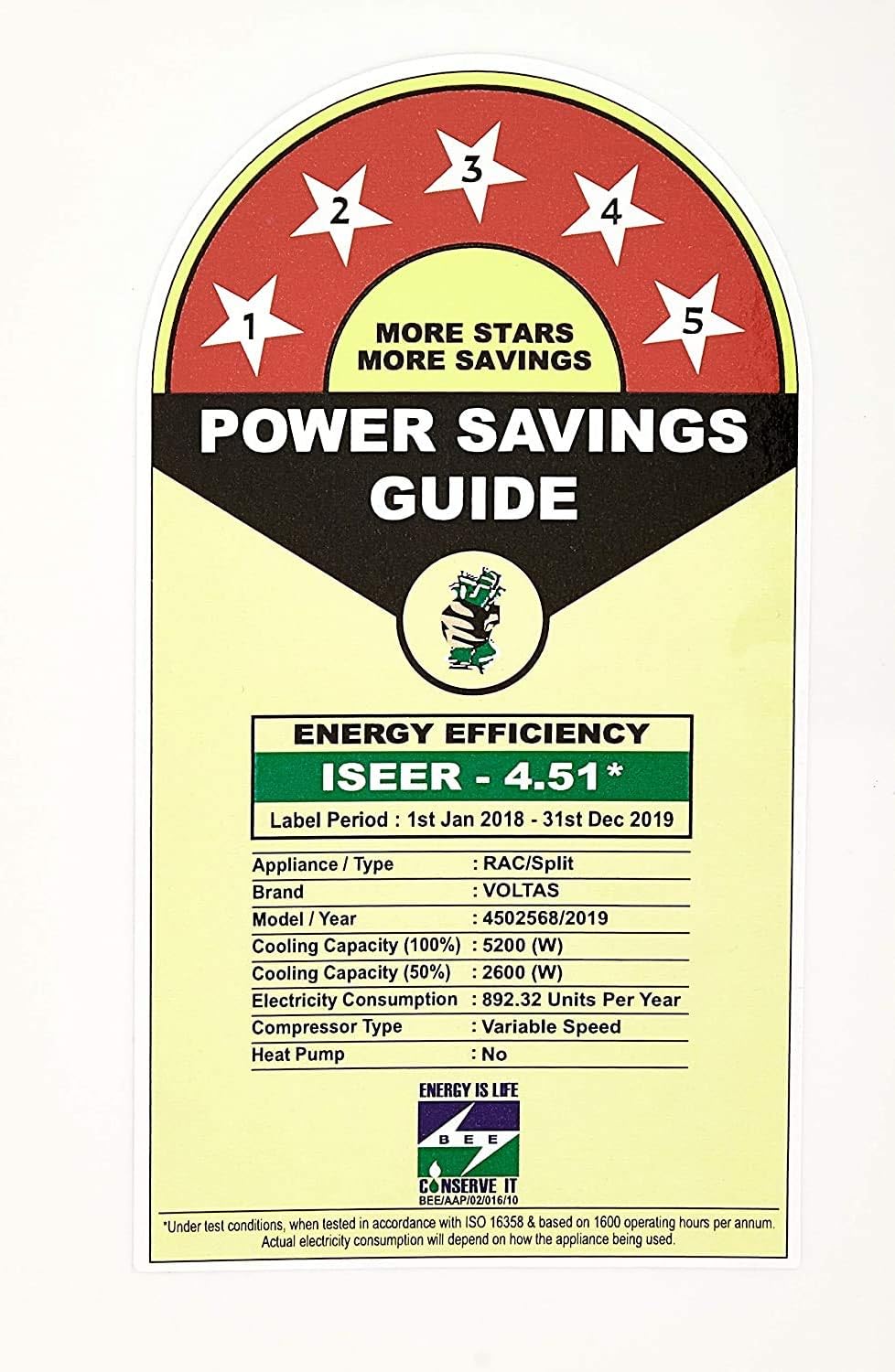
Image: Energy efficiency label for the Voltas Inverter Split AC, showing a 5-star rating and ISEER of 4.51.
7.2 Inverter Technology Benefits:
Inverter ACs offer several advantages over non-inverter models, primarily due to their variable speed compressor which adjusts cooling capacity as needed.

Image: Comparison chart highlighting the benefits of Inverter Split ACs, such as faster cooling, quieter operation, longer compressor life, and lower energy consumption.
8. Warranty and Support
8.1 Warranty Information:
- Product Warranty: 1 year from the date of purchase.
- Compressor Warranty: 10 years from the date of purchase.
Please retain your purchase receipt and warranty card for any warranty claims. The warranty covers manufacturing defects under normal use conditions. It does not cover damage due to improper installation, misuse, or unauthorized repairs.
8.2 Customer Support:
For service requests, technical assistance, or warranty claims, please contact Voltas customer support. Refer to the warranty card or Voltas official website for the most current contact information.