
GreenForest Alice-BK-NEW
GreenForest Wooden File Cabinet User Manual
Model: Alice-BK-NEW
Introduction
This user manual provides comprehensive instructions for the assembly, operation, and maintenance of your GreenForest Wooden File Cabinet. Designed for home and office use, this mobile filing cabinet offers efficient storage with its two drawers, open shelves, and integrated mobility features. Please read this manual carefully before assembly and use to ensure proper functionality and longevity of your product.
Safety Information
Important Safety Precautions:
- Always keep the cabinet away from heat sources to prevent material damage.
- Never leave heavy objects on the top shelf that exceed the weight limit of 100 lbs.
- Use the lock only when the cabinet is stationary to prevent accidental movement or tipping.
- Keep the area around the cabinet clear to avoid tripping hazards.
- Ensure all screws and fasteners are tightened securely during assembly and periodically check for looseness.
- Do not allow children to climb on or play with the cabinet.
Specifications
| Feature | Detail |
|---|---|
| Brand | GreenForest |
| Model Number | Alice-BK-NEW |
| Color | Black |
| Product Dimensions (L x W x H) | 31.49" x 15.75" x 26.06" |
| Item Weight | 50 Pounds |
| Weight Limit | 100 Pounds (evenly distributed) |
| Material Type | Engineered Wood |
| Number of Drawers | 2 |
| Number of Shelves | 3 (including top surface) |
| Special Feature | Wheeled, Lockable Bottom Drawer |
| Included Components | Key |
Setup and Assembly
The GreenForest File Cabinet requires assembly. All necessary hardware, tools, and a detailed instruction manual are included in the packaging. Please follow the steps outlined in the provided manual carefully.
Before You Begin:
- Unpack all components and verify against the parts list in the instruction manual. Ensure all parts are present and undamaged.
- Clear a spacious, clean area for assembly to prevent loss of small parts and to protect the furniture surfaces.
- Have a Phillips head screwdriver and possibly a small power drill (with caution) ready, as some pre-drilled holes may require additional force or a drill for easier assembly, as noted by some users.
- Pay close attention to the orientation of panels, especially those related to the lock mechanism, as incorrect placement can affect functionality.
Assembly Tips:
- Each component is properly labeled. Match the labels to the diagrams in the instruction manual.
- When attaching drawer slides, understand how to separate them before installation.
- Tighten all screws firmly but avoid over-tightening, which can damage the engineered wood.
- It may be easier to attach handles after the drawers are fully assembled and installed to prevent scratching.
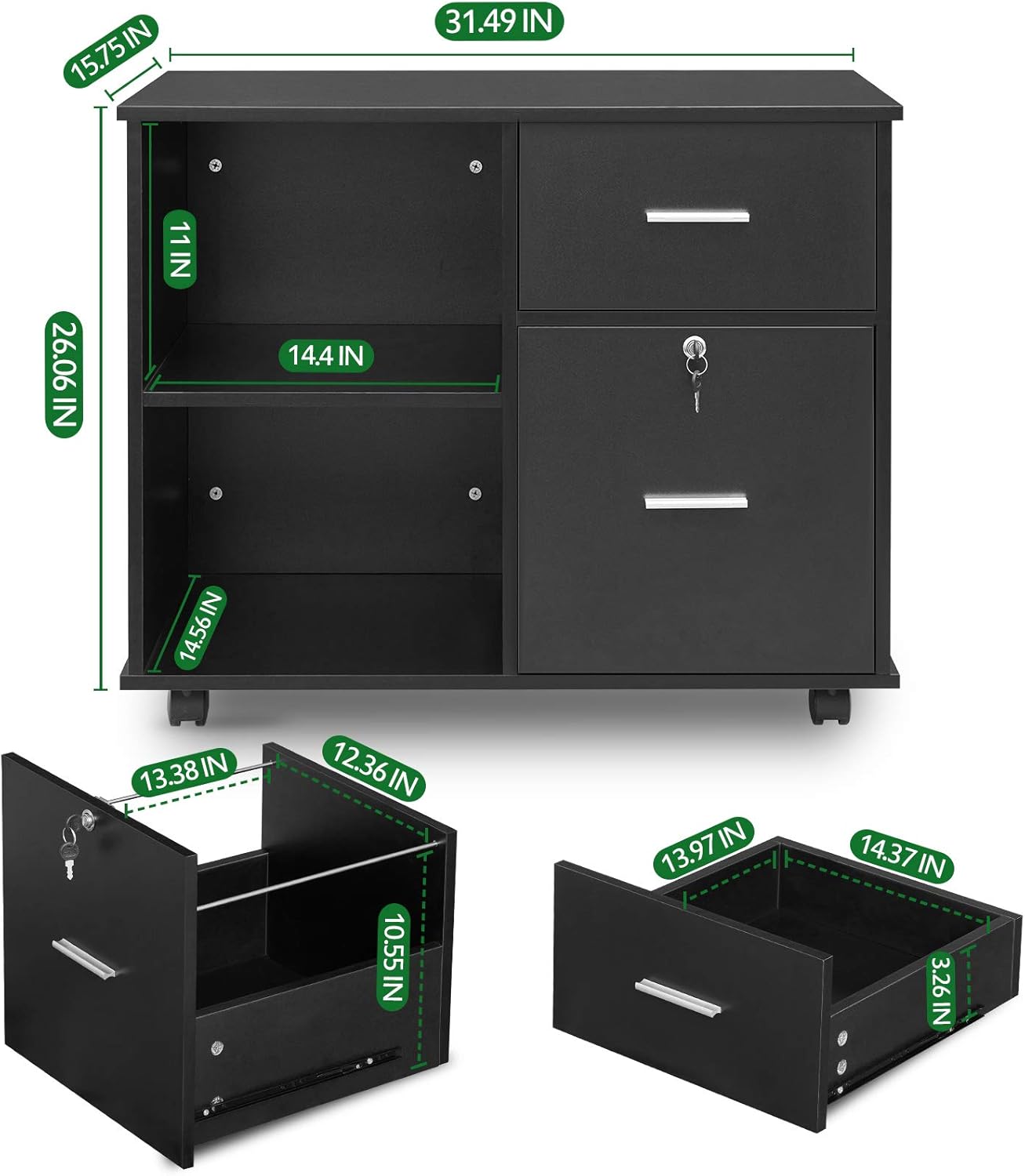
Image: Components of the GreenForest File Cabinet laid out, illustrating the various parts before assembly.
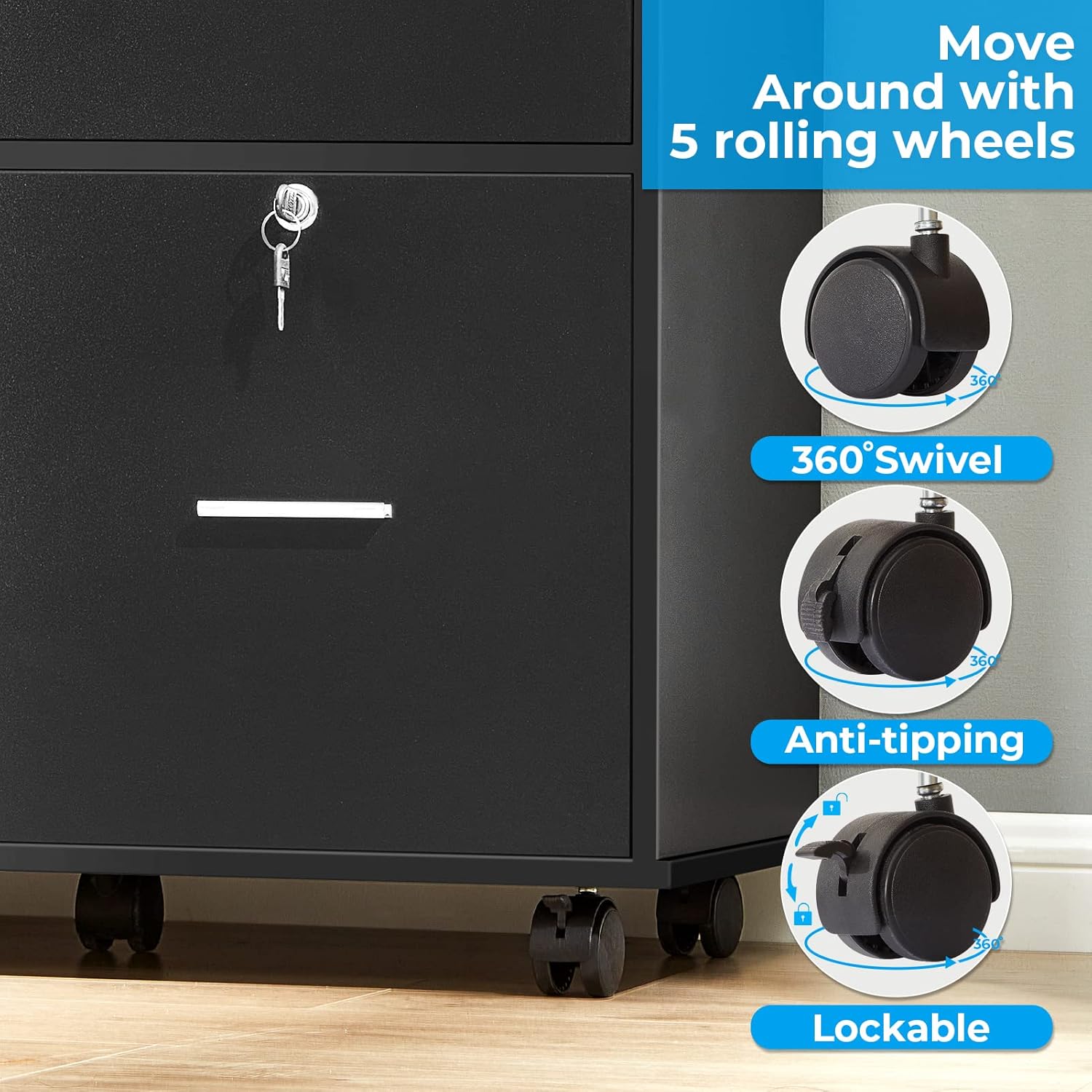
Image: Detailed dimensions of the GreenForest File Cabinet, including overall size and internal drawer measurements.
Operating Instructions
Drawer Functionality:
- Top Drawer: Ideal for storing documents, papers, and various office supplies. Its inner size is approximately 14.37"L x 13.97"W x 3.26"H.
- Bottom Drawer: Designed for hanging letter or A4 size files. It features a smooth gliding suspension system for easy access and full extension. The inner size is approximately 12.36"L x 13.38"W x 10.55"H.
- Lock Mechanism: The bottom drawer is lockable to secure your important documents. Insert the key and turn to lock or unlock. Ensure the cabinet is stationary when locking or unlocking.

Image: The GreenForest File Cabinet with its bottom drawer fully extended, showcasing its capacity for hanging letter or A4 size files.

Image: The GreenForest File Cabinet with both the top and bottom drawers open, demonstrating their respective storage capacities.
Open Storage Shelves:
The cabinet includes two large open storage compartments. These are ideal for binders, books, decorative items, or other office supplies. The inner size of the open shelves is approximately 14.4"L x 14.56"W x 11"H.
Mobility and Stability:
The cabinet is equipped with 5 smooth-rolling wheels, allowing for easy movement around your home or office. Two of the front wheels feature built-in brakes that are lockable. To secure the cabinet in place, press down on the brake levers on these two wheels until they click. To release, lift the levers.
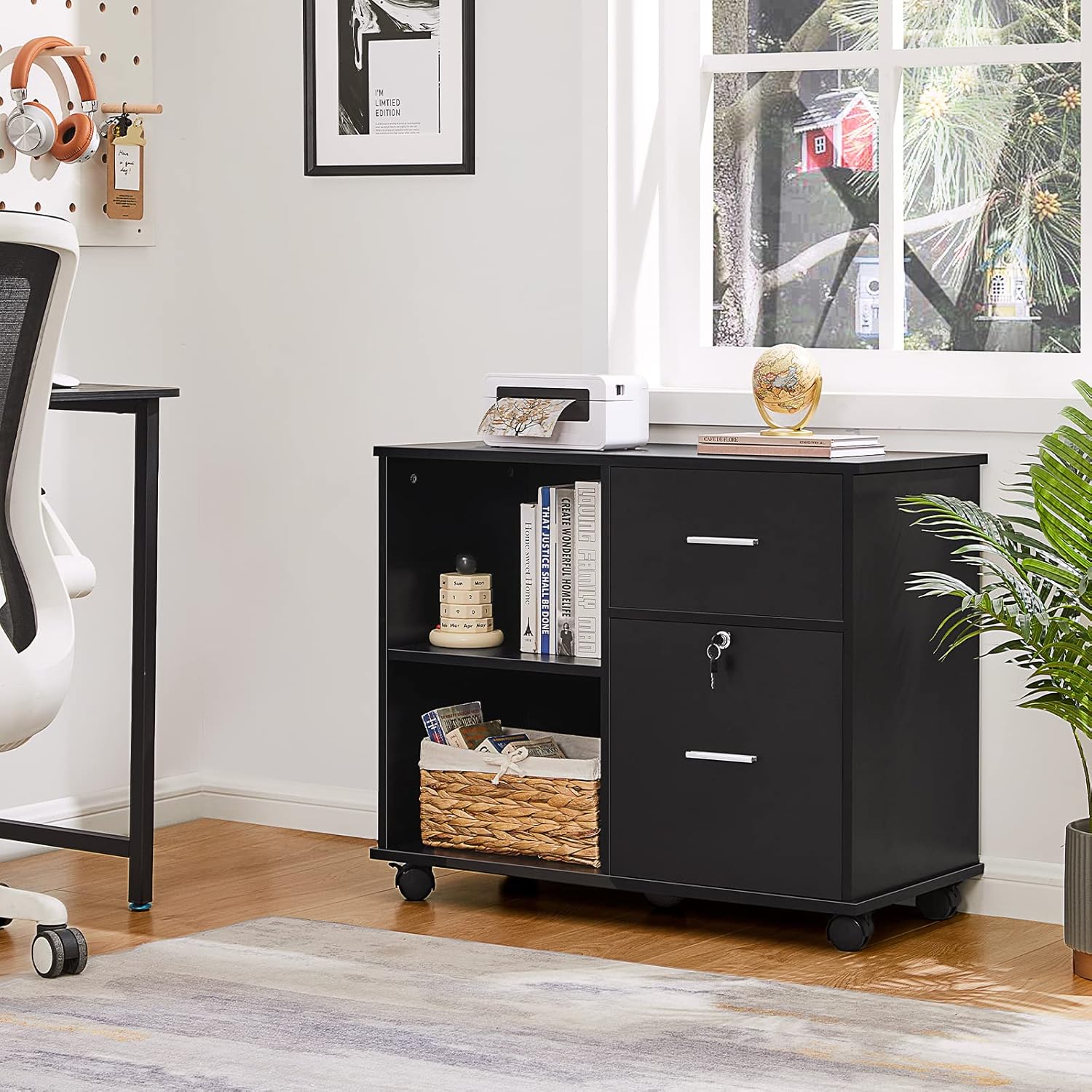
Image: A close-up view of the cabinet's five rolling wheels, highlighting the 360° swivel, anti-tipping design, and the lockable brake mechanism on the front wheels.
Printer Stand Functionality:
The spacious top surface of the cabinet can support a printer, scanner, or computer, making it a versatile addition to your workspace.

Image: The GreenForest File Cabinet in an office setting, demonstrating its use as a printer stand with a printer on top and various items stored in its open shelves and drawers.
Maintenance
- Cleaning: Wipe surfaces with a soft, damp cloth. Avoid harsh chemicals or abrasive cleaners that could damage the wood finish.
- Drawer Slides: Periodically check the drawer slides for smooth operation. If they become stiff, a small amount of silicone lubricant can be applied.
- Wheels: Keep the wheels free of dust and debris to ensure smooth rolling. Check periodically that the wheels are securely attached.
- Fasteners: Over time, screws and fasteners may loosen. Periodically check all connections and tighten them as needed to maintain stability.
Troubleshooting
| Problem | Possible Cause | Solution |
|---|---|---|
| Difficulty with assembly (e.g., screws not fitting, holes not aligned) | Pre-drilled holes may be shallow; incorrect panel orientation. | Ensure correct panel orientation as per manual. Use a power drill on low setting for pilot holes if necessary, or apply more force with a screwdriver. Verify all parts are correctly identified. |
| Drawer not closing smoothly or sticking | Drawer slides misaligned or damaged; debris in slides. | Check that drawer slides are installed correctly and are free of obstructions. Apply a small amount of silicone lubricant to the slides. If damaged, contact customer support for replacement parts. |
| Lock mechanism not working properly | Lock component misaligned during assembly; internal mechanism issue. | Verify the lock component was installed in the correct orientation. Ensure the drawer is fully closed when attempting to lock. If issues persist, contact customer support. |
| Cabinet feels unstable or wobbly | Loose fasteners; uneven floor; incorrect assembly. | Check and tighten all screws and connections. Ensure the cabinet is on a level surface. Re-check assembly steps if necessary. |
| Missing or damaged parts upon arrival | Packaging error or transit damage. | Immediately contact GreenForest customer support with details of the missing/damaged parts and your purchase information. |
Warranty and Support
GreenForest is committed to providing quality products. For any issues regarding missing parts, damaged components, or assembly difficulties, please contact GreenForest customer support. While specific warranty details are not provided in this manual, customer satisfaction is a priority.
For assistance, please refer to the contact information provided with your purchase or visit the official GreenForest store on Amazon: GreenForest Amazon Store.
Related documentsAlice-BK-NEW

Ask a question about this manual
Ask about setup, troubleshooting, compatibility, parts, safety, or missing instructions. Manuals+ will review the question and use this page’s manual context to help answer it.