
Welcome
Thank you for purchasing the Klipsch Cinema 600 Sound Bar. This 3.1 home theater system, featuring a dedicated center channel and HDMI-ARC, is designed to provide an easy plug-and-play upgrade to your TV speakers, delivering powerful and clear audio for an immersive home entertainment experience.
Package Contents
- Powered Soundbar
- Wireless Subwoofer
- Remote Control (with 2 AA batteries)
- HDMI Cable
- Power Cords
- Wall Mounting Template
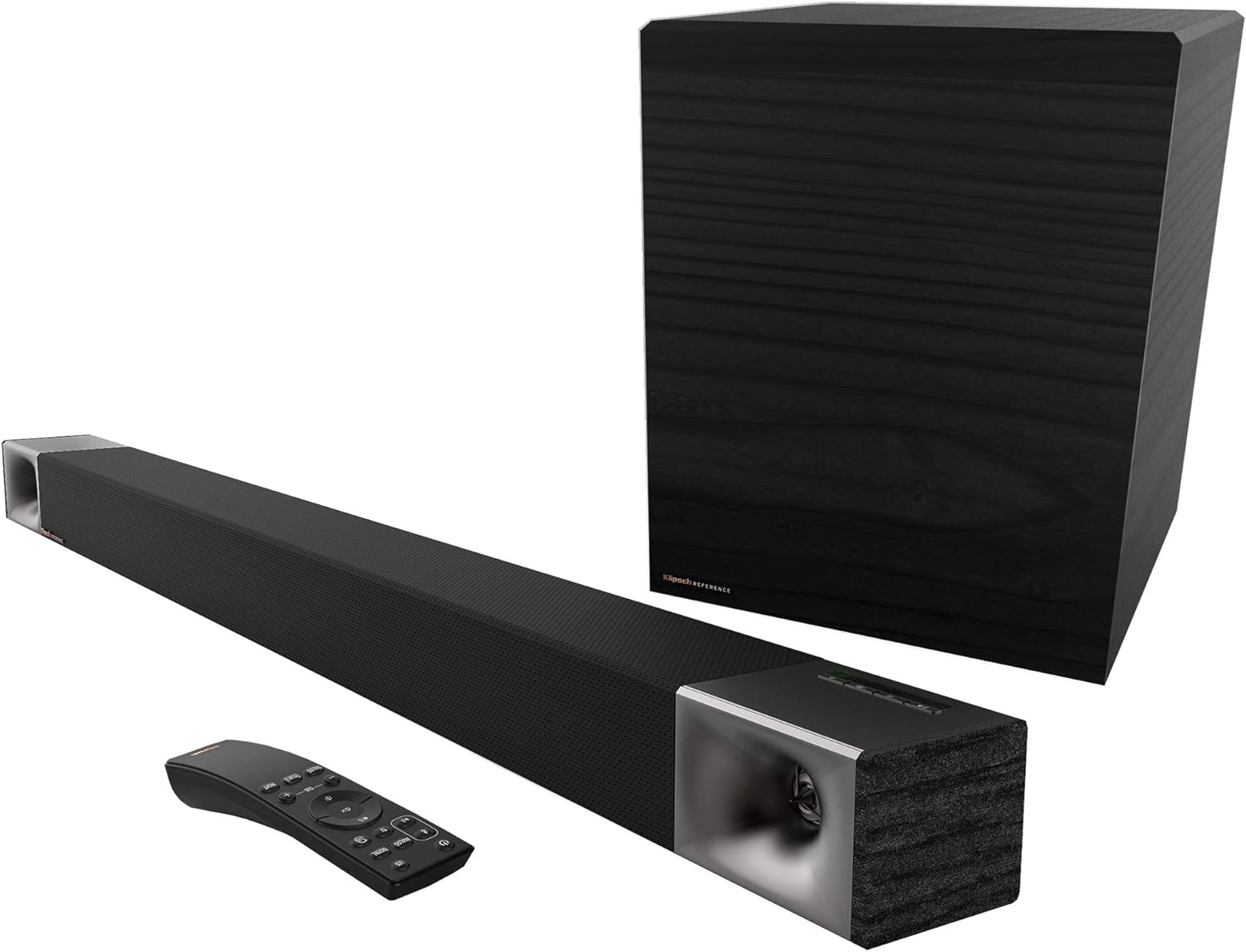
Image: Klipsch Cinema 600 Sound Bar, wireless subwoofer, and remote control, showing all main components included in the package.
Setup Guide
1. Placement
Place the soundbar centrally below your television. Ensure there is enough space for optimal sound dispersion. The wireless subwoofer can be placed anywhere in the room, ideally in a corner for enhanced bass response, but experiment with placement to find the best sound for your listening environment.

Image: Diagram showing the dimensions of the Klipsch Cinema 600 Sound Bar, which is 45 inches wide and 2.88 inches high.
2. Connections
For the best audio experience and simplified control, connect the soundbar to your TV's HDMI-ARC port using the supplied HDMI cable. If your TV does not have an HDMI-ARC port, use the optical digital audio cable to connect the soundbar to your TV's optical output.

Image: Close-up of the Klipsch Cinema 600 Sound Bar's connection panel, highlighting the HDMI port and an HDMI cable being plugged in, illustrating the "True Simplicity" of setup.
3. Power On
Connect the power cords to the soundbar and the wireless subwoofer, then plug them into a wall outlet. The soundbar and subwoofer will automatically pair. The soundbar will indicate readiness with an LED light.
Operating Your Sound System
Remote Control Functions
The included remote control allows you to manage all aspects of your Klipsch Cinema 600 system. It features buttons for power, input selection (TV, Bluetooth, Analog), volume control, subwoofer level adjustment, and sound modes like Dialog, Surround, and Night mode. The buttons illuminate when picked up for easy use in low light.

Image: The Klipsch Cinema 600 Sound Bar's remote control, showing its various buttons for power, input selection, volume, and sound modes.
Sound Modes
- Dialog Mode: Enhances vocal clarity, making conversations easier to understand, especially in movies and TV shows.
- Surround Mode: Activates virtualized surround sound for a more immersive audio experience.
- Night Mode: Reduces dynamic range, making quiet sounds louder and loud sounds softer, ideal for late-night listening without disturbing others.

Image: The Klipsch Cinema 600 Sound Bar positioned below a television in a living room, illustrating "True Clarity" with sound waves emanating from the soundbar, emphasizing clear audio and dialog enhancement.
Bluetooth Pairing
To pair a Bluetooth device, press the Bluetooth button on the remote or the soundbar. The Bluetooth indicator will flash. Select "Klipsch Cinema 600" from your device's Bluetooth settings. Once connected, the indicator will glow solid.
Subwoofer Control
Use the SUB +/- buttons on the remote to adjust the bass level of the wireless subwoofer to your preference. The 10-inch wireless subwoofer delivers powerful, deep bass, enhancing your home theater experience.

Image: A close-up view of the Klipsch Cinema 600's 10-inch wireless subwoofer, highlighting its size and design, emphasizing its "Bigger Bass" capability.
Care and Maintenance
To maintain the performance and appearance of your Klipsch Cinema 600 Sound Bar, regularly wipe surfaces with a soft, dry cloth. Avoid using harsh chemicals or abrasive cleaners. Ensure proper ventilation around the soundbar and subwoofer. When not in use for extended periods, it is recommended to unplug the system from the power outlet.
Troubleshooting Common Issues
- No Power: Ensure both the soundbar and subwoofer are securely plugged into working power outlets. Check the power indicator lights.
- No Sound:
- Verify the correct input source is selected on the soundbar (TV, Bluetooth, Analog).
- Check the volume level on both the soundbar and your TV.
- Ensure cables (HDMI-ARC or Optical) are securely connected to both the soundbar and TV.
- Confirm your TV's audio output settings are configured to external speakers or PCM.
- Subwoofer Not Pairing: The subwoofer should automatically pair. If not, ensure it is powered on. If issues persist, refer to the full manual for manual pairing instructions.
- Bluetooth Connectivity Issues: Ensure the soundbar is in Bluetooth pairing mode. Move your device closer to the soundbar. Disconnect and re-pair the device.
- Remote Control Not Working: Check and replace the AA batteries. Ensure there are no obstructions between the remote and the soundbar.
Technical Specifications
| Feature | Detail |
|---|---|
| Model Name | Cinema 600 |
| Speaker Type | Soundbar, Subwoofer, Surround Sound |
| Surround Sound Channel Configuration | 3.1 |
| Speaker Maximum Output Power | 600 Watts (Peak) |
| Subwoofer Diameter | 10 Inches |
| Frequency Response | 35 Hz |
| Signal-to-Noise Ratio | 103 dB |
| Connectivity Technology | Optical, HDMI, Bluetooth |
| Product Dimensions (Soundbar) | 3.38"D x 45"W x 2.88"H |
| Item Weight | 14 Kilograms (approx. 30.8 pounds) |
| Included Components | Powered Soundbar and Subwoofer |
| Control Method | Remote |
Warranty and Support
Warranty Information
The Klipsch Cinema 600 Sound Bar comes with a limited warranty. Please refer to the warranty card included in your package or visit the official Klipsch website for detailed terms and conditions regarding coverage and duration.
Customer Support
For further assistance, technical support, or to register your product, you can download the Klipsch Connect App (available on App Store and Google Play) or visit the official Klipsch website. The app provides quick setup guides, product registration, and access to support.
You can also visit the Klipsch Store on Amazon for more product information and support resources.


