
JeaTone B0899YF11X
JeaTone Smart Peephole Doorbell Camera
Model: B0899YF11X
Introduction
This manual provides detailed instructions for the installation, setup, and operation of your JeaTone Smart Peephole Doorbell Camera. This device features a 4.3-inch LCD screen, FHD 1080P video recording, infrared night vision, a 120-degree wide-angle lens, and PIR motion detection, all manageable through the Smart Life mobile application. Please read this manual thoroughly before use to ensure proper functionality and safety.
What's in the Box
Verify that all components are present in your package:
- Packing Box
- User's Guide
- USB Data Cable
- Indoor Unit (4.3" LCD Screen)
- Outdoor Unit (Peephole Camera)
- Hanging Board
- Screw Bag

Figure 1: Package Contents. This image displays all items included in the JeaTone Smart Peephole Doorbell Camera package, ensuring you have everything needed for installation.
Setup
1. Physical Installation
Before installation, ensure your door's peephole diameter is between 15mm-60mm and door thickness is between 35mm-130mm. Measure carefully to ensure compatibility.

Figure 2: Installation Diagram. This diagram illustrates the components and their placement during the physical installation of the peephole camera and indoor monitor.
- Remove your existing peephole.
- Insert the outdoor unit's cable through the peephole from the outside.
- Attach the hanging board to the indoor side of the door, aligning it with the peephole.
- Connect the outdoor unit's cable to the indoor monitor.
- Secure the indoor monitor to the hanging board.

Figure 3: Product Dimensions. This image provides the precise measurements for both the indoor monitor and the outdoor camera unit, crucial for pre-installation checks.
2. App Connection (Smart Life App)
The JeaTone Smart Peephole Doorbell Camera connects via the Smart Life app. Ensure your Wi-Fi network is 2.4GHz.
- Download and install the 'Smart Life' app from your mobile app store.
- Open the app and register/log in.
- Tap 'Add Device' or the '+' icon.
- Select 'Security & Video Surveillance' then 'Smart Doorbell'.
- Follow the on-screen prompts to reset the device (long press the Home button for 5 seconds until the blue light flashes and you hear a prompt).
- Choose 'QR Code' pairing method.
- Enter your 2.4GHz Wi-Fi network password.
- Scan the QR code displayed on your phone with the doorbell camera from 15-20 cm away.
- Wait for the device to connect. Once connected, you can access the camera feed and settings.

Figure 4: App Pairing Steps. This image illustrates the sequence of steps within the Smart Life app to successfully pair your doorbell camera, including scanning the QR code.
Video 1: JeaTone Smart Video Doorbell Installation and WiFi Connection. This video demonstrates the physical installation process of the doorbell camera and the steps required to connect it to your home's Wi-Fi network via the mobile application.
Operating Instructions
Key Features
- 1080P HD Image: View clear, high-definition video on the indoor screen or via the app.
- 2-Way Audio: Communicate with visitors at your door using the built-in microphone and speaker.
- PIR Motion Detection: Receive instant alerts on your phone when motion is detected outside your door.
- Infrared Night Vision: The camera automatically switches to night vision mode in low-light conditions, providing clear visibility.
- Video Record & Low Power Consumption: The device records video and is designed for efficient power usage.
- Automatic Wake-Up: The screen automatically activates when the doorbell is pressed or motion is detected.

Figure 5: Feature Overview. This image highlights the main functionalities of the JeaTone Smart Peephole Doorbell Camera, including two-way audio, motion detection, and night vision.
Day and Night Vision
The camera provides a 120-degree wide-angle view, automatically adjusting between day (color) and night (infrared) vision for continuous monitoring.

Figure 6: Day and Night Vision. This image compares the camera's view during daylight and nighttime, demonstrating its infrared night vision and wide-angle coverage.
Motion Detection
The PIR motion detection system triggers an alarm and sends push notifications to your mobile phone when movement is detected, enhancing security.

Figure 7: PIR Motion Detection. This image illustrates how the camera's motion detection feature works, alerting you to activity at your door.
Remote Interaction via App
Use the Smart Life app to view live footage, engage in two-way communication, and manage settings from anywhere. The app supports multiple users, allowing family members to monitor the doorbell simultaneously.
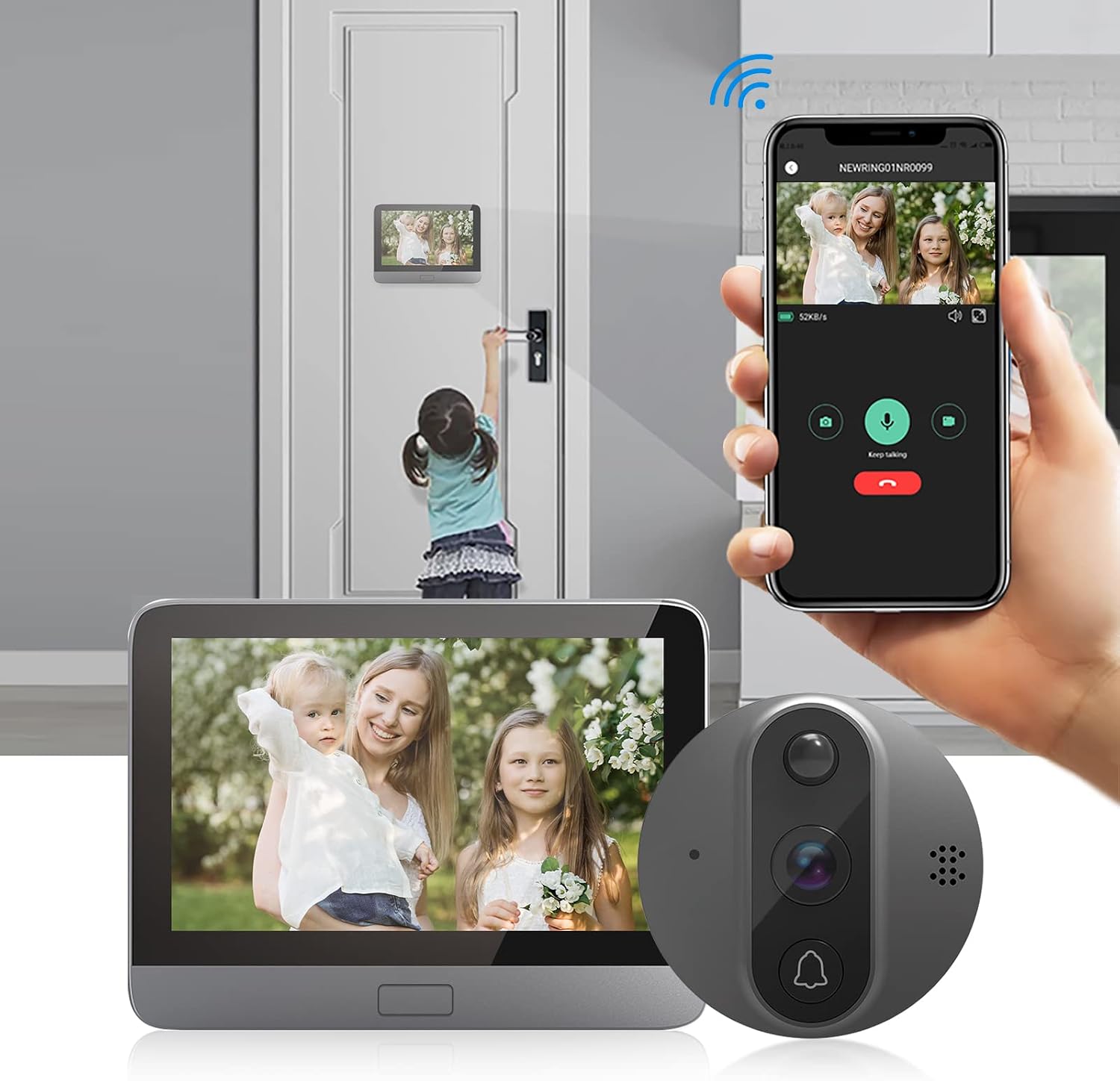
Figure 8: App Interaction. This image shows a user interacting with the doorbell camera through the mobile app, demonstrating live viewing and communication features.

Figure 9: Multi-User Access. This image illustrates how the doorbell camera's app allows multiple family members to access and view the camera feed concurrently.
Storage Options
The device supports local storage via an SD card (up to 64GB, not included) and cloud storage options. When someone rings the doorbell or motion is detected, pictures or videos will be recorded automatically.
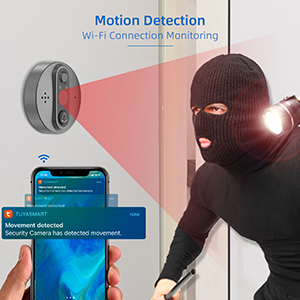
Figure 10: SD Card and Cloud Storage. This image shows the device's micro USB port, ON/OFF switch, and indicates support for both SD card and cloud storage for recordings.
Maintenance
- Cleaning: Use a soft, dry cloth to clean the camera lens and screen. Avoid abrasive cleaners or solvents.
- Battery Charging: The device uses a Lithium Metal battery. Charge the battery using the provided USB data cable when the battery indicator is low.
- Firmware Updates: Periodically check the Smart Life app for available firmware updates to ensure optimal performance and security.
Troubleshooting
- Device Not Pairing: Ensure your Wi-Fi network is 2.4GHz. Make sure the camera indicator is blinking slowly before attempting to pair. Hold your phone steady at the recommended distance (15-20 cm) when scanning the QR code. If issues persist, try resetting the device and restarting the pairing process.
- Poor Image Quality (Black & White during day): This may indicate an issue with the camera's light sensor or night vision mode. Ensure the camera lens is clean and there are no obstructions. If the problem persists, a factory reset or contacting support may be necessary.
- Short Battery Life: Battery life can vary based on usage, motion detection frequency, and Wi-Fi signal strength. Ensure the device is fully charged. Reduce motion detection sensitivity or frequency if excessive alerts are draining the battery.
- App Connection Issues: Verify your phone is connected to a stable 2.4GHz Wi-Fi network. Restart the app and the doorbell device. If the device's hotspot (e.g., SmartLife-XXXX) does not appear during pairing, try resetting the device again.
Specifications
| Manufacturer | Bcom |
| Item Weight | 1.43 pounds |
| Product Dimensions | 5.2 x 3.74 x 0.59 inches |
| Batteries Included? | Yes |
| Battery Cell Type | Lithium Metal |
| ASIN | B0899YF11X |
| Date First Available | October 11, 2020 |
Warranty and Support
For warranty information or technical support, please refer to the contact details provided in the product packaging or visit the official JeaTone website. Keep your purchase receipt for warranty claims.
Ask a question about this manual
Ask about setup, troubleshooting, compatibility, parts, safety, or missing instructions. Manuals+ will review the question and use this page’s manual context to help answer it.