
Micool 52161554
Micool Bluetooth Headset V5.0 Instruction Manual
Model: 52161554
1. Introduction
Thank you for choosing the Micool Bluetooth Headset V5.0. This manual provides detailed instructions for setting up, operating, and maintaining your new headset. Designed for clear communication and comfort, this headset features advanced noise cancellation, long-lasting battery life, and multi-device connectivity.
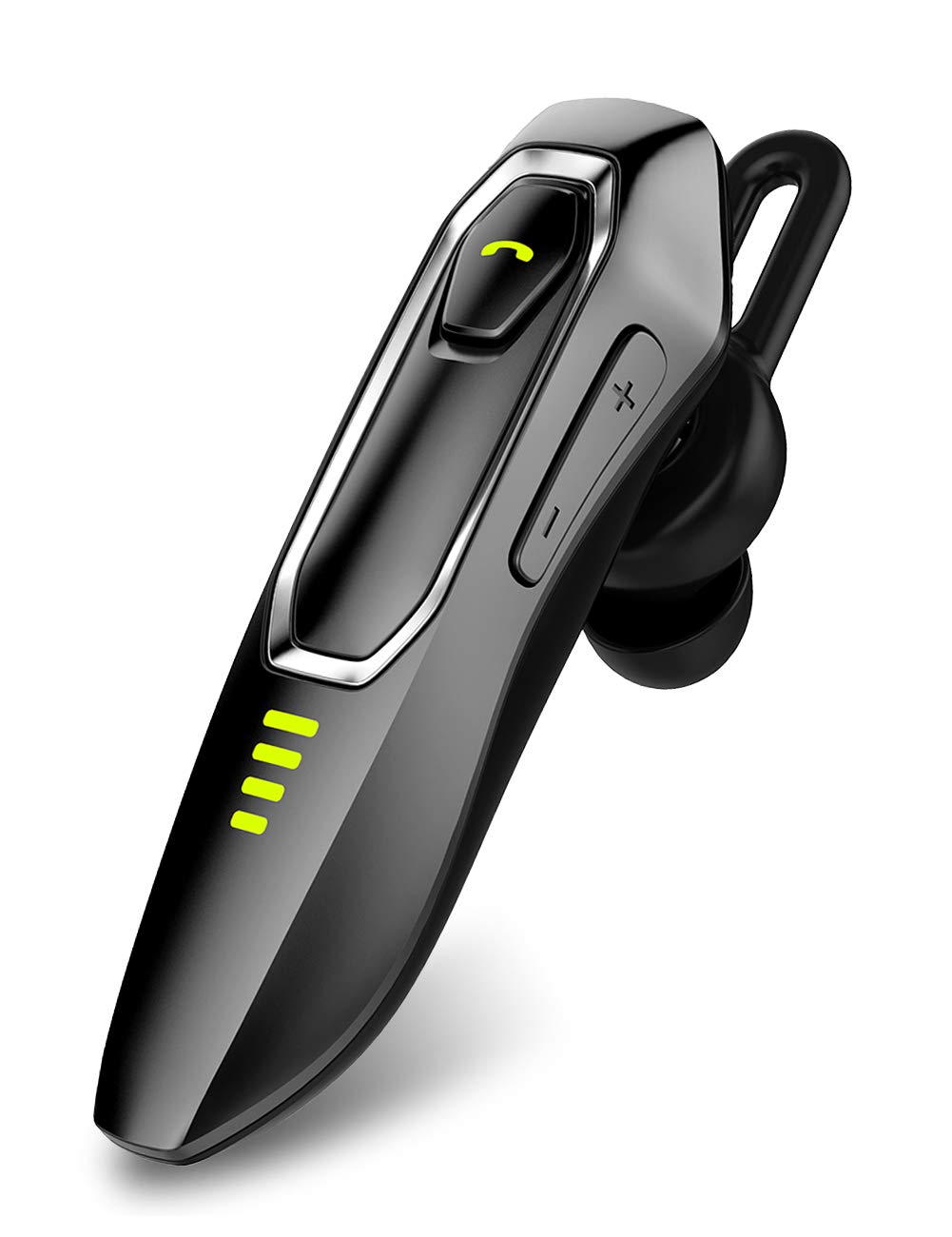
Image: Micool Bluetooth Headset V5.0, showcasing its sleek design.
2. What's in the Box
Upon opening your Micool Bluetooth Headset package, you should find the following items:
- 1 x Micool DY20 Headset
- 1 x USB Charging Cable
- 1 x Ear Hook
- 3 x EarGels (S/M/L sizes)
- 1 x Quick Start Guide (this manual)
- 2 x Flat EarGels
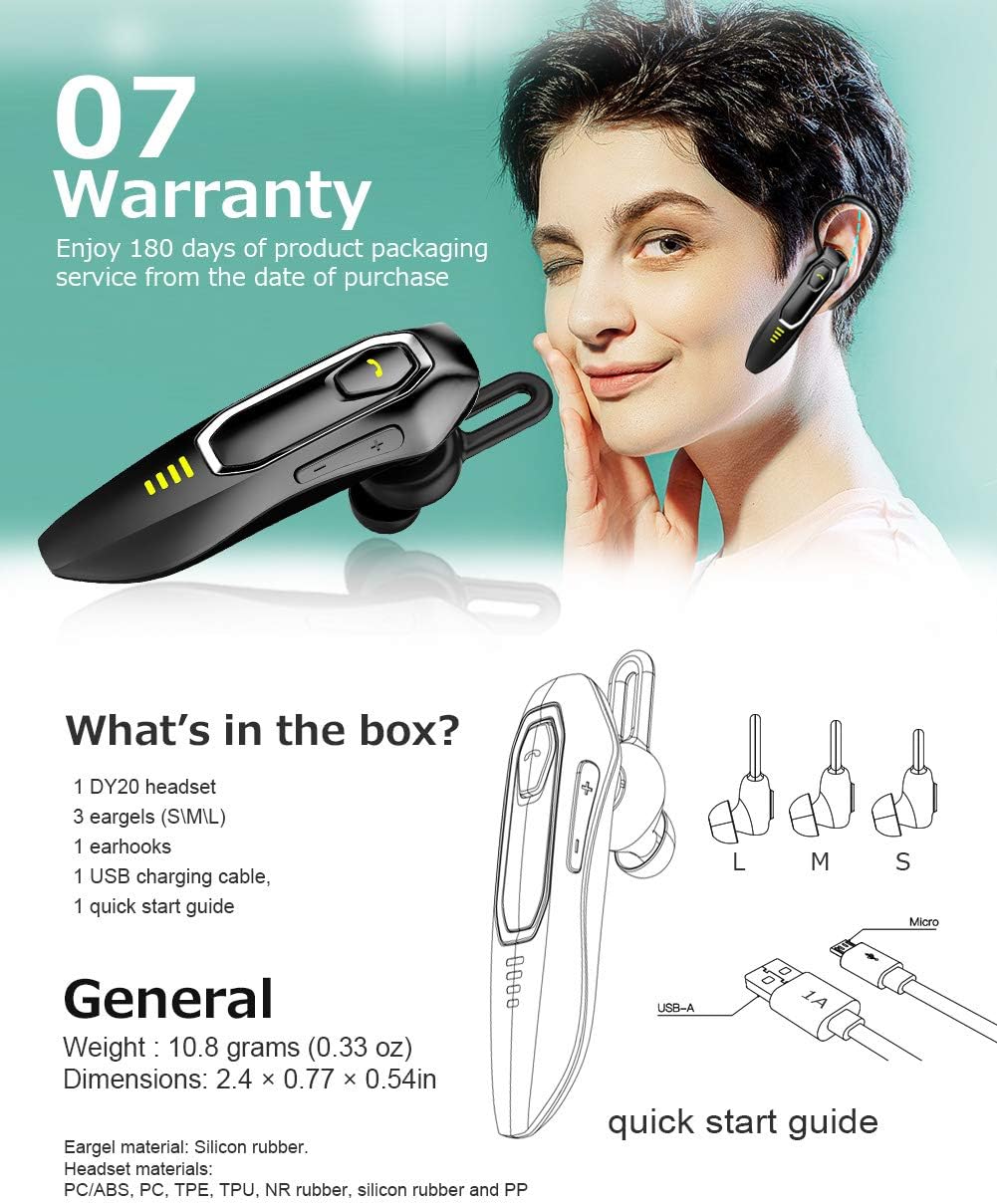
Image: All components included in the Micool Bluetooth Headset package, including the headset, charging cable, ear hook, and various EarGels.
3. Product Features
- Extended Call Time: Built-in 220mAh battery provides up to 30 hours of talk time and 48 hours of music playback on a single charge. Standby time is up to 15 days.
- HD Voice & Powerful Noise Cancellation: Features CVC8.0 noise cancellation and an omnidirectional silicon microphone for clear calls in noisy environments. The 10mm dynamic speaker ensures stereo sound quality.
- Voice Assistant Support: Easily activate Siri or Google Assistant with a dedicated button for hands-free control.
- Multi-Device Connectivity: Connect to two devices simultaneously, allowing you to listen to music on one and answer calls on another.
- Comfortable Design: Ergonomically designed and weighing only 10.8g, the headset offers a secure and comfortable fit for all-day wear. Includes professional ear cap type ear canal mouth design for optimized bass.
Feature Details:
HD Voice & Noise Cancellation

The headset utilizes CVC8.0 noise cancellation and an omnidirectional MEMS silicon microphone for superior call clarity. A 10mm dynamic speaker delivers rich audio.
Long-Lasting Battery

Enjoy up to 30 hours of talk time and 48 hours of music. The 220mAh battery charges in approximately 2-3 hours via the included Micro USB cable, offering up to 15 days of standby time.
Siri/Google Assistant & Multi-Use

Activate your preferred voice assistant with ease. The headset also supports connecting to two devices simultaneously for seamless switching between calls and media.
Comfortable Fit

The ergonomic design allows for comfortable wear throughout the day, with or without the ear hook. Multiple EarGel sizes ensure a perfect fit for optimal sound and comfort.
4. Setup
4.1 Charging the Headset
Before first use, fully charge the headset. Connect the provided USB charging cable to the headset's charging port and to a USB power source (e.g., computer, wall adapter). The charging indicator light will show the charging status. A full charge typically takes 2-3 hours.
4.2 Bluetooth Pairing
- Ensure the headset is turned off.
- Press and hold the Multi-function button until the indicator light flashes red and blue alternately, indicating pairing mode.
- On your mobile device, enable Bluetooth and search for available devices.
- Select "Micool DY20" from the list of devices.
- Once connected, the indicator light will flash blue slowly.
To connect to a second device, disable Bluetooth on the first device after successful pairing. Put the headset back into pairing mode and connect to the second device. Then, re-enable Bluetooth on the first device; the headset should automatically connect to both.
5. Operating Instructions
5.1 Basic Controls
| Function | Action |
|---|---|
| Power On/Off | Press and hold Multi-function button |
| Play/Pause Music | Single click Multi-function button |
| Answer/End Call | Single click Multi-function button |
| Reject Call | Press and hold Multi-function button |
| Activate Siri/Google Assistant | Double-click Multi-function button |
| Volume Up/Down | Click Volume + / - button |
| Next/Previous Song | Press and hold Volume + / - button for 3 seconds |
| Check Remaining Power | Double-click Volume + button |
6. Maintenance
To ensure the longevity and optimal performance of your Micool Bluetooth Headset, follow these maintenance guidelines:
- Cleaning: Use a soft, dry cloth to wipe the headset. Do not use harsh chemicals or abrasive materials.
- Storage: Store the headset in a cool, dry place away from extreme temperatures and direct sunlight.
- Charging: Always use the provided USB charging cable. Avoid overcharging the battery.
- EarGels: Regularly clean or replace EarGels for hygiene and optimal sound quality.
7. Troubleshooting
If you encounter issues with your headset, refer to the following common solutions:
| Problem | Solution |
|---|---|
| Cannot pair with device | Ensure the headset is in pairing mode (red and blue flashing light). Turn off and on your device's Bluetooth. Try restarting both devices. |
| Low volume | Adjust the volume on both the headset (Volume + button) and your connected device. Ensure the EarGel is properly seated in your ear. |
| Intermittent connection | Ensure the headset is within the 10-15m wireless range of your device. Avoid obstacles between the headset and device. Re-pair the headset. |
| Headset is uncomfortable | Try different sizes of EarGels to find the best fit. Adjust the ear hook for optimal comfort and stability. |
| Cannot activate voice assistant | Ensure your device's voice assistant (Siri/Google Assistant) is enabled and configured. Double-click the Multi-function button firmly. |
8. Specifications
| Feature | Detail |
|---|---|
| Brand | Micool |
| Model Number | 52161554 |
| Connectivity | Bluetooth V5.0 |
| Battery Capacity | 220mAh |
| Charging Time | Approx. 2-3 hours |
| Talk Time | Up to 30 hours |
| Music Playback Time | Up to 48 hours |
| Standby Time | Up to 15 days |
| Noise Control | Active Noise Cancellation (CVC8.0) |
| Microphone | Omnidirectional Silicon Microphone |
| Speaker | 10mm Dynamic Speaker |
| Weight | 10.8 grams (0.33 oz) |
| Dimensions | 2.4 × 0.77 × 0.54 inches |
| Material | PC/ABS, PC, TPE, TPU, NR rubber, silicon rubber and PP |
9. Warranty and Support
The Micool Bluetooth Headset comes with a 180-day warranty from the date of purchase. This warranty covers manufacturing defects and ensures product quality.
If you experience any issues or have questions regarding your headset, please refer to the troubleshooting section of this manual. For further assistance, contact Micool customer support through the retailer's platform or the official Micool website.
Please retain your proof of purchase for warranty claims.
Ask a question about this manual
Ask about setup, troubleshooting, compatibility, parts, safety, or missing instructions. Manuals+ will review the question and use this page’s manual context to help answer it.