
Walker Edison D36ARLODW
Walker Edison Modern Wood Ladder Computer Desk Instruction Manual
Model: D36ARLODW | Brand: Walker Edison
1. Introduction
This manual provides essential information for the assembly, operation, and maintenance of your new Walker Edison Modern Wood Ladder Computer Desk. Designed for versatility, this desk features a unique ladder-inspired metal frame, durable laminate shelving, and a magnetic board, making it an ideal workstation for any home office or living space. Please read these instructions carefully before beginning assembly and retain them for future reference.

Image: Front view of the assembled Walker Edison Modern Wood Ladder Computer Desk, showcasing its dark walnut finish and black metal frame.
2. Setup and Assembly
2.1 Before You Begin
- Unpacking: Carefully unpack all components and hardware from the packaging. Lay them out on a clean, soft surface (e.g., a blanket or carpet) to prevent scratches.
- Check Contents: Verify that all parts listed in the included hardware and parts list are present. If any parts are missing or damaged, do not proceed with assembly. Contact customer support for assistance.
- Tools Required (Not Included): Phillips head screwdriver, hammer (optional, for dowels), measuring tape (optional).
- Safety First: Assembly is recommended for two people. Keep small parts away from children and pets. Ensure adequate space for assembly.
2.2 Assembly Steps
Your desk ships ready-to-assemble with detailed, step-by-step instructions included in the product packaging. Please refer to those specific instructions for the most accurate and detailed assembly process. The following is a general overview:
- Attach Side Frames: Begin by connecting the horizontal support bars to the vertical ladder side frames using the provided hardware. Ensure all connections are secure but do not fully tighten screws until the desk is fully assembled.
- Install Desk Surface: Secure the main desk surface to the lower section of the ladder frame. Align pre-drilled holes carefully.
- Assemble Storage Cubbies: Construct and attach the two open storage cubbies to the desk surface, ensuring they are properly aligned for cord management features.
- Mount Shelves: Install the upper shelves onto the ladder frame, positioning them according to the design.
- Attach Magnetic Board: Secure the metal magnetic board to the designated area between the shelves and the desk surface.
- Final Tightening: Once all components are in place and the desk is standing upright, carefully tighten all screws and fasteners. Do not overtighten.

Image: Angled view of the Walker Edison Modern Wood Ladder Computer Desk, illustrating its structure and various components.
3. Operation and Usage
The Walker Edison Ladder Computer Desk is designed to provide a functional and organized workspace. Its multi-level design offers ample storage and display options.
- Work Surface: Use the main desk surface for your computer, laptop, or writing tasks. Ensure even weight distribution.
- Storage Cubbies: The two open storage cubbies below the desk surface are ideal for organizing small office supplies, notebooks, or charging cables.
- Upper Shelves: Utilize the two shelves above the desk for books, decorative items, or additional storage. Avoid overloading shelves beyond their capacity.
- Magnetic Board: The integrated metal magnetic board allows you to hang notes, calendars, or photos, keeping important items visible and accessible.
- Cord Management: The desk includes features to help manage electronic wires, keeping your workspace tidy and organized.
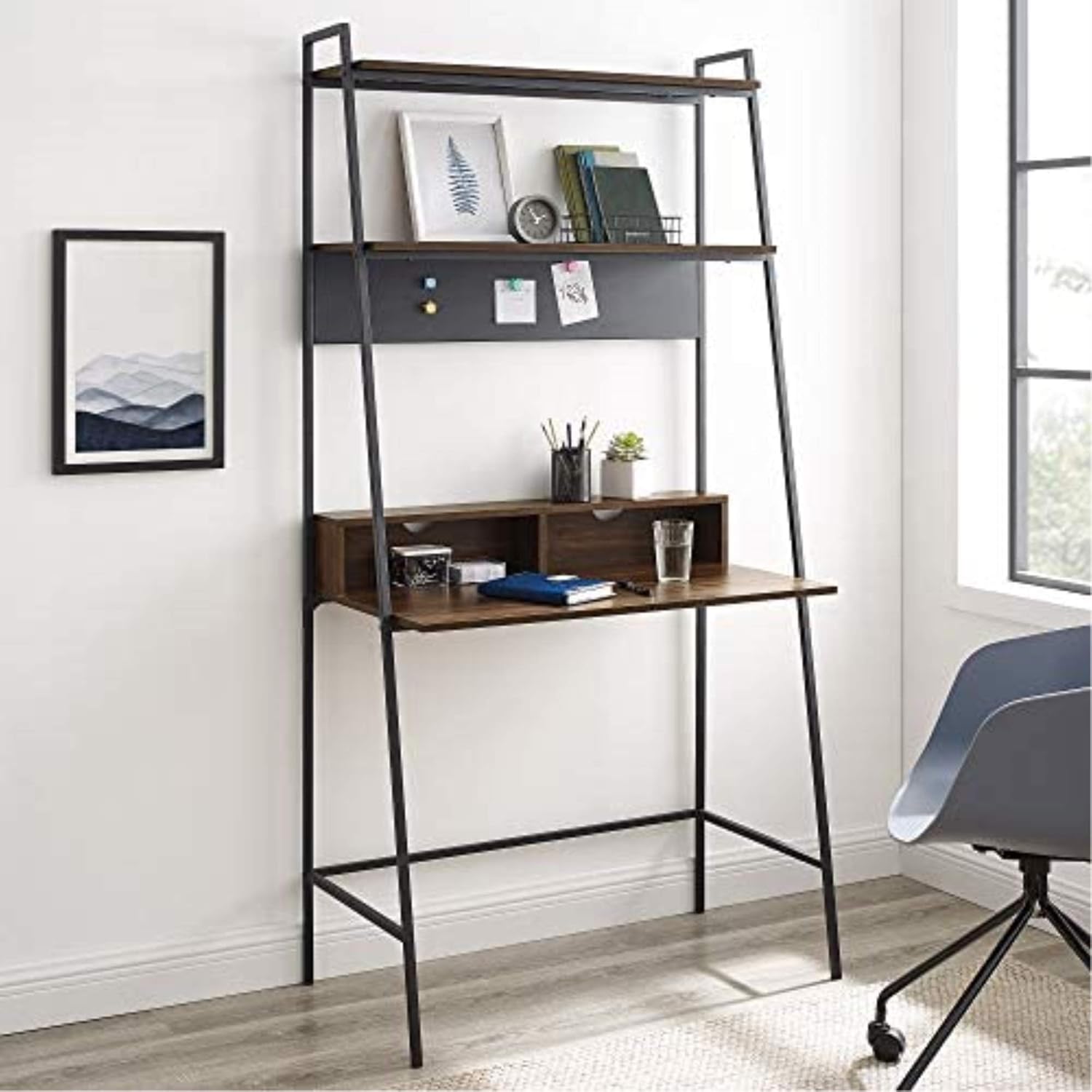
Image: The desk in a room setting, demonstrating its use as a computer workstation with books and decorative items on the shelves.
4. Care and Maintenance
Proper care will extend the life and appearance of your desk.
- Cleaning: Wipe surfaces with a soft, damp cloth. Avoid harsh chemicals, abrasive cleaners, or polishes that may damage the laminate finish or metal frame.
- Spills: Immediately wipe up any spills to prevent moisture damage to the wood laminate.
- Heat and Moisture: Avoid placing hot items directly on the desk surface. Use coasters for drinks to prevent water rings.
- Sunlight: Prolonged exposure to direct sunlight may cause fading or discoloration of the finish.
- Hardware Check: Periodically check all screws and fasteners to ensure they remain tight. Retighten if necessary, but do not overtighten.
- Moving the Desk: When moving the desk, always lift it rather than dragging it to prevent damage to the frame and floor.
5. Troubleshooting
If you encounter any issues with your desk, refer to the following common problems and solutions:
| Problem | Possible Cause | Solution |
|---|---|---|
| Desk is wobbly after assembly. | Screws are not fully tightened or desk is on an uneven surface. | Ensure all screws are securely tightened. Move the desk to a level surface. If necessary, use furniture glides or shims under the feet. |
| Parts do not align during assembly. | Incorrect orientation of parts or screws tightened too early. | Double-check the assembly diagram for part orientation. Loosen all screws slightly, align parts, then retighten. Do not fully tighten screws until all components are loosely assembled. |
| Missing hardware or damaged parts. | Packaging error or transit damage. | Do not proceed with assembly. Contact Walker Edison customer support with your model number and a description of the missing/damaged parts. |
| Magnetic board not holding magnets well. | Weak magnets or board surface issue. | Ensure you are using strong magnets. The board is designed for light magnetic items. |
6. Product Specifications
| Feature | Specification |
|---|---|
| Brand | Walker Edison |
| Model Number | D36ARLODW |
| Product Dimensions | 91.44 x 50.8 x 182.88 cm (36 x 20 x 72 inches) |
| Item Weight | 19.96 kg (44 lbs) |
| Color | Dark Walnut |
| Style | Modern |
| Desk Design | Ladder Desk |
| Top Material Type | Wood (Durable Laminate) |
| Base Material | Iron (Metal Framing) |
| Finish Type | Powder Coated (Metal) |
| Special Feature | Ships ready-to-assemble with step-by-step instructions |
7. Warranty and Support
For specific warranty information regarding your Walker Edison Modern Wood Ladder Computer Desk, please refer to the documentation included with your product at the time of purchase. Warranty terms and conditions typically cover manufacturing defects.
If you require further assistance, have questions about assembly, or need to report missing/damaged parts, please contact Walker Edison customer support directly. Contact information can usually be found on the product packaging or on the official Walker Edison website.
Related documentsD36ARLODW

Ask a question about this manual
Ask about setup, troubleshooting, compatibility, parts, safety, or missing instructions. Manuals+ will review the question and use this page’s manual context to help answer it.