
Introduction
This manual provides detailed instructions for the safe and effective operation of your BTMETER Digital Tachometer BT-9235C. This non-contact device is designed for measuring revolutions per minute (RPM) in various rotating systems, including automotive engines, lawn mowers, lathes, milling machines, and HVAC fans. Please read this manual thoroughly before use and keep it for future reference.
Features
- Wide measurement range: 7.0 to 99999 RPM with high accuracy.
- Non-contact measurement using a red light pointer for precise targeting up to 39 inches.
- Fast response time of 1 second for instant results.
- Data memory function: Stores up to 10 sets of data, including maximum, minimum, and average readings.
- Large, backlit LCD display for clear readability in various lighting conditions.
- Automatic power-off feature to conserve battery life.

Package Contents
Verify that all items are present and in good condition upon opening the package:
- BTMETER Digital Tachometer BT-9235C
- Instruction Manual
- Reflective Tape (24 inches long)
- Carrying Case
- 2 x 1.5V AA Size Batteries (may vary, check product specifications)

Setup
Battery Installation
- Locate the battery compartment on the back of the tachometer.
- Slide the battery cover open.
- Insert two 1.5V AA size batteries, ensuring correct polarity (+/-).
- Close the battery cover securely.

Applying Reflective Tape
For accurate non-contact measurements, reflective tape must be applied to the rotating object.
- Cut a small piece of reflective tape (approximately 0.5 to 1 inch).
- Clean the surface of the rotating object where the tape will be applied.
- Firmly stick the reflective tape onto the rotating object. For best results, place the tape on the edge of the object.
Operating Instructions
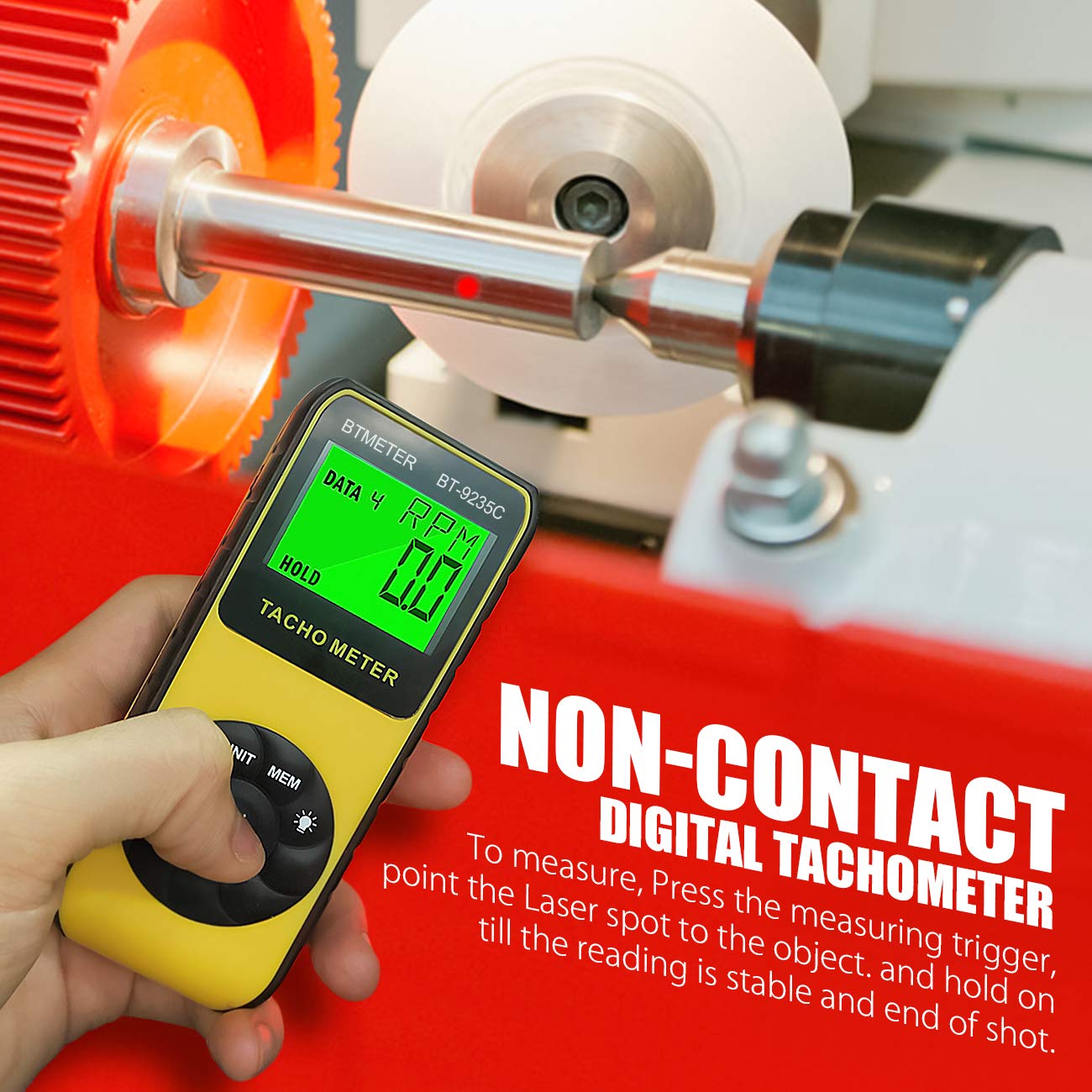
Non-Contact RPM Measurement
- Ensure batteries are installed and reflective tape is applied to the target object.
- Press the "ON/TEST" button to power on the tachometer. The display will show "SCAN".
- Point the red light pointer at the reflective tape on the rotating object. Maintain a distance of 2 to 39 inches (50-1000mm) from the target.
- Hold the "ON/TEST" button down. The tachometer will begin measuring and display the RPM.
- Release the "ON/TEST" button to stop measurement. The last reading will be held on the display.
Laser Lock Function
To maintain continuous laser emission without holding the "ON/TEST" button:
- Press the "LOCK" button. The laser will remain on, allowing for extended measurement periods without continuous button press.
- To deactivate the laser lock, press the "LOCK" button again.
Data Storage and Recall
The tachometer can store and display maximum, minimum, and average values from a measurement session.
- During a measurement, press the "MEM" button to store the current reading. The device automatically stores MAX, MIN, and AVG data for up to 10 sets.
- To recall stored data, press the "MEM" button repeatedly while the device is on but not actively measuring. Each press will cycle through MAX, MIN, and AVG values for the stored data sets.
Applications
The BTMETER BT-9235C Digital Tachometer is suitable for a wide range of applications requiring precise RPM measurement:
- Automotive: Measuring engine RPM for diagnostics and tuning.
- Industrial: Monitoring rotational speed of machinery such as motors, electric fans, pumps, and conveyor belts.
- Manufacturing: Quality control for rotating parts in production lines.
- HVAC: Checking fan and blower speeds in heating, ventilation, and air conditioning systems.

Maintenance
To ensure the longevity and accuracy of your tachometer, follow these maintenance guidelines:
- Cleaning: Wipe the device with a soft, dry cloth. Do not use abrasive cleaners or solvents. Keep the laser emission and receiving ports clean and free of dust.
- Storage: Store the tachometer in its protective carrying case when not in use. Keep it in a cool, dry place, away from direct sunlight and extreme temperatures.
- Battery Replacement: If the low battery indicator appears on the display, replace the batteries promptly to avoid inaccurate readings or device malfunction. Remove batteries if the device will not be used for an extended period.
Troubleshooting
If you encounter issues with your BTMETER Digital Tachometer, refer to the following common problems and solutions:
| Problem | Possible Cause | Solution |
|---|---|---|
| No display or weak display | Low or dead batteries; incorrect battery installation. | Replace batteries with new ones; ensure correct polarity. |
| Inaccurate or unstable readings | Reflective tape not properly applied; insufficient reflective surface; measurement distance too far or too close; ambient light interference. | Ensure tape is flat and clean; use a larger piece of tape if needed; adjust measurement distance (2-39 inches); minimize strong light sources. |
| Laser not emitting | Device off; "ON/TEST" button not pressed or "LOCK" not activated; laser emission port obstructed. | Turn on the device; press and hold "ON/TEST" or activate "LOCK"; clean the laser emission port. |
| Device does not power on | Dead batteries; device malfunction. | Replace batteries; if problem persists, contact customer support. |
Specifications
| Parameter | Value |
|---|---|
| Brand | BTMETER |
| Model | BT-9235C |
| Measurement Range | 7.0 - 99999 RPM |
| Accuracy (7.0-5999.9 RPM) | ±0.01% ±1 digit |
| Accuracy (5999.9-99999 RPM) | ±0.05% ±1 digit |
| Resolution (7.0-9999.9 RPM) | 0.1 RPM |
| Resolution (10000-99999 RPM) | 1 RPM |
| Detection Type | Laser Diode (Non-Contact) |
| Response Time | 1 second |
| Operating Temperature | 0 to 50°C (32 to 122°F), 10 to 90% RH |
| Auto Power Off | Automatically after approx. 30 seconds |
| Max/Min/Avg Function | Yes |
| Memory | 40 data points (10 sets of MAX, MIN, AVG, Last data) |
| Battery Type | 2 x 1.5V AA Size Battery |
| Dimensions (L x W x H) | 6.69 x 3.15 x 1.97 inches (160 x 73 x 40 mm) |
| Item Weight | 5.28 ounces (approx. without battery) |
| Material | Plastic |
| UPC | 782910435331 |

Warranty and Support
BTMETER provides a 12-month product warranty and lifetime technical support for the BT-9235C Digital Tachometer. This warranty covers defects in materials and workmanship under normal use.
For technical assistance, warranty claims, or any questions regarding your product, please contact BTMETER customer support through the retailer where the product was purchased or visit the official BTMETER website for contact information.