1. Introduction and Overview
The Eyoyo 2D Bluetooth Back Clip Barcode Scanner is designed to seamlessly integrate with your smartphone, providing an efficient and portable solution for barcode scanning. This device allows you to scan barcodes and view data simultaneously on your phone screen via a simple Bluetooth connection. Its lightweight design and versatile scanning capabilities make it an ideal tool for various applications.
This manual provides detailed instructions on setting up, operating, and maintaining your Eyoyo barcode scanner.

Figure 1: Eyoyo 2D Bluetooth Barcode Scanner attached to a smartphone.
2. Features
- Phone Back Clip Design: Lightweight (90g/3.1oz) with a retractable bracket, easily installed on mobile phones with a length of 5.4-6.5 inches. Note: Phone case removal may be required for installation.
- Bluetooth Connectivity: Specifically designed for smartphone integration, allowing simultaneous scanning and data viewing. Bluetooth turns on automatically.
- Versatile Scanning: Equipped with an advanced CMOS sensor, capable of capturing most 1D barcodes (UPC/EAN, Code39, Interleaved 2 of 5, Code93, Code 128, Codabar, etc.) and 2D barcodes (QR, DataMatrix, PDF417, Aztec, Hanxin, Micro PDF417). Supports scanning of damaged, distorted, colorful, and reflective barcodes.
- Multiple Scanning Buttons: Features three scanning buttons (left, right, top/bottom) for comfortable and efficient operation from various angles.
- Dual Usage Modes: Can be used as a back-clip scanner attached to a phone or as a standalone Bluetooth barcode scanner, connecting to laptops, PCs, smartphones, tablets, iPhones, and iPads.
- Long Battery Life: Built-in 1600mAh battery provides up to 5 hours of continuous work with only 1.5 hours of charging time.

Figure 2: The scanner's integration with a phone for efficient inventory management.

Figure 3: Illustration of the two ways to use the scanner: attached to a phone or standalone.

Figure 4: The three scanning button design for ergonomic use.

Figure 5: The scanner's capability to read various 1D and 2D barcode types.

Figure 6: Comparison of the newly upgraded Eyoyo Back Clip 2D Scanner.
3. Package Contents
Please check the package contents upon unboxing to ensure all items are present:
- 1x Eyoyo 2D Clip Back Barcode Scanner (Model: EY-017)
- 1x Charge Cable
- 1x User Manual
4. Setup: Installation & Removal
The Eyoyo barcode scanner is designed for easy attachment and detachment from your smartphone.
4.1. Installation
- Ensure your phone case is removed if it obstructs the scanner's clip mechanism.
- Align the scanner with the back of your phone.
- Gently push the scanner onto the phone, ensuring it clips securely into place. The retractable bracket will adjust to fit your phone's length (5.4-6.5 inches).
4.2. Removal
- Hold the phone and scanner firmly.
- Pull the scanner downwards to release it from the phone's back clip.

Figure 7: Visual guide for installing and removing the scanner.
5. Operating Instructions
5.1. Bluetooth Connection
The scanner automatically turns on Bluetooth when powered on. To connect:
- Ensure Bluetooth is enabled on your smartphone, tablet, or computer.
- Search for available Bluetooth devices. The scanner should appear as an 'Eyoyo' device.
- Select the Eyoyo device to pair. A successful connection will be indicated by a specific sound or LED indicator on the scanner.
5.2. Scanning Barcodes
Once connected, you can begin scanning. The scanner supports most 1D and 2D barcodes, including those that are damaged, distorted, or reflective.
- Aiming: Point the scanner's lens at the barcode you wish to scan.
- Pressing the Scan Button: Use any of the three conveniently located scan buttons (left, right, or middle) to activate the scanning beam.
- Confirmation: A successful scan is typically confirmed by an audible beep and/or a visual indicator. The scanned data will appear on your connected device's screen if you are using a compatible application.
6. Maintenance
6.1. Battery Charging
The Eyoyo scanner is equipped with a built-in 1600mAh rechargeable battery. To charge the device:
- Connect the provided charge cable to the scanner's charging port.
- Connect the other end of the charge cable to a compatible USB power source (e.g., computer USB port, USB wall adapter).
- The charging indicator light will illuminate. A full charge takes approximately 1.5 hours.
- Once fully charged, the scanner can operate for up to 5 hours continuously.
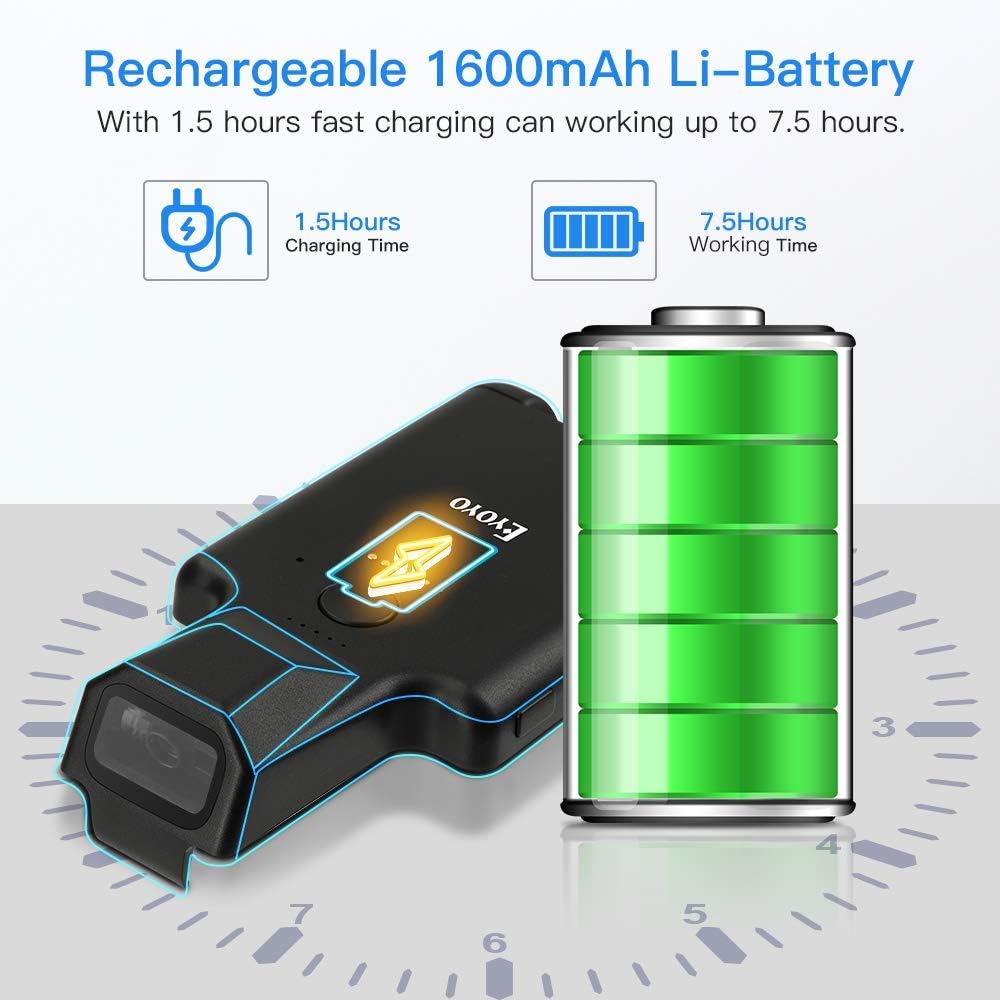
Figure 8: Battery charging and working time details.
6.2. Cleaning
To maintain optimal performance, keep the scanner's lens clean. Use a soft, dry, lint-free cloth to gently wipe the lens. Avoid using abrasive cleaners or solvents.
7. Troubleshooting
- Scanner not connecting via Bluetooth: Ensure Bluetooth is enabled on your host device and the scanner is powered on. Try restarting both the scanner and your device. Ensure the scanner is not already paired with another device.
- Scanner not reading barcodes: Ensure the barcode is clean and not excessively damaged. Check that the scanner's lens is clean. Ensure adequate lighting. Try scanning different types of barcodes to confirm functionality.
- Short battery life: Ensure the scanner is fully charged before use. Battery performance can degrade over time with extensive use.
- Physical fit issues with phone: Ensure your phone is within the supported size range (5.4-6.5 inches). Remove any bulky phone cases that might prevent proper seating.
8. Specifications
| Feature | Specification |
|---|---|
| Model | EY-017 |
| Weight | 90g / 3.1oz (scanner only) |
| Dimensions | 3.6 x 6.4 x 13.4 cm (Product dimensions) |
| Battery Capacity | 1600mAh Lithium-Ion |
| Charging Time | Approx. 1.5 hours |
| Working Time | Up to 5 hours (continuous) |
| Connectivity | Bluetooth (BLE, SPP, HID), USB Cable |
| Sensor Resolution | 648X488 |
| Sensor Field of View | 66° horizontally, 50° vertically |
| Light Resistance | 0-10,000 Lux |
| Earthquake Resistance | 1.2m/4ft drop on cement surface |
| Compatible Devices | Desktop, Laptop, Smartphone, Tablet (iPhone, Android, iOS) |
| 1D Barcode Support | UPC-A, UPC-E, UPC-E1, EAN-8, EAN-13, EAN-14, EAN-128, UCC128, ISBN/ISSN, CODE11, CODE32, CODE39, CODE39 Full ASCII, CODE93, CODE128, cross 25 yards, industrial 25 yards, matrix 25 yards, China Postcode, UK/Plessey, GS1, etc. |
| 2D Barcode Support | QR, DataMatrix, PDF417, Aztec, Hanxin, Micro PDF417, and so on. |
9. Warranty and Support
For warranty information or technical support, please refer to the contact details provided with your purchase documentation or visit the official Eyoyo website. If you encounter any issues not covered in this manual, please contact Eyoyo customer service for assistance.


