
1. Introduction
This document provides essential instructions for the Easytry123 replacement infrared remote control. This remote is designed to function as a direct replacement for specific Philips Smart LCD LED HDTV TV models. It is important to verify that your original remote control matches the appearance of this replacement unit for proper compatibility and functionality. This remote is not a universal remote control and is intended only for the listed models.

Figure 1.1: Front view of the Easytry123 replacement remote control. This image displays the full layout of buttons, including power, navigation, volume, channel, and numeric keys.
2. Setup
2.1 Battery Installation
The Easytry123 replacement remote control requires two AAA batteries for operation. No complex setup or coding is needed; simply install the batteries correctly, and the remote will be ready for use.
- Locate the battery compartment on the back of the remote control.
- Slide the battery compartment cover downwards or press the latch and lift to open.
- Insert two AAA batteries, ensuring the positive (+) and negative (-) terminals align with the indicators inside the compartment.
- Replace the battery compartment cover by sliding it back into place until it clicks securely.
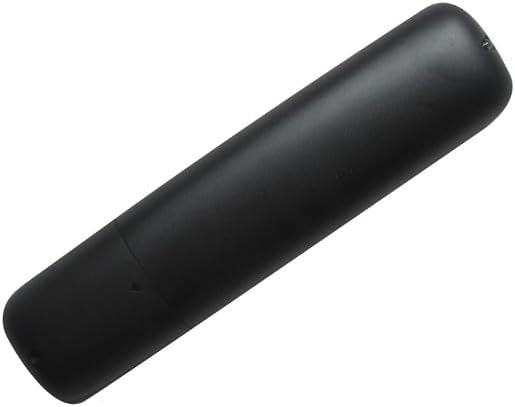
Figure 2.1: Back view of the remote control, showing the battery compartment cover.
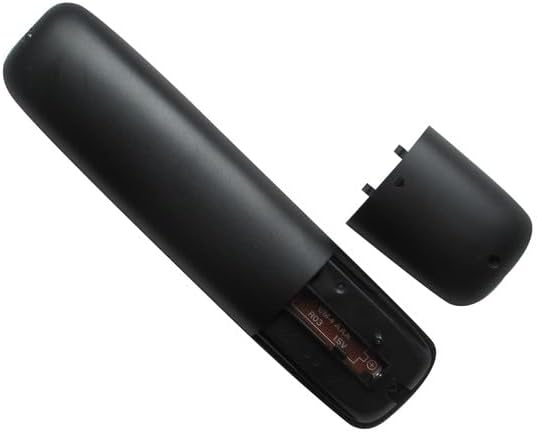
Figure 2.2: The remote control with the battery compartment open, illustrating the correct orientation for AAA battery insertion.
3. Operating Instructions
3.1 Basic Functions
This replacement remote control provides standard functions for operating your compatible Philips TV. Point the remote directly at your television's infrared receiver for optimal performance.

Figure 3.1: Angled view of the remote control, providing a clear perspective of the button layout and labels.
- Power Button (Red Circle with Line): Turns the television on or off.
- Volume Up/Down (VOL +/-): Adjusts the audio volume level.
- Channel Up/Down (CH +/-): Changes the television channel.
- Mute Button (Speaker with X): Mutes or unmutes the television audio.
- Source Button (SOURCE): Cycles through available input sources (e.g., HDMI 1, HDMI 2, AV).
- Navigation Pad (Up, Down, Left, Right, OK): Used to navigate menus and select options on the screen.
- Back Button (BACK): Returns to the previous menu or screen.
- NETTV Button: Provides direct access to Smart TV features or applications.
- Numeric Keypad (0-9): Directly enters channel numbers or other numerical inputs.
- APP Buttons (APP1, APP2, APP3, APP4): Dedicated buttons for quick access to specific applications, if supported by your TV model.
- Playback Controls (Play, Pause, Stop, Fast Forward, Rewind): Controls media playback.
- CC (Closed Captioning): Toggles closed captioning on or off.
- INFO: Displays information about the current program or input.
- FORMAT: Adjusts the screen aspect ratio or picture format.
4. Important Compatibility Notes
This remote control is specifically designed as a replacement for the Philips TV models listed in the title. It is crucial to:
- Verify Visual Match: Ensure your original remote control has the same appearance as this replacement unit.
- Model Number Confirmation: Confirm that your television's model number is explicitly included in the list of compatible models.
- Functionality: While designed to replicate original functions, some advanced or less common features of your original remote may not be fully supported by this replacement.
- No Programming Required: This remote operates via infrared and does not require any programming or code setup.
5. Specifications
- Brand: Easytry123
- Compatible Devices: Philips Smart LCD LED HDTV Televisions (Specific models listed in title)
- Connectivity Technology: Infrared (IR)
- Controller Type: Button Control
- Power Source: 2 x AAA Batteries (not included)
- Special Feature: Ergonomic design, direct replacement functionality
6. Troubleshooting
6.1 Common Issues
- Remote not responding:
- Ensure batteries are inserted correctly with proper polarity (+/-).
- Replace old batteries with new AAA batteries.
- Check for any obstructions between the remote and the TV's IR receiver.
- Confirm that the remote is pointed directly at the TV.
- Some functions not working:
- Verify that your TV model is listed as compatible.
- Understand that some advanced or unique functions of your original remote may not be replicated by this replacement.
- Intermittent response:
- Ensure batteries have sufficient power.
- Minimize strong light sources (e.g., direct sunlight, fluorescent lights) that might interfere with the IR signal.
7. Warranty and Support
Information regarding specific warranty terms or direct customer support for this Easytry123 replacement remote control is not provided in this manual. Please refer to the retailer or your purchase documentation for details on warranty coverage and support options.