
1. Introduction
This manual provides instructions for the installation, operation, and maintenance of your Uniclife 48 Position Key Cabinet. This steel key organizer is designed to securely store and organize up to 48 keys, featuring a resettable 3-digit combination lock for secure access. Please read this manual thoroughly before use to ensure proper functionality and safety.
2. Safety Information
Important Safety Instructions:
- Install this key cabinet INDOORS ONLY. It is not designed for outdoor use or exposure to elements.
- Ensure proper mounting to a sturdy wall surface to prevent tipping or instability. Use appropriate hardware for your wall type.
- Keep the combination code confidential and in a secure location, separate from the cabinet.
- Do not attempt to force the lock or the cabinet door, as this may cause damage to the unit or compromise its security.
3. Product Overview
The Uniclife 48 Position Key Cabinet is a robust solution for key organization and security. It features a durable steel construction and a user-friendly combination lock.

Figure 1: Front view of the Uniclife 48 Position Key Cabinet, showing the combination lock.
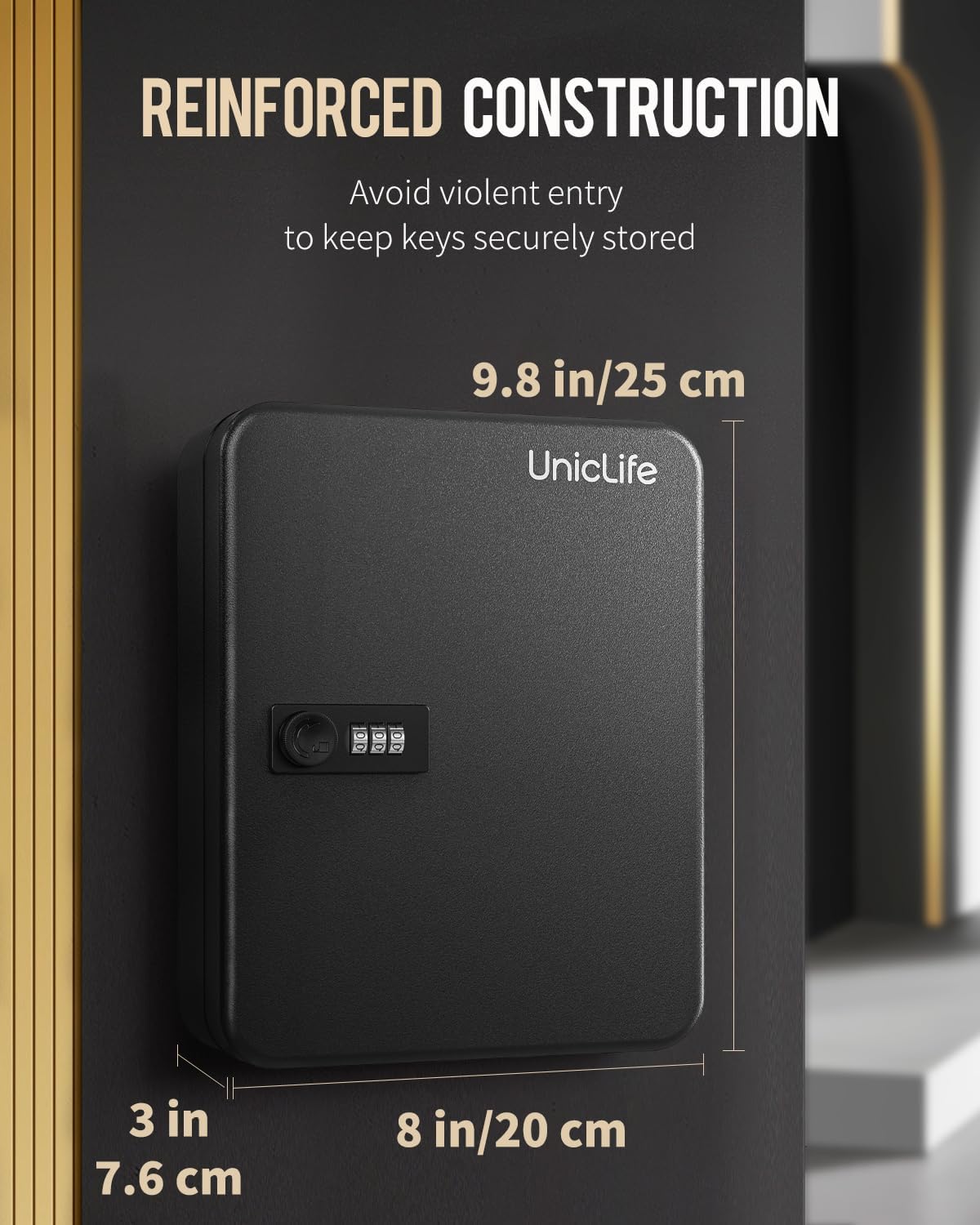
Figure 2: Key cabinet dimensions: 9.8 inches (25 cm) high, 8 inches (20 cm) wide, and 3 inches (7.6 cm) deep. The image highlights the reinforced construction.

Figure 3: Interior view of the 48-key steel key cabinet, showing keys organized on hooks with colorful tags and number stickers.
4. Setup and Installation
4.1 Unpacking
Carefully remove the key cabinet from its packaging. Verify that all components are present:
- Uniclife 48 Position Key Cabinet
- 48 Colorful Key Tags
- 48 Number Stickers
- Mounting Screws and Wall Anchors
4.2 Wall Mounting
The key cabinet is designed for wall mounting. Choose a secure, indoor location. Ensure the wall material can support the weight of the cabinet and its contents.
- Select a suitable indoor wall location.
- Hold the cabinet against the wall at the desired height and mark the positions for the mounting holes.
- Drill pilot holes at the marked locations. Use a drill bit appropriate for your wall anchors.
- Insert the wall anchors into the drilled holes.
- Align the cabinet with the anchors and secure it using the provided screws. Ensure the cabinet is firmly attached and level.
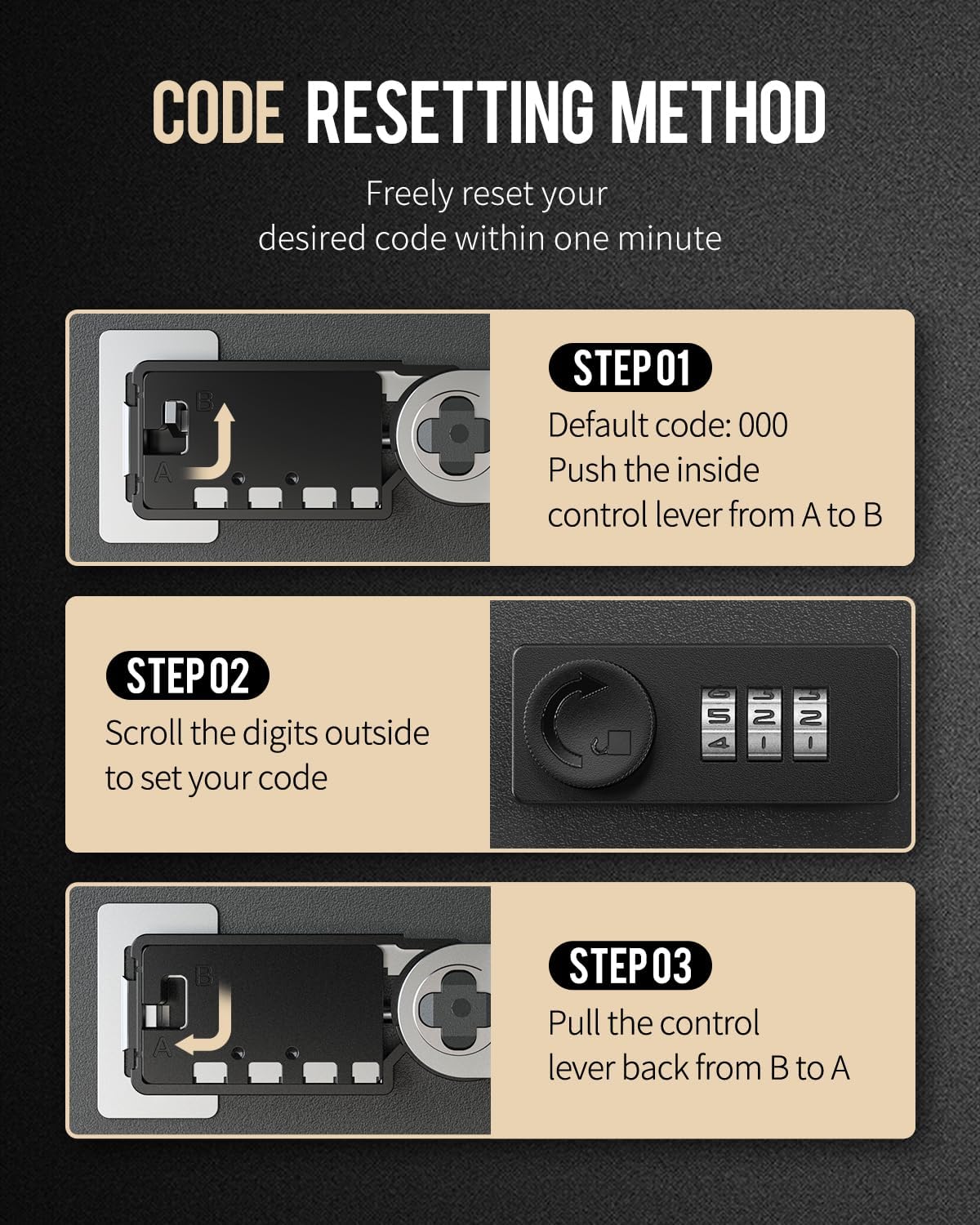
Figure 4: Illustration emphasizing that the key cabinet should be installed indoors only, ideal for various settings.
4.3 Setting the Combination Code
The initial factory code for the combination lock is "000". Follow these steps to set your personal 3-digit code:
- Open the cabinet using the default code "000".
- Locate the control lever on the inside of the lock mechanism.
- Push the control lever from position A to position B.
- While the lever is in position B, rotate the dials on the outside of the lock to your desired 3-digit combination.
- Once your new code is set, pull the control lever back from position B to position A.
- Test your new code by scrambling the dials and then entering your new combination to open the cabinet.
Important: Remember your new code. There is no master key or override if the code is forgotten.

Figure 5: Detail of the 3-digit resettable combination lock, ensuring private and exclusive access.

Figure 6: Step-by-step guide for resetting the combination code, showing the internal lever mechanism.
5. Operating Instructions
5.1 Opening and Closing the Cabinet
- To open: Rotate the dials to your set 3-digit combination. Turn the knob to the right to unlock and open the door.
- To close: Close the door firmly. Scramble the dials to secure the lock.
5.2 Organizing Keys with Tags and Stickers
The cabinet comes with 48 colorful key tags and number stickers to help you organize your keys efficiently.

Figure 7: The key cabinet features two layers to accommodate up to 48 keys, ensuring neat and numerically arranged storage.
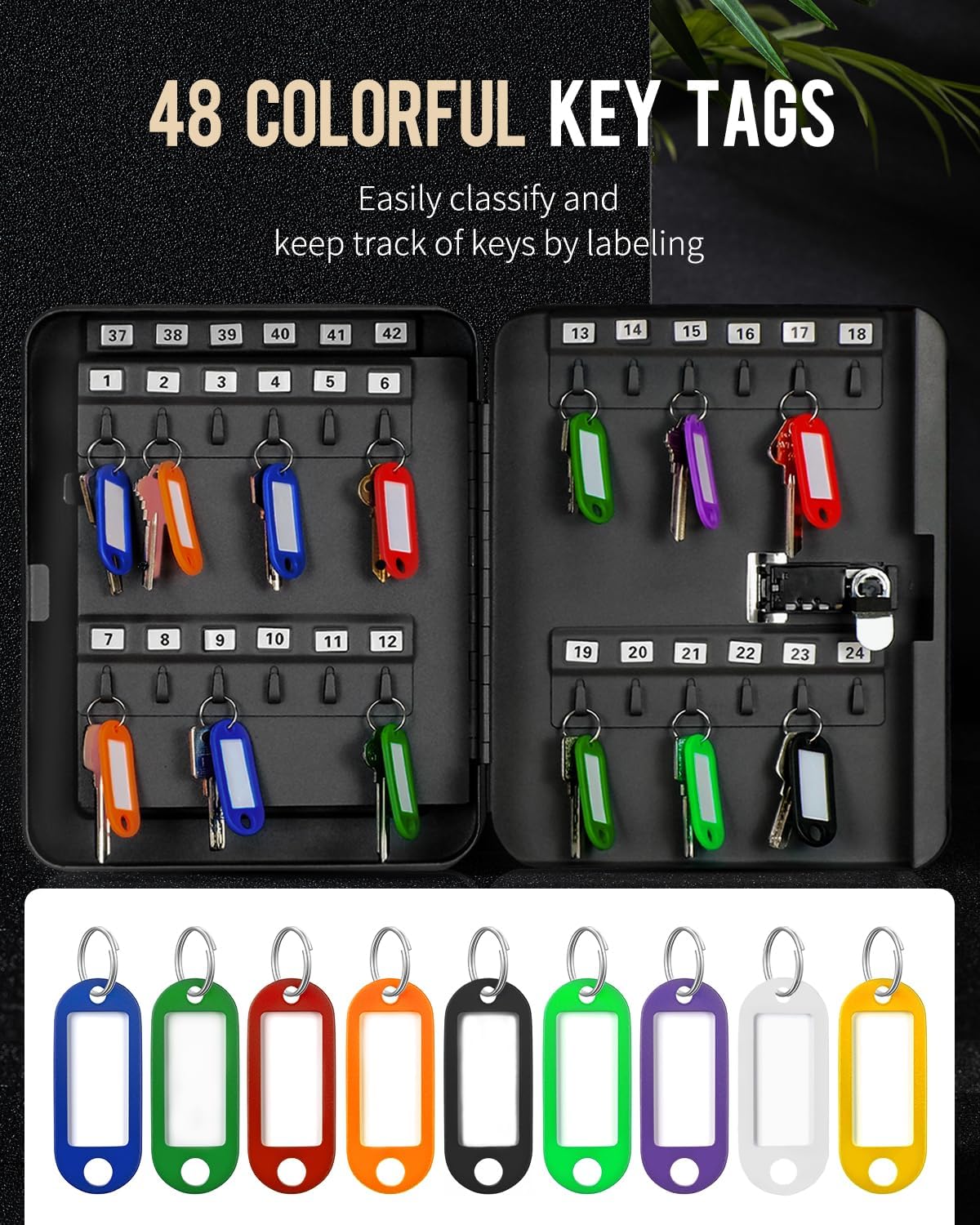
Figure 8: A selection of 48 colorful key tags, designed for easy classification and tracking of keys through labeling.
- Using Key Tags: Each flexible key tag has a transparent window and a removable blank paper insert. Slide out the paper to write labels (e.g., room number, key purpose). Slide the paper back in and attach your key to the tag's key ring.
- Using Number Stickers: Apply the provided number stickers (1-48) next to each hook inside the cabinet. This allows for numerical organization and quick identification of keys.
- Placing Keys: Hang the key tags onto the designated hooks inside the cabinet. The two-layer design helps maximize storage and organization.
6. Maintenance
To ensure the longevity and proper functioning of your Uniclife Key Cabinet, follow these simple maintenance guidelines:
- Cleaning: Wipe the exterior and interior surfaces with a soft, damp cloth. Avoid abrasive cleaners or solvents that could damage the finish.
- Lock Mechanism: The combination lock is designed to be maintenance-free. Do not lubricate the dials or internal mechanism.
- Inspection: Periodically check the mounting screws to ensure they remain tight and secure.
- Environment: Store the cabinet in a dry, indoor environment to prevent rust or damage.
7. Troubleshooting
| Problem | Possible Cause | Solution |
|---|---|---|
| Cabinet will not open with the set code. | Incorrect code entered, or dials not aligned precisely. | Double-check your code. Ensure each number is perfectly centered in the viewing window. Try rotating the dials slightly past the number and then back to it. |
| Code resetting lever does not move. | The lock may not be in the open position, or the dials are not set to the current code. | Ensure the cabinet is open and the dials are set to the current working code (default "000" or your last set code) before attempting to move the lever. |
| Cabinet door feels loose after mounting. | Mounting screws are not tight enough or wall anchors are insufficient. | Tighten all mounting screws. If the issue persists, consider using stronger wall anchors or relocating the cabinet to a more secure wall stud. |
If you encounter issues not listed here, please refer to the support section for assistance.
8. Specifications
- Brand: Uniclife
- Model: Uniclife-2805
- Capacity: 48 Key Positions
- Color: Black
- Material: Alloy Steel
- Product Dimensions (D x W x H): 3" x 8" x 9.8" (7.6 cm x 20 cm x 25 cm)
- Item Weight: Approximately 3.1 pounds (1.4 kg)
- Lock Type: 3-Digit Resettable Combination Lock
- Mounting Type: Wall Mount
- Recommended Use: Indoor use for schools, homes, companies, real estate agencies.
9. Warranty and Support
For warranty information or technical support, please contact Uniclife customer service through the retailer where the product was purchased or visit the official Uniclife website. Please have your model number (Uniclife-2805) and purchase date available when contacting support.