
1. Introduction
Thank you for choosing the VECELO Gaming Racing Ergonomic High-Back Computer Chair. This chair is designed to provide comfort and support for extended periods, whether for gaming, office work, or relaxation. Its ergonomic design, adjustable features, and durable construction ensure a reliable and comfortable experience. This manual provides essential information for assembly, operation, maintenance, and troubleshooting to help you get the most out of your chair.
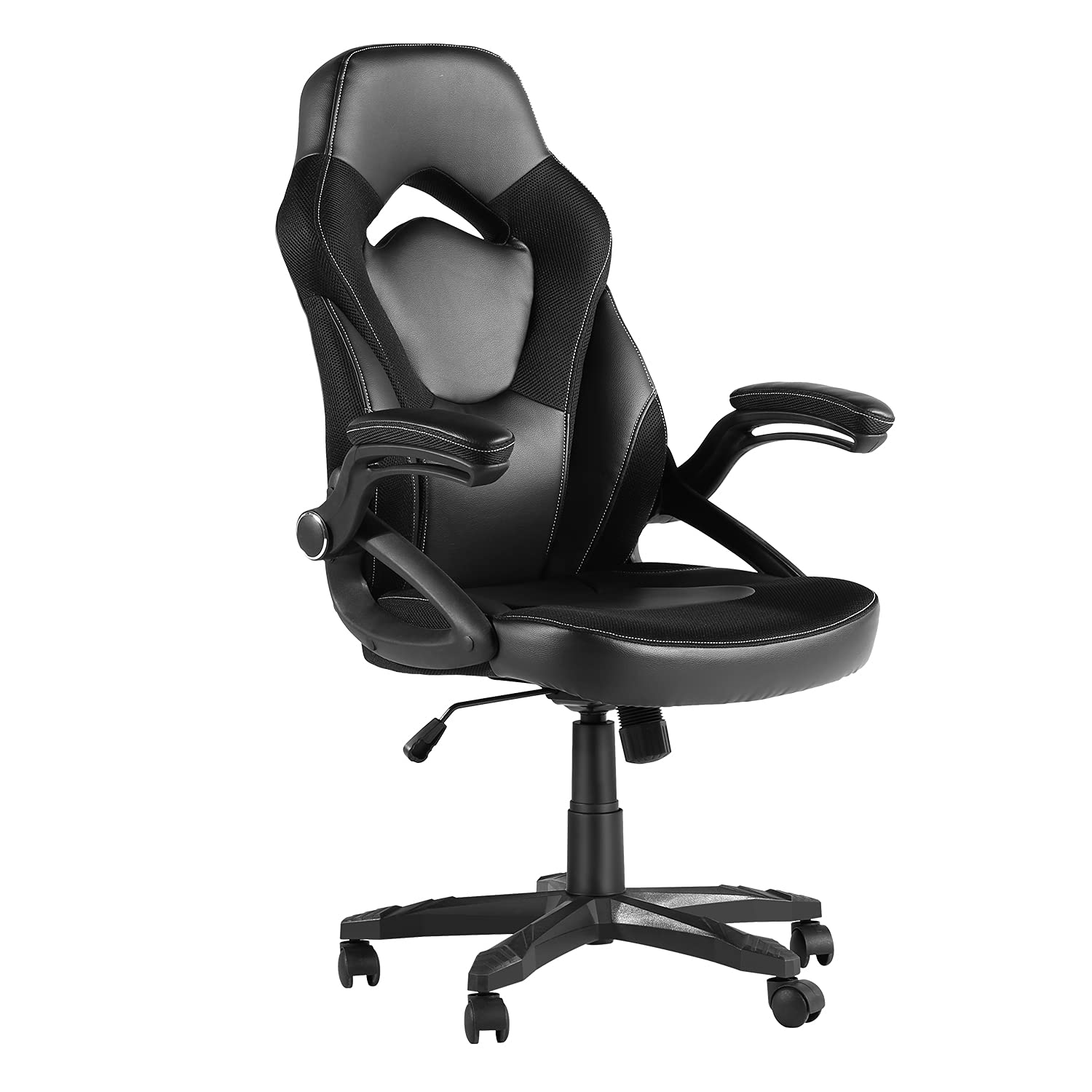
Image 1.1: The VECELO Gaming Racing Ergonomic High-Back Computer Chair in a typical gaming environment.
2. Safety Information
- Read all instructions carefully before assembly and use.
- Keep all packaging materials away from children.
- Ensure all screws and bolts are securely tightened before use. Periodically check and re-tighten as necessary.
- Do not stand on the chair.
- Do not use the chair if any parts are missing, damaged, or worn. Contact customer support for replacement parts.
- Maximum weight capacity for this chair is 285 lbs (129 kg). Do not exceed this limit.
- Use the chair on a flat, stable surface.
3. Package Contents
Before beginning assembly, verify that all components are present and undamaged. If any parts are missing or damaged, do not proceed with assembly. Contact VECELO customer support.
- Chair Components (Backrest, Seat, Armrests, Base, Casters, Gas Lift)
- Instruction Manual (this document)
- Hardware Kit (screws, washers, Allen wrench)
4. Setup and Assembly
Assembly typically takes approximately 45 minutes. It is recommended to have a second person assist during certain steps for easier assembly. Lay out all components on a soft, clean surface to prevent scratches.
- Attach Casters to Base: Insert the five casters into the holes at the end of each leg of the chair base. Push firmly until they click into place.
- Insert Gas Lift: Place the gas lift cylinder into the center hole of the assembled chair base. Ensure it is seated firmly.
- Attach Armrests to Seat: Secure the armrests to the underside of the seat cushion using the provided screws. Do not fully tighten the screws yet.
- Attach Backrest to Seat: Align the backrest with the seat cushion and attach it using the remaining screws. Once all screws are in place for both armrests and backrest, tighten all screws securely.
- Place Assembled Top onto Gas Lift: Carefully place the assembled seat and backrest onto the gas lift cylinder, ensuring the center mechanism aligns with the top of the gas lift.
Once assembled, test the chair's stability and all adjustment functions before regular use.
5. Operating Instructions
The VECELO Gaming Racing Chair offers several adjustable features for personalized comfort.

Image 5.1: Key features of the VECELO Gaming Racing Chair.
5.1. Seat Height Adjustment
To adjust the seat height, locate the lever on the right side, beneath the seat. While seated, pull the lever up to lower the seat. To raise the seat, stand up and pull the lever up. Release the lever at the desired height to lock it in place. The adjustable height range is 42.5-45.2 inches (107-115 cm).
5.2. Backrest Angle Adjustment
The backrest can be adjusted between 90° and 120°. Locate the lever on the left side, beneath the seat. Pull the lever up to recline the backrest. Release the lever at your preferred angle to lock it. Ensure the backrest is securely locked before leaning back.
5.3. Flip-Up Armrests
The armrests are designed to flip up, allowing you to push the chair closer to your desk or for easier storage. Simply lift the armrests upwards until they lock into the vertical position. To return them to the down position, gently pull them down.
5.4. Swivel and Mobility
The chair features a 360° swivel function and smooth-rolling nylon casters for easy movement across hard floors. Ensure the area around the chair is clear before moving to prevent accidents.
6. Maintenance
Regular maintenance helps prolong the life and appearance of your VECELO chair.
- Cleaning: For general cleaning, wipe surfaces with a soft, damp cloth. For stubborn stains, use a mild soap solution and wipe dry immediately. Avoid harsh chemicals or abrasive cleaners.
- Inspection: Periodically check all screws and bolts to ensure they are tight. Re-tighten if necessary. Inspect casters for any debris that might hinder smooth movement.
- Avoid Direct Sunlight: Prolonged exposure to direct sunlight can cause fading or damage to the upholstery.
7. Troubleshooting
If you encounter any issues with your chair, refer to the following common problems and solutions.
| Problem | Possible Cause | Solution |
|---|---|---|
| Chair wobbles or feels unstable | Loose screws or uneven floor. | Check and tighten all assembly screws. Ensure the chair is on a flat, level surface. |
| Seat height adjustment not working | Gas lift malfunction or lever mechanism issue. | Ensure the lever is fully engaged. If the issue persists, the gas lift may need replacement. Contact support. |
| Casters not rolling smoothly | Debris caught in casters or damaged casters. | Inspect casters for hair or debris and remove. If casters are damaged, they may need replacement. |
| Squeaking noises | Loose connections or friction between parts. | Tighten all screws. Apply a small amount of silicone lubricant to moving parts if necessary, avoiding upholstery. |
8. Specifications
Detailed specifications for the VECELO Gaming Racing Ergonomic High-Back Computer Chair.

Image 8.1: Dimensions of the VECELO Gaming Racing Ergonomic High-Back Computer Chair.
- Brand: VECELO
- Model Name: Gaming Racing
- Color: Black
- Material: Mesh, Polyurethane, Stainless Steel
- Product Dimensions (D x W x H): 19.6" x 20.4" x 45.2" (49.8 cm x 51.8 cm x 114.8 cm)
- Seat Size (W x D): 20.4" x 19.6" (52 cm x 50 cm)
- Backrest Height: 28.7" (73 cm)
- Adjustable Chair Height: 42.5" - 45.2" (107 cm - 115 cm)
- Item Weight: 27 Pounds (12.2 kg)
- Maximum Weight Recommendation: 285 Pounds (129 kg)
- Adjustable Back Angle: 90° - 120°
- Features: Adjustable Height, Flip-Up Armrests, Ergonomic Design, 360° Swivel, High-Density Shaping Foam
- Recommended Uses: Gaming, Office
- Assembly Required: Yes
9. Warranty and Support
VECELO is committed to providing quality products. For specific warranty details, please refer to the warranty card included with your purchase or visit the official VECELO website. If you have any questions, require assistance with assembly, or need replacement parts, please contact VECELO customer support through the retailer where the product was purchased or via the contact information provided on the VECELO official website.
Please have your model name (Gaming Racing) and purchase information ready when contacting support.