
Introduction
The ANCEL BM500 is a professional diagnostic tool specifically designed for BMW, MINI, and Rolls-Royce vehicles. It provides comprehensive system diagnostics and a wide range of special functions to help you maintain your vehicle's optimal performance. This manual will guide you through the setup, operation, and maintenance of your BM500 scanner.
Key features include:
- Enhanced Maintenance: CBS, ETC, PCM adaptations, EPB, Oil, Service Interval Indicator resets, and Battery Registration.
- All-System Diagnostics: Diagnoses all controlled modules including ABS, SRS, Engine, Transmission, EWS, CAS, ECM, ASC, EGS, EKPS, GWS, and more.
- OBD2 Diagnostics for All Cars: Reads/clears codes, I/M readiness, battery voltage checks, and live data streaming.
- Wide Compatibility: Supports BMW, MINI, and Rolls-Royce models after 1996.
- User-Friendly Interface: 2.4" TFT color LCD screen, compact design, suitable for beginners and professionals.
Setup
Connecting the Device
To begin using your ANCEL BM500, connect the OBD2 cable from the scanner to your vehicle's OBD2 port, typically located under the dashboard on the driver's side. Ensure a secure connection.
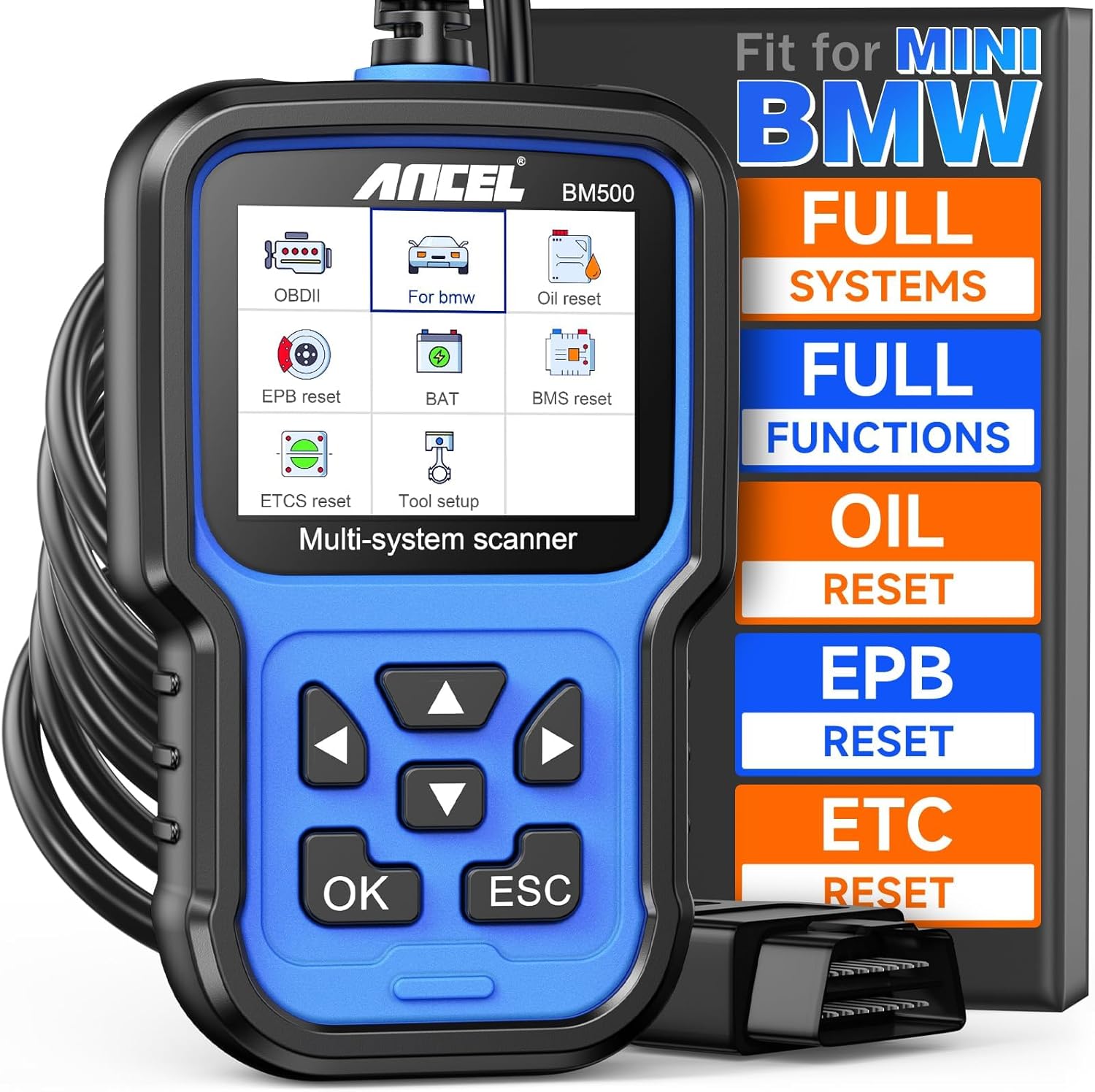
Figure 1: ANCEL BM500 Multi-System Scanner connected to vehicle.
Software Update
The ANCEL BM500 offers lifetime free updates to ensure you always have the latest features and vehicle compatibility. To update the software:
- Visit the ANCEL official website and navigate to the Download Center.
- Select 'HANDHELD SCANNER > BM500' and download the latest upgrade file to your computer.
- Extract the downloaded file to your desktop.
- Connect your BM500 device to your computer using the provided USB cable.
- Open the upgrade tool (Update.exe) from the extracted folder and click the 'Update' button.
- Wait for the progress bar to complete. Do not disconnect the device or turn off your computer during the update process.
Video: Upgrade Steps for ANCEL BM500 OBD2 Scanner fit for BMW. This video demonstrates the process of updating the scanner's software via a computer connection.

Figure 2: Performing a software update on the ANCEL BM500.
Operating
All-System Diagnostics
The BM500 is capable of diagnosing all controlled modules in BMW, MINI, and Rolls-Royce vehicles, providing comprehensive insights into your car's health.
Video: ANCEL BM500 Full System OBD2 Scanner with Special Function. This video demonstrates the full system diagnostic capabilities of the scanner.

Figure 3: All-System Scanner capabilities for BMW and MINI.
OBD2 Diagnostics for All Cars
For general OBD2 diagnostics across all car makes, the BM500 can read and clear engine fault codes, perform I/M readiness tests, and display live data streams.
Video: How to do I/M Readiness with BM500? This video illustrates the process of checking I/M readiness with the scanner.

Figure 4: Full OBD2 Functions available on the scanner.
Maintenance Functions
Battery Registration
When replacing a car battery in BMW/MINI vehicles, it is crucial to perform battery registration to ensure optimal performance and charging. The BM500 simplifies this process.
Video: How to do battery registration for BMW? This video guides you through the battery registration steps.
Video: How to do Battery Registration fit for BMW with BM500? A detailed walkthrough of the battery registration process.

Figure 5: Easy steps to register a new battery.
Electronic Parking Brake (EPB) Reset
The EPB reset function allows for safe and proper maintenance of the electronic parking brake system.
Video: How to do EPB Reset? This video demonstrates the steps for resetting the Electronic Parking Brake.
Oil Reset
Reset the oil service light after an oil change to ensure accurate service interval tracking.
Electronic Throttle Control (ETC) Reset
Perform ETC reset to recalibrate the throttle body and ensure accurate throttle response.
Video: How to do ETC Reset? This video shows the procedure for resetting the Electronic Throttle Control.
PCM Clear Adaptations
This function allows you to clear learned adaptations in the Powertrain Control Module (PCM), which can be useful after certain repairs or to reset driving style adaptations.
Battery Voltage Check
Monitor your vehicle's 12V battery voltage to assess its health and charging status.
Video: How to check 12v battery voltage with BM500? This video demonstrates how to use the scanner to check battery voltage.
Video: How to evaluate states of battery charge for BMW? This video explains how to assess the battery's charge status.

Figure 6: Popular Maintenance Services supported by the ANCEL BM500.
Troubleshooting
The ANCEL BM500 is designed to help you identify and resolve vehicle issues. If you encounter a problem, use the diagnostic functions to read fault codes from relevant systems. Once the issue is addressed, you can use the 'Erase Codes' function to clear the diagnostic trouble codes (DTCs).
Important Note:
- Special reset and system functions may vary for each car model due to different modules.
- The battery registration function is designed for most BMW Group vehicles. Older chassis (E46, E39, E38, E83, E53, E36, E85, E86, MINI R52, R53, R50) only support with 16 PIN Socket and do not require battery registration; fault codes can be cleared directly after replacement.
Specifications
| Feature | Detail |
|---|---|
| Manufacturer | ANCEL |
| Item Weight | 12 ounces |
| Product Dimensions | 3.74 x 2.17 x 6.42 inches |
| Item Model Number | FBA-BM500 |
| Operating System | All Systems fits for BMW MINI |
| Display | 2.4" TFT color LCD screen |
Warranty & Support
The ANCEL BM500 comes with a commitment to long-term support:
- Lifetime Free Update: Enjoy continuous software updates without additional costs.
- Lifetime Tech Support: Access technical assistance for the lifespan of your product.
For any inquiries or support, please contact: support@romondestech.com

