
1. Introduction
Thank you for choosing the Sandberg Solar Charger 21W 2xUSB+USB-C. This device is designed to provide portable power for your mobile devices using solar energy. It features a 21W solar panel and a built-in battery for stable power output, ensuring your smartphones and other USB-powered gadgets remain charged while outdoors or away from traditional power sources. This manual provides essential information for the safe and efficient use of your solar charger.
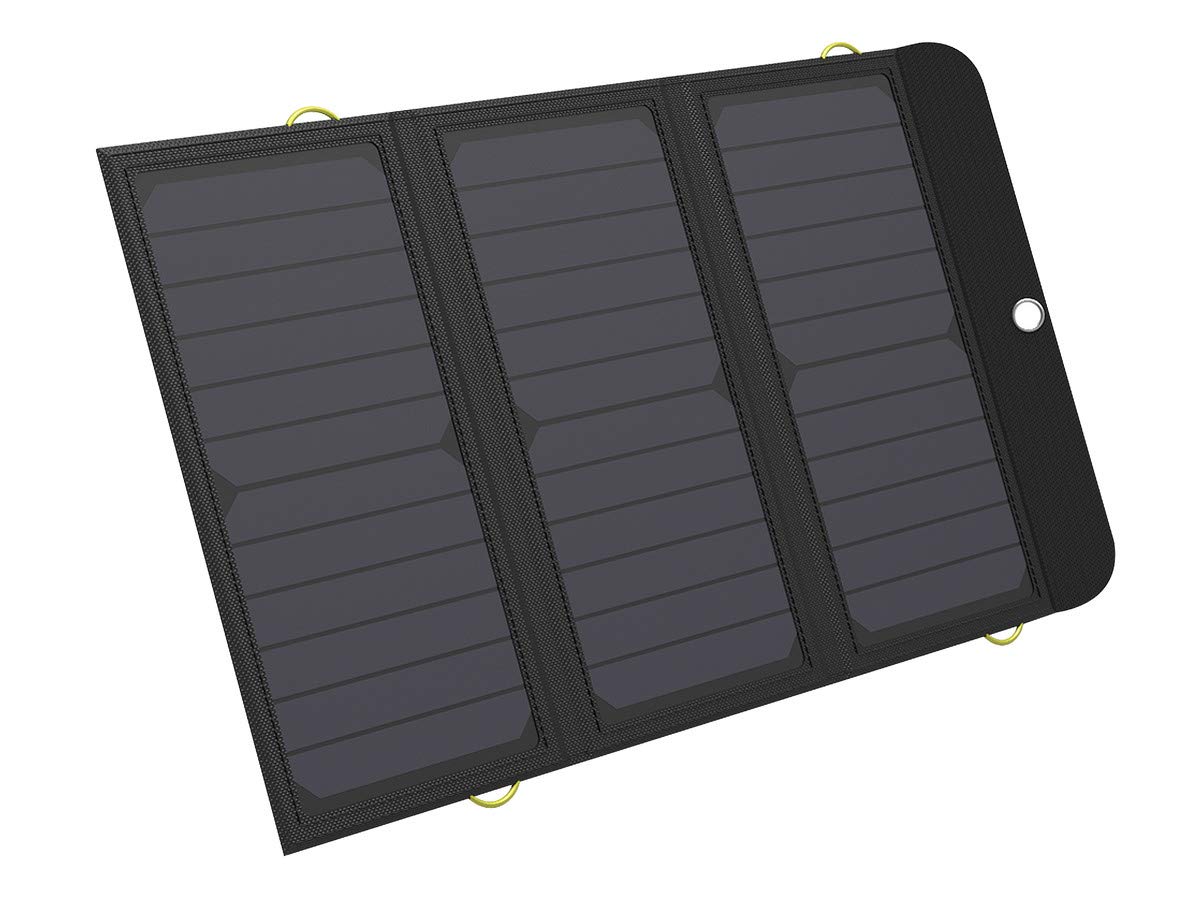
Image 1.1: Sandberg Solar Charger 21W in retail packaging.
2. Package Contents
Please verify that all items are present in your package:
- Sandberg Solar Charger 21W (Model 420-55)
- USB Charging Cable
- User Manual (this document)
3. Setup
Follow these steps to set up your solar charger for optimal performance:
- Unfold the Solar Panels: Gently unfold the solar charger to fully expose all solar panels. Ensure they are flat and facing upwards.
- Position for Sunlight: Place the unfolded solar charger in direct sunlight. For best results, angle the panels directly towards the sun. Avoid shaded areas, as even partial shading can significantly reduce charging efficiency.
- Connect Your Device: Use a compatible USB cable to connect your smartphone, tablet, or other USB-powered device to one of the available USB-A or USB-C ports on the solar charger.
- Initial Charge: It is recommended to fully charge the internal battery of the solar charger via a wall adapter (not included) before its first solar use, especially if the device has been stored for an extended period. This ensures the internal battery is ready to provide stable power.

Image 3.1: The Sandberg Solar Charger 21W unfolded, ready for use.

Image 3.2: Connecting a smartphone to the solar charger for charging.
4. Operating Instructions
The Sandberg Solar Charger is designed for ease of use. Here are key operational guidelines:
- Solar Charging: When exposed to direct sunlight, the solar panels will convert solar energy into electrical energy, which is then stored in the internal lithium polymer battery. The built-in battery ensures a stable power supply to your connected devices, even if sunlight fluctuates.
- Device Charging: Connect your device to one of the USB-A or USB-C ports. The charger supports Quick Charge 3.0 via USB-C for faster charging of compatible devices. The charger will automatically detect and deliver the appropriate current to your device.
- Charging Indicators: The charger features LED indicators (refer to the product diagram on the device itself for exact location) that show the charging status of the internal battery and indicate when solar power is being generated.
- Optimal Conditions: For the fastest solar charging, ensure the panels are clean and positioned perpendicular to the sun's rays. Performance will be reduced on cloudy days or in shaded conditions.
- Water Resistance: The charger is designed with water resistance, making it suitable for outdoor use. However, avoid submerging the device in water or exposing the ports to heavy rain for extended periods.

Image 4.1: The solar charger is ideal for outdoor activities like hiking.
5. Maintenance
Proper maintenance ensures the longevity and efficiency of your solar charger:
- Cleaning: Regularly wipe the solar panels with a soft, damp cloth to remove dust, dirt, or debris. A clean panel absorbs sunlight more efficiently. Do not use harsh chemicals or abrasive materials.
- Storage: When not in use, fold the solar charger and store it in a cool, dry place away from direct sunlight and extreme temperatures. Avoid storing it in environments with high humidity.
- Handling: Handle the charger with care. Avoid dropping it or subjecting it to strong impacts, which could damage the solar cells or internal components.
- Battery Care: If storing for extended periods, ensure the internal battery is charged to approximately 50-70% capacity. Recharge it every 3-6 months to prevent deep discharge and prolong battery life.

Image 5.1: The folded solar charger is compact for storage and transport.
6. Troubleshooting
If you encounter issues with your solar charger, refer to the following common problems and solutions:
- Device Not Charging:
- Ensure the solar panels are in direct, unobstructed sunlight.
- Check that the USB cable is securely connected to both the charger and your device.
- Verify that your device's charging port is clean and undamaged.
- Confirm the internal battery of the solar charger has sufficient charge.
- Slow Charging:
- Charging speed is highly dependent on sunlight intensity. Ensure maximum sun exposure.
- Clean the solar panels to remove any dirt or dust.
- Ensure the ambient temperature is not excessively high, as extreme heat can affect charging efficiency.
- Use a high-quality USB cable designed for fast charging.
- LED Indicators Not Lighting Up:
- If in sunlight, ensure the panels are receiving enough light.
- If connected to a device, check the cable and device connection.
- The internal battery might be fully discharged. Try charging it via a wall adapter.
If problems persist, please contact Sandberg customer support.
7. Specifications
| Feature | Specification |
|---|---|
| Brand | Sandberg |
| Model | 420-55 |
| Solar Panel Power | 21 Watts |
| Battery Type | Lithium Polymer |
| Input Voltage | 5 Volts |
| Output Amperage | 2 Amperes |
| USB Ports | 3 (2x USB-A, 1x USB-C) |
| Connector Type | USB |
| Compatible Devices | Smartphones, Tablets, other USB-powered devices |
| Special Features | Short circuit protection, Water resistant, Foldable |
| Dimensions (folded) | Approximately 58 x 31 x 1 cm |
| Weight | 700 g |
8. Warranty Information
Sandberg products are known for their high quality. This product comes with a 5-year warranty. Please retain your proof of purchase for warranty claims. The warranty covers manufacturing defects under normal use. It does not cover damage caused by misuse, accidents, unauthorized modifications, or normal wear and tear.
9. Support
For technical support, warranty claims, or further assistance, please visit the official Sandberg website or contact their customer service department. You can typically find contact information on the Sandberg website or on the product packaging.
Website: www.sandberg.it (Example link, please verify official support URL)


