
GOODaaa W12-MPLUS
GooDaaa Solar Wireless Power Bank User Manual
Model: W12-MPLUS
1. Introduction
Thank you for choosing the GooDaaa Solar Wireless Power Bank. This robust and versatile power bank is designed to provide reliable power for your mobile devices, especially in outdoor environments. Featuring a high-capacity battery, solar charging capabilities, wireless charging, and multiple output ports, it ensures your devices stay charged wherever you go.

Image: The GooDaaa Solar Wireless Power Bank, showcasing its foldable solar panels and the main unit with a wireless charging area.
2. Safety Instructions
Please read these safety instructions carefully before using the product to ensure safe and optimal performance.
- Do not expose the power bank to extreme temperatures (above 60°C / 140°F or below -10°C / 14°F).
- Avoid dropping, disassembling, or attempting to repair the device yourself.
- Keep away from water, fire, and corrosive materials.
- Do not use if the power bank is damaged or swollen.
- Dispose of the product responsibly according to local regulations.
- Keep out of reach of children.
3. Package Contents
Verify that all items are present in your package:
- 1 x GooDaaa Solar Wireless Power Bank
- 1 x USB-C Cable
- 1 x Carabiner
- 1 x User Manual (this document)
4. Product Features
- High Capacity: 30,000 mAh battery for multiple device charges.
- Wireless Charging (Qi): Convenient cable-free charging for compatible devices.
- Multiple Outputs: Two USB-A outputs and one USB-C input/output for versatile charging.
- Solar Charging: Integrated solar panels for emergency charging outdoors.
- Durable Design: Dustproof, waterproof, and drop-resistant for outdoor use.
- Built-in LED Flashlight: Powerful flashlight for illumination in dark environments.
- Integrated Compass: Useful for navigation during outdoor activities.
- Portable: Foldable design with a carabiner for easy transport.

Image: Detailed product diagram highlighting the wireless charging area, wireless charging indicator, compass, hanger, solar panel buckle, power button, battery indicator, USB-C input/output, USB outputs, LED flashlight, Micro-USB input, and carabiner.
5. Setup
5.1 Initial Charging
Before first use, fully charge the power bank using a wall adapter. This ensures the internal battery is conditioned for optimal performance.
- Connect the provided USB-C cable to the USB-C input/output port on the power bank.
- Connect the other end of the cable to a USB wall adapter (not included).
- The battery indicator lights will illuminate, showing the charging progress. All lights will be solid when fully charged.

Image: The power bank can be charged via a wall adapter (approx. 8 hours) or via its solar panels (approx. 20 hours for a full charge under optimal sunlight).
5.2 Battery Indicator
The LED indicators show the remaining battery capacity:
- One light: 0-25%
- Two lights: 25-50%
- Three lights: 50-75%
- Four lights: 75-100%
6. Operating Instructions
6.1 Charging Devices (Wired)
To charge your devices using a cable:
- Connect your device's charging cable to one of the USB-A output ports or the USB-C input/output port on the power bank.
- Connect the other end of the cable to your device.
- The power bank will automatically begin charging your device.
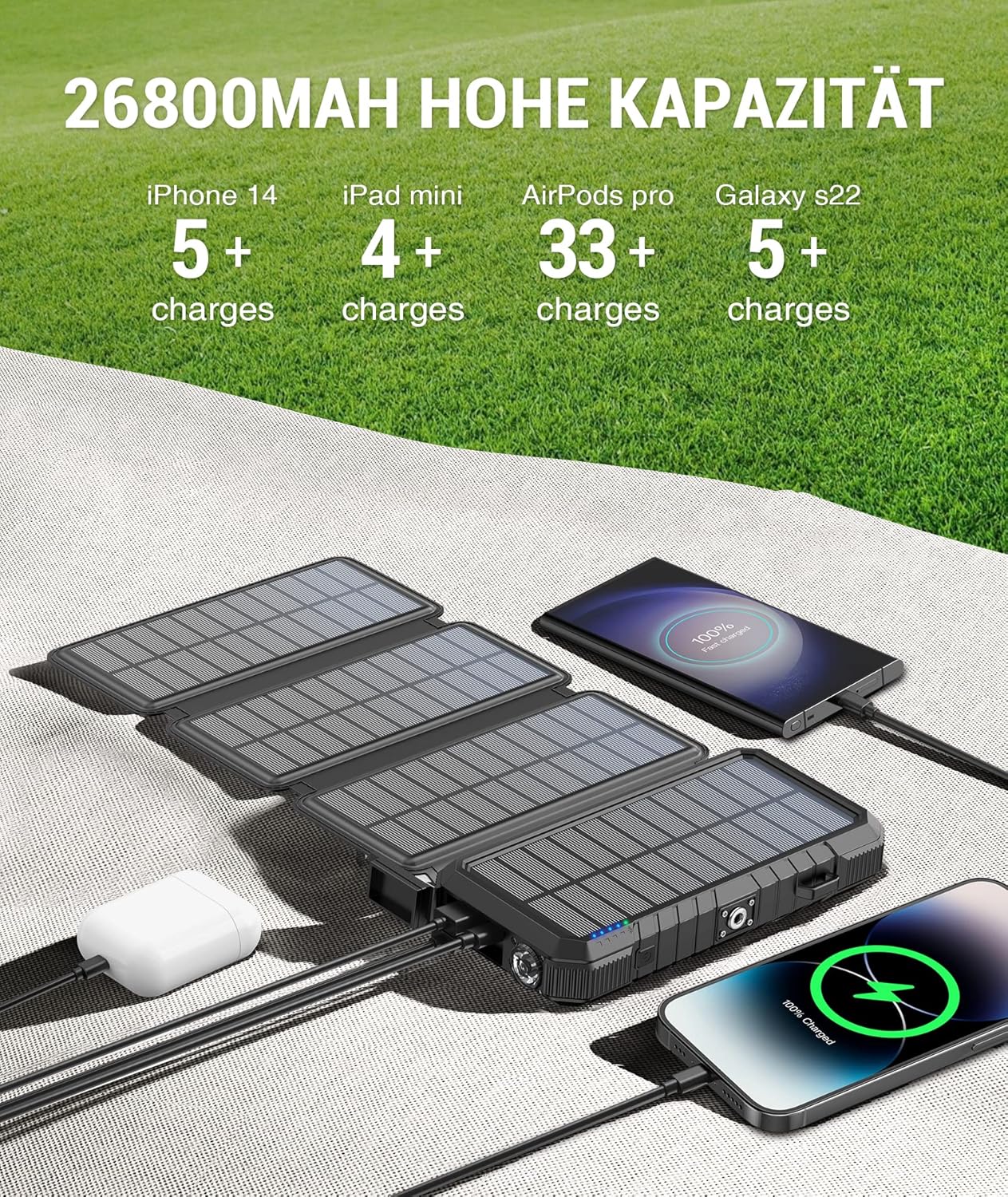
Image: The power bank can charge multiple devices simultaneously, demonstrating its high capacity for various gadgets like smartphones and tablets.
6.2 Charging Devices (Wireless)
For Qi-compatible devices:
- Press the power button once to activate the wireless charging function.
- Place your Qi-compatible device (e.g., smartphone, earbuds) on the wireless charging pad located on the back of the power bank.
- Ensure the device is centered on the pad for optimal charging. The wireless charging indicator light will illuminate.

Image: A smartphone wirelessly charging on the GooDaaa power bank, illustrating the convenience of cable-free charging for compatible devices.
6.3 Solar Charging
The solar panels are designed for emergency charging and maintaining battery levels, not as a primary charging method due to varying sunlight conditions.
- Unfold the solar panels and place them in direct sunlight.
- Ensure the panels are facing the sun for maximum efficiency.
- The solar charging indicator light will illuminate when charging via solar power.
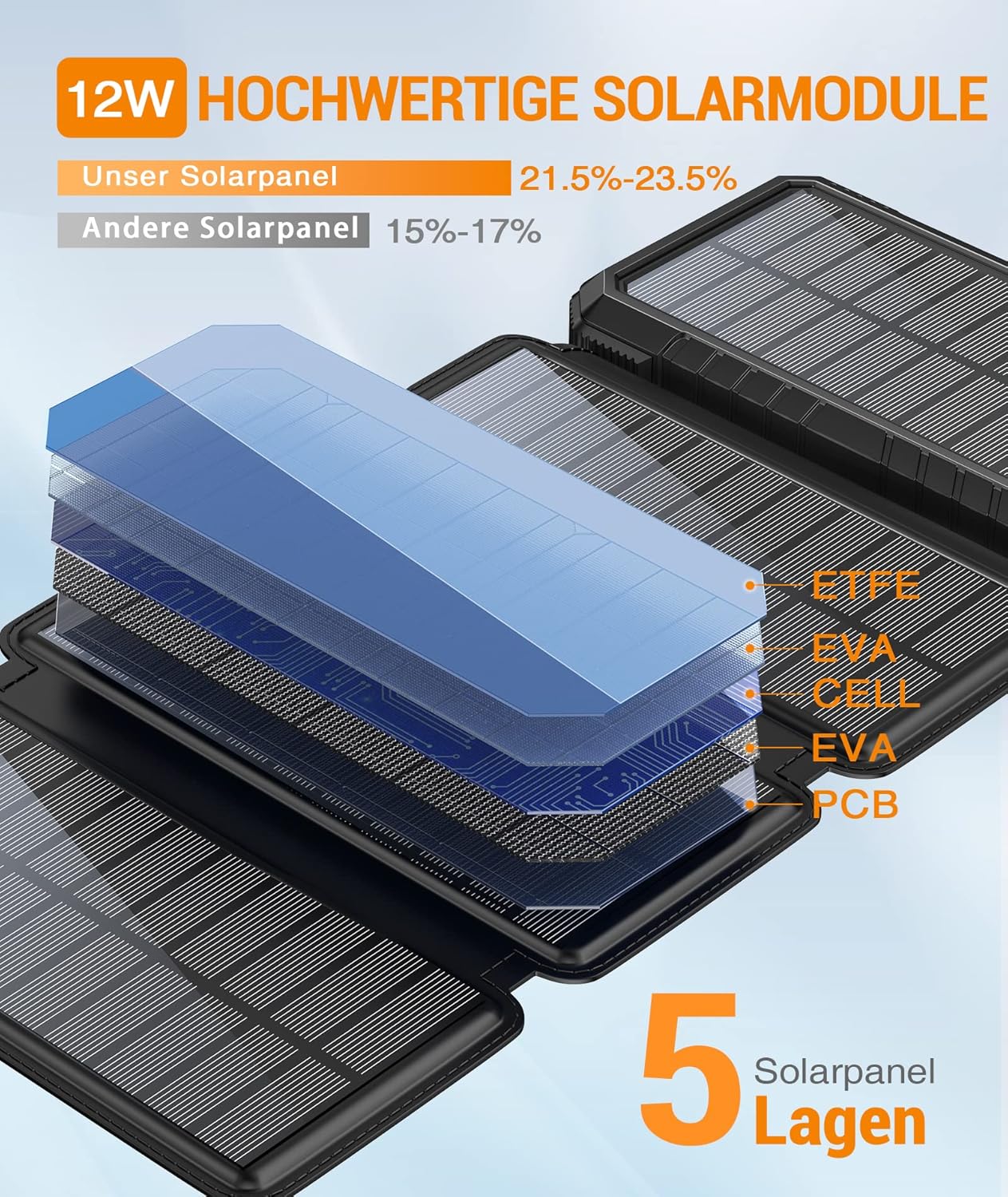
Image: An illustration detailing the 5-layer structure of the high-quality 12W solar modules, indicating their efficiency (21.5%-23.5%).
6.4 Using the LED Flashlight
The power bank features a powerful LED flashlight:
- To turn on/off: Double-press the power button.
- To cycle modes: Once the flashlight is on, single-press the power button to switch between modes (e.g., steady, SOS, strobe).
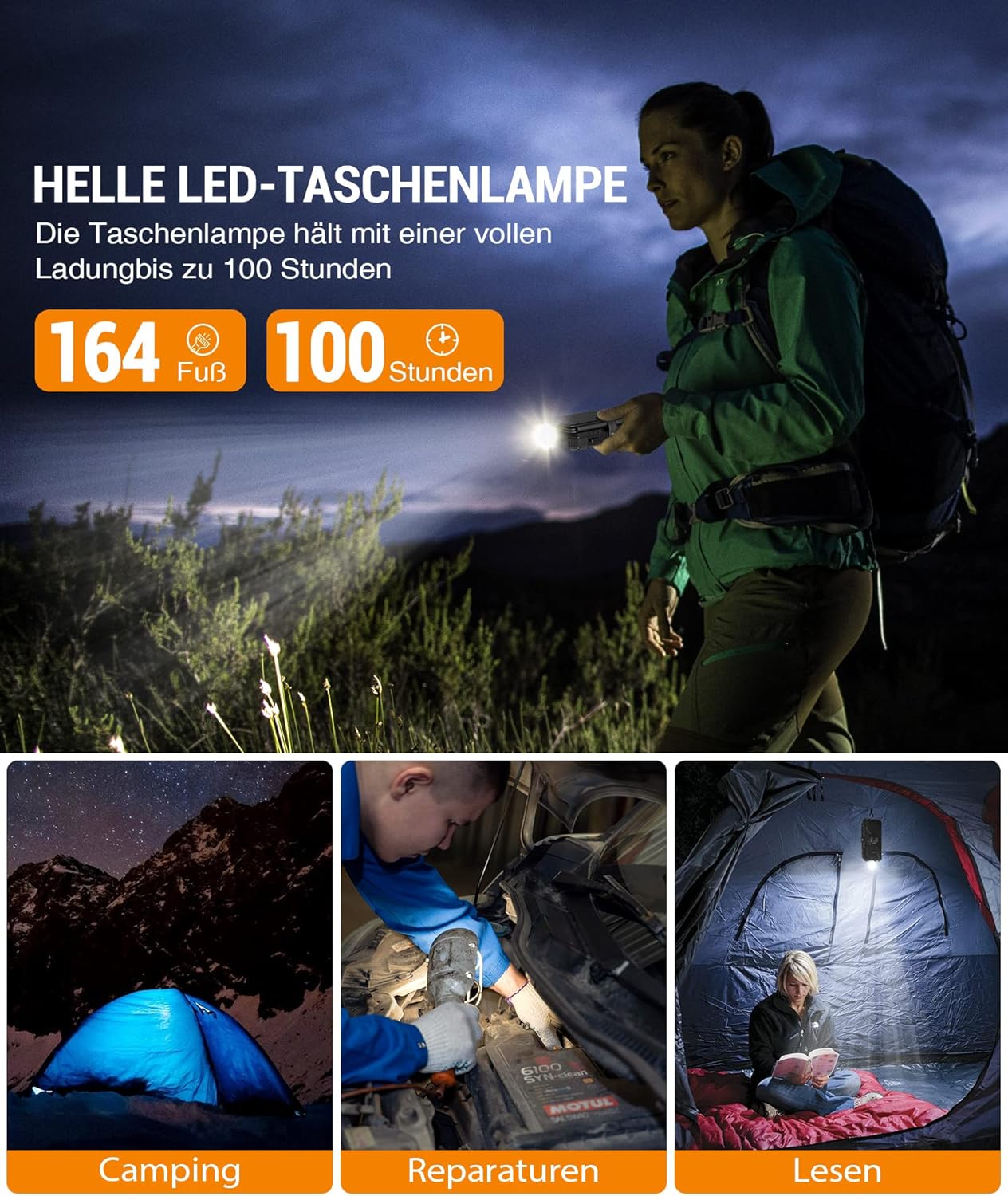
Image: The bright LED flashlight provides illumination for up to 100 hours on a full charge, useful for camping, repairs, and reading.
6.5 Using the Compass
The integrated compass can assist with basic navigation. Ensure the power bank is held flat and away from strong magnetic fields for accurate readings.

Image: A close-up view of the power bank's integrated compass, designed for basic directional guidance during outdoor activities.
7. Maintenance
- Cleaning: Wipe the power bank with a soft, dry cloth. Do not use harsh chemicals or abrasive cleaners.
- Storage: Store the power bank in a cool, dry place away from direct sunlight and extreme temperatures. For long-term storage, charge the power bank to about 50-75% every 3 months to preserve battery life.
- Solar Panels: Keep the solar panels clean and free of dust or debris to ensure efficient solar charging.
8. Troubleshooting
| Problem | Possible Cause | Solution |
|---|---|---|
| Power bank not charging | Cable issue, adapter issue, power bank fully charged, or internal fault. | Try a different USB-C cable and wall adapter. Ensure the power bank is not already full. If solar charging, ensure direct sunlight. |
| Device not charging from power bank | Power bank low battery, cable issue, device not compatible, or power bank not activated. | Ensure power bank has sufficient charge. Try a different charging cable. For wireless charging, ensure device is Qi-compatible and centered. Press power button to activate output. |
| Solar charging is slow or not working | Insufficient sunlight, dirty solar panels, or solar charging is supplemental. | Place panels in direct, strong sunlight. Clean the solar panels. Remember solar charging is primarily for emergency use and trickle charging. |
| Flashlight not working | Low battery or incorrect operation. | Charge the power bank. Double-press the power button to activate the flashlight. |
9. Specifications
| Feature | Detail |
|---|---|
| Brand | GOODaaa |
| Model Number | W12-MPLUS |
| Battery Capacity | 26800 mAh (Note: Product title states 30,000 mAh, but specifications list 26800 mAh. Using specification value for accuracy.) |
| Battery Composition | Lithium-Polymer |
| Input (Micro USB) | 5V / 2A (Typical) |
| Input (USB-C) | 5V / 3A (Typical) |
| Output (USB-A x2) | 5V / 3A (Max per port) |
| Output (USB-C) | 5V / 3A (Max) |
| Wireless Output | 5W (Typical) |
| Solar Panel Power | 12W (Max) |
| Dimensions | 20.9 x 13.4 x 5.2 cm |
| Weight | 730 g |
| Color | Black |
| UPC | 778299536592 |
10. Warranty and Support
GooDaaa products are designed and manufactured to the highest quality standards. For warranty information or technical support, please refer to the contact details provided with your purchase or visit the official GooDaaa website. Please retain your proof of purchase for warranty claims.
Related documentsW12-MPLUS


Ask a question about this manual
Ask about setup, troubleshooting, compatibility, parts, safety, or missing instructions. Manuals+ will review the question and use this page’s manual context to help answer it.