
Introduction
The VIGOROAD Personal Alarm is a compact and effective security device designed to enhance personal safety. It features a powerful 130dB siren to attract attention in emergency situations and an integrated LED light for illumination in low-light conditions. This alarm is suitable for individuals of all ages, including children, students, elderly, and those who commute or engage in outdoor activities.
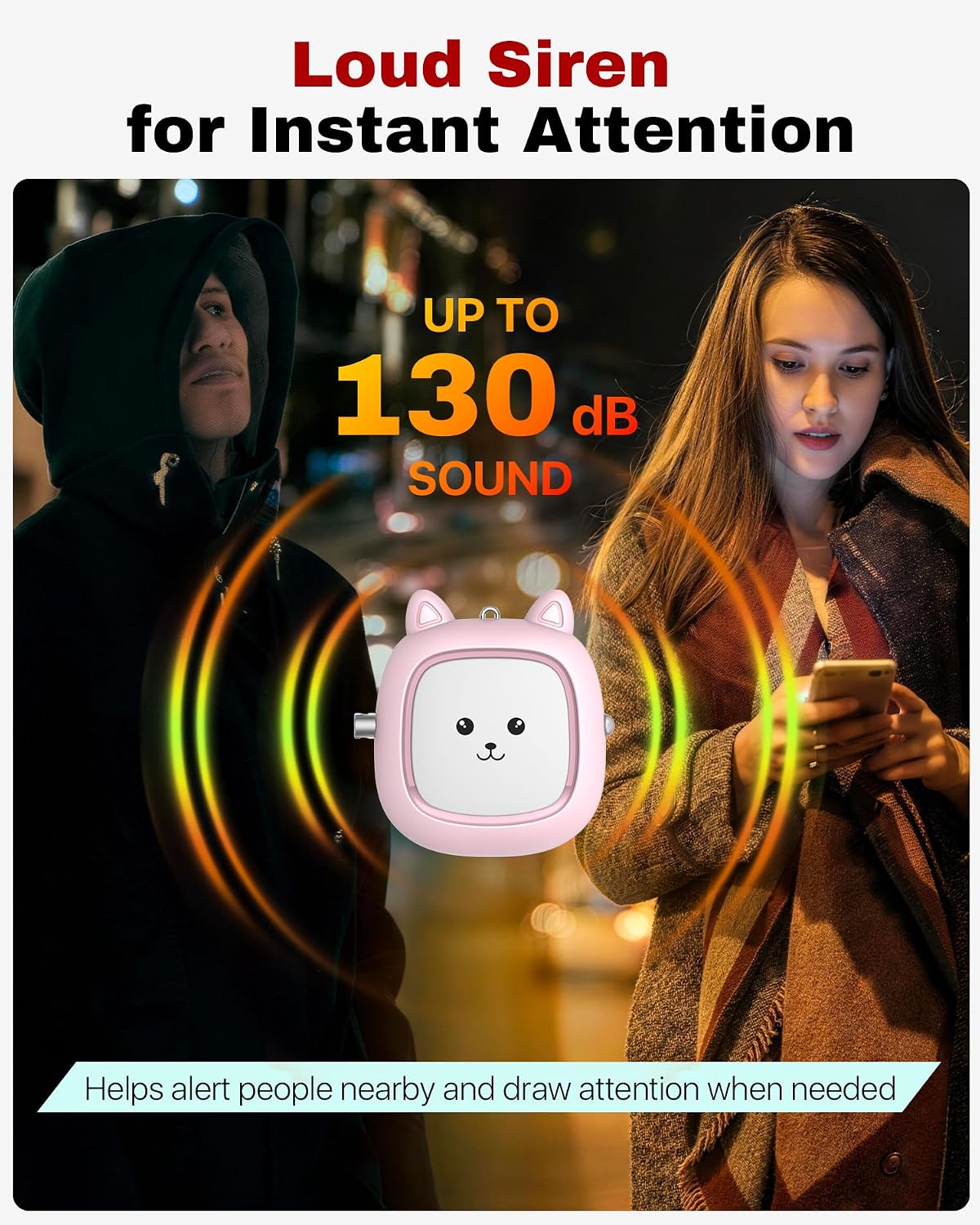
Image: The VIGOROAD Personal Alarm, shown in pink with a cute animal face, is depicted emitting a loud, attention-grabbing siren. The sound waves are visually represented, indicating its 130dB output. This image highlights the alarm's primary function of alerting others during an emergency.
Setup
Your VIGOROAD Personal Alarm comes with batteries pre-installed. Before first use, please follow these steps:
- Battery Activation: Locate the clear plastic strip protruding from the device. Gently pull and remove this strip to activate the batteries.
- Attachment: Use the integrated keychain or clip to attach the alarm to your keys, belt, wallet, bag, or backpack strap. Ensure it is easily accessible in case of an emergency.

Image: Three VIGOROAD personal alarms in black, pink, and blue are shown clipped to a bag strap, demonstrating their portability and ease of attachment to various personal items. This illustrates how the device can be carried for everyday safety.
Operating Instructions
Activating the Alarm
To activate the 130dB siren, firmly pull the hand strap pin out of the device. The loud alarm will sound continuously for up to one hour or until the pin is reinserted.
Deactivating the Alarm
To stop the alarm, simply reinsert the pin back into the device. The alarm can be used repeatedly.

Image: A child wearing a backpack has a VIGOROAD personal alarm attached. An arrow points to the pull pin, illustrating the simple activation method: "Pull to activate, Reinsert to stop, No setup needed."
LED Light Function
The personal alarm includes a built-in LED light for convenience in dark environments.
- To Turn On: Press and hold the button located on the side of the device.
- To Turn Off: Release the button.
The LED light is useful for finding keys, navigating dark entryways, or during night walks.

Image: A hand is shown pressing the button on a light blue VIGOROAD personal alarm, activating its bright LED light. Smaller inset images demonstrate practical uses, such as illuminating a path during a night walk and finding keys in the dark.
Maintenance
Proper maintenance ensures the longevity and reliability of your personal alarm.
- Battery Replacement: If the alarm sound becomes weak or the LED light dims, it may be time to replace the batteries. The device uses 3 alkaline button batteries. Refer to the battery compartment for specific battery type and replacement instructions.
- Cleaning: Wipe the device with a soft, dry cloth. Do not use abrasive cleaners or immerse the device in water.
- Storage: Store the alarm in a cool, dry place away from direct sunlight and extreme temperatures.
Troubleshooting
| Problem | Possible Cause | Solution |
|---|---|---|
| Alarm does not sound | Pin not fully removed; Batteries are dead or not activated. | Ensure the pin is completely pulled out. Check if the clear plastic battery activation strip has been removed. Replace batteries if necessary. |
| Alarm sound is weak | Low battery. | Replace the batteries. |
| LED light does not work | Low or dead battery. | Replace the batteries. |
Specifications
| Feature | Detail |
|---|---|
| Brand | VIGOROAD |
| Model | PA01 |
| Sound Level | 130 dB |
| Power Source | Battery-powered |
| Battery Type | 3 x Alkaline Button Batteries (included) |
| Control Method | Pull Pin (Alarm), Touch (LED) |
| Sensor Technology | Contact Sensor |
| Weight | 0.09 kg |
| Colors | Blue, Pink, Black |
| UPC | 710654058851 |
Safety Information
- The alarm produces a very loud sound (130dB). Avoid prolonged exposure to prevent hearing damage.
- Do not activate the alarm unnecessarily or near people's ears.
- This device is not a toy. Keep out of reach of small children.
- Test the alarm periodically to ensure it is functioning correctly, especially before critical use.
Warranty and Support
For warranty information or technical support, please contact VIGOROAD customer service through the retailer where the product was purchased. Please have your purchase details and product model (PA01) available when contacting support.