
1. Important Safety Instructions
Please read all instructions carefully before using this appliance and retain for future reference. Failure to follow these instructions may result in electric shock, fire, or serious personal injury.
- Always unplug the fan from the power outlet before cleaning, servicing, or moving.
- Do not operate the fan with a damaged cord or plug. If the cord or plug is damaged, contact qualified service personnel for repair or replacement.
- This appliance is intended for indoor household use only. Do not use outdoors or for commercial purposes.
- Keep the fan away from water or other liquids. Do not immerse the fan in water.
- Ensure the voltage indicated on the fan's rating label matches your local power supply before connecting.
- Do not insert fingers or any objects through the grille when the fan is operating.
- Close supervision is necessary when the fan is used by or near children, pets, or invalids. The bladeless design of this fan enhances safety for children and pets by preventing direct contact with moving blades.
- Place the fan on a stable, flat surface to prevent it from tipping over.
- Do not block air openings or operate near curtains or other materials that could block airflow.
2. Product Overview
The Antarctic Star Tower Fan is a sleek, 43-inch tall oscillating fan designed to provide efficient and quiet cooling for various indoor spaces. It features a bladeless design for enhanced safety and comes with a convenient remote control for easy operation.

Image: The Antarctic Star 43-inch White Tower Fan with its remote control, illustrating its modern design and airflow.
Key Features:
- Bladeless Design: Safe for homes with children and pets.
- Quiet Operation: Engineered for low noise levels, ideal for bedrooms and offices.
- 3 Speed Settings: Low, Medium, and High for customized airflow.
- 3 Wind Modes: Normal, Natural, and Sleep modes to suit different preferences.
- 85° Oscillation: Wide-angle oscillation for broad air circulation.
- 12-Hour Timer: Programmable timer for automatic shut-off.
- Remote Control: Convenient operation from a distance.
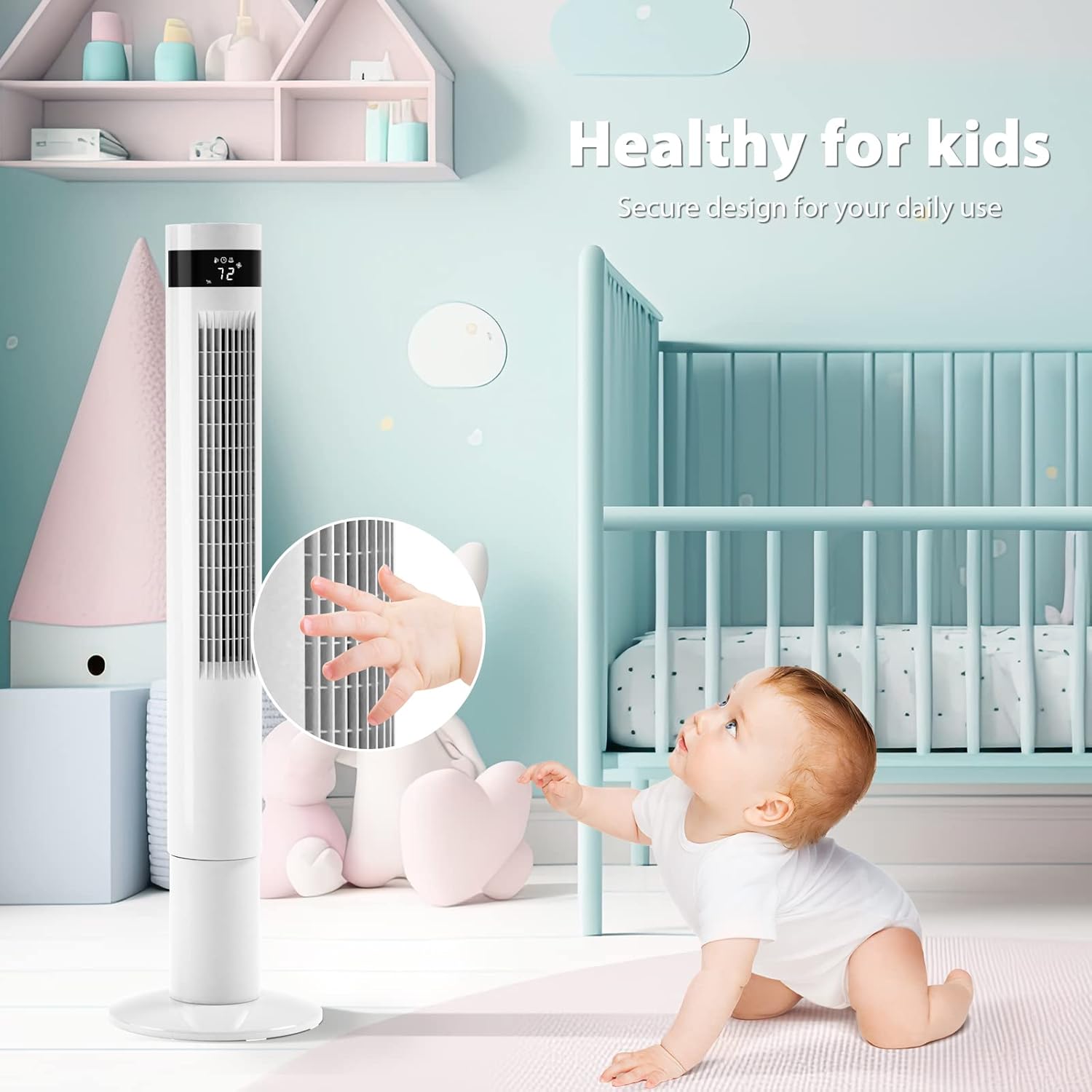
Image: A child's hand safely positioned near the fan's narrow grill, highlighting the secure bladeless design.

Image: A person sleeping soundly, demonstrating the fan's quiet operation for undisturbed rest.
3. Setup
The Antarctic Star Tower Fan requires minimal assembly. Follow these steps to set up your fan:
- Unpack: Carefully remove all components from the packaging. Ensure all parts are present: the main fan body, the base (usually two halves), and the remote control.
- Assemble the Base: If the base is in two halves, align them and snap or screw them together according to the markings.
- Attach Base to Fan Body: Align the assembled base with the bottom of the fan body. Twist or secure with screws (if provided) until the base is firmly attached. Ensure the power cord passes through the designated opening in the base.
- Placement: Place the fan on a firm, level surface, ensuring there is adequate space around it for optimal airflow and oscillation.
- Power Connection: Plug the power cord into a standard 115V AC electrical outlet.
4. Operating Instructions
Your Antarctic Star Tower Fan can be operated using the control panel on top of the fan or the included remote control.
Control Panel & Remote Control Functions:

Image: The tower fan displaying icons for Normal, Natural, and Sleep modes, indicating customizable cooling styles.

Image: A detailed view of the remote control for the Antarctic Star Tower Fan, showing buttons for power, oscillation, timer, mode, light, and speed.
- Power (ON/OFF): Press the power button to turn the fan on or off.
- Speed: Press the 'Speed' button repeatedly to cycle through the 3 fan speeds: Low, Medium, and High.
- Mode: Press the 'Mode' button to select from 3 wind modes: Normal, Natural, and Sleep.
- Normal Mode: Constant airflow at the selected speed.
- Natural Mode: Simulates natural breeze by varying fan speed.
- Sleep Mode: Gradually decreases fan speed and dims display lights for quiet, comfortable sleep.
- Oscillation (OSC): Press the 'OSC' button to activate or deactivate the 85° wide-angle oscillation feature, which distributes air across a larger area.
- Timer: Press the 'Timer' button repeatedly to set the automatic shut-off timer in 1-hour increments, up to 12 hours. The display will show the selected time.
- Light: Press the 'Light' button to turn the display lights on or off.

Image: The tower fan illustrating its three speed settings: High, Medium, and Low, for varied airflow intensity.

Image: The tower fan shown oscillating, indicating its ability to circulate cool air across a large space.

Image: A visual representation of the fan's 85-degree wide-angle oscillation function.

Image: A clock face indicating the 12-hour timer function, with a sleeping child in the background, suggesting convenience for nighttime use.
5. Maintenance
Regular cleaning and maintenance will help prolong the life of your fan and ensure optimal performance.
Cleaning:
- Always unplug the fan before cleaning.
- Exterior Cleaning: Use a soft, damp cloth to wipe the exterior surfaces of the fan. Do not use abrasive cleaners, waxes, or solvents as these may damage the finish.
- Air Inlet/Outlet: Use a vacuum cleaner with a brush attachment to gently remove dust and debris from the air inlet and outlet grilles. Do not attempt to open the fan casing.
- Remote Control: Wipe the remote control with a soft, dry cloth.
Storage:
When not in use for extended periods, store the fan in its original packaging or a clean, dry place. Keep the power cord neatly coiled to prevent damage.
6. Troubleshooting
If you encounter issues with your fan, please refer to the following common problems and solutions:
| Problem | Possible Cause | Solution |
|---|---|---|
| Fan does not turn on. | No power supply. Power button not pressed. | Ensure the fan is securely plugged into a working electrical outlet. Press the Power button on the control panel or remote. |
| Weak or no airflow. | Air inlets/outlets are blocked. Fan speed is too low. | Check for obstructions and clean grilles if necessary. Increase the fan speed setting. |
| Fan makes unusual noise. | Fan is not on a level surface. Debris inside the fan. | Place the fan on a flat, stable surface. Unplug the fan and gently shake it to dislodge any small debris. If noise persists, contact customer support. |
| Remote control not working. | Batteries are dead or incorrectly inserted. Obstruction between remote and fan. | Replace batteries (ensure correct polarity). Remove any objects blocking the signal path. Ensure remote is pointed at the fan's receiver. |
If the problem persists after trying these solutions, please contact Antarctic Star customer support.
7. Specifications
| Feature | Detail |
|---|---|
| Brand | Antarctic Star |
| Model Name | 5314 |
| Color | White |
| Product Dimensions | 11.81"D x 11.81"W x 43.3"H |
| Item Weight | 9.64 pounds |
| Power Source | Corded Electric |
| Voltage | 115 Volts (AC) |
| Wattage | 30 watts |
| Noise Level | 36 dB |
| Control Method | Remote |
| Special Features | Bladeless, Oscillating, Remote Controlled, Timer |
| Number of Power Levels | 3 |
| Indoor/Outdoor Usage | Indoor |
8. Warranty and Support
For warranty information, please refer to the documentation included with your purchase or visit the official Antarctic Star website. For technical support, troubleshooting assistance beyond this manual, or to inquire about replacement parts, please contact Antarctic Star customer service directly.
You can often find contact details on the manufacturer's website: Antarctic Star Official Store