
1. Introduction
Thank you for choosing Atomic Savor Photo Ski Snowboard Goggles. These goggles are engineered to provide superior vision and comfort in varying light conditions, featuring photochromic lens technology and a design optimized for a wide field of view. Please read this manual carefully to ensure proper use and maintenance of your goggles.
2. Key Features
- Photochromic Lens Technology: Automatically adjusts lens tint to changing light conditions, becoming lighter in darker conditions and darker in bright sunlight.
- Cylindrical Double Lens: Provides a wide field of vision and reduces fogging.
- Live Fit Frame (2K): Molds to the contours of your face for an instant, individual fit and enhanced comfort.
- Adaptive LF Tri-Layer Face Foam: Offers superior comfort and moisture wicking.
- Over The Glasses Compatible (OTG LITE): Designed to fit comfortably over prescription glasses.
- Supreme Anti-scratch Outer Lens (PC): Enhances durability and lens longevity.
- Hydrophobic Lens Coating: Repels water and dirt for clearer vision.
- Anti-fog Inner Lens (AC): Minimizes fogging for consistent clarity.
- Easy Lens Switch: Allows for quick and convenient lens replacement.
- Vent Foam: Promotes airflow to prevent fogging.
- Silicone-coated Strap: Ensures a secure fit on helmets or beanies.
3. Setup
3.1 Unpacking and Initial Inspection
Carefully remove the goggles from their packaging. Inspect the lenses, frame, and strap for any signs of damage. Ensure the microfiber goggle bag is present, as it is essential for cleaning and storage.

Image: Front view of the Atomic Savor Photo Ski Snowboard Goggles, showcasing the photochromic lens and white frame.
3.2 Adjusting the Strap
Place the goggles on your face or helmet. Adjust the silicone-coated strap using the buckles on either side until the goggles fit snugly and comfortably without being too tight. The strap should hold the goggles securely in place during activity.

Image: Side view of the goggles, highlighting the adjustable white strap with the Atomic logo.
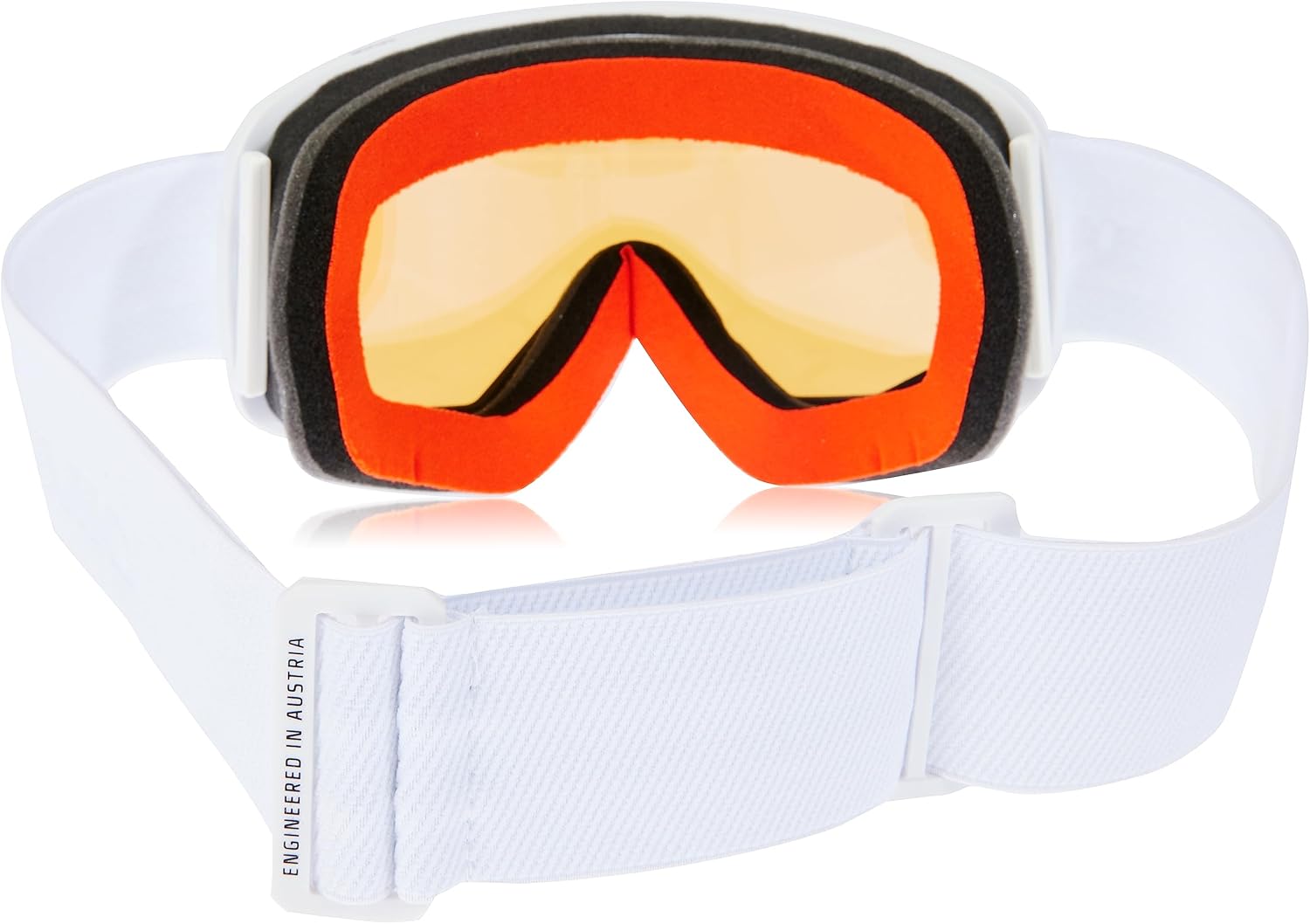
Image: Rear view of the goggles, showing the multi-layer face foam and the strap adjustment mechanism.
3.3 Live Fit Frame and Face Foam
The Live Fit Frame (2K) and Adaptive LF Tri-Layer Face Foam are designed to adapt to your facial contours for a personalized fit. Upon first wear, the foam will gently conform to your face shape, providing optimal comfort and sealing out elements.

Image: Close-up view of the Live Fit Frame structure, illustrating its flexible design for a custom fit.

Image: Close-up view of the Adaptive LF Tri-Layer Face Foam, showing its construction for comfort and moisture management.
3.4 Over The Glasses (OTG LITE) Compatibility
If you wear prescription glasses, these goggles are designed with OTG LITE features to accommodate them comfortably. Ensure your glasses fit within the goggle frame without pressing against your face or the goggle lens.

Image: The goggles shown with a pair of prescription glasses inside, illustrating the OTG LITE design.
4. Operating Instructions
4.1 Photochromic Lens Function
The photochromic lens automatically adjusts its tint based on UV light exposure. In bright, sunny conditions, the lens will darken to protect your eyes from glare. In overcast or low-light conditions, the lens will lighten to enhance visibility. This transition is automatic and provides optimal vision across various weather conditions.
4.2 Anti-Fog and Venting System
The cylindrical double lens, combined with the anti-fog inner lens and integrated vent foam, works to minimize fogging. Ensure that the vent foam is not obstructed by clothing or helmets to allow for proper airflow.
4.3 Easy Lens Switch
Should you need to replace the lens, the Easy Lens Switch system allows for quick changes. Refer to the specific instructions provided with any replacement lenses for detailed steps on removal and installation.
5. Maintenance
5.1 Cleaning the Lens
Always use the provided microfiber goggle bag to clean the lenses. For light smudges or dust, gently wipe the lens. For more stubborn dirt, lightly dampen the microfiber cloth with clean water (do not use harsh chemicals or abrasive materials) and gently wipe. Avoid rubbing the inner lens vigorously, as this can damage the anti-fog coating. Allow the goggles to air dry completely before storage.
5.2 Cleaning the Frame and Strap
The frame and strap can be cleaned with a mild soap and water solution. Rinse thoroughly and allow to air dry. Do not machine wash the strap.
5.3 Storage
When not in use, store your goggles in the microfiber goggle bag to protect the lenses from scratches and dust. Store in a cool, dry place away from direct sunlight and extreme temperatures.
6. Troubleshooting
6.1 Fogging Issues
- Ensure the vent foam is clear and not blocked by your helmet or clothing.
- Avoid wiping the inside of the lens, as this can damage the anti-fog coating. If moisture builds up, gently shake the goggles to clear it or allow them to air dry.
- Ensure a proper fit to prevent warm air from your face entering the goggle chamber.
6.2 Poor Fit
- Adjust the strap tension to achieve a snug but comfortable fit.
- Allow the Live Fit Frame and Tri-Layer Face Foam time to adapt to your face.
6.3 Lens Scratches
While the outer lens has an anti-scratch coating, proper care is essential. Always store goggles in their protective bag and avoid placing them face down on hard surfaces. Deep scratches may require lens replacement.
7. Specifications
| Feature | Detail |
|---|---|
| Model Number | AN5105996 |
| Product Dimensions | 8.66 x 5.24 x 5.24 inches |
| Item Weight | 7.41 ounces (0.21 Kilograms) |
| Department | Unisex Adult |
| Frame Type | Full Rim |
| Special Features | Abrasion Resistant, Anti-Fog |
| Sport Type | Snowboarding |
| Lens Coating | Anti-Fog Coating |
| Size | Medium |
| Color | White |
| Lens Color | White (Photochromic) |
| Frame Material | Polycarbonate (PC), Silicone |
| Lens Material | Polycarbonate |
| UPC | 887445228912 |
8. Warranty and Support
8.1 Warranty Information
This product comes with a 1-year warranty from the date of purchase, covering manufacturing defects. The warranty does not cover damage caused by misuse, accidents, unauthorized modifications, or normal wear and tear. Please retain your proof of purchase for warranty claims.
8.2 Customer Support
For further assistance, technical support, or warranty inquiries, please contact Atomic customer service through their official website or the retailer where the product was purchased. Visit the Atomic Store on Amazon for more information.