1. Introduction
Thank you for purchasing the Jada Toys Marvel Black Panther Lykan Hypersport Remote Control Car. This 1:16 scale replica offers an exciting and immersive play experience, bringing the iconic vehicle to life. This manual provides essential information for safe operation, setup, maintenance, and troubleshooting to ensure optimal performance and enjoyment.
2. Safety Warnings
WARNING: Contains small parts. Not suitable for children under 36 months. Use only under adult supervision.
- Always operate the RC car in a safe environment, away from obstacles, people, and pets.
- Do not operate near water or in wet conditions to prevent electrical damage.
- Keep fingers, hair, and loose clothing away from the wheels and moving parts.
- Do not modify the product or its components, as this may cause damage or injury.
- Ensure batteries are inserted with correct polarity. Do not mix old and new batteries, or different types of batteries.
- Rechargeable batteries are only to be charged under adult supervision.
- Non-rechargeable batteries are not to be recharged.
- Exhausted batteries are to be removed from the toy.
3. Package Contents
Please check the package to ensure all items are present:
- 1 x Marvel Black Panther Lykan Hypersport RC Car
- 1 x 2.4 GHz Remote Control
- 1 x USB Charging Cable (integrated with car battery)

Image: The Jada Toys Marvel Black Panther Lykan Hypersport RC Car and its remote control, displayed within their retail packaging.
4. Setup
4.1 Charging the RC Car
The RC car features an integrated rechargeable battery with a USB charging function.
- Locate the USB charging cable on the underside of the car or within a designated compartment.
- Plug the USB connector into any standard USB power source (e.g., computer USB port, USB wall adapter).
- The charging indicator light (if present) on the car will illuminate during charging and turn off or change color when fully charged.
- Charging time may vary, typically 1-2 hours for a full charge.
4.2 Installing Remote Control Batteries
The remote control requires AA batteries (included).
- Locate the battery compartment on the back of the remote control.
- Open the battery compartment cover.
- Insert the required number of AA batteries, ensuring correct polarity (+/-).
- Close the battery compartment cover securely.
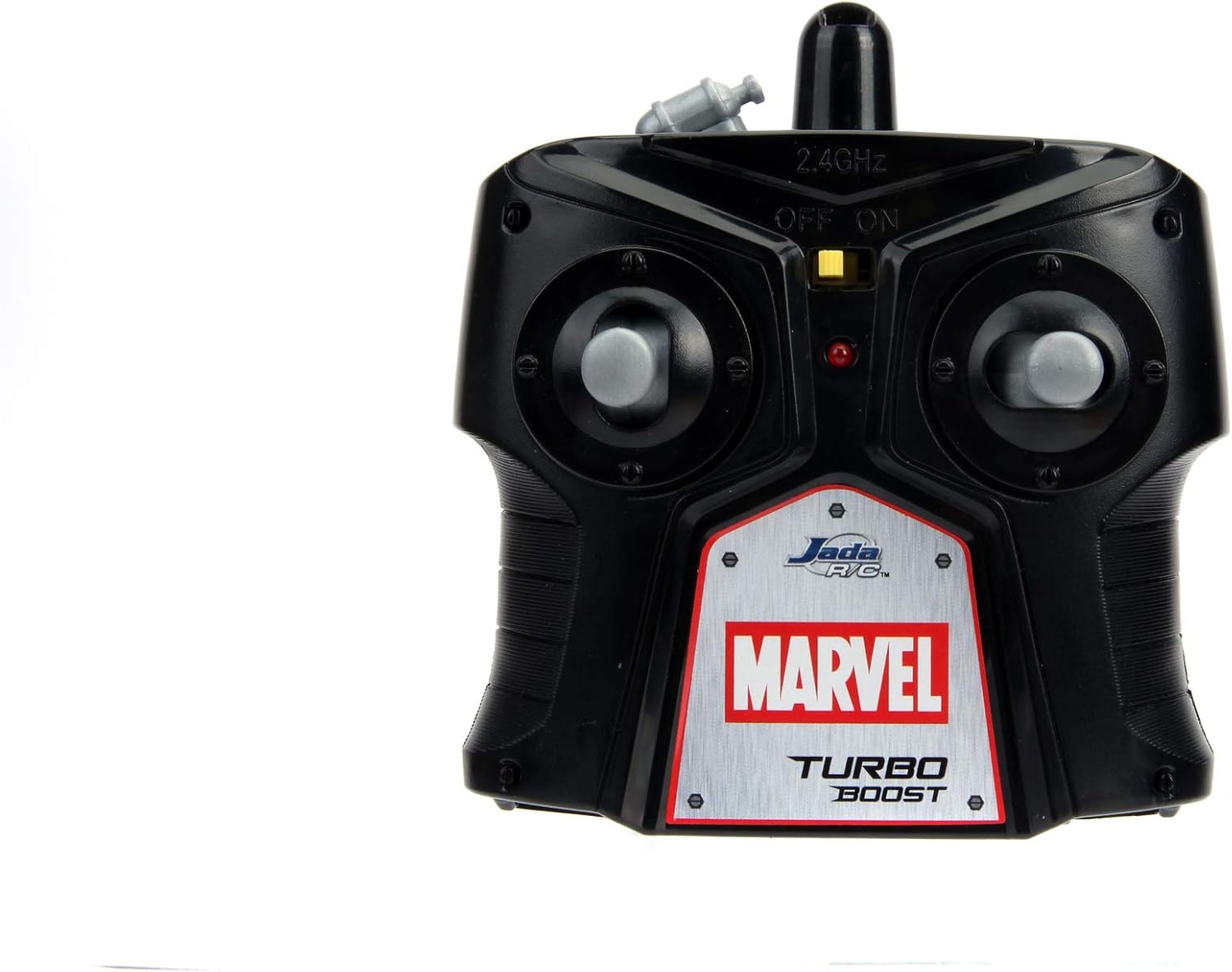
Image: A detailed view of the remote control, highlighting its power switch and control sticks.
4.3 Pairing the Remote Control
The remote control and car will automatically pair when turned on. If pairing issues occur:
- Ensure both the car and remote control are turned off.
- Turn on the RC car.
- Turn on the remote control. The indicator light on the remote should blink and then become solid, indicating successful pairing.
- If pairing fails, turn both devices off and repeat the process.
5. Operating Instructions
Familiarize yourself with the remote control functions before operating the car.

Image: The sleek black Lykan Hypersport RC car positioned beside its matching remote control, ready for action.
5.1 Basic Controls
- Forward/Backward: Use the left joystick (or trigger) to move the car forward or backward.
- Left/Right: Use the right joystick (or steering wheel) to steer the car left or right.
- Turbo Function: Press the designated 'Turbo' button on the remote control for a temporary speed boost.
5.2 Driving Tips
- Start in an open area to get accustomed to the controls.
- Avoid driving on rough surfaces, thick carpets, or through water.
- For optimal performance, ensure the car battery is fully charged.
- The 2.4 GHz radio control provides a good range; however, obstacles can reduce signal strength.

Image: A dynamic front three-quarter view of the Black Panther Lykan Hypersport RC car, showcasing its detailed design.
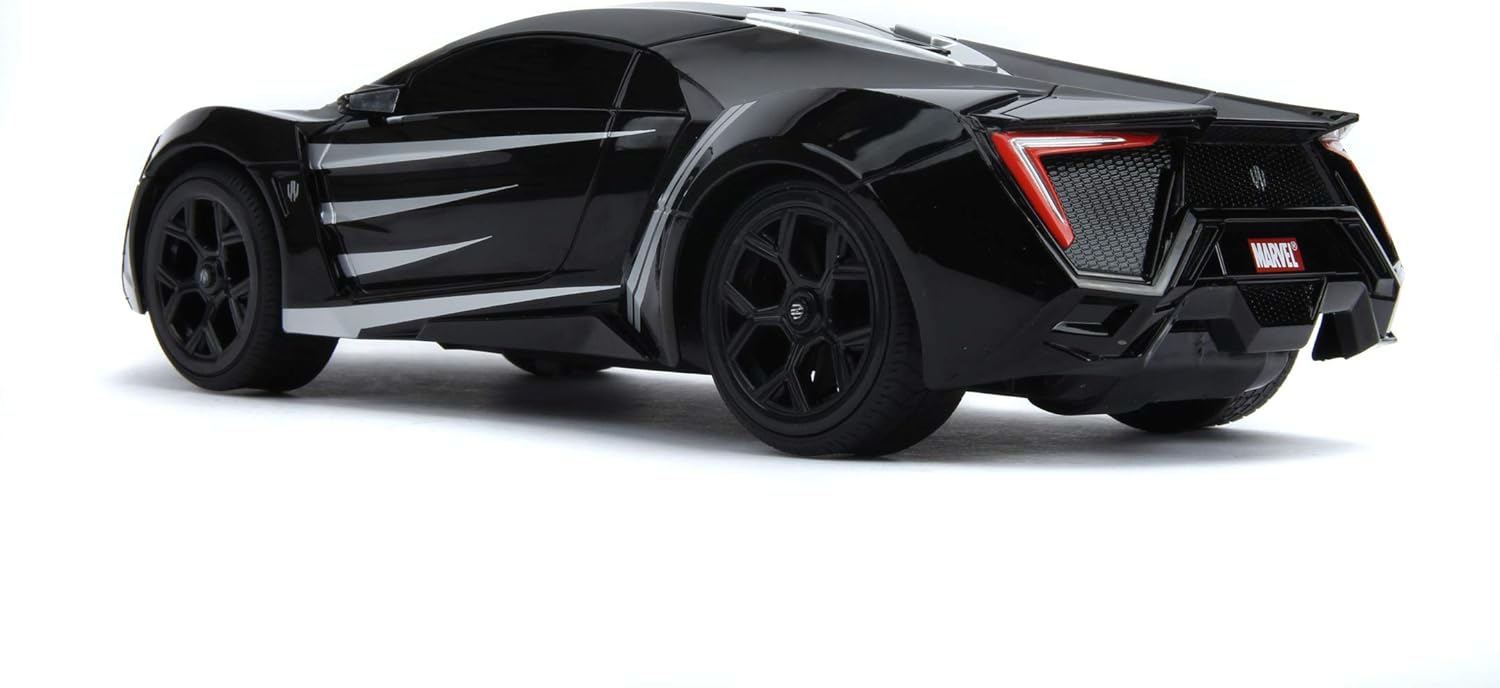
Image: A sleek rear three-quarter view of the Black Panther Lykan Hypersport RC car, highlighting its tail lights and aerodynamic shape.
6. Maintenance
- Cleaning: Wipe the car and remote control with a soft, dry cloth. Do not use harsh chemicals or water.
- Storage: Store the car and remote in a cool, dry place away from direct sunlight when not in use.
- Battery Care: Remove batteries from the remote control if storing for extended periods. Ensure the car's battery is fully charged before long-term storage.
- Wheel Alignment: If the car does not drive straight, check for a steering trim adjustment on the underside of the car or on the remote control.
7. Troubleshooting
| Problem | Possible Cause | Solution |
|---|---|---|
| Car does not respond to remote. | Low car battery; Low remote control batteries; Not paired; Out of range. | Charge car battery; Replace remote batteries; Re-pair car and remote; Move closer to car. |
| Car moves slowly or inconsistently. | Low car battery; Obstruction in wheels; Driving on unsuitable surface. | Charge car battery; Clear any obstructions; Drive on smooth, flat surfaces. |
| Poor control range. | Interference; Low remote control batteries. | Move to an area with less interference; Replace remote batteries. |
8. Specifications
| Feature | Detail |
|---|---|
| Model Number | 253226001 |
| Scale | 1:16 |
| Control Frequency | 2.4 GHz |
| Functions | Forward, Backward, Left, Right, Turbo |
| Car Battery | Integrated Lithium-Ion (USB Charge) |
| Remote Control Batteries | AA (Included) |
| Material | Zinc (Main Material) |
| Recommended Age | 8 years and up |
9. Warranty and Support
Jada Toys products are manufactured to high-quality standards. This product comes with a 1-year availability of spare parts from the date of purchase. For technical support, replacement parts, or warranty claims, please contact Jada Toys customer service through their official website or the retailer where the product was purchased. Please retain your proof of purchase.
For more information, visit the official Jada Toys store: Jada Toys Store


