Introduction
This manual provides essential instructions for the setup, operation, maintenance, and troubleshooting of your MVMT Men's Analog Quartz Watch, Model 28000008-D. Please read this manual thoroughly to ensure proper use and care of your timepiece.
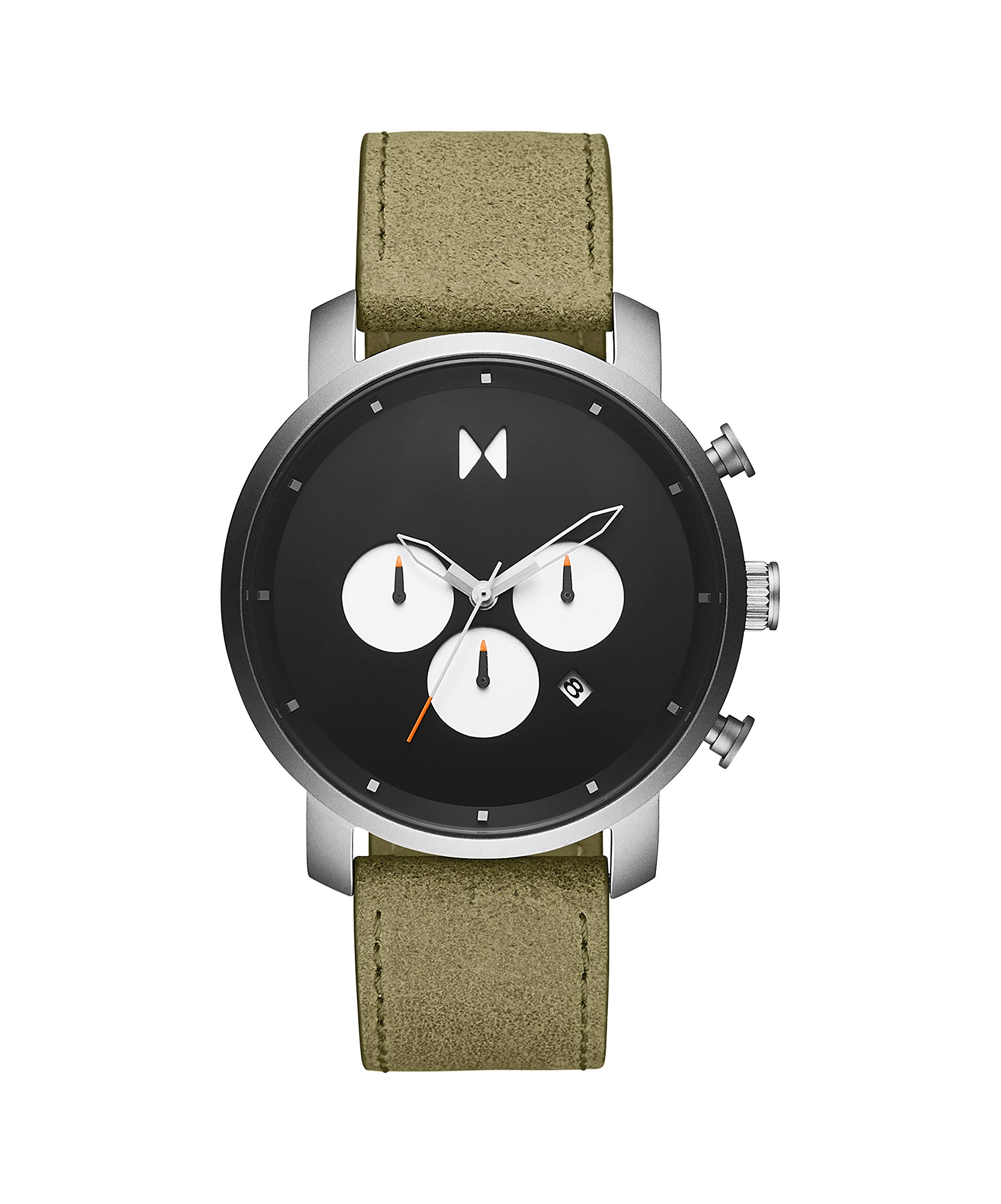
Front view of the MVMT Men's Analog Quartz Watch, Model 28000008-D, featuring a black dial and green leather strap.
Setup
1. Setting the Time
- Locate the crown on the right side of the watch case.
- Gently pull the crown out to the second click position. The second hand will stop.
- Rotate the crown to move the hour and minute hands to the desired time. Ensure AM/PM is correctly set if your watch has a date function that changes at midnight.
- Once the time is set, push the crown back into its original position. The second hand will resume movement.
2. Setting the Date
- Pull the crown out to the first click position.
- Rotate the crown clockwise or counter-clockwise (depending on the movement) to adjust the date.
- Once the date is set, push the crown back into its original position.
- Note: Avoid setting the date between 9 PM and 3 AM, as this can interfere with the date change mechanism. If you need to set the date during this period, first set the time outside this window, adjust the date, then reset the time.
3. Adjusting the Strap
The watch features a genuine leather strap with a buckle closure. To adjust the fit, simply move the buckle pin to the desired hole on the strap. Ensure the watch is snug but comfortable on your wrist.
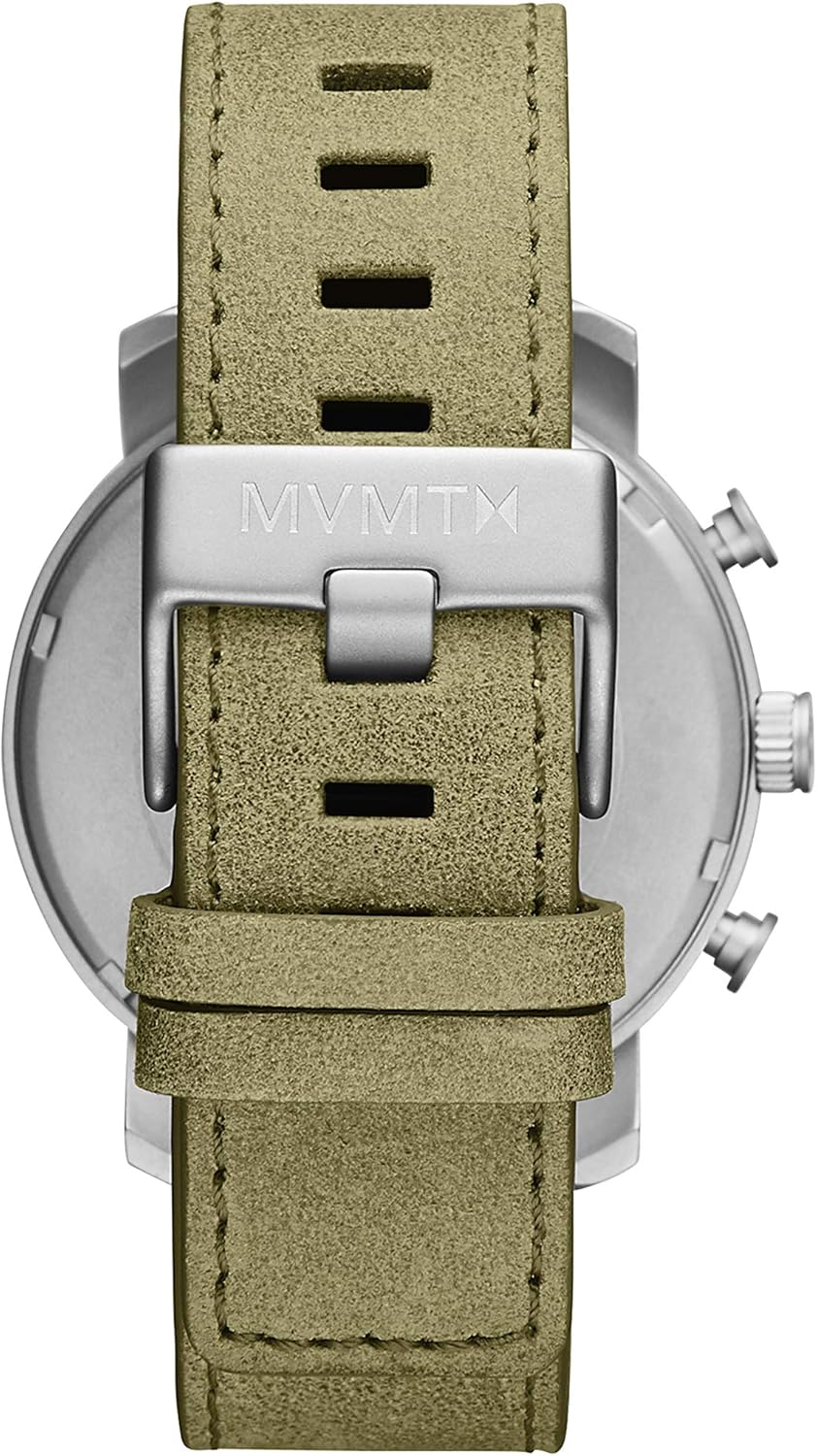
Rear view of the MVMT watch, showing the green leather strap and the engraved buckle.
Operating the Watch
Timekeeping
Your MVMT watch is powered by a reliable Miyota quartz movement, providing accurate timekeeping. Once the time is set, the watch will continuously display the current time.
Chronograph Function
This watch includes a chronograph (stopwatch) function, indicated by the subdials and pushers on the side of the case. The specific operation of the chronograph may vary slightly, but generally involves:
- Start/Stop: Press the top pusher to start and stop the chronograph.
- Reset: Press the bottom pusher to reset the chronograph hands to zero when the chronograph is stopped.
Refer to the specific markings on your watch's dial for subdial functions (e.g., seconds, minutes, 24-hour indicator).
Water Resistance (5 ATM)
Your watch has a water resistance rating of 5 ATM (50 meters). This means it is suitable for brief immersion in water, such as showering or swimming at the surface. It is not suitable for scuba diving or high-impact water sports. Always ensure the crown is fully pushed in before any contact with water.
Important: Water damage is not covered under warranty if the watch is used beyond its specified water resistance limits or if the crown was not properly sealed.
Maintenance
Cleaning Your Watch
- Wipe the watch case and crystal with a soft, dry, lint-free cloth.
- For stubborn dirt, a slightly damp cloth can be used on the case, followed by immediate drying.
- Avoid using harsh chemicals, solvents, or abrasive cleaners, as these can damage the watch's finish or seals.
Leather Strap Care
- Avoid prolonged exposure to direct sunlight, extreme temperatures, and moisture, as these can cause the leather to fade, crack, or deteriorate.
- If the strap gets wet, gently blot it dry with a soft cloth and allow it to air dry naturally, away from direct heat.
- Periodically clean the strap with a specialized leather cleaner and conditioner to maintain its appearance and flexibility.
Battery Replacement
Your watch uses a Lithium-ion battery. When the battery runs low, the watch may stop or the second hand may skip seconds. Battery replacement should be performed by a qualified watch technician to ensure the water resistance seal is maintained. Attempting to replace the battery yourself may void the warranty and compromise the watch's integrity.
Troubleshooting
| Problem | Possible Cause | Solution |
|---|---|---|
| Watch has stopped or is running intermittently. | Low or dead battery. | Have the battery replaced by a professional watch technician. |
| Time is incorrect. | Crown not fully pushed in; time was not set correctly. | Ensure the crown is fully pushed in. Re-set the time as per the "Setting the Time" instructions. |
| Date is incorrect. | Date was not set correctly; date changed during restricted hours. | Re-set the date as per the "Setting the Date" instructions, avoiding the 9 PM - 3 AM window. |
| Moisture under the crystal. | Water resistance compromised; crown not fully pushed in during water contact. | Immediately take the watch to a professional watch repair service to prevent further damage. Avoid further water contact. |
Specifications
- Model Number: 28000008-D
- Movement: Miyota Quartz
- Case Size: 45 mm
- Case Thickness: 12 mm
- Case Material: Matte Stainless Steel
- Dial Color: Black
- Strap Material: Genuine Green Leather
- Strap Width: 22 mm
- Crystal: Hardened Mineral Crystal
- Water Resistance: 5 ATM (50 meters)
- Battery Type: 1 Lithium-ion (included)
- Product Dimensions: 2.2 x 4.5 x 1.1 cm
- Weight: 135 grams
- Manufacturer: Movado Group
Warranty Information
Specific warranty details for this product are not provided in the available information. Please refer to the official MVMT website or the warranty card included with your purchase for comprehensive warranty terms and conditions. Typically, watch warranties cover manufacturing defects but exclude damage from improper use, accidents, or normal wear and tear.
Customer Support
For further assistance, technical support, or service inquiries regarding your MVMT watch, please visit the official MVMT website or contact their customer service department. Contact information can usually be found on the brand's official website or on the packaging of your product.


