
1. Introduction
Thank you for choosing the SBS Twin True Wireless Stereo Urban Earbuds BT480. These earbuds offer a seamless audio experience with true wireless stereo technology, multifunction controls, and voice assistant compatibility. This manual provides essential information for setup, operation, and maintenance to ensure optimal performance.
2. Package Contents
- SBS Twin True Wireless Stereo Urban Earbuds (Left and Right)
- 500 mAh Charging Dock
- USB-Micro USB Charging Cable
- User Manual (this document)
3. Product Overview
The SBS BT480 Urban Earbuds are designed for convenience and portability. The charging dock not only protects your earbuds but also provides multiple recharges on the go.
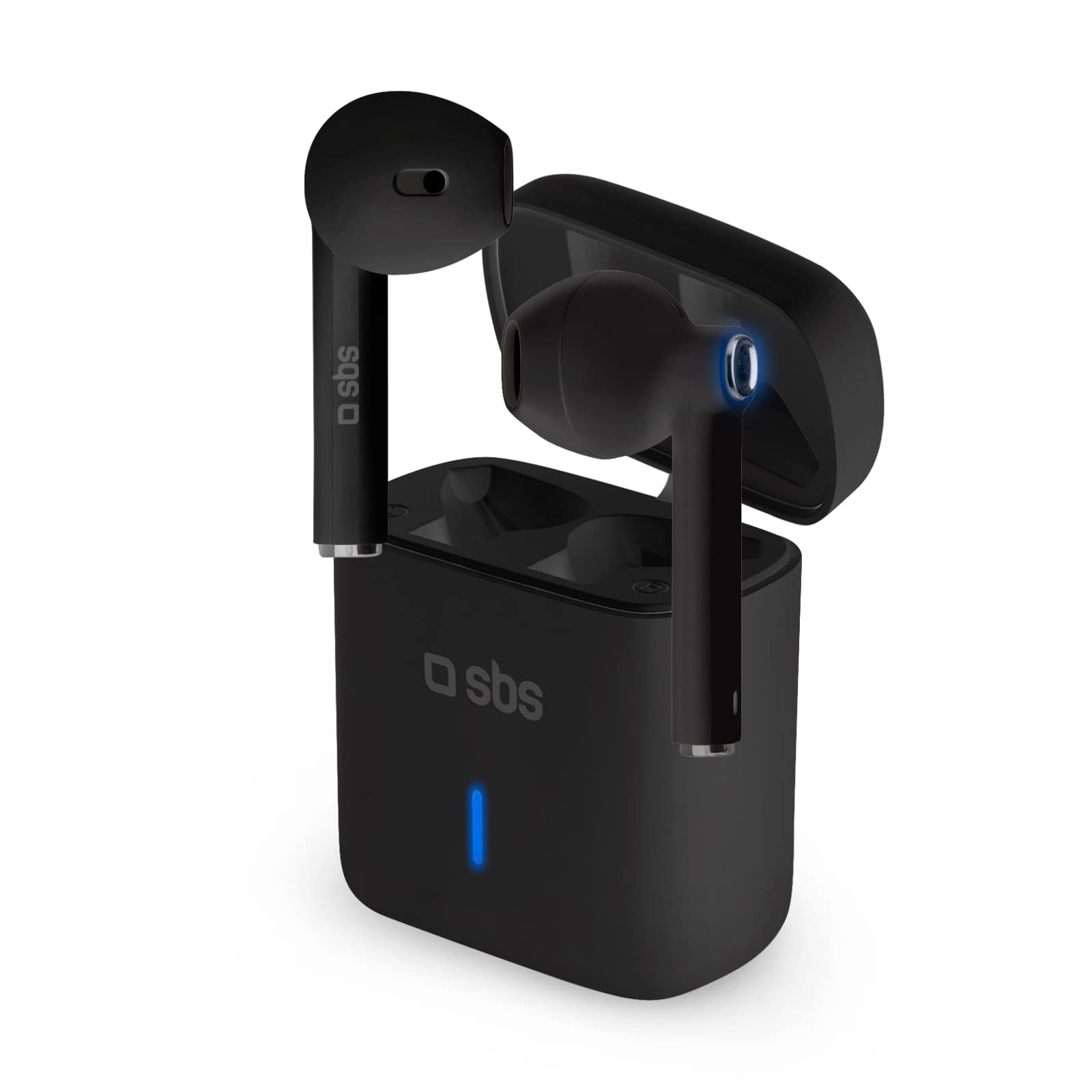
Image: SBS BT480 Urban Earbuds in their charging case. The image shows the black earbuds partially inserted into their matching black charging case, with a blue indicator light visible on the front of the case.
Earbud Components:
- Multifunction Touch Button: For music control, call management, and voice assistant activation.
- Microphone: Integrated for calls and voice assistant.
- Charging Contacts: Located at the bottom of each earbud.
- LED Indicator: Shows pairing status and battery level.
Charging Dock Components:
- Earbud Charging Slots: Securely holds and charges the earbuds.
- Charging Port: Micro USB port for charging the dock itself.
- LED Indicator: Shows charging status of the dock.
4. Charging
Charging the Charging Dock:
- Connect the supplied USB-Micro USB cable to the charging port on the dock.
- Connect the other end of the cable to a USB power source (e.g., computer, wall adapter).
- The dock's LED indicator will show its charging status. A full charge provides up to 4 full recharges for the earbuds.
Charging the Earbuds:
- Place the earbuds into their respective charging slots in the charging dock. Ensure the charging contacts align.
- The earbuds will automatically begin charging. The earbud LED indicators will show their charging status.
- A full charge provides approximately 3.5 hours of continuous use.
5. Setup & Pairing
Initial Pairing with Your Device:
- Power On: Remove both earbuds from the charging dock. They will automatically power on and connect to each other (True Wireless Stereo).
- Bluetooth Mode: The earbuds will enter pairing mode, indicated by a flashing LED on one of the earbuds.
- Enable Bluetooth: On your smartphone or other Bluetooth-enabled device, go to the Bluetooth settings.
- Select Device: Search for available devices and select "SBS BT480 Urban" from the list.
- Confirmation: Once paired, the earbud LED indicator will stop flashing, and you may hear an audible confirmation.
Note: After initial pairing, the earbuds will automatically connect to the last paired device when removed from the charging dock, provided Bluetooth is enabled on your device.
6. Operating Instructions
Music Control:
- Play/Pause: Press the multifunction touch button on either earbud once.
- Next Track: (Specific instruction not provided, typically double-tap right earbud)
- Previous Track: (Specific instruction not provided, typically double-tap left earbud)
Call Management:
- Answer Call: Press the multifunction touch button on either earbud once.
- End Call: Press the multifunction touch button on either earbud once during a call.
- Reject Call: Press and hold the multifunction touch button on either earbud for a few seconds.
- Redial Last Number: (Specific instruction not provided, typically triple-tap)
Voice Assistant Activation:
- Activate Siri/Google Assistant: Press and hold the multifunction touch button on either earbud for a few seconds until you hear a prompt.
7. Maintenance
- Cleaning: Use a soft, dry cloth to clean the earbuds and charging dock. Do not use abrasive cleaners or solvents.
- Storage: When not in use, store the earbuds in the charging dock to protect them and keep them charged.
- Avoid Water: These earbuds are not waterproof. Avoid exposure to water or excessive moisture.
- Temperature: Do not expose the device to extreme temperatures.
8. Troubleshooting
| Problem | Possible Solution |
|---|---|
| Earbuds do not power on. | Ensure earbuds are charged. Place them in the charging dock for a few minutes, then remove. |
| Earbuds do not pair with device. | 1. Ensure Bluetooth is enabled on your device. 2. Make sure earbuds are in pairing mode (flashing LED). 3. Forget "SBS BT480 Urban" from your device's Bluetooth list and try pairing again. 4. Ensure earbuds are sufficiently charged. |
| Only one earbud is working. | 1. Place both earbuds back into the charging dock, then remove them simultaneously to allow them to re-sync. 2. Ensure both earbuds are charged. |
| Poor audio quality. | 1. Ensure earbuds are fully charged. 2. Move closer to your paired device to avoid interference. 3. Check for obstructions between the earbuds and your device. |
| Charging dock not charging. | 1. Check the USB-Micro USB cable for damage. 2. Try a different USB power source. 3. Ensure the cable is securely connected to both the dock and the power source. |
9. Specifications
- Model Name: BT480 Urban
- Model Number: 8018417292668
- Connectivity: Wireless (Bluetooth)
- Form Factor: In-Ear
- Microphone: Integrated
- Battery Type: Lithium-polymer
- Earbud Usage Time: Approximately 3.5 hours (per charge)
- Charging Dock Capacity: 500 mAh
- Earbud Recharges from Dock: Up to 4 full charges
- Included Components: Charging Station
- Compatible Devices: Laptop, Tablet, Mobile Phone
- Color: Black
10. Warranty & Support
For warranty information and technical support, please refer to the documentation provided with your purchase or visit the official SBS website. Keep your proof of purchase for any warranty claims.


