
1. Introduction
Thank you for choosing the IMALENT MS03 LED Flashlight. This compact yet powerful flashlight is designed for various applications, offering exceptional brightness and reliability. Please read this manual thoroughly to understand its features, operation, and maintenance to ensure optimal performance and longevity.
The IMALENT MS03 features three XHP70.2 LEDs, delivering up to 13,000 lumens of output, a beam distance of 320 meters, and multiple lighting modes. Its durable construction and rechargeable design make it suitable for outdoor activities, tactical use, and daily illumination needs.
2. Package Contents
Upon opening your IMALENT MS03 package, please verify that all items listed below are present and in good condition:
- IMALENT MS03 LED Flashlight
- Rechargeable Li-ion Battery (pre-installed or separate)
- USB Type-C Charging Cable
- Lanyard
- Spare O-rings
- User Manual

Image 2.1: Contents of the IMALENT MS03 package, including the flashlight, battery, charging cable, lanyard, spare O-rings, and user manual.
3. Setup
3.1 Battery Installation
The IMALENT MS03 typically comes with the battery pre-installed. If not, unscrew the tail cap, insert the provided 21700 Li-ion battery with the positive (+) terminal facing towards the head of the flashlight, and then securely screw the tail cap back on.
3.2 Initial Charging
Before first use, fully charge the flashlight. The MS03 features a built-in USB Type-C charging port on the battery itself. Connect the provided USB Type-C cable to the battery's port and plug the other end into a USB power source (e.g., wall adapter, computer USB port).
- A red indicator light signifies that charging is in progress.
- A green indicator light indicates that the battery is fully charged.
Charging time may vary depending on the power source. Ensure the battery is fully charged for optimal performance and runtime.
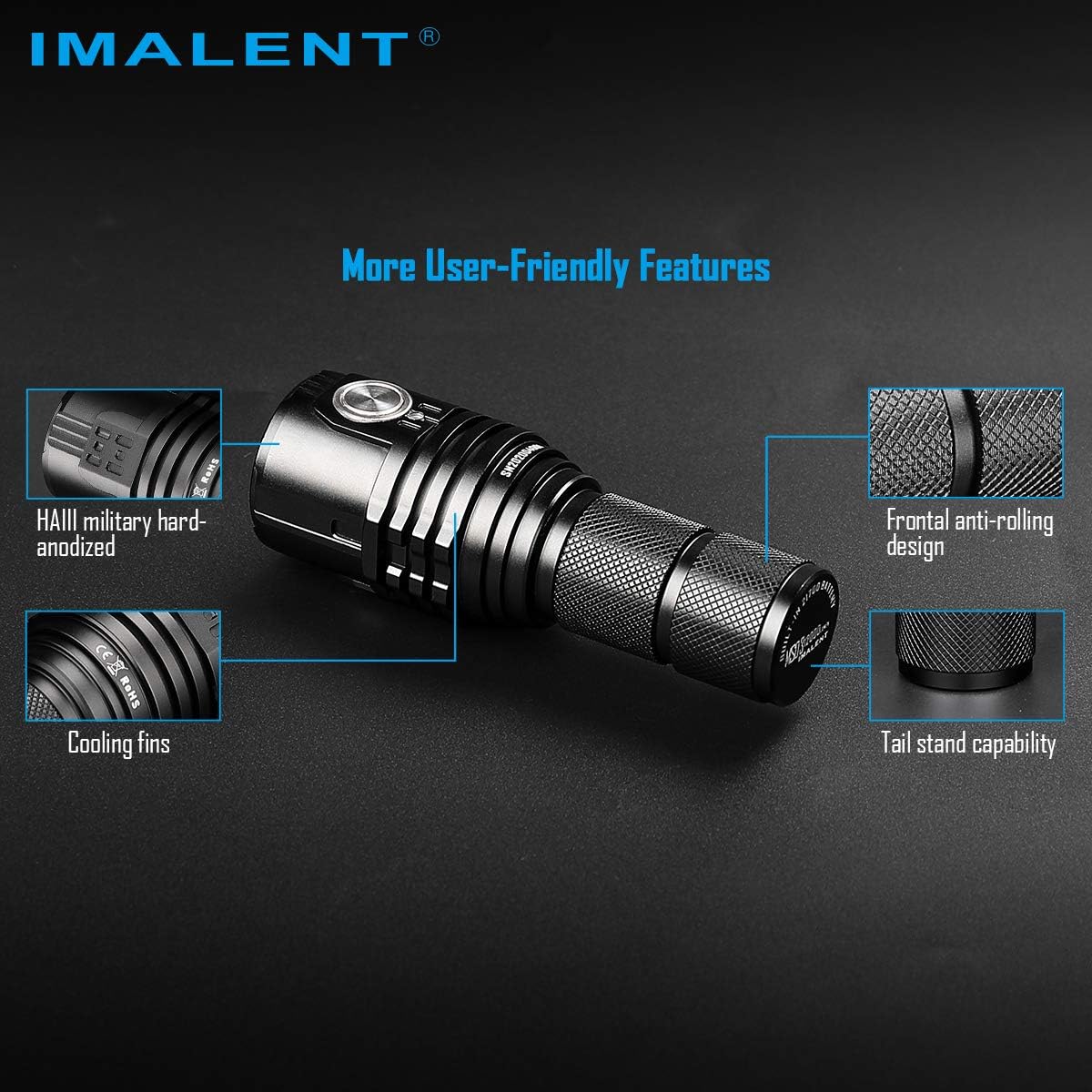
Image 3.1: The IMALENT MS03 flashlight shown with its rechargeable battery and USB-C charging cable, illustrating the charging setup.
4. Operating Instructions
The IMALENT MS03 is operated via a single side switch. Familiarize yourself with the switch functions for efficient use.
4.1 Power On/Off
- Turn On: Single click the side switch. The flashlight will turn on at the previously used brightness level (mode memory function).
- Turn Off: Single click the side switch again while the light is on.
4.2 Brightness Level Selection
With the flashlight turned on, press and hold the side switch to cycle through the brightness levels: Low, Middle Low, Middle I, Middle II, High. Release the switch to select the desired output.
4.3 Turbo Mode Activation
From any mode (including off), double-click the side switch to instantly activate Turbo mode (13,000 lumens). Double-click again to return to the previous mode.
4.4 Strobe Mode Activation
From Turbo mode, double-click the side switch to activate Strobe mode. Double-click again to return to Turbo mode.
4.5 Lockout/Unlock Function
- Lockout: With the flashlight off, press and hold the side switch for approximately 3 seconds until the light flashes once. This prevents accidental activation.
- Unlock: While in lockout mode, press and hold the side switch for approximately 3 seconds until the light flashes once, indicating it is unlocked and ready for use.
4.6 Battery Level Indicator
The indicator light on the side switch provides real-time battery status:
- Green Light: Battery is sufficiently charged.
- Red Light: Battery level is low and requires charging.

Image 4.1: The IMALENT MS03 flashlight, highlighting the side switch for operation.

Image 4.2: The IMALENT MS03 demonstrating its powerful 13,000 lumen beam illuminating a forest at night.

Image 4.3: The IMALENT MS03 flashlight casting a wide and bright beam across a sandy beach at night, demonstrating its effective illumination range.
5. Maintenance
Proper maintenance ensures the longevity and reliable performance of your IMALENT MS03 flashlight.
5.1 Cleaning
- Wipe the flashlight body with a clean, soft cloth.
- Clean the lens with a lens cleaning cloth to maintain optimal light transmission.
- Avoid using harsh chemicals or abrasive materials that could damage the finish or lens.
5.2 O-Ring Maintenance
Regularly inspect the O-rings for wear and tear. Replace them with the provided spare O-rings if damaged. Lubricate O-rings with silicone grease periodically to maintain the flashlight's waterproof rating.
5.3 Battery Care
- Store the battery in a cool, dry place when not in use.
- Avoid fully discharging the battery to prolong its lifespan. Recharge when the low battery indicator appears.
- If storing for an extended period, charge the battery to approximately 50% every three months.
5.4 Storage
When storing the flashlight for an extended period, it is recommended to remove the battery to prevent accidental activation and parasitic drain. Store the flashlight in a dry environment away from direct sunlight and extreme temperatures.
6. Troubleshooting
If you encounter issues with your IMALENT MS03, please refer to the following common problems and solutions:
| Problem | Possible Cause | Solution |
|---|---|---|
| Flashlight does not turn on | Low battery; Battery incorrectly installed; Flashlight in lockout mode; Loose connections | Charge the battery; Ensure battery is inserted with positive (+) end towards the head; Unlock the flashlight (press and hold switch for 3 seconds); Tighten tail cap and head. |
| Light output is dim or flickers | Low battery; Poor contact between battery and contacts; Dirty contacts | Charge the battery; Clean battery contacts and flashlight contacts with a cotton swab; Ensure battery is fully inserted. |
| Flashlight does not charge | Charging cable not properly connected; Faulty USB power source; Battery issue; USB-C to USB-C cable incompatibility | Ensure the USB Type-C cable is securely connected to both the battery and the power source; Try a different USB power source; Ensure you are using the provided USB-A to USB-C cable, as some USB-C to USB-C cables may not be compatible due to non-standard CC pin configuration on the battery. |
| Flashlight gets hot quickly on high modes | Normal operation for high-output flashlights | This is normal. The MS03 has a thermal regulation system that will automatically reduce output to prevent overheating. Use lower modes for extended periods. |
If the problem persists after attempting these solutions, please contact IMALENT customer support for further assistance.
7. Specifications
The following table details the technical specifications of the IMALENT MS03 LED Flashlight:

Image 7.1: Detailed specifications table for the IMALENT MS03 flashlight, including output levels, runtime, beam distance, and durability ratings.
| Feature | Detail |
|---|---|
| Brand | IMALENT |
| Model | MS03 |
| LED Type | 3 x American CREE XHP70.2 LEDs |
| Maximum Output | 13,000 Lumens |
| Beam Distance | 320 meters |
| Peak Beam Intensity | 26,320 cd |
| Power Source | 1 x 21700 Li-ion Battery (included) |
| Charging | USB Type-C Rechargeable |
| Material | Aerospace-grade aluminum alloy body, hard-anodized finish |
| Waterproof Rating | IPX-8 (underwater 2 meters) |
| Impact Resistance | 1.5 meters |
| Dimensions | 110mm (Length) x 27mm (Head Diameter) x 27mm (Body Diameter) |
| Weight | 117 grams (without battery) |
| Special Features | Thermal control, Battery level indicator, Lockout function |
8. Warranty and Support
8.1 Warranty Information
IMALENT products are manufactured to high-quality standards. This product is covered by a manufacturer's warranty against defects in materials and workmanship. The specific warranty period and terms may vary by region and retailer. Please retain your proof of purchase for warranty claims.
8.2 Customer Support
For technical assistance, warranty claims, or any questions regarding your IMALENT MS03 flashlight, please contact the retailer where you purchased the product or visit the official IMALENT website for customer support contact information.
Please provide your product model (MS03) and purchase details when contacting support to facilitate a quicker resolution.

