
Vent-Axia VASF100T (Model 446659)
Vent-Axia VASF100T Silent Fan with Timer User Manual
Model: VASF100T (446659)
Brand: Vent-Axia
Product Overview
The Vent-Axia VASF100T Silent Fan is a 100mm bathroom/WC fan designed for quiet and efficient ventilation. It features an adjustable overrun timer, allowing the fan to continue operating for 5 to 30 minutes after the light switch is turned off. This model offers two selectable speeds during installation, ensuring optimal performance for various applications. With an astonishingly low sound level of 12 dB(A) and an IP45 rating, it provides effective moisture and odor extraction without disruptive noise.
Key Features:
- Ultra-quiet operation at 12 dB(A).
- Adjustable overrun timer (5-30 minutes).
- Two selectable speeds during installation.
- Integrated back draught shutter.
- IP45 rated for safe use in bathrooms.
- Authentic product with QR code verification sticker on packaging.
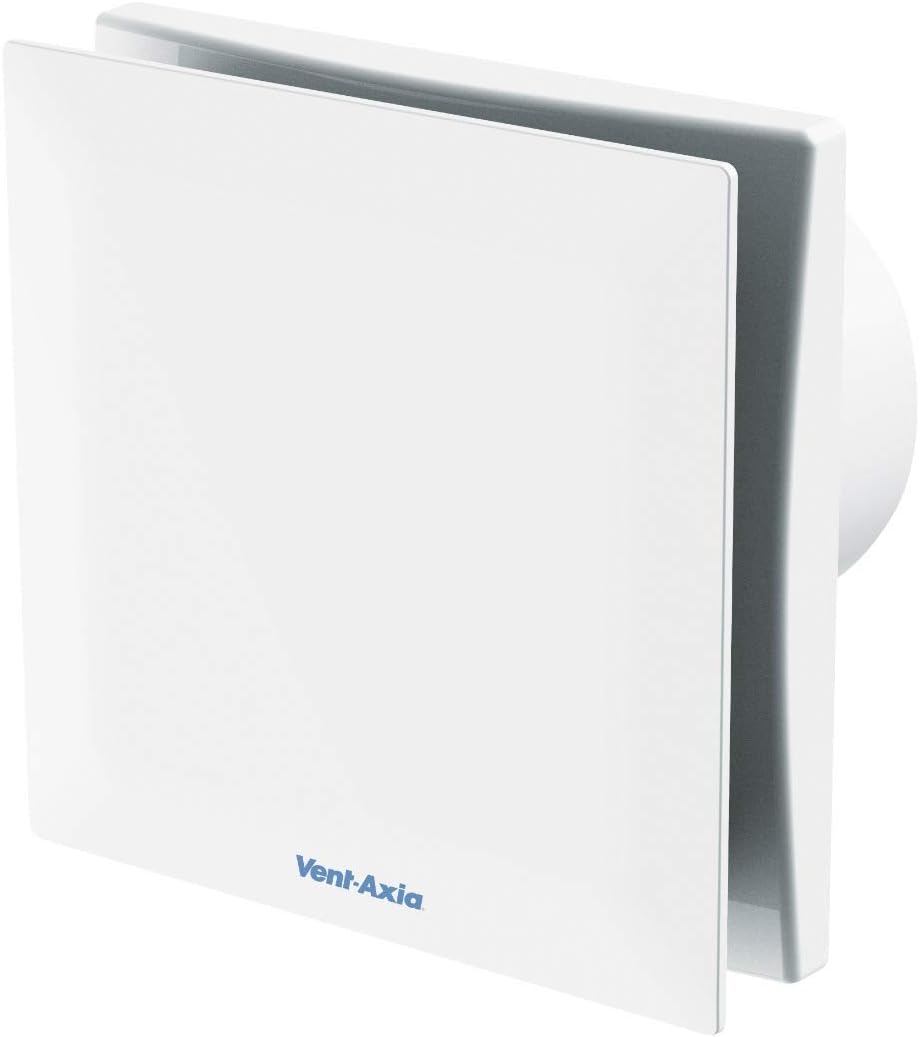
Figure 1: Front-side view of the Vent-Axia VASF100T Silent Fan, showcasing its compact and sleek white design. The Vent-Axia logo is visible on the lower front panel.
Setup Guide
This section provides general guidance for the installation of your Vent-Axia VASF100T fan. Installation should be performed by a qualified electrician in accordance with local wiring regulations.
- Safety First: Before commencing any electrical work, ensure the main power supply to the circuit is switched off at the consumer unit/fuse box. Verify with a suitable voltage tester.
- Mounting Location: Choose a suitable wall or ceiling location in the bathroom or WC, ensuring adequate space for the fan unit and ducting. The fan is designed for wall mounting.
- Prepare Opening: Create an appropriate opening for the fan body and ducting, typically 100mm in diameter, ensuring it is clean and free of debris.
- Wiring: Connect the fan to the electrical supply. This model requires a permanent live, switched live (from light switch), and neutral connection. Refer to the wiring diagram provided with the product packaging for specific terminal connections.
- Speed Selection: During installation, select one of the two available speeds. This is typically done via a jumper or switch on the fan's PCB. Consult the product's internal instructions for precise details on speed setting.
- Timer Adjustment: The overrun timer can be adjusted between 5 and 30 minutes. This adjustment is usually made via a small potentiometer on the fan's PCB using a small screwdriver. Set the desired overrun time before final assembly.
- Secure Fan: Secure the fan unit firmly into the prepared opening using appropriate fixings. Ensure the back draught shutter operates freely.
- Final Assembly: Attach the front cover of the fan. Restore power to the circuit and test the fan's operation.
Operating Instructions
The Vent-Axia VASF100T Silent Fan is designed for simple, automatic operation once installed and configured.
- Standard Operation: The fan is typically wired to operate in conjunction with your bathroom light switch. When the light is switched on, the fan will activate.
- Timer Function: After the light is switched off, the fan will continue to run for the pre-set overrun period (adjustable from 5 to 30 minutes). This ensures effective removal of moisture and odors even after the room is vacated.
- Continuous Operation (if configured): While primarily designed for intermittent operation with a timer, some installations may configure the fan for continuous low-level ventilation. Refer to your installer for specific wiring details if this is the case.
Maintenance
Regular maintenance ensures the longevity and optimal performance of your Vent-Axia VASF100T fan.
- Power Disconnection: Always disconnect the fan from the main power supply before attempting any cleaning or maintenance.
- Exterior Cleaning: Periodically wipe the exterior of the fan with a soft, damp cloth. Do not use abrasive cleaners or solvents.
- Internal Cleaning: Carefully remove the front cover of the fan. Gently wipe away any dust or debris from the fan blades and internal surfaces using a soft brush or cloth. Ensure no moisture enters the electrical components.
- Check for Obstructions: Ensure the air inlet and outlet are free from any obstructions (e.g., lint, dust build-up) that could impede airflow.
- Reassembly: Once clean, carefully reattach the front cover, ensuring it is securely fitted.
- Frequency: Cleaning frequency depends on usage and environmental conditions, but a quarterly check is generally recommended.
Troubleshooting
If you experience issues with your Vent-Axia VASF100T fan, consult the following common troubleshooting steps:
| Problem | Possible Cause | Solution |
|---|---|---|
| Fan does not turn on. | No power supply; faulty wiring; light switch not working; internal fault. | Check power supply at the fuse box. Verify light switch functionality. Consult a qualified electrician for wiring inspection. |
| Fan runs continuously. | Timer set to maximum or faulty; incorrect wiring. | Check timer setting (potentiometer). Consult a qualified electrician to check wiring. |
| Fan is noisy. | Obstruction in fan blades; loose mounting; worn bearings. | Disconnect power and check for obstructions. Ensure fan is securely mounted. If noise persists, professional inspection may be required. |
| Poor extraction. | Blocked ducting; fan blades dirty; back draught shutter stuck. | Clean fan blades and grille. Check ducting for blockages. Ensure back draught shutter moves freely. |
If the problem persists after attempting these solutions, please contact a qualified electrician or Vent-Axia customer support.
Technical Specifications
| Specification | Detail |
|---|---|
| Brand | Vent-Axia |
| Model Number | 446659 (VASF100T) |
| Color | White |
| Product Dimensions (L x W x H) | 3.8 x 15.9 x 15.9 cm (1.5 x 6.26 x 6.26 inches) |
| Item Weight | 760 grams (1.68 pounds) |
| Voltage | 240 Volts |
| Material | Plastic |
| Number of Speeds | 2 (selectable during installation) |
| Sound Level | 12 dB(A) |
| Special Features | QR Code Verification Sticker, Silent Operation |
| Electric Fan Design | Exhaust Fan |
| Power Source | Corded Electric |
| Style | Modern |
| Room Type | Bathroom |
| Recommended Uses For Product | Ventilation |
| Mounting Type | Wall Mount |
| Controller Type | Remote Control (Note: Product description implies light switch control, 'Remote Control' might refer to internal settings adjustment or a specific variant not detailed here. Confirm with product packaging.) |
| IP Rating | IP45 |
Warranty and Support
The Vent-Axia VASF100T Silent Fan comes with a manufacturer's warranty of up to 5 years. For specific warranty terms and conditions, please refer to the documentation included with your product or visit the official Vent-Axia website.
For technical support, spare parts information, or warranty claims, please contact Vent-Axia customer service. Contact details can typically be found on the product packaging or their official website.
Note: Spare parts availability information was not provided in the product data. Please contact the manufacturer directly for details.
Related documentsVASF100T (Model 446659)


Ask a question about this manual
Ask about setup, troubleshooting, compatibility, parts, safety, or missing instructions. Manuals+ will review the question and use this page’s manual context to help answer it.