
1. Introduction
This manual provides instructions for the Energizer Rechargeable LED Multi-Panel Work Light, Model E302278200. This versatile work light is designed to provide bright, reliable illumination for various tasks, including work, outdoor activities, and emergency situations. It features a high lumen output, a rechargeable lithium-ion battery, and a built-in USB port for charging other devices. The multi-panel design and adjustable handle offer flexible positioning and hands-free operation.
2. Product Overview
The Energizer Multi-Panel Work Light is engineered for durability and functionality. Key features include:
- High Lumen Output: Delivers up to 1100 lumens of bright, wide-range light.
- Rechargeable Battery: Powered by a built-in lithium-ion battery, eliminating the need for disposable batteries.
- USB Power Bank: Integrated USB port allows charging of external devices like phones and tablets.
- Multi-Panel Design: Two adjustable LED panels provide 180-degree lighting flexibility.
- Versatile Handle/Stand: The large handle can be used for carrying, hanging, or folded out to create a stable stand for hands-free use.
- Durable Construction: IPX4 water-resistant and impact-resistant up to 2 meters, suitable for various indoor and outdoor environments.
Product Visuals

Figure 2.1: The Energizer Rechargeable LED Multi-Panel Work Light in its primary configuration.

Figure 2.2: The two adjustable LED panels can rotate 180 degrees to direct light precisely where needed.

Figure 2.3: The work light provides up to 1100 lumens of super-bright illumination in high mode.

Figure 2.4: The light features both High and Low modes for varying brightness requirements.

Figure 2.5: The integrated handle folds out to form adjustable legs, enabling hands-free lighting.
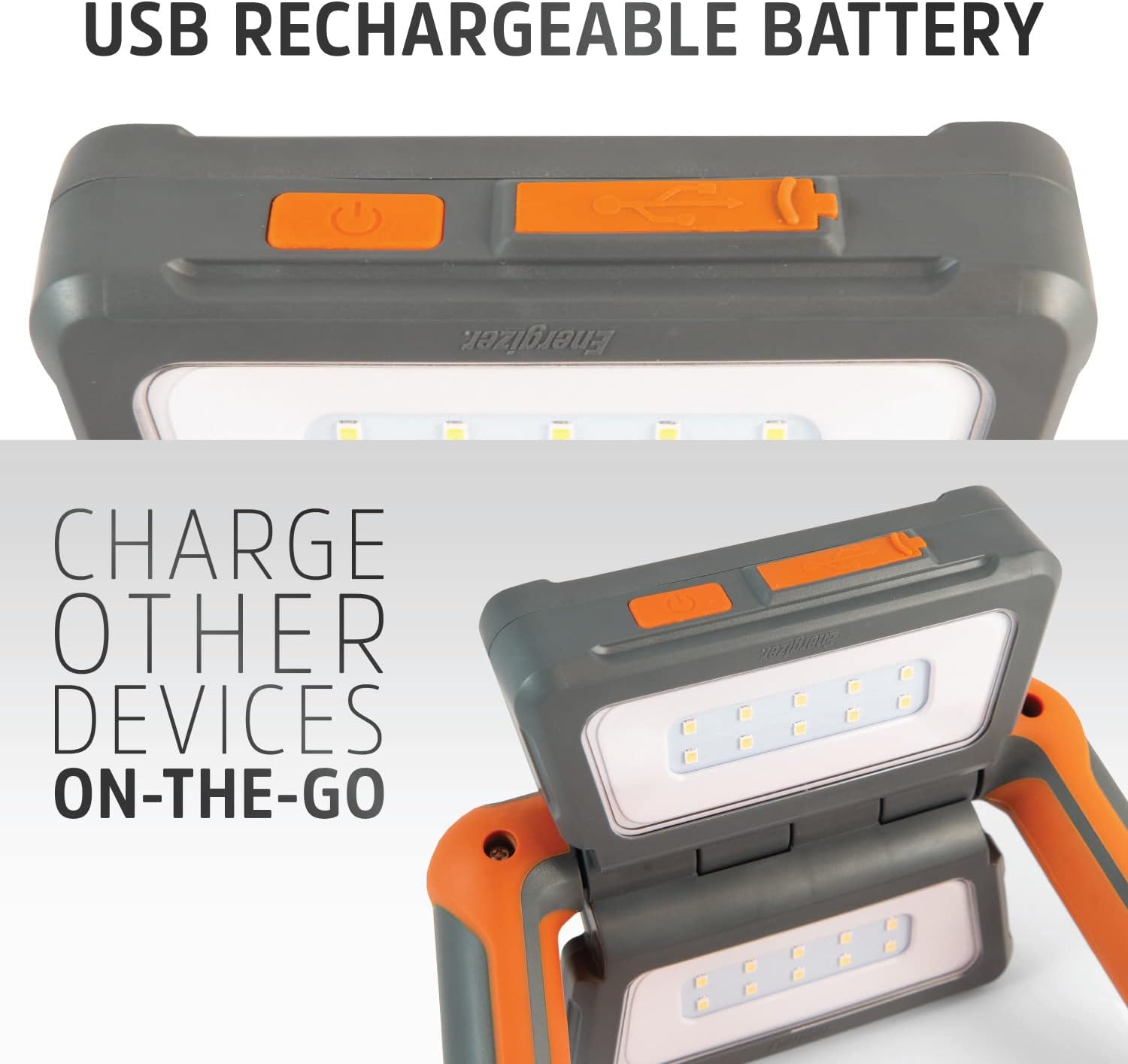
Figure 2.6: The work light includes a USB port for recharging its internal battery and for charging other devices on the go.
Official Product Video
Video 2.1: An official video demonstrating the features and versatility of the Energizer Multi-Panel Rechargeable LED Lantern, including its adjustable panels and various uses.
3. Setup
Initial Charge
- Locate the micro-USB charging port on the side of the light, typically protected by a rubber flap.
- Connect the included micro-USB charging cable to the light's charging port.
- Plug the other end of the USB cable into a compatible USB power adapter (not included) or a powered USB port.
- The battery indicator lights (usually small LEDs) will illuminate to show the charging status. Allow the light to charge fully before first use.
Positioning the Light
- Handheld: Use the large, ergonomic handle for comfortable carrying.
- Freestanding: Fold out the handle to create a stable stand, allowing the light to be placed on flat surfaces.
- Hanging: The handle design also allows the light to be hung from hooks, ropes, or other suitable fixtures for overhead illumination.
4. Operating Instructions
Powering On/Off and Mode Selection
- Locate the power button on the light.
- Press the power button once to turn on the light in High mode (both panels illuminated at full brightness).
- Press the power button a second time to switch to Low mode (reduced brightness).
- Press the power button a third time to turn off the light.
Adjusting Light Panels
The two LED panels can be independently adjusted to direct light. Gently pivot each panel to achieve the desired angle, up to 180 degrees of rotation.
Using as a Power Bank
- Open the rubber flap covering the USB output port (Type-A) on the side of the light.
- Connect your device's charging cable (not included) to the USB output port on the work light.
- Connect the other end of the cable to your device. The work light will begin charging your device.
- Close the rubber flap when not in use to protect the port from dust and moisture.
5. Maintenance
- Cleaning: Wipe the light with a soft, damp cloth. Do not use abrasive cleaners or solvents. Ensure all ports are closed before cleaning.
- Storage: Store the light in a cool, dry place away from direct sunlight when not in use for extended periods.
- Battery Care: To maintain battery health, recharge the light at least once every 3-6 months, even if not in regular use.
- Water Resistance: The light is IPX4 rated, meaning it is resistant to splashing water from any direction. It is not designed for submersion. Ensure all port covers are securely closed to maintain water resistance.
6. Troubleshooting
| Problem | Possible Cause | Solution |
|---|---|---|
| Light does not turn on. | Battery is depleted. | Charge the light using the provided micro-USB cable. |
| Light is dim or flickers. | Low battery charge. | Recharge the light fully. |
| Device not charging from USB output. | Work light battery is low or depleted. Incorrect cable or device. | Ensure the work light has sufficient charge. Verify your device's charging cable is correctly connected and functional. |
| Water ingress after exposure. | Port covers not securely closed. | Always ensure all rubber port covers are firmly sealed when using the light in wet conditions. The light is splash-resistant (IPX4), not waterproof for submersion. |
7. Specifications
| Feature | Detail |
|---|---|
| Model Name | Panel Lantern (E302278200) |
| Brand | Energizer |
| Light Source Type | Light Emitting Diode (LED) |
| Brightness | 1100 lumens (High Mode) |
| Power Source | Battery Powered (Rechargeable Lithium-Ion) |
| Battery Life | Up to 5 Hours (on a full charge) |
| Water Resistance | IPX4 (Splash Resistant) |
| Impact Resistance | Up to 2 meters |
| Product Dimensions (LxWxH) | 2.17" x 8.07" x 7.87" |
| Item Weight | 0.56 Kilograms |
| Included Components | Flashlight Pack, Micro-USB Charging Cable |
| Country of Origin | China |
8. Warranty and Support
For specific warranty information, please refer to the documentation included with your product or contact Energizer customer support. The product's warranty description is noted as "Not applicable" in some specifications, but standard consumer rights and return policies apply.
If purchased from Amazon, a 30-day return policy typically applies. For further assistance or inquiries, please visit the official Energizer website or contact their customer service department.
Manufacturer: Energizer
Website: www.energizer.com

