
RYGHT 3760206480286
RYGHT Nemesis True Wireless Earbuds User Manual
Model: 3760206480286
Introduction
Welcome to the user manual for your RYGHT Nemesis True Wireless Earbuds. These earbuds are designed to provide a high-quality audio experience with the convenience of wireless connectivity. This manual will guide you through the setup, operation, maintenance, and troubleshooting of your new device.

Image: The RYGHT Nemesis True Wireless Earbuds, showing both earbuds and their compact charging case.
Setup
1. Charging the Earbuds and Case
Before first use, ensure both the earbuds and the charging case are fully charged.
- Place the earbuds into the charging case. Ensure they are correctly seated.
- Connect the charging case to a power source using a compatible USB cable.
- The indicator lights on the case will show the charging status. Once fully charged, the lights will indicate completion.
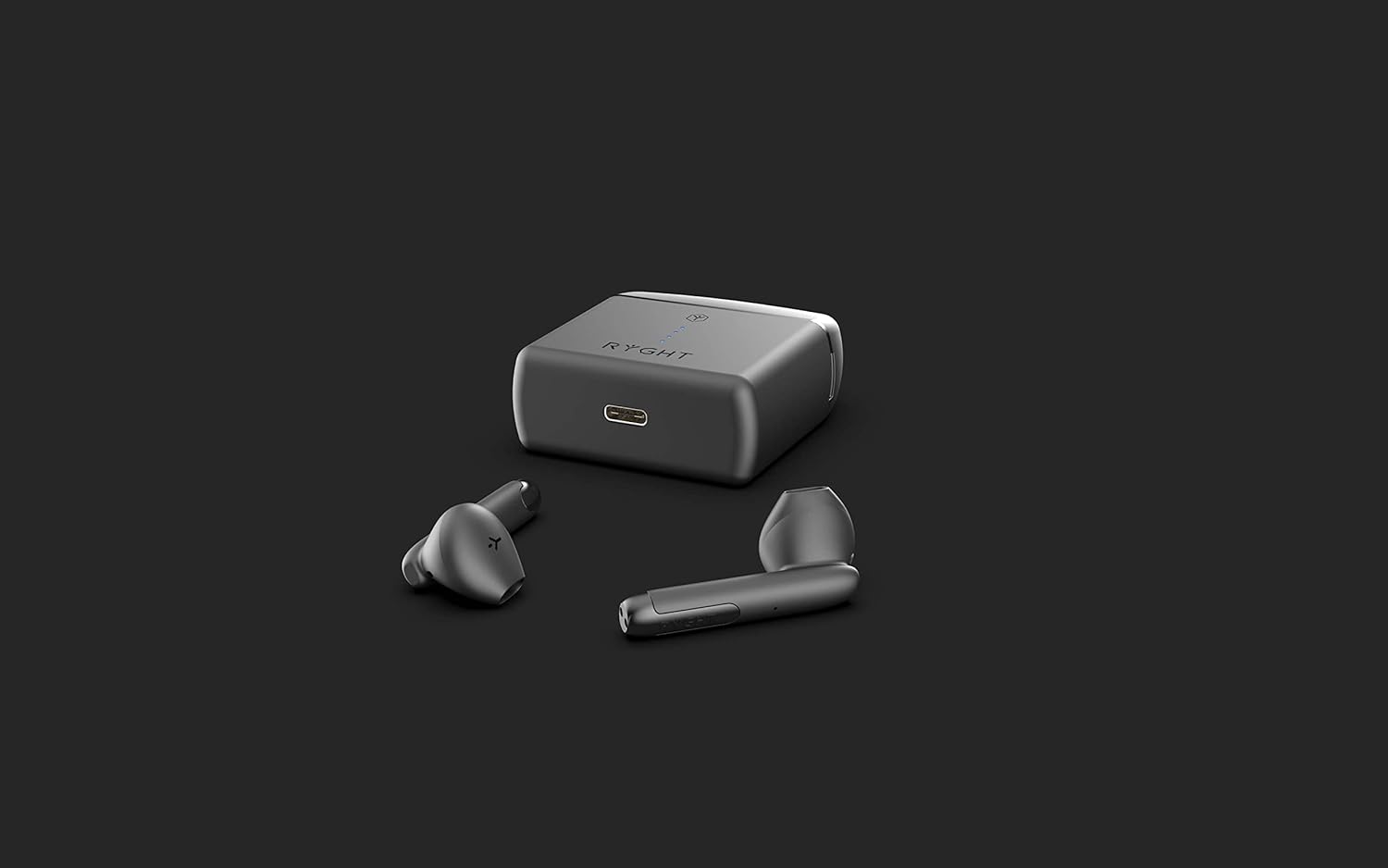
Image: The RYGHT Nemesis charging case, showing the USB charging port on the side.
2. Initial Pairing
The RYGHT Nemesis earbuds feature automatic pairing upon opening the case.
- Open the charging case. The earbuds will automatically enter pairing mode.
- On your device (smartphone, tablet, etc.), go to the Bluetooth settings.
- Search for available devices and select "RYGHT Nemesis" from the list.
- Once connected, you will hear a confirmation tone, and the earbuds will be ready for use.

Image: The RYGHT Nemesis charging case opened, revealing the earbuds nestled inside, ready for pairing.
Operating Instructions
Wearing the Earbuds
Gently insert the earbuds into your ears, ensuring a comfortable and secure fit. The semi-intra design is intended for extended comfort.

Image: A person wearing a RYGHT Nemesis earbud, demonstrating the fit in the ear.
Touch Controls
The RYGHT Nemesis earbuds feature touch controls for various functions. Specific touch gestures for music playback and call management are typically detailed in a quick start guide or on the product packaging. Common functions include:
- Play/Pause: Single tap on either earbud.
- Next Track: Double tap on the right earbud.
- Previous Track: Double tap on the left earbud.
- Answer/End Call: Single tap on either earbud during an incoming call or active call.
- Reject Call: Press and hold on either earbud during an incoming call.
- Activate Voice Assistant: Triple tap on either earbud (e.g., Siri, Google Assistant).
Note: The product description mentions "tactile" control but does not specify the exact gestures. Please refer to the quick start guide included with your product for precise touch control instructions.
Battery Life
The earbuds offer up to 4.5 hours of playback on a single charge, with an additional 22 hours of charge provided by the charging case.
Maintenance
Cleaning
- Regularly clean the earbuds and charging case with a soft, dry, lint-free cloth.
- Do not use abrasive cleaners, alcohol, or chemical solvents.
- Ensure charging contacts on both earbuds and case are free of dust and debris.
Storage
When not in use, store the earbuds in their charging case to protect them and keep them charged. Store in a cool, dry place away from extreme temperatures.
Troubleshooting
| Problem | Possible Cause | Solution |
|---|---|---|
| Earbuds not pairing with device. | Bluetooth is off on device, earbuds not in pairing mode, or previously paired. |
|
| Only one earbud is working. | Earbuds not properly connected to each other or low battery. |
|
| No sound or low volume. | Volume too low on device, earbuds not connected, or dirty earbud mesh. |
|
| Charging case not charging. | Faulty cable, power source, or dirty charging port. |
|
Specifications
| Feature | Detail |
|---|---|
| Model Name | Nemesis |
| Model Number | 3760206480286 |
| Connectivity Technology | Bluetooth 5.0 |
| Wireless Communication Technology | Bluetooth |
| Wireless Range | 10m (approx. 33 feet) |
| Earbud Playtime | Up to 4.5 hours |
| Total Playtime (with case) | Up to 22 hours additional via charging case |
| Control Type | Call Control (Tactile) |
| Form Factor | In-Ear |
| Ear Placement | In-Ear |
| Material | Plastic |
| Weight | 50 Grams |
| Color | Black |
| Recommended Uses | Calling, Exercise, Video Gaming |
Warranty and Support
Information regarding specific warranty terms and customer support for the RYGHT Nemesis True Wireless Earbuds is typically provided with the product packaging or on the manufacturer's official website. Please refer to these resources for detailed warranty coverage and contact information for technical support.
For further assistance, please visit the official RYGHT website or contact their customer service department.
Related documents3760206480286


Ask a question about this manual
Ask about setup, troubleshooting, compatibility, parts, safety, or missing instructions. Manuals+ will review the question and use this page’s manual context to help answer it.