1. Introduction
The iDiskk 2TB External Hard Drive is a versatile and portable storage solution designed for a wide range of devices, including iPhones, iPads, USB-C phones, Mac, and PC computers. Featuring integrated 3-in-1 cables (USB 3.0, USB-C, and Lightning), MFi certification, and a built-in 5000mAh battery, this device simplifies data backup, transfer, and access on the go. This manual provides detailed instructions to help you get the most out of your iDiskk PhotoDrive.

Figure 1: iDiskk 2TB External Hard Drive with integrated cables.
2. Product Features
- Integrated 3-in-1 Cables: Equipped with built-in USB 3.0, USB-C (TYPE-C), and Lightning cables, eliminating the need to carry multiple cables.
- MFi Certified & Portable Design: Features an MFi certified chip and connector for stable and secure data transmission. Constructed from high-quality ABS material, it is designed for portability.
- One-Touch Backup: Allows for single-touch backup of photos and videos from your iPhone/iPad via the dedicated application. It intelligently saves only newly added files to prevent duplicates.
- Direct Media Capture & Playback: Use the application to directly record and play images/videos, saving space on your mobile device.
- App & File Encryption: Offers security features including app encryption with Touch ID/Face ID or a numeric password, and folder encryption for sensitive files.
- Built-in 5000mAh Battery: Provides approximately 2 to 3 hours of continuous operation without external power, enhancing portability.

Figure 2: Key features of the iDiskk PhotoDrive compared to standard hard drives.

Figure 3: One-touch backup and built-in battery for extended use.
3. Package Contents
Please ensure all items are present in your package:
- iDiskk 2TB External Hard Drive (Model: Photo2501)
- Integrated USB 3.0 Cable
- Integrated USB-C Cable
- Integrated Lightning Cable
- User Manual (this document)
4. Setup
Follow these steps to set up your iDiskk External Hard Drive:
- Charge the Device: Before first use, it is recommended to fully charge the iDiskk PhotoDrive using a compatible USB power adapter and one of the integrated cables. The battery indicator lights will show the charging status.
- Install the iDiskk Player App: For iOS devices (iPhone/iPad), download the "iDiskk Player" app from the Apple App Store. For Android devices, download the appropriate app from your device's app store or the iDiskk website.
- Initial Connection: Connect the iDiskk PhotoDrive to your device using the appropriate integrated cable (Lightning for iPhone/iPad, USB-C for compatible phones/tablets, USB-A for computers).

Figure 4: Device ports and indicators.
5. Operating Instructions
5.1 Connecting to Devices
The iDiskk PhotoDrive is designed for broad compatibility:
- iPhone/iPad: Use the integrated Lightning cable. Once connected, the iDiskk Player app should launch automatically or prompt you to open it.
- USB-C Devices (New iPad Pro, Android Phones): Use the integrated USB-C cable.
- Mac/PC: Use the integrated USB 3.0 (USB-A) or USB-C cable. The device will appear as an external drive in your file explorer/Finder.

Figure 5: Data transfer among various devices.
5.2 One-Touch Backup (for iOS/Android)
With the iDiskk Player app, you can easily back up your device's media:
- Connect the iDiskk PhotoDrive to your iPhone/iPad/Android phone.
- Open the iDiskk Player app.
- Navigate to the backup section (usually indicated by a backup icon or option).
- Tap the "One-Touch Backup" or similar button. The app will automatically identify and back up new photos and videos to the external drive.
5.3 Direct Media Capture and Playback
The iDiskk PhotoDrive allows you to manage media directly:
- Capture: Within the iDiskk Player app, you can choose to take photos or record videos directly to the external drive, saving space on your device's internal storage.
- Playback: Browse and play photos, videos, and music stored on the iDiskk PhotoDrive directly through the app without transferring them back to your device.
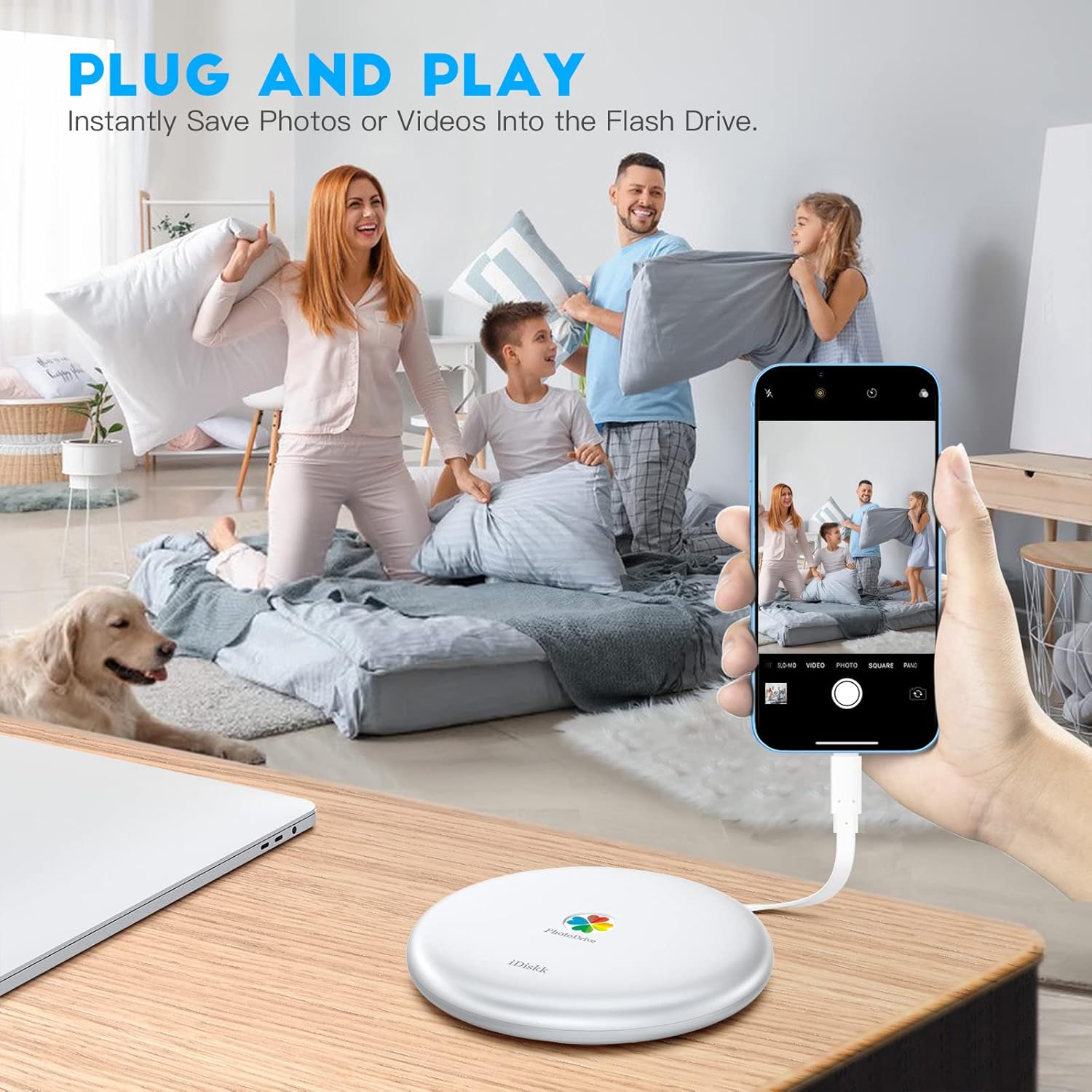
Figure 6: Plug and Play functionality for instant saving.

Figure 7: Enjoying media directly from the PhotoDrive while traveling.
5.4 App and File Encryption
To protect your data, the iDiskk PhotoDrive offers encryption features:
- App Encryption: In the iDiskk Player app settings, you can enable Touch ID, Face ID, or a numeric password to secure access to the application.
- Folder Encryption: You can encrypt specific folders on the drive with a numeric password. Note that encrypted files may become invisible when the drive is connected to a computer, ensuring privacy.
6. Maintenance
To ensure the longevity and optimal performance of your iDiskk External Hard Drive:
- Keep the device dry and away from extreme temperatures.
- Avoid dropping or subjecting the device to strong impacts.
- Do not attempt to disassemble the device, as this will void the warranty.
- Regularly check for app updates to ensure compatibility and access to the latest features.
- When disconnecting from a computer, always safely eject the drive to prevent data corruption.

Figure 8: The iDiskk PhotoDrive is easy to carry.
7. Troubleshooting
If you encounter issues with your iDiskk External Hard Drive, refer to the following common solutions:
- Device Not Recognized:
- Ensure the cable is securely connected to both the iDiskk PhotoDrive and your device.
- Try connecting to a different port on your computer or a different device.
- Restart your device (phone, tablet, or computer).
- Ensure the iDiskk Player app is updated to the latest version.
- Slow Transfer Speeds:
- Ensure you are using a USB 3.0 compatible port on your computer for optimal speeds.
- Close other applications running in the background that might be consuming system resources.
- Avoid transferring a very large number of small files simultaneously, as this can be slower than transferring a few large files.
- App Crashing or Freezing:
- Force close the app and reopen it.
- Clear the app's cache (if applicable on your device's OS settings).
- Reinstall the iDiskk Player app.
- Battery Not Charging:
- Ensure the charging cable is properly connected to a working power source.
- Try a different USB power adapter.
If the issue persists, please contact iDiskk customer support for further assistance.
8. Specifications
| Specification | Value |
|---|---|
| Brand | iDiskk |
| Model Number | Photo2501 |
| Color | Silver |
| Digital Storage Capacity | 2 TB |
| Hard Drive Interface | USB 3.0 |
| Hard Drive Technology | Mechanical Hard Drive |
| Hard Drive Rotational Speed | 5400 RPM |
| Connectivity Technology | USB |
| Compatible Devices | Computer, Laptop, Smartphone |
| Product Dimensions (L x W x H) | 14 x 14 x 2 cm |
| Item Weight | 440 grams |
| Battery | 1 Lithium-ion battery required (built-in) |
9. Warranty and Support
For warranty information and customer support, please refer to the official iDiskk website or contact their customer service directly. Keep your purchase receipt as proof of purchase for warranty claims.
Online Support: www.idiskk.com/support (Example Link - please refer to actual product documentation for correct URL)


