
Introduction
Thank you for choosing the KLIM Discman Portable CD Player. This manual provides essential information to help you set up, operate, and maintain your device. Please read it carefully to ensure proper use and to maximize your listening experience.
What's in the Box?
Upon unboxing your KLIM Discman, please verify that all the following items are included:
- KLIM Discman CD Player
- KLIM Fusion wired earphones
- Earphone Accessories
- USB-C Charging Cable
- 3.5 mm audio jack cable
- Detailed User Manual (this document)
- CD player pouch for easy carrying and safety

Product Overview
Familiarize yourself with the main components and features of your KLIM Discman:

- Built-in Rechargeable Battery: Provides long hours of playtime on a single charge.
- Anti-Skip/Anti-Shock Protection: Ensures uninterrupted music playback by preloading music for up to 100 seconds.
- LCD Display: Shows track number, time, and playback status.
- Control Buttons: Intuitive buttons for playback, volume, and mode selection.
- 3.5mm AUX Output: For connecting headphones or external speakers.
- USB-C Charging Port: For convenient charging.
Setup
1. Charging the Device
Before first use, fully charge the KLIM Discman. Connect the provided USB-C charging cable to the device's USB-C port and the other end to a compatible USB power adapter (not included) or a computer's USB port.
- The charging indicator light will show the charging status.
- A full charge provides extended hours of listening pleasure.
2. Inserting a CD
- Locate the 'OPEN' switch on the side of the Discman.
- Slide the switch to open the CD compartment lid.
- Carefully place a CD (CD, CD-R, CD-RW, MP3, WMA format) onto the spindle, ensuring it clicks into place.
- Close the lid firmly until it latches.

3. Connecting Headphones or External Audio Devices
Plug the KLIM Fusion wired earphones or your preferred 3.5mm audio cable into the AUX output jack on the side of the Discman.
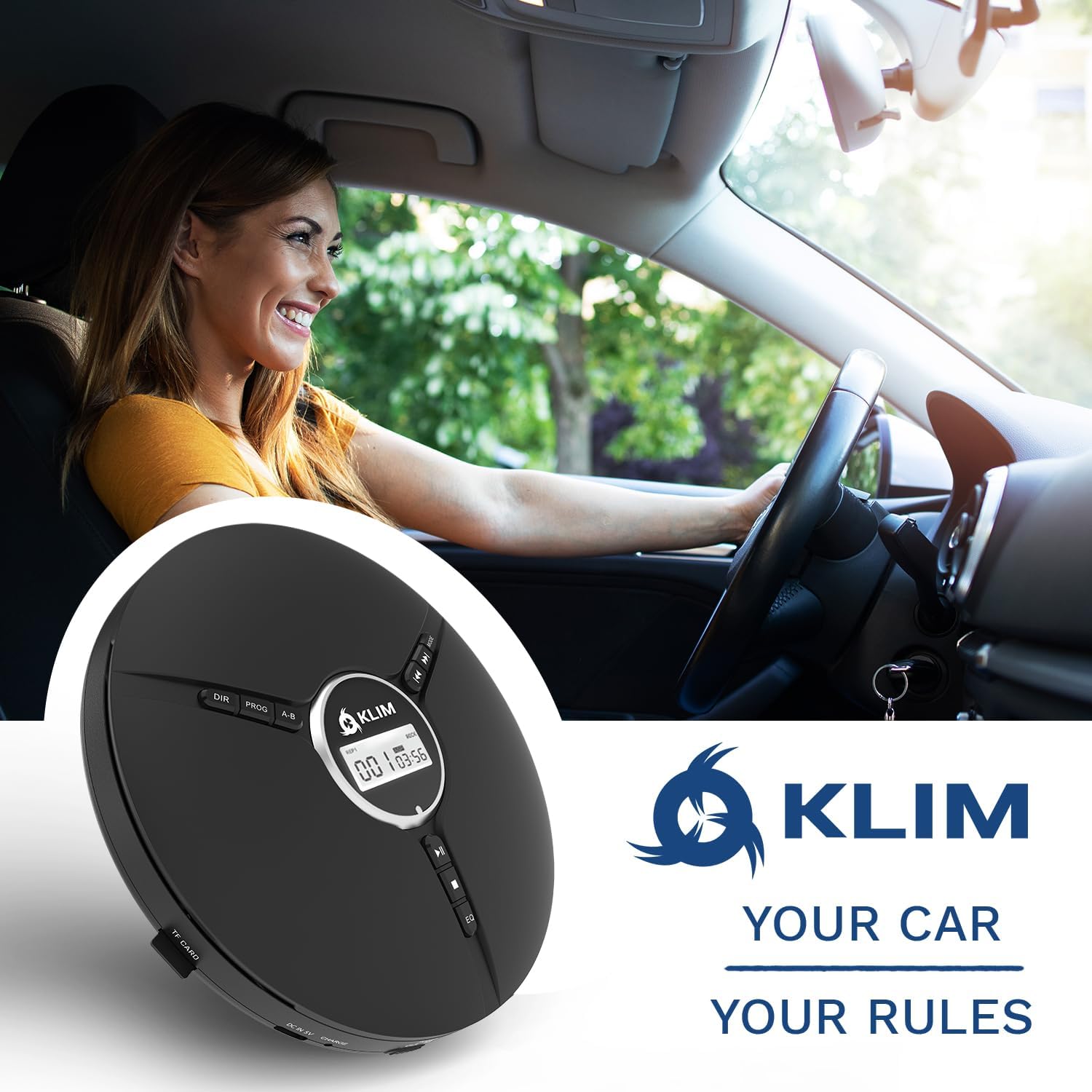
- You can connect the Discman to external speakers or a car audio system using the 3.5mm audio jack cable.
Operating Instructions
Basic Playback Controls
- Power On/Off: Slide the 'ON/OFF' switch to power the device on or off.
- Play/Pause (►⏸): Press to start or pause playback.
- Stop (■): Press to stop playback.
- Previous/Rewind (◀◀): Press once to go to the beginning of the current track. Press multiple times or hold to rewind.
- Next/Fast Forward (►►): Press once to skip to the next track. Press multiple times or hold to fast forward.
- Volume Control: Use the dedicated volume dial on the side of the device to adjust the audio level.
- Hold Switch: Slide the 'HOLD' switch to lock all buttons and prevent accidental presses during transport.
Advanced Features
- EQ Effects: Press the 'EQ' button to cycle through different equalizer presets: BBS (Bass Boost System), POP, JAZZ, ROCK, CLASSIC.
- Playback Modes: Use the 'MODE' button to select playback options such as single loop (repeat one track), shuffle (random playback), or all loop (repeat all tracks).
- Program Play: The 'PROG' button allows you to program a specific order of tracks to play. Refer to the on-screen instructions for detailed programming steps.
- A-B Repeat: The 'A-B' button allows you to repeat a specific section of a track. Press once at the start point (A) and again at the end point (B) to set the loop.

Maintenance
Cleaning the Device
- Wipe the exterior of the Discman with a soft, dry cloth.
- Do not use abrasive cleaners or solvents.
- For the optical lens, use a specialized CD lens cleaning kit if necessary, following its instructions carefully. Avoid touching the lens directly.
Battery Care
- To prolong battery life, avoid fully discharging the battery frequently.
- Charge the device regularly, even if not in use for extended periods.
- Store the device in a cool, dry place away from extreme temperatures.
CD Care
- Handle CDs by their edges to avoid fingerprints and scratches.
- Clean CDs with a soft, lint-free cloth, wiping from the center outwards.
- Store CDs in their cases to protect them from dust and damage.
Troubleshooting
| Problem | Possible Cause | Solution |
|---|---|---|
| Device does not power on. | Low battery; Power switch off; Hold switch engaged. | Charge the device; Ensure 'ON/OFF' switch is 'ON'; Disengage 'HOLD' switch. |
| CD skips or stops playing. | Scratched/dirty CD; Excessive vibration; Disc not seated properly. | Clean or replace CD; Minimize movement; Ensure CD is correctly placed on spindle. |
| No sound. | Headphones not connected; Volume too low; Faulty headphones. | Ensure headphones are fully plugged in; Increase volume; Test with different headphones. |
| Battery not charging. | Faulty cable/adapter; Charging port issue. | Try a different USB-C cable and power adapter; Contact support if issue persists. |
Specifications

| Feature | Detail |
|---|---|
| Product Dimensions | 5.51 x 5.51 x 1.1 inches |
| Item Weight | 8.8 ounces (0.25 Kilograms) |
| Model Number | KLIM Nomad |
| Batteries | 1 Lithium Metal battery (included) |
| Battery Life | Up to 14 Hours |
| Connectivity Technology | Aux |
| Compatible Devices | Headphones, External Speakers |
| Supported Disc Formats | CD, CD-R, HDCD, WMA, MP3 (via CDs and TF cards) |
| Manufacturer | KLIM |
| Country of Origin | China |
Warranty and Support
The KLIM Discman is backed by a generous 5-year assurance, guaranteeing reliable performance over time. This commitment reflects the quality and durability of the product's components.
If you encounter any issues or require assistance, please do not hesitate to contact KLIM customer support. Our team of specialists aims to answer within 24 hours.
Contact Us: www.klimtechs.com/contact-us


