
Introduction
This instruction manual provides essential information for the safe and effective use of your RENPHO Eyeris 1 Eye Massager. Please read this manual thoroughly before operation and retain it for future reference. This device is designed to provide a relaxing eye massage experience with heat and compression features.
Safety Information
WARNING:
- Do not use for more than 20 minutes at a time.
- Adjust compression intensity to a lower setting if it feels too strong.
- Not suitable for individuals who have undergone eye operations, have retina conditions, cataracts, glaucoma, or other eye-related issues. Consult a medical professional if you have any pre-existing eye conditions.
- Keep out of reach of children.
- Do not use while driving or operating heavy machinery.
Product Overview
The RENPHO Eyeris 1 Eye Massager combines air compression, soothing heat, and optional vibration with built-in music and Bluetooth connectivity for a personalized relaxation experience. It features both touch controls on the device and a convenient remote control.

Image: The RENPHO Eyeris 1 Eye Massager in white, shown with its remote control. A woman is seen relaxing in the background while wearing the massager.
Key Features:
- 2 Levels Soothing Heat Compress: Provides comfortable temperatures of 104℉/113℉ (40℃/45℃) to help relieve eye strain and dry eyes.
- 2 Levels Compression Eye Massage: Utilizes high-tech motor and trigger point massage to refresh eyes and reduce tension.
- Remote & Touch Control: Easily switch modes and settings using either the remote or the touch buttons on the device.
- Bluetooth Music: Connect to your device via Bluetooth (Name: Eye Massager) to enjoy your favorite music during your massage.
- 180° Foldable & Portable: Compact design with a storage bag for easy transport and storage.
- Adjustable Head Strap: Ensures a comfortable and secure fit for various head sizes.
Setup
1. Charging the Device
Before first use, fully charge the eye massager. The charging port is located on the device. Use the provided USB-C cable to connect the massager to a compatible power source.
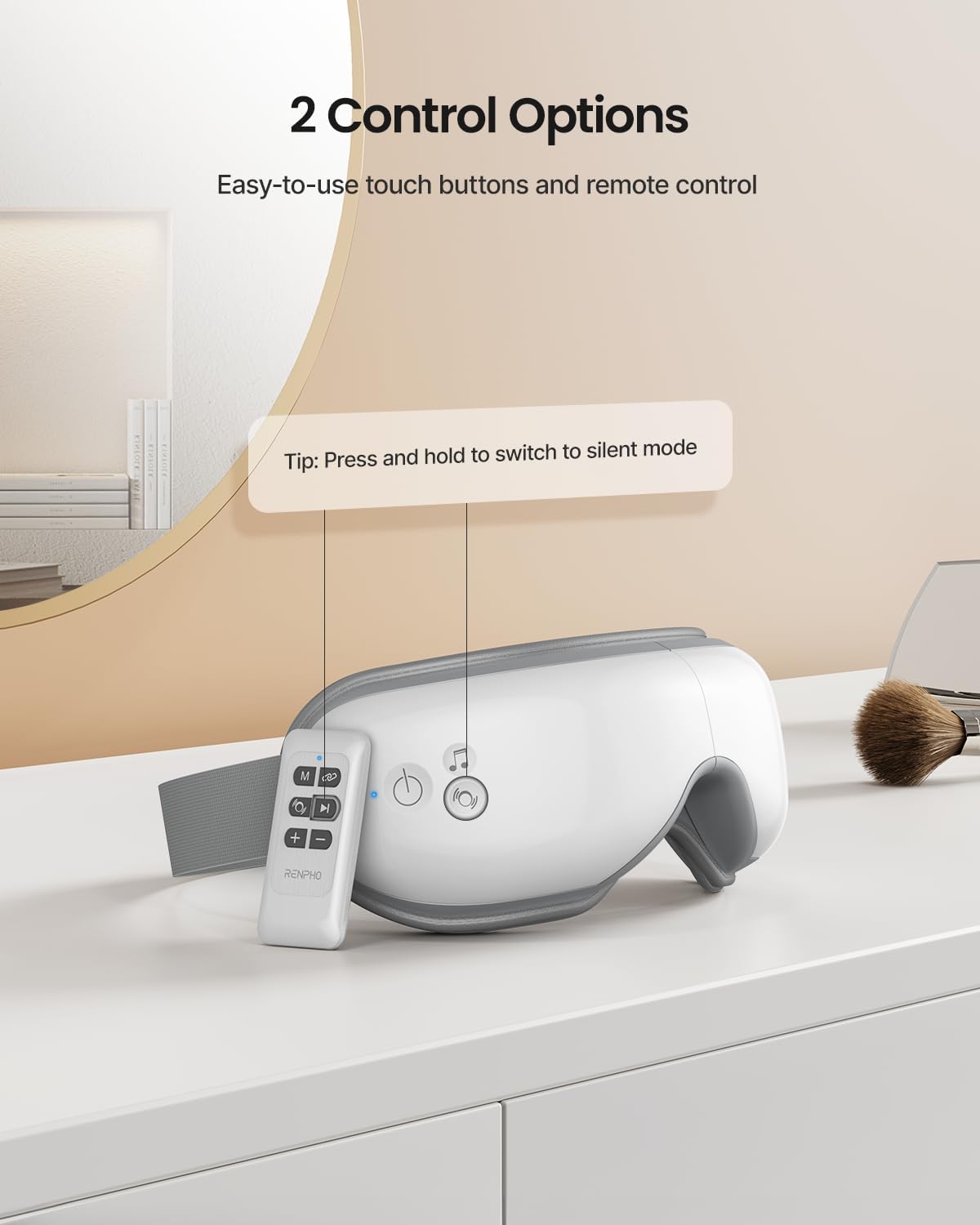
Image: The RENPHO Eyeris 1 Eye Massager displaying its touch control buttons and the USB charging port.
2. Remote Control Battery Installation
The remote control requires 1 Lithium Ion battery (included). Open the battery compartment on the back of the remote and insert the battery, ensuring correct polarity. Close the compartment securely.
Operating Instructions
1. Power On/Off
- To Power On: Press and hold the power button (
 ) on the device or the 'M' button on the remote for 3-5 seconds. The device will announce its status.
 - To Power Off: Press and hold the power button on the device or the 'M' button on the remote for 3-5 seconds. The device will announce shutdown. It will also automatically turn off after approximately 45 minutes of continuous use.
2. Mode Selection
The massager offers 5 distinct modes. You can cycle through these modes by short-pressing the power button on the device or the 'M' button on the remote. The device will announce the current mode.

Image: A visual representation of the five available massage modes, detailing combinations of compression, heat, and vibration.
- Mode 1: Air Pressure + Heat + Music
- Mode 2: Air Pressure + Heat + Vibration + Music
- Mode 3: Air Pressure only + Music
- Mode 4: Heat only
- Mode 5: Vibration only + Music
3. Heat Function
The device offers 2 levels of soothing heat (104℉/40℃ and 113℉/45℃). To activate or adjust the heat, press and hold the pressure button ( ) on the device or the heat button on the remote.
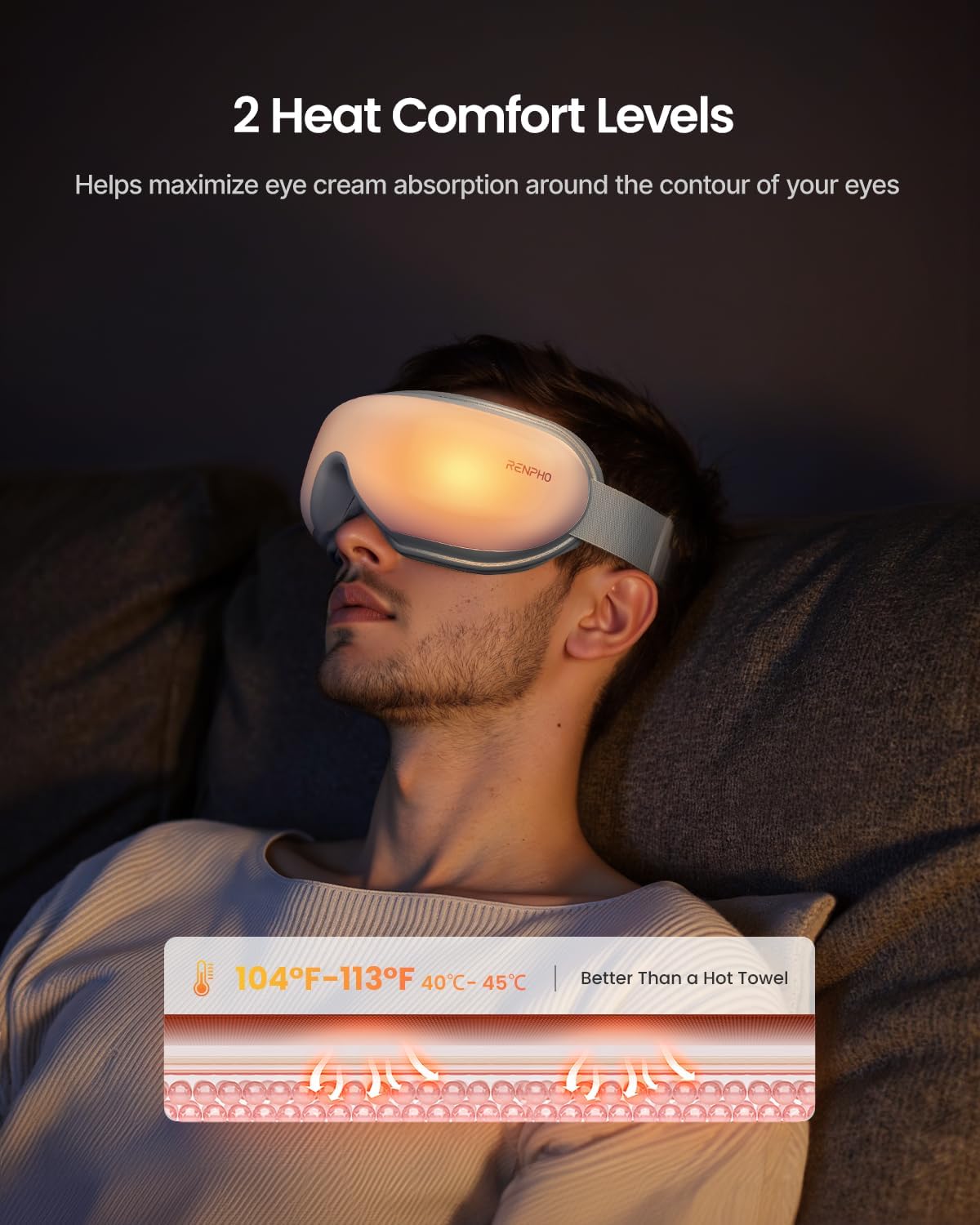
Image: A man relaxing while wearing the RENPHO Eyeris 1 Eye Massager, illustrating the soothing heat function.
4. Compression Intensity
The massager provides 2 adjustable compression intensity settings. Short-press the pressure button () on the device or the corresponding button on the remote to cycle through soft, strong, or no compression.

Image: A woman relaxing while wearing the RENPHO Eyeris 1 Eye Massager, demonstrating the compression feature.
5. Music & Bluetooth Pairing
- Built-in Music: The device has pre-loaded relaxing music. Short-press the music button (
 ) on the device or the remote to adjust volume levels or change tracks.
 - Bluetooth Connection: To connect your own music, activate Bluetooth on your smartphone and search for "Eye Massager". Pair the devices. You can then control playback via your phone or the remote control.

Image: A woman enjoying the immersive music experience while using the RENPHO Eyeris 1 Eye Massager.
6. Silent Mode
To toggle between voice prompts and silent mode, press and hold the music button ( ) on the device or the remote.
7. Adjustable Head Strap
The head strap can be easily adjusted to fit various head circumferences (18.9-27.6 inches / 48-70cm). Adjust for optimal comfort and a secure fit.

Image: A woman demonstrating the adjustable headband of the RENPHO Eyeris 1 Eye Massager for a personalized fit.
Maintenance
- Cleaning: Wipe the device with a soft, damp cloth. Do not use abrasive cleaners or immerse in water.
- Storage: Store the massager in its provided storage bag in a cool, dry place away from direct sunlight.
Troubleshooting
- Device not turning on: Ensure the device is fully charged.
- No heat/compression: Check the selected mode. Some modes do not include heat or compression.
- Bluetooth not connecting: Ensure the device is charged and Bluetooth is enabled on your smartphone. Try restarting both devices.
- Remote not working: Check if the remote control battery is correctly installed and has sufficient power.
Specifications
| Feature | Detail |
|---|---|
| Model Number | RF-EM001R |
| Product Dimensions | 8 x 5.3 x 4 inches |
| Item Weight | 12.7 ounces (360 Grams) |
| Power Source | Battery Powered (1 Lithium Ion battery required) |
| Material | Soft Leather + ABS |
| Heat Levels | 104℉/40℃, 113℉/45℃ |
| Massage Modes | 5 (combinations of Air Pressure, Heat, Vibration, Music) |
| Bluetooth Name | Eye Massager |
Warranty and Support
RENPHO is committed to providing high-quality products and excellent customer service. For any questions, concerns, or warranty claims, please contact RENPHO customer support through their official website or the contact information provided in your product packaging.


