
KAISAI KWX-09HRD
Kaisai Fly Split Air Conditioning System User Manual
Model: KWX-09HRD

Image: Kaisai brand logo displayed above the indoor and outdoor units of the air conditioning system.
1. Introduction
This user manual provides comprehensive instructions for the safe and efficient operation, installation, and maintenance of your Kaisai Fly Split Air Conditioning System, model KWX-09HRD. Please read this manual thoroughly before using the appliance and keep it for future reference.
The Kaisai Fly series is designed for energy efficiency and quiet operation, featuring DC inverter technology and R32 refrigerant for reduced environmental impact. It includes Wi-Fi connectivity for convenient control via a mobile application.
2. Safety Information
Important Safety Instructions:
- Installation must be performed by qualified personnel in accordance with national wiring standards.
- Ensure the power supply matches the rating label on the unit.
- Do not insert fingers or objects into the air inlet/outlet.
- Do not attempt to repair the unit yourself. Contact authorized service personnel.
- Ensure proper grounding to prevent electric shock.
- Keep the area around the outdoor unit clear of obstructions.
- This appliance uses R32 refrigerant, which is mildly flammable. Handle with care and ensure proper ventilation during installation and servicing.
3. Product Overview
The Kaisai Fly Split Air Conditioning system consists of an indoor unit, an outdoor unit, and a remote control. An installation kit is also included.

Image: A complete view of the Kaisai Fly Split Air Conditioning system, showing the white indoor wall-mounted unit, the grey outdoor compressor unit, the white remote control, and the included installation components such as insulated refrigerant lines, drainage hose, electrical cable, and wall brackets.
3.1 Indoor Unit
The indoor unit is designed for wall mounting and circulates conditioned air within the room. It features an air filter, air outlet louvers, and an LED display.

Image: The white indoor unit of the Kaisai Fly air conditioner mounted on a wall, with its remote control placed in front of it, displaying a temperature of 26 degrees Celsius.
3.2 Outdoor Unit
The outdoor unit houses the compressor and condenser, responsible for heat exchange with the outside environment.
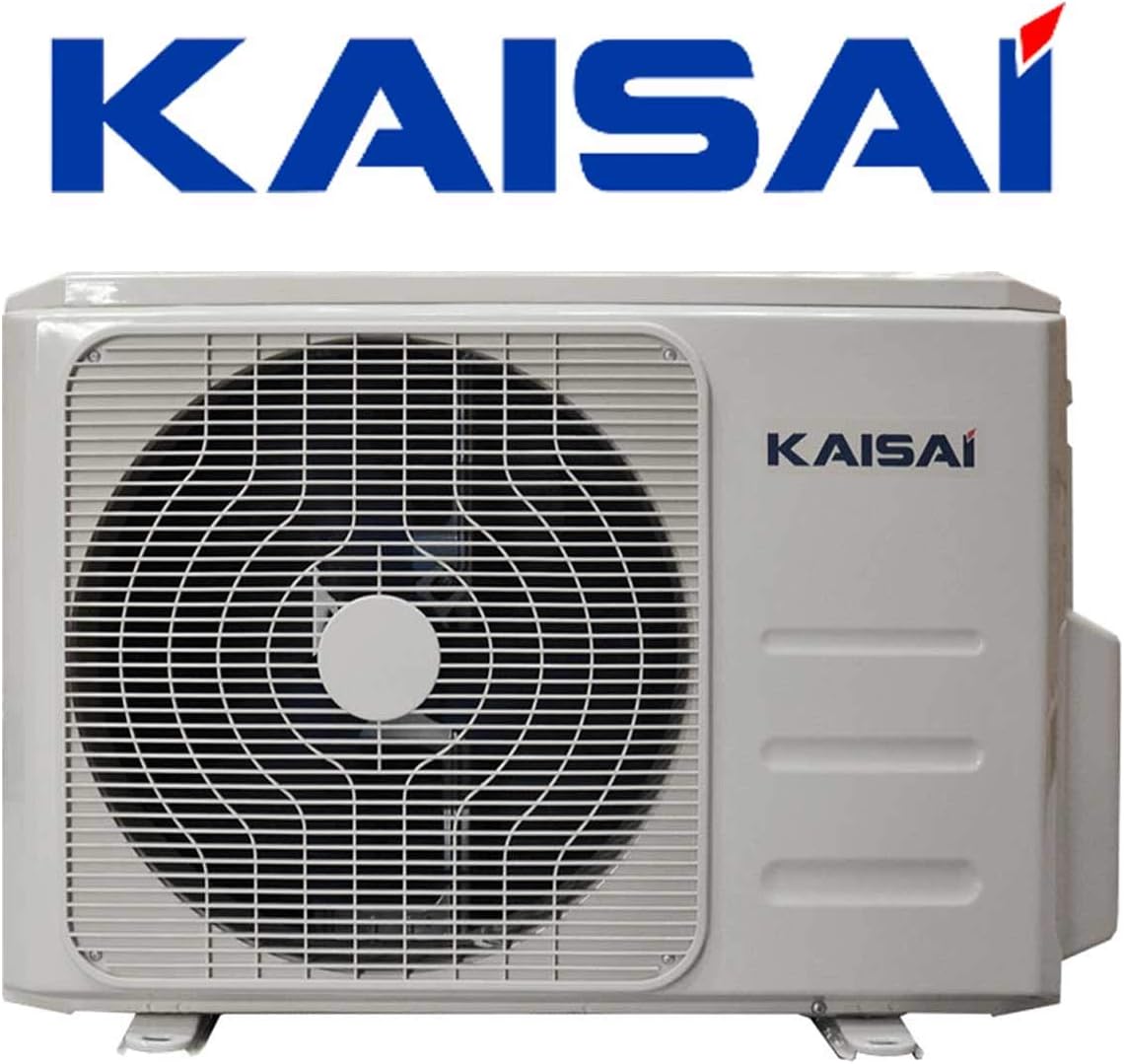
Image: The grey outdoor compressor unit of the Kaisai air conditioning system, featuring a protective grille over the fan and the Kaisai brand name.
3.3 Remote Control
The wireless remote control allows you to operate all functions of the air conditioner from a distance.

Image: A close-up of the white Kaisai air conditioning remote control, showing its LCD screen displaying "AUTO" and "26°C", along with various function buttons like Mode, Temp, Fan, Sleep, Turbo, and Follow Me.
4. Setup and Installation
The installation of a split air conditioning system requires specialized knowledge and tools. It is strongly recommended that installation be carried out by a certified professional to ensure proper functioning, safety, and warranty validity.
4.1 Included Installation Kit
Your Kaisai Fly system comes with a comprehensive installation kit:
- 5 meters of insulated, pre-fabricated refrigerant lines.
- 5 meters of corrugated condensate drain hose.
- 5 meters of NYM electrical cable (5 x 1.5 mm²).
- Wall console for outdoor units: hot-dip galvanized steel, powder-coated, dimensions: support 465 mm, load capacity up to 140 kg.

Image: Various components of the air conditioning installation kit, including white wall mounting brackets, coiled insulated copper refrigerant pipes, a coiled electrical cable, and a coiled corrugated drain hose.
4.2 Wi-Fi Setup
The integrated Wi-Fi module allows for control via a smartphone application. Refer to the separate Wi-Fi setup guide provided with your unit or download the specific Kaisai app for detailed instructions on connecting your device to your home network.
5. Operating Instructions
Use the remote control to operate your Kaisai Fly air conditioning system. Ensure the remote control is pointed towards the indoor unit when sending commands.
5.1 Basic Operation Modes
- Cooling Mode (Cool): Press the MODE button until the snowflake icon appears. Adjust temperature using TEMP ▲/▼ buttons.
- Heating Mode (Heat): Press the MODE button until the sun icon appears. Adjust temperature using TEMP ▲/▼ buttons.
- Fan Mode (Fan): Press the MODE button until the fan icon appears. The unit will only circulate air without cooling or heating.
- Dry Mode (Dry): Press the MODE button until the water drop icon appears. This mode helps to dehumidify the room.
- Auto Mode (Auto): Press the MODE button until the 'A' icon appears. The unit will automatically select cooling or heating based on the ambient temperature.
5.2 Special Functions
- Turbo Mode: Activates maximum fan speed and compressor output to reach the desired temperature quickly. Press the TURBO button.
- 24-Hour Timer: Allows you to set specific ON/OFF times for the unit. Use the TIMER ON/OFF buttons and TEMP ▲/▼ to set the time.
- Sleep Mode: Adjusts the temperature gradually during sleep to ensure comfort and energy saving. Press the SLEEP button. This mode helps prevent overcooling or overheating during the night.
- Follow Me Function: The remote control has a built-in temperature sensor. When activated, the unit will adjust its operation based on the temperature detected by the remote control, providing more precise temperature control in your immediate vicinity. Press the FOLLOW ME button.
6. Maintenance
Regular maintenance ensures optimal performance and longevity of your air conditioning system.
6.1 Air Filter Cleaning
Clean the air filters every two weeks or more frequently if the unit is used heavily or in dusty environments.
- Open the front panel of the indoor unit.
- Remove the air filters.
- Clean the filters with a vacuum cleaner or wash them with lukewarm water and mild detergent.
- Allow filters to dry completely before reinserting them.
- Close the front panel.
6.2 Unit Cleaning
- Wipe the indoor and outdoor units with a soft, damp cloth. Do not use harsh chemicals or abrasive cleaners.
- Ensure the outdoor unit's coils are free from debris (leaves, dirt).
6.3 Professional Servicing
It is recommended to have your air conditioning system professionally serviced at least once a year to check refrigerant levels, clean coils, and ensure all components are functioning correctly.
7. Troubleshooting
Before contacting service, please check the following common issues:
| Problem | Possible Cause | Solution |
|---|---|---|
| Unit does not start | No power; remote control batteries low; timer set. | Check power supply; replace batteries; cancel timer setting. |
| Insufficient cooling/heating | Dirty air filter; blocked air inlet/outlet; room too large; doors/windows open. | Clean air filter; remove obstructions; ensure room size is within capacity; close doors/windows. |
| Water leakage from indoor unit | Drain hose blocked or kinked; improper installation. | Check and clear drain hose; contact installer for inspection. |
| Unusual noise | Loose parts; foreign objects in fan; unit not level. | Check for loose parts; remove foreign objects; ensure unit is level. If noise persists, contact service. |
If the problem persists after attempting these solutions, please contact a qualified service technician.
8. Specifications
| Feature | Detail |
|---|---|
| Brand | KAISAI |
| Model Number | KWX-09HRD |
| Cooling Capacity | 9000 BTU (2.6 kW) |
| Energy Efficiency (Cooling) | A++ |
| Energy Efficiency (Heating) | A+ |
| Refrigerant | R32 |
| Special Features | Inverter Compressor, Heating and Cooling Function, Remote Control Operation, Wi-Fi Enabled |
| Power Source | Corded Electric |
| Form Factor | Split System |
| First Available Date | January 15, 2020 |
9. Warranty and Support
Your Kaisai Fly Air Conditioning System comes with a Limited Warranty. Please refer to the warranty card included with your product for specific terms and conditions, including coverage period and what is covered.
For technical support, service requests, or warranty claims, please contact your local dealer or the manufacturer's authorized service center. In Germany, Kaisai air conditioning units are sold by Flairmax GmbH.

Image: The Flairmax "Die Klima-Experten" (The Climate Experts) logo, indicating the distributor in Germany.
Related documentsKWX-09HRD


Ask a question about this manual
Ask about setup, troubleshooting, compatibility, parts, safety, or missing instructions. Manuals+ will review the question and use this page’s manual context to help answer it.