
ELIVED TV Wall Mount YD1003
ELIVED TV Wall Mount Instruction Manual
Model: TV Wall Mount YD1003
1. Introduction
Thank you for choosing the ELIVED TV Wall Mount. This full motion TV mount is designed to securely hold most 26-60 inch televisions, offering versatile viewing angles with its swivel and tilt capabilities. This manual provides detailed instructions for safe installation, operation, and maintenance of your new TV wall mount. Please read this manual thoroughly before installation to ensure proper setup and safe use.
2. Safety Precautions
WARNING: Failure to read and follow all instructions may result in personal injury, property damage, or voiding of warranty. Do not install into drywall alone. Always ensure the mounting surface can support the combined weight of the mount and the TV.
- Ensure all components are present and undamaged before installation. Do not use damaged parts.
- This product is intended for indoor use only.
- Do not exceed the maximum weight capacity of 77 lbs (35 kg).
- Verify your TV's VESA pattern is compatible (100x100mm to 400x400mm).
- Always use a stud finder to locate wood studs. For concrete/brick walls, appropriate anchors (not included, available upon request) must be used.
- Installation should be performed by qualified personnel if you are unsure about the process.
- Keep children and pets away during installation.
3. Package Contents
Please check to ensure all parts are included in your package:
- TV Wall Mount Assembly
- Mounting Hardware Kit (various screws, washers, spacers)
- Bubble Level
- Cable Covers (3 pieces)
- Instruction Manual

Image: Main components of the ELIVED TV Wall Mount, including the articulating arm, VESA plate, and a small bubble level.
4. Installation Guide
4.1. Check Compatibility Before Purchase
Before beginning installation, confirm your TV's size, weight, and VESA pattern are compatible with this mount. This mount supports TVs from 26 to 60 inches, up to 77 lbs (35 kg), and VESA patterns from 100x100mm to 400x400mm.

Image: Visual guide for checking TV compatibility, showing supported TV sizes (26"-60"), weight capacity (Max 77 lbs/35 kg), and VESA range (MIN 100x100mm, MAX 400x400mm). Also illustrates compatibility with wood studs, concrete walls, and brick walls.
4.2. Wall Type Compatibility
This mount is suitable for installation on wood studs, concrete walls, and brick walls. DO NOT install into drywall alone. For concrete or brick walls, concrete anchors are required and can be requested if not included.
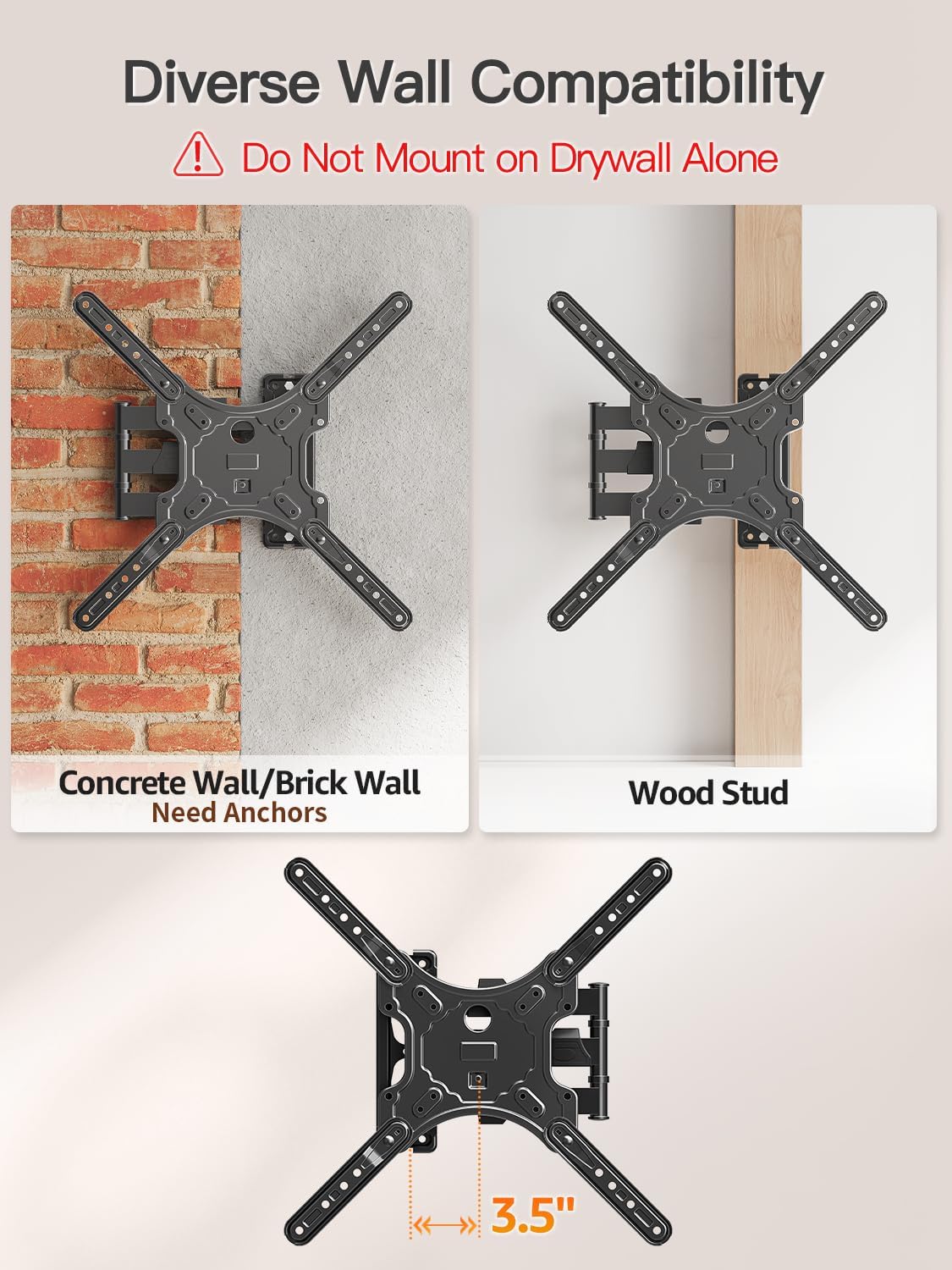
Image: Diagram illustrating diverse wall compatibility, showing installation on a brick wall (requiring anchors) and a wood stud. A warning states: "Do Not Mount on Drywall Alone." The bottom part shows the mount's minimum distance from the wall (3.5 inches).
4.3. VESA Patterns
The mount supports various VESA patterns. Ensure your TV's mounting holes align with one of the supported patterns.

Image: A visual representation of available VESA patterns supported by the mount, including 100x100mm, 200x100mm, 200x200mm, 200x300mm, 200x400mm, 300x200mm, 300x300mm, 300x400mm, 400x300mm, and 400x400mm. A note specifies: "Not for VESA 100*200".
4.4. Step-by-Step Installation
- Attach TV Plate to TV: Secure the VESA plate to the back of your TV using the appropriate screws and spacers from the hardware kit.
- Install Wall Plate to Wall: Mark and drill pilot holes into your chosen wall location (wood stud, concrete, or brick). Secure the wall plate firmly using the provided lag bolts. Use the bubble level to ensure it is perfectly straight.
- Hang and Secure TV to Wall Plate: Carefully lift your TV with the attached VESA plate and hook it onto the wall plate. Ensure it is securely seated. Tighten any locking mechanisms to prevent accidental dislodgement.

Image: A three-step visual guide for installation. Step 1: Attach TV plate to TV. Step 2: Install wall plate to wall. Step 3: Hang and secure TV to wall plate.
4.5. Corner Mounting
The single stud swivel design makes this mount ideal for corner installations, maximizing viewing flexibility in various room layouts.

Image: A TV mounted in a corner using the ELIVED wall mount, demonstrating its suitability for corner installations.
5. Adjusting Your TV Mount
Once installed, your ELIVED TV Wall Mount offers various adjustments to achieve the optimal viewing experience.
5.1. Extend and Retract
The articulating arm allows you to extend your TV up to 15.3 inches from the wall or retract it to a minimum distance of 2 inches, providing flexibility for different viewing needs and space-saving when not in use.

Image: A diagram showing the TV mount's ability to extend up to 15.3 inches from the wall and retract to 2 inches, illustrating its flexible positioning.
5.2. Swivel
The mount allows for a 90-degree swivel to the left or right, ensuring a good view from anywhere in the room.
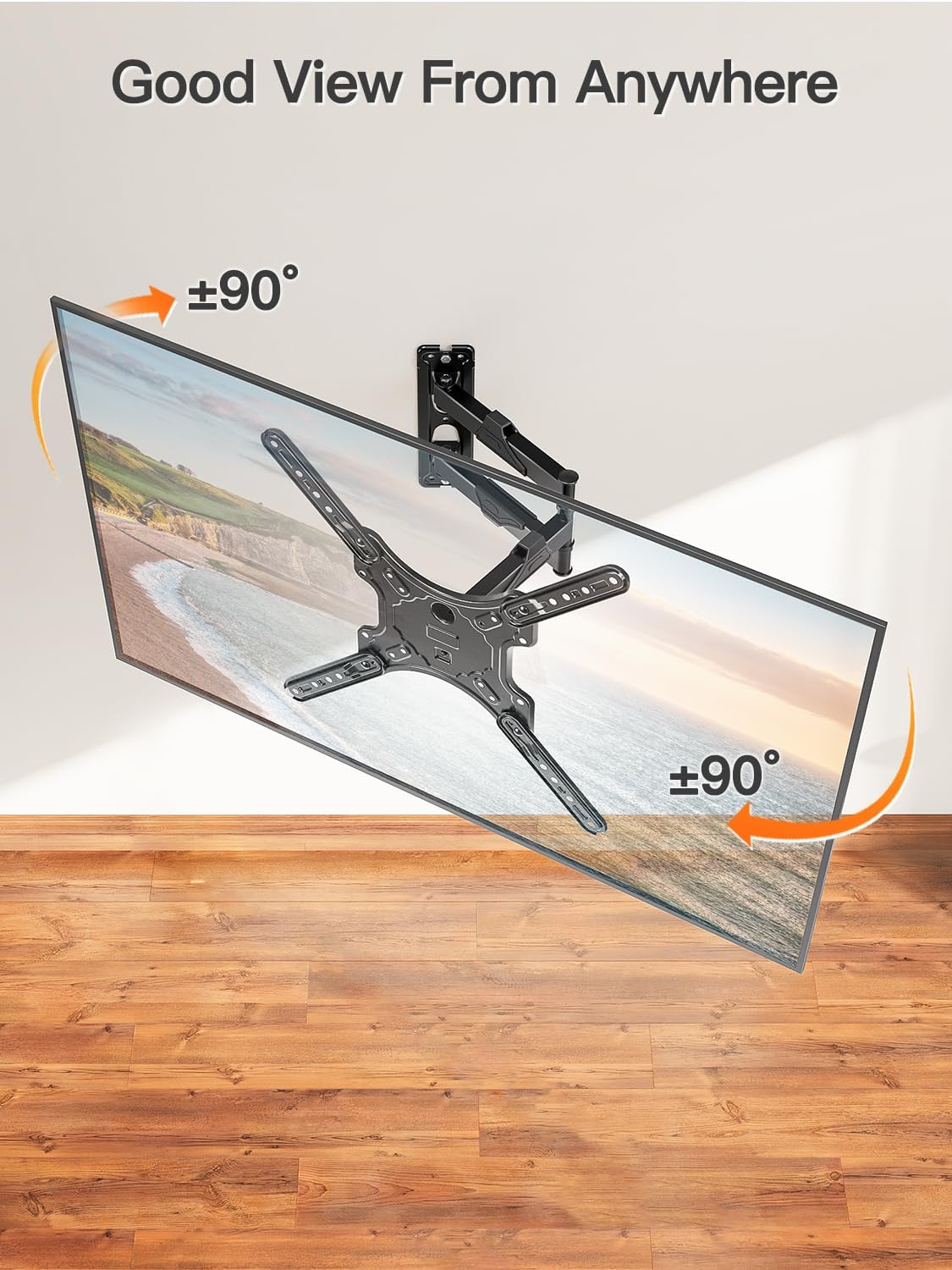
Image: A TV mounted on the wall, demonstrating its ability to swivel up to 90 degrees left or right, providing a good view from anywhere.
5.3. Tilt and Level Adjustment
You can tilt your TV down by 10 degrees to reduce glare and achieve a better viewing angle. Additionally, the mount offers a ±3-degree screen level adjustment for perfect horizontal alignment after installation.
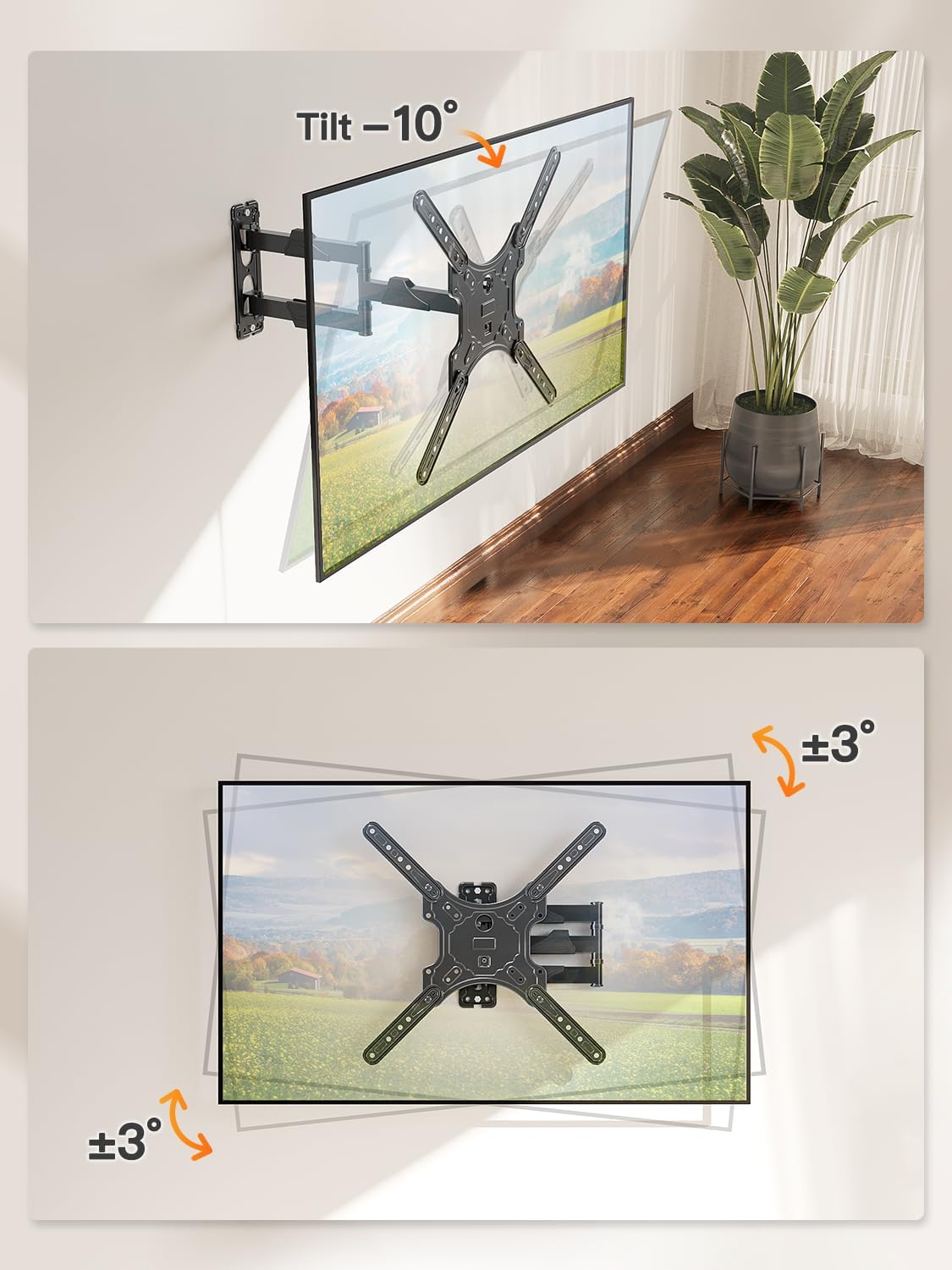
Image: Two diagrams illustrating the mount's adjustment capabilities. The top diagram shows a 10-degree downward tilt. The bottom diagram shows a ±3-degree screen level adjustment for fine-tuning the horizontal position.
6. Maintenance
Regular maintenance ensures the longevity and safe operation of your TV wall mount.
- Periodically check all screws and connections to ensure they are tight and secure.
- Clean the mount with a soft, dry cloth. Avoid abrasive cleaners or solvents.
- Do not hang anything from the mount or TV.
- Ensure cables are properly managed using the provided cable covers to prevent strain or damage.
7. Troubleshooting
| Problem | Possible Cause | Solution |
|---|---|---|
| TV not level | Wall plate not level; TV not adjusted properly. | Use the ±3-degree level adjustment feature. Re-check wall plate level with bubble level. |
| Mount feels loose | Screws or bolts are loose; improper wall installation. | Tighten all screws and bolts. Re-evaluate wall type and installation method. |
| Difficulty adjusting TV position | Joints are too tight. | Loosen the adjustment bolts slightly on the articulating arm joints. |
8. Specifications
- Brand: ELIVED
- Model Number: TV Wall Mount YD1003
- Compatible TV Sizes: 26-60 Inches
- Weight Capacity: Up to 77 lbs (35 kg)
- VESA Compatibility: 100x100mm to 400x400mm (Max)
- Movement Type: Swivel, Tilting, Leveling, Articulating, Full motion
- Tilt Angle: -10 Degrees (downward)
- Swivel Angle: ±90 Degrees
- Screen Level Adjustment: ±3 Degrees
- Extension from Wall: 2 inches (min) to 15.3 inches (max)
- Material: Alloy Steel
- Color: Black
- Item Weight: 6.63 pounds
- Package Dimensions: 10.94 x 9.25 x 2.83 inches
9. Warranty and Support
ELIVED stands behind the quality of its products. For warranty information, technical support, or assistance with installation, please contact ELIVED customer service through the retailer where you purchased the product or visit the official ELIVED store online.
Official User Manual (PDF): Download PDF
Visit the ELIVED Store: ELIVED Store on Amazon
Related documentsTV Wall Mount YD1003


Ask a question about this manual
Ask about setup, troubleshooting, compatibility, parts, safety, or missing instructions. Manuals+ will review the question and use this page’s manual context to help answer it.