
1. Introduction
This manual provides detailed instructions for the safe and proper installation, operation, and maintenance of your ELIVED Full Motion TV Wall Mount. Please read this manual thoroughly before installation and retain it for future reference. This mount is designed to securely hold most 26-65 inch flat-panel TVs weighing up to 99 lbs (45 kg), with VESA patterns ranging from 100x100mm to 400x400mm.
The full motion design allows for optimal viewing flexibility, including tilt, swivel, and extension adjustments.

Image: ELIVED Full Motion TV Wall Mount in a living room setting, demonstrating its versatility.
2. Safety Information
WARNING: Failure to read and follow all instructions may result in personal injury, property damage, or voiding of warranty. If you do not understand these instructions or have doubts about the safety of the installation, please contact customer support.
- This product is designed for installation on 12", 14", 16" wood studs or solid concrete/brick walls only.
- DO NOT install into drywall alone.
- Ensure the mounting surface can safely support the combined weight of the mount and the TV.
- Do not exceed the maximum weight capacity of 99 lbs (45 kg).
- Use all provided hardware and do not overtighten screws.
- Keep children and pets away during installation.
3. Pre-Installation Checks
3.1 TV Compatibility
- TV Size: Fits most 26-65 inch TVs.
- TV Weight: Maximum 99 lbs (45 kg).
- VESA Pattern: Compatible with VESA sizes from 100x100mm (4x4") to 400x400mm (16x16").

Image: TV size compatibility (26-65 inches) and maximum weight capacity (99 lbs).

Image: Available VESA Patterns, showing horizontal and vertical measurements.
3.2 Wall Compatibility
This wall mount is designed for installation on:
- 12", 14", 16" Wood Studs
- Solid Concrete Walls
- Brick Walls
Note: Concrete anchors will be sent upon request if not included in your package. Do not install into drywall alone.

Image: Diverse Wall Compatibility, illustrating suitable wall types.
4. Package Contents
Verify that all components are present and undamaged. If any parts are missing or defective, please contact customer support.
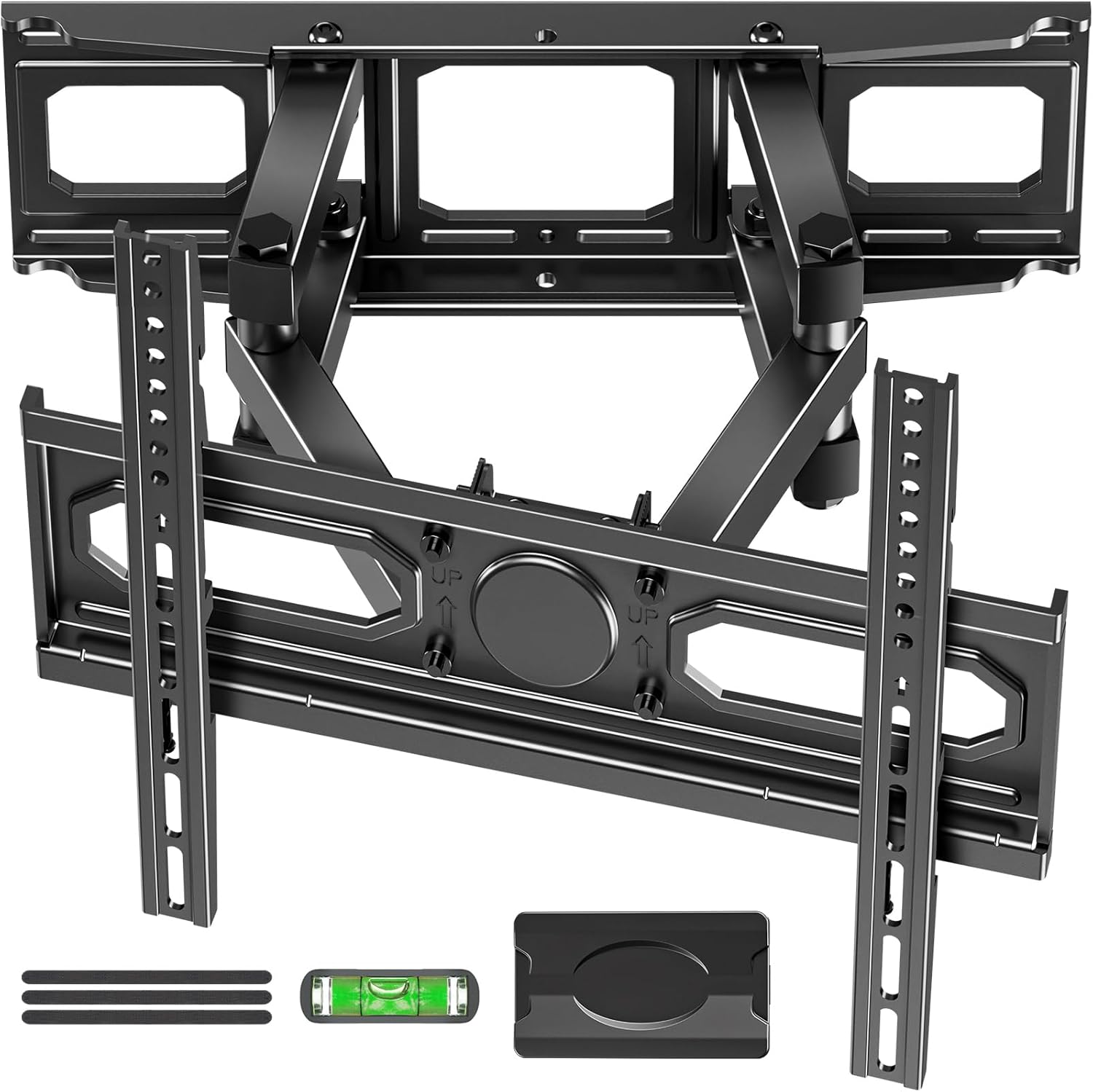
Image: Overview of the ELIVED Full Motion TV Wall Mount components and hardware.
Included Hardware:
The package includes a complete hardware mounting kit with various screw types for different wall materials and TV models. A drilling template and a small level are also provided to assist with installation.
5. Installation Guide
Follow these steps carefully for a secure installation. It is recommended to have two people for TV mounting.
5.1 Easy 3-Step Installation Overview

Image: Easy 3-Step Installation overview.
- Attach TV Plate to TV: Secure the TV brackets to the back of your television using the appropriate screws from the hardware kit. Ensure they are aligned with your TV's VESA pattern.
- Attach Wall Plate to Wall: Locate your wood studs or suitable concrete/brick wall. Use the provided drilling template and level to mark and drill pilot holes. Secure the wall plate assembly to the wall using the appropriate lag bolts or anchors.
- Hang and Secure TV to Wall Plate: Carefully lift the TV (with brackets attached) and hook it onto the wall plate assembly. Secure the TV to the mount using the locking screws or mechanisms provided.
5.2 Detailed Installation Steps (Refer to included instruction manual for full details)
The included instruction manual provides a step-by-step guide with diagrams for each part of the installation process, including finding studs, drilling, and securing all components.
Video: Official ELIVED Store video demonstrating the full motion capabilities of the TV wall mount and its installation process.
6. Operating Instructions
Your ELIVED Full Motion TV Wall Mount offers various adjustment options for optimal viewing.
6.1 Extension and Retraction
The mount can extend the TV smoothly up to 14.1 inches (35.8 cm) from the wall and retract to a depth of 2.3 inches (5.8 cm).

Image: Extend and Retract functionality of the mount.
6.2 Tilt Adjustment
Adjust the TV tilt angle from +5° to -10° to reduce glare and achieve your preferred viewing angle.

Image: Tilt adjustment to avoid neck pain and eye strain.
6.3 Swivel and Leveling
Swivel the TV +/-45° to cover multiple viewing angles. The mount also allows for +/-3° leveling adjustment for perfect screen alignment.

Image: Premium Adaptability with swivel and leveling features.
6.4 Height Adjustments
The TV brackets offer 2 height adjustments (3 inches) for eye-level comfort. A decorative cover is also included for a clean finish.
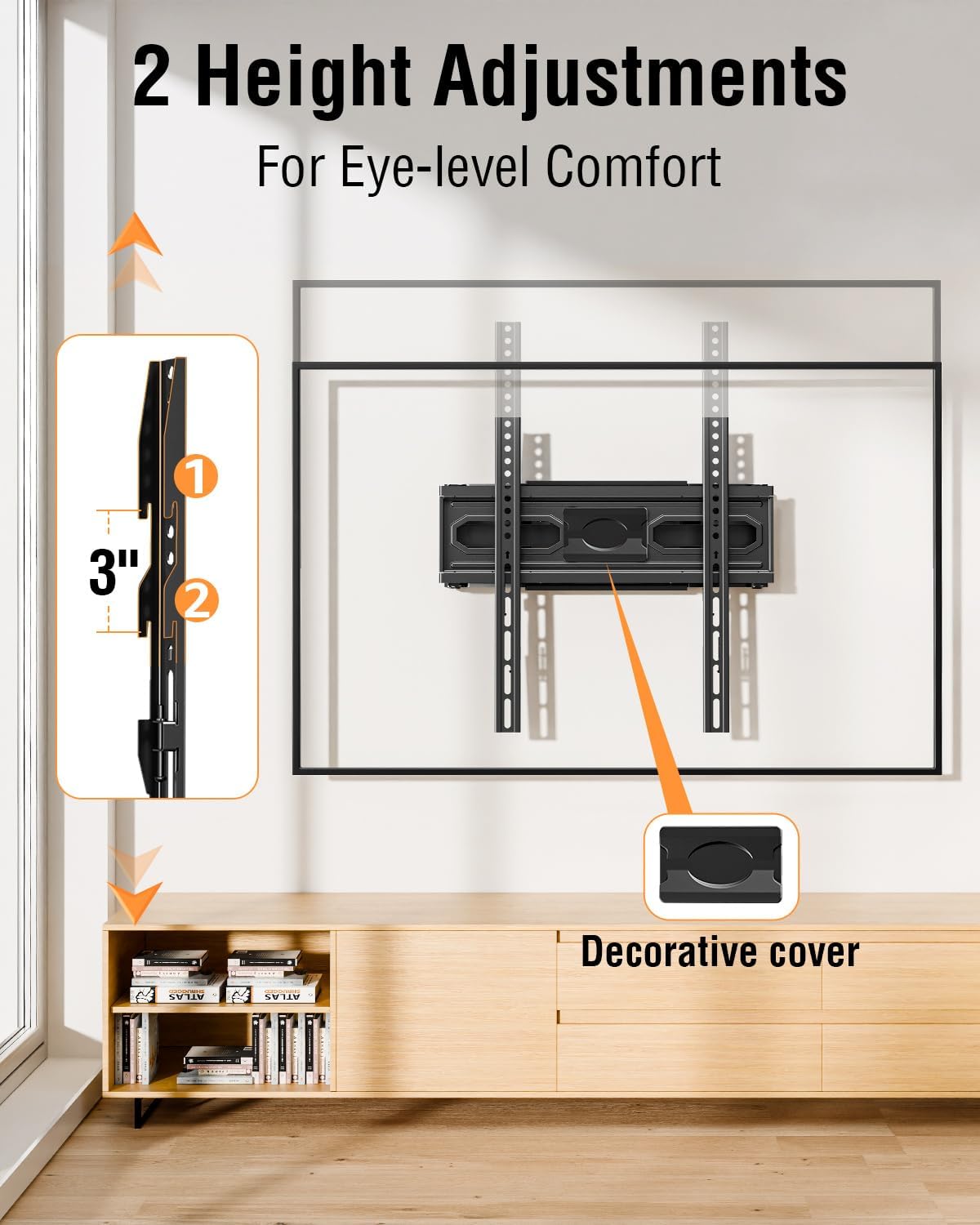
Image: Two Height Adjustments for eye-level comfort.
7. Specifications
| Feature | Specification |
|---|---|
| Brand | ELIVED |
| Model | XMM021-IW |
| Compatible TV Sizes | 26-65 inches |
| Maximum Weight Capacity | 99 lbs (45 kg) |
| VESA Compatibility | 100x100mm to 400x400mm |
| Tilt Angle | +5° / -10° |
| Swivel Angle | +/-45° |
| Level Adjustment | +/-3° |
| Extension from Wall | 2.3" (5.8 cm) to 14.1" (35.8 cm) |
| Material | Alloy Steel |
| Wall Type Compatibility | 12", 14", 16" Wood Studs, Concrete/Brick Walls |
8. Maintenance
Regular maintenance ensures the longevity and safe operation of your TV wall mount.
- Cleaning: Wipe the mount with a soft, dry cloth to remove dust. Avoid abrasive cleaners or solvents.
- Check Connections: Periodically check all screws and bolts to ensure they are securely tightened. Re-tighten if necessary.
- Lubrication: The articulating joints are designed for smooth movement. No additional lubrication is typically required.
9. Troubleshooting
If you encounter any issues during or after installation, refer to the following common solutions:
- TV Not Level: Use the +/-3° leveling adjustment feature to correct the TV's horizontal alignment.
- Difficulty Moving Mount: Ensure all adjustment bolts are not overtightened. Loosen slightly if movement is stiff.
- Mount Feels Unstable: Re-check all wall and TV attachment points. Ensure lag bolts are fully engaged in studs or anchors are properly installed in concrete/brick. Do not exceed weight capacity.
- Missing Hardware: Refer to the package contents list. Contact customer support for replacement parts.
10. Warranty and Support
For warranty information or technical support, please refer to the product packaging or contact ELIVED customer service directly. Keep your purchase receipt for warranty claims.


