
Introduction
The CATEYE Omni 5 is a versatile and durable bike safety light designed to enhance your visibility on the road. Featuring five high-power LEDs, it provides 360-degree visibility through its OMNI directional technology and OptiCube lens technology. This light offers three distinct modes: constant, flashing, and rapid, with a mode memory function for convenience. It is powered by two AAA alkaline batteries and includes a FlexTight SP-11 bracket and a clothing clip for flexible mounting options. The Omni 5 is IPX4 waterproof, ensuring reliable performance in various weather conditions.
What's Included
- CATEYE Omni 5 Safety Light
- SP-11 FlexTight™ Mount
- 2x AAA Batteries
Setup
1. Battery Installation
- Locate the battery cover on the rear of the Omni 5 light.
- Open the battery cover by gently prying it open or sliding it according to the indicator.
- Insert two AAA alkaline batteries, ensuring correct polarity (+/-) as indicated inside the battery compartment.
- Securely close the battery cover until it clicks into place, ensuring a watertight seal.

Image: The CATEYE Omni 5 light. Ensure batteries are installed correctly before use.
2. Mounting the Light
The Omni 5 light can be mounted using the included FlexTight SP-11 bracket or a clothing clip.
Using the FlexTight SP-11 Bracket:
- Attach the FlexTight SP-11 bracket to your bicycle's handlebar or seatpost. The bracket is designed for tool-free installation.
- Adjust the strap to fit snugly around the bar and tighten the thumb screw until the bracket is secure.
- Slide the Omni 5 light onto the bracket until it locks into place. The light can be positioned vertically or horizontally using the Snap System.

Image: The FlexTight SP-11 bracket. This bracket allows for easy, tool-free attachment to handlebars or seatposts.
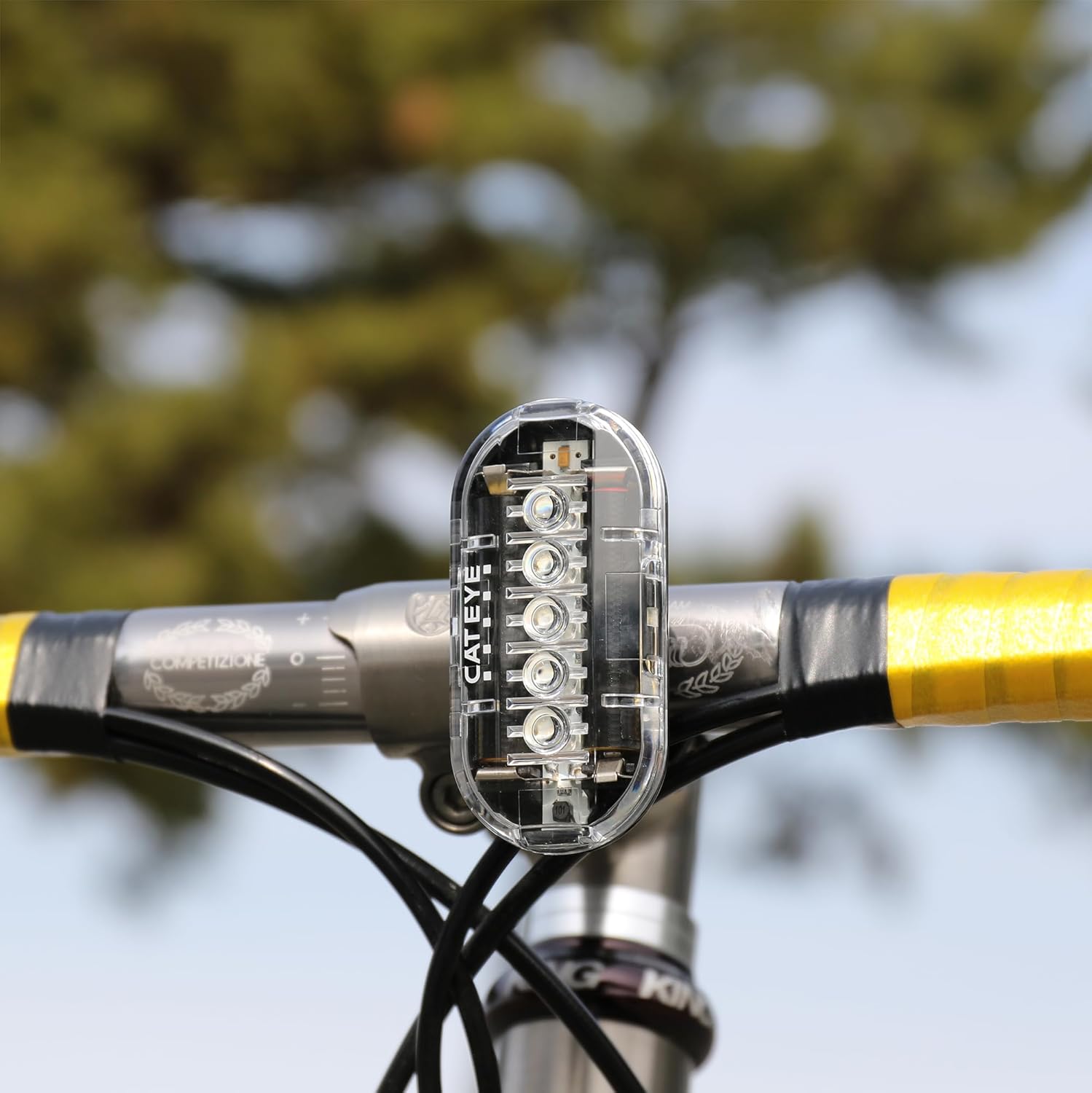
Image: Omni 5 light mounted horizontally on a bicycle. The light provides wide visibility.
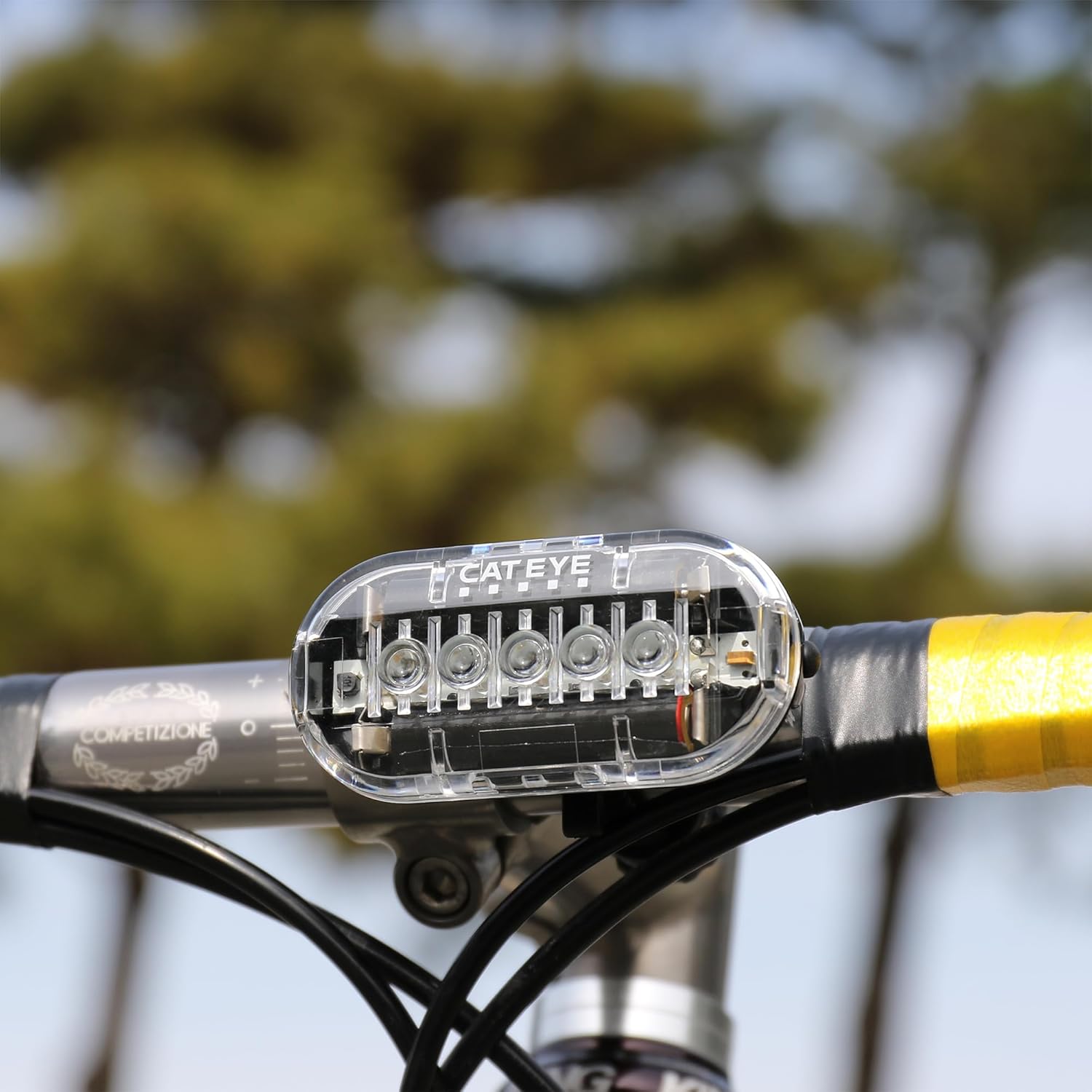
Image: Omni 5 light mounted vertically on a bicycle. The Snap System allows for flexible orientation.
Using the Clothing Clip:
For alternative mounting, the Omni 5 can be attached to clothing, bags, or other gear using its integrated clothing clip. Simply slide the clip onto the desired fabric until it is secure.
Operating Instructions
Power On/Off
- To turn the light ON, press and hold the power button located on the front of the light for approximately 1 second.
- To turn the light OFF, press and hold the power button for approximately 1 second.
Changing Light Modes
Once the light is on, short press the power button to cycle through the available lighting modes:
- Constant Mode: Provides a steady beam of light.
- Flashing Mode: Emits a regular flashing pattern.
- Rapid Mode: Offers a quick, high-visibility flashing pattern.
Mode Memory Function
The Omni 5 features a mode memory function. When you turn the light off, it will remember the last selected mode and automatically activate that mode when turned on again.
Maintenance
Battery Replacement
When the light output becomes dim or the light stops functioning, it is time to replace the batteries. Follow the "Battery Installation" steps in the Setup section to replace the two AAA alkaline batteries. Always use fresh batteries for optimal performance and runtime (up to 150 hours depending on mode).
Cleaning
To clean the light, wipe it with a soft, damp cloth. Do not use abrasive cleaners or solvents, as these can damage the casing or lens.
Water Resistance
The CATEYE Omni 5 is rated IPX4 waterproof, meaning it is protected against splashing water from any direction. While it can withstand rain and splashes, it is not designed for submersion in water. Ensure the battery cover is securely closed to maintain water resistance.
Troubleshooting
- Light does not turn on:
- Check if the batteries are inserted with correct polarity (+/-).
- Replace with fresh AAA batteries.
- Ensure the battery cover is fully closed.
- Light is dim or flickers:
- The batteries may be low. Replace them with fresh AAA batteries.
- Light detaches from mount:
- Ensure the light is fully slid onto the FlexTight bracket until it locks securely.
- Verify the FlexTight bracket is tightened sufficiently on the handlebar/seatpost.
Specifications
| Model Name | Omni 5 |
| Model Number | 5342325 |
| Brand | CATEYE |
| Light Source | 5 LEDs |
| Visibility | 360° (OMNI directional technology) |
| Power Source | 2x AAA Alkaline Batteries |
| Battery Life | Up to 150 hours (depending on mode) |
| Lighting Modes | 3 (Constant, Flashing, Rapid) |
| Water Resistance | IPX4 (Splashproof) |
| Material | Plastic |
| Item Weight | 0.2 Pounds (approx. 90g) |
| Mounting Type | FlexTight SP-11 Bracket, Clothing Clip |
Warranty Information
The CATEYE Omni 5 Bike Safety Light is covered by a 2-year manufacturer's warranty from the date of purchase. This warranty covers defects in materials and workmanship under normal use. It does not cover damage resulting from misuse, accidents, unauthorized modifications, or normal wear and tear. Please retain your proof of purchase for warranty claims.
Support
For further assistance, technical support, or warranty inquiries, please visit the official CATEYE website or contact CATEYE customer service. Refer to the packaging or the official website for the most current contact information.
Official CATEYE Store: Visit the CATEYE Store on Amazon


