
Introduction
Thank you for choosing the P PURLOVE Console Table. This versatile piece of furniture is designed to enhance your entryway, living room, hallway, or office with its natural weatherworn look and practical storage solutions. Featuring two drawers and two open slatted shelves, it offers ample space for various items. This manual provides essential information for safe assembly, proper usage, and maintenance to ensure years of enjoyment.

Figure 1: Overview of the P PURLOVE Console Table.
Safety Information
- Read all instructions carefully before assembly and use.
- Keep small parts away from children.
- Ensure all connections are securely tightened before use. Periodically check and re-tighten as necessary.
- Do not exceed the weight limits specified in the 'Specifications' section.
- Place the table on a flat, stable surface to prevent tipping.
- Avoid placing hot items directly on the table surface without protection.
Package Contents
Please verify that all parts are present before beginning assembly. If any parts are missing or damaged, contact customer service.
- Tabletop with integrated drawers (1)
- Legs (4)
- Lower fixed shelves (2)
- Assembly Hardware (screws, washers, Allen wrench)
- Instruction Manual (1)
Assembly Instructions
Assembly is quick and straightforward. It is recommended to assemble the table on a soft, clean surface to prevent scratches.
- Unpack Components: Carefully remove all parts from the packaging and lay them out on a protected surface.
- Attach Legs to Tabletop: Align the four legs with the pre-drilled holes on the underside of the tabletop. Secure each leg using the provided screws and Allen wrench. Do not fully tighten yet.
- Install Lower Shelves: Position the first lower shelf between the legs, aligning the holes. Secure it with the provided hardware. Repeat for the second lower shelf.
- Final Tightening: Once all components are in place, gradually tighten all screws until secure. Do not overtighten.
- Insert Drawers: Slide the drawers into their respective slots. Ensure they operate smoothly.
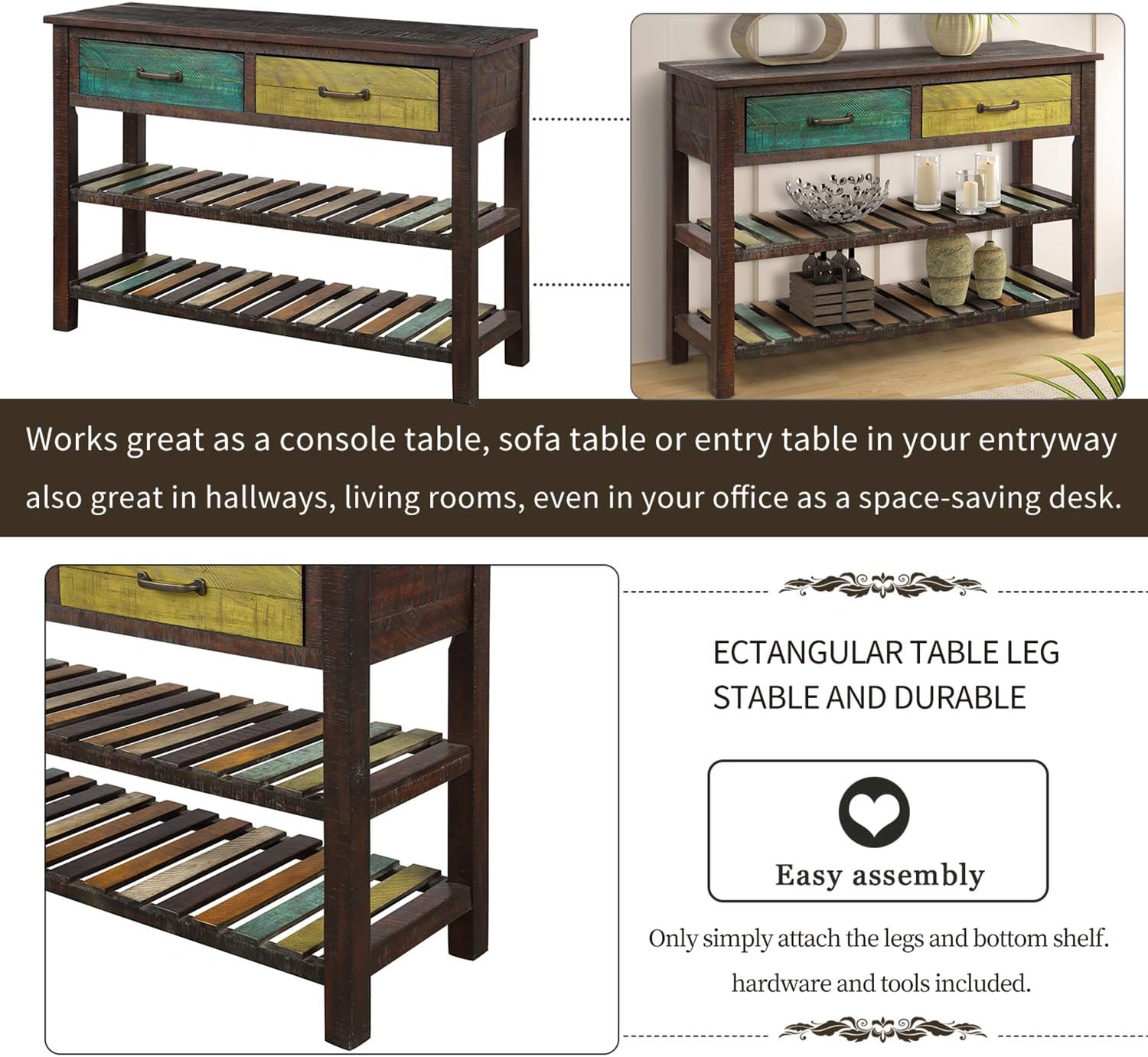
Figure 2: Visual guide for attaching legs and shelves during assembly.
Usage
This console table is designed for versatile use in various indoor settings.
- Entryway Table: Ideal for holding keys, mail, and decorative items upon entering your home.
- Sofa Table: Place behind a sofa to hold lamps, books, or beverages.
- Hallway or Living Room Accent: Use as a decorative piece to display plants, photos, or art.
- Space-Saving Desk: Can function as a compact workspace in an office or small room.
The two storage drawers are suitable for small items like notebooks, remote controls, or keys. The open slatted lower shelves provide additional space for larger decorative items, storage baskets, or tableware.

Figure 3: Example of items stored in the console table drawers.

Figure 4: Example of items displayed on the console table's lower shelves.
Maintenance
- Cleaning: Wipe the table surface with a soft, damp cloth. Avoid harsh chemicals or abrasive cleaners that may damage the finish.
- Dusting: Regularly dust with a dry, soft cloth to maintain its appearance.
- Spills: Clean spills immediately to prevent staining.
- Sunlight Exposure: Avoid prolonged direct sunlight exposure to prevent fading or warping of the wood.
- Humidity: Maintain a stable humidity level in the room to prevent wood expansion or contraction.
Troubleshooting
| Problem | Possible Cause | Solution |
|---|---|---|
| Table is wobbly | Loose screws or uneven surface | Check and tighten all assembly screws. Move the table to a level surface. |
| Drawers stick or don't slide smoothly | Misalignment or debris in tracks | Ensure drawers are inserted correctly. Clear any debris from the drawer slides. |
| Surface scratches | Sharp objects or abrasive cleaning | Use coasters or protective pads. Clean with soft cloths only. Minor scratches may be touched up with wood repair kits. |
Specifications
- Brand: P PURLOVE
- Model Name: 2 Tier
- Product Dimensions (D x W x H): 14.9" x 45" x 30.7"
- Item Weight: 46 Pounds
- Maximum Weight Recommendation (Top): 100 lbs
- Maximum Weight Recommendation (Shelf): 40 lbs per shelf
- Maximum Weight Recommendation (Drawer): 17 lbs per drawer
- Frame Material: Wood (Solid Wood, Acacia)
- Top Material: Acacia, Solid Wood
- Base Material: Acacia, Solid Wood
- Color: Multi Color (Brown top, distressed multi-color drawers/shelves)
- Number of Drawers: 2
- Number of Shelves: 2
- Assembly Required: Yes
- Indoor/Outdoor Usage: Indoor

Figure 5: Detailed dimensions of the console table.
Official Product Video
Video 1: An official product video showcasing the P PURLOVE Console Table with Drawers and 2 Tiers, demonstrating its features and appearance in a home setting.
Warranty and Support
For any questions, concerns, or issues regarding your P PURLOVE Console Table, please contact our customer service. Any damage incurred during transit is eligible for compensation. We aim to respond to all inquiries within 24 hours.
Please refer to your purchase documentation for specific warranty details.
Customer Service Contact: Refer to your retailer's customer support information or the contact details provided with your purchase.
