
1. Introduction
This manual provides detailed instructions for the safe and efficient use of your Eboxer Mini Vintage Retro Bluetooth Speaker, model FT 05U. This portable speaker combines a classic aesthetic with modern Bluetooth technology, offering a unique audio experience. Please read this manual thoroughly before operating the device.

Figure 1: Eboxer Mini Vintage Retro Bluetooth Speaker (Walnut color)
2. Product Overview
2.1. Package Contents
Ensure all items are present in the package:
- Eboxer Mini Vintage Retro Bluetooth Speaker
- User Manual (this document)
- Data Cable (for charging)
2.2. Device Features
- Retro design with modern Bluetooth connectivity.
- Compact and lightweight for portability.
- Built-in rechargeable battery for extended use.
- Supports plug-in card (TF card) for direct music playback.
- Compatible with smartphones, tablets, laptops, desktops, and televisions.
2.3. Controls and Ports

Figure 2: Control Panel and Ports Layout
Refer to Figure 2 for the location of the following controls and ports:
- Volume Adjustment Knob: Rotate to increase or decrease volume.
- ON/MODE Button: Press and hold to power on/off. Short press to switch between modes (Bluetooth, TF Card).
- Previous Song / Volume Down Button: Short press for previous track. Long press to decrease volume.
- Play/Pause Button: Short press to play or pause music.
- Next Song / Volume Up Button: Short press for next track. Long press to increase volume.
- TF Card Slot: Insert a TF (MicroSD) card for direct music playback.
- USB Charging Port: Connect the provided data cable for charging.
- AUX Port: For wired audio input (cable not included).
3. Setup
3.1. Initial Charging
Before first use, fully charge the speaker. Connect the provided USB data cable to the speaker's USB charging port and the other end to a 5V USB power adapter (not included) or a computer's USB port. The charging time is approximately 2.5 hours.

Figure 3: Speaker with long battery life indication
A full charge provides approximately 6 hours of playback, depending on volume level.
3.2. Powering On/Off
Press and hold the ON/MODE button for a few seconds to power the speaker on or off.
4. Operating Instructions
4.1. Bluetooth Pairing
- Ensure the speaker is powered on and in Bluetooth mode. If not, short press the ON/MODE button to switch to Bluetooth mode. The speaker will indicate it is ready for pairing (e.g., a blinking LED or an audible prompt).
- On your device (smartphone, tablet, etc.), enable Bluetooth and search for available devices.
- Select "FT 05U" (or similar name) from the list of found devices.
- Once paired, the speaker will confirm the connection (e.g., a solid LED or an audible prompt). You can now play audio from your device through the speaker.

Figure 4: Bluetooth 5.0 Connection
The Bluetooth range is approximately 10 meters (33 feet) in an open environment.
4.2. TF Card Playback
- Insert a TF (MicroSD) card containing MP3 audio files into the TF Card Slot.
- The speaker will automatically switch to TF Card mode and begin playing music. If it does not switch automatically, short press the ON/MODE button to cycle through modes until TF Card mode is active.
- Use the Previous Song / Volume Down and Next Song / Volume Up buttons for track navigation.
- Use the Play/Pause button to pause or resume playback.
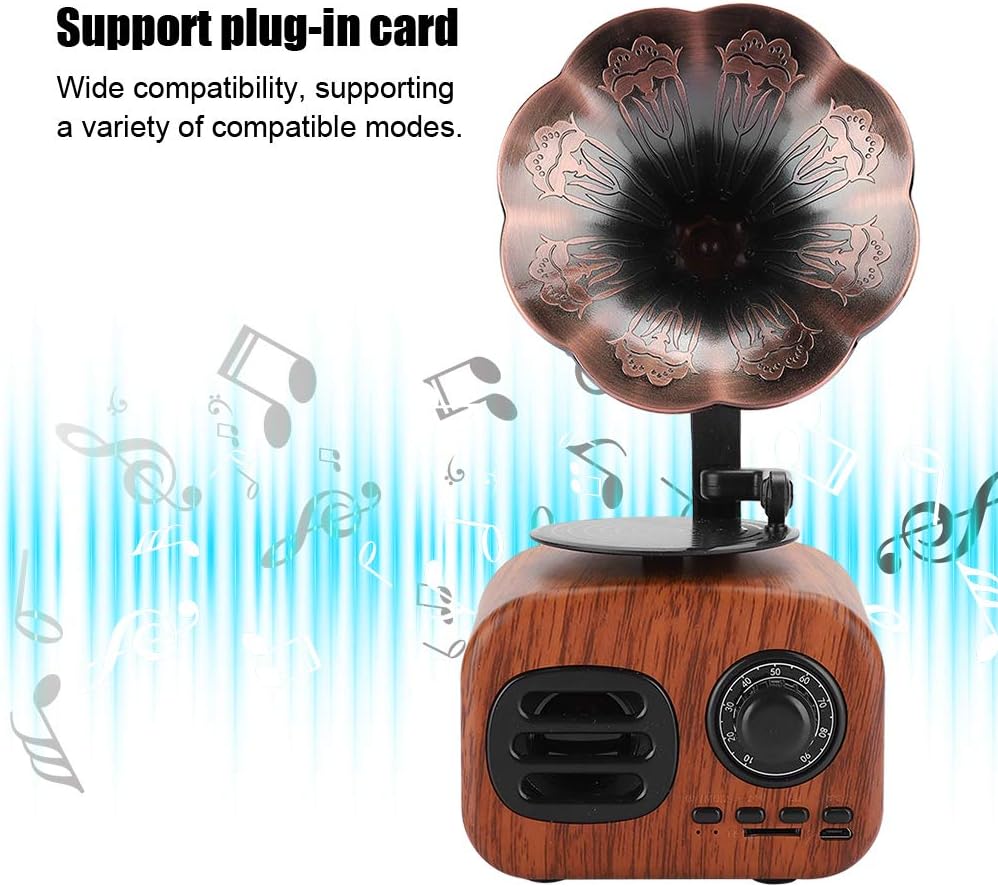
Figure 5: TF Card Playback Feature
4.3. AUX Input
Connect an audio device directly to the speaker using a 3.5mm AUX cable (not included) via the AUX port. The speaker will automatically switch to AUX mode. If not, short press the ON/MODE button to switch modes.
4.4. Volume Control
Rotate the Volume Adjustment Knob clockwise to increase volume and counter-clockwise to decrease volume. Alternatively, long press the Next Song / Volume Up button to increase volume or the Previous Song / Volume Down button to decrease volume.
5. Maintenance
- Keep the speaker dry. Do not expose it to water or excessive moisture. The speaker is not waterproof.
- Clean the speaker with a soft, dry cloth. Do not use abrasive cleaners or solvents.
- Avoid extreme temperatures. Store the speaker in a cool, dry place.
- Do not disassemble the speaker. This will void the warranty and may cause damage.
- Charge the speaker regularly, even if not in use, to maintain battery health.
6. Troubleshooting
| Problem | Possible Cause | Solution |
|---|---|---|
| Speaker does not power on. | Battery is depleted. | Charge the speaker using the provided USB cable. |
| No sound. | Volume is too low or muted. Incorrect mode selected. Device not paired. | Increase volume using the knob or buttons. Ensure correct mode (Bluetooth, TF Card, AUX) is selected. Re-pair Bluetooth device. |
| Bluetooth pairing fails. | Speaker is not in pairing mode. Device is out of range. Interference. | Ensure speaker is in Bluetooth pairing mode. Move device closer to speaker (within 10m). Turn off other Bluetooth devices. |
| TF card not playing. | Card inserted incorrectly. Card not supported. Files not compatible. | Reinsert TF card correctly. Ensure card is formatted correctly and contains compatible audio files (e.g., MP3). |
7. Specifications
| Feature | Detail |
|---|---|
| Model Name | FT 05U |
| Brand | Eboxer |
| Connectivity Technology | Bluetooth |
| Wireless Communication Technology | Bluetooth |
| Bluetooth Range | 10 Meters |
| Speaker Type | Portable |
| Speaker Maximum Output Power | 5 Watts |
| Audio Output Mode | Stereo |
| Signal-to-Noise Ratio | 65 dB |
| Frequency Response | 45 Hz |
| Power Source | Battery Powered |
| Battery Capacity | 1200 mAh |
| Charging Time | 2.5 Hours |
| Input Voltage | 5 Volts |
| Material | Plastic |
| Product Dimensions (D x W x H) | 2.4" x 3.7" x 2.8" |
| Item Weight | 15.1 ounces |
| Is Waterproof | No |

Figure 6: Product Dimensions
8. Warranty and Support
For warranty information and customer support, please refer to the retailer's policy or contact Eboxer customer service directly. Keep your purchase receipt for any warranty claims.
Manufacturer: Eboxer