
Introduction
This manual provides instructions for the setup, operation, and maintenance of your ScanAvenger Portable Mini-Wireless Bluetooth Barcode Scanner (1D&2D Model). This device is designed for efficient inventory management and data collection, supporting both 1D and 2D barcode types with multiple connectivity options.

Image: The ScanAvenger Portable Mini-Wireless Bluetooth Barcode Scanner, a compact black device with a wrist strap.
Product Overview
The ScanAvenger 1D&2D Mini Barcode Scanner offers versatile functionality and a robust design for various scanning needs.
Key Features:
- 3-in-1 Connectivity: Supports wireless Bluetooth, 2.4G wireless via USB dongle, and wired USB connection.
- 1D & 2D Barcode Compatibility: Decodes a wide range of 1D barcodes (UPC, EAN, Code128, Code39, Code11, Codabar, Interleaved 2 of 5) and 2D barcodes (PDF417, Data Matrix, QR Code, Micro QR, Aztec code, Micro PDF).
- Vibration Feedback: Provides tactile feedback, useful in noisy environments.
- No Software Needed: Plug-and-play functionality without requiring driver installation.
- Wide Compatibility: Works with Mac, Windows, Android, Apple mobile devices, and POS systems.
- Long Battery Life: Built-in rechargeable Li-ion battery offers extended operation.
- Durable Design: Industrial-grade shock-resistant design, capable of withstanding drops from 1.5 meters (5 feet).

Image: Diagram highlighting intelligent scanner features such as vibration, decoding irregular barcodes, scanning from screens, and character insertion/deletion.
Design and Durability:
The scanner features a modern, comfortable design with a high-end brushed top surface to prevent slipping. It includes an On/Off switch to conserve battery and an industry-standard USB-C charging port. A security wrist strap is also included to prevent accidental drops.

Image: Close-up of the scanner showing its brushed top surface, on/off switch, USB-C charging port, and security wrist strap.

Image: Illustration demonstrating the scanner's industrial-grade shock-resistant design, capable of withstanding drops from 1.5 meters (5 feet).

Image: A hand holding the scanner, highlighting its modern, stylish, and comfortable design, along with automatic Bluetooth/wireless connection after restart.
Components:
- Barcode Scanner Unit
- USB-C Charging Cable
- 2.4G Wireless USB Dongle
- Wrist Strap
- Quick Start Guide (with configuration barcodes)
Setup
1. Charging the Scanner
Before initial use, fully charge the scanner. Connect the provided USB-C cable to the scanner's charging port and the other end to a 5V/1A USB power adapter or a computer's USB port. A full charge typically takes approximately 2 hours.
Important: Use a 5V/1A charger. Avoid fast chargers (e.g., 5V/2A or 9V) to prevent potential battery damage.

Image: Diagram illustrating battery charging time (2 hours), standby time (up to 180 days), and continuous scanning time (up to 28 hours).
2. Connecting the Scanner
The scanner offers three connection methods:
a. Bluetooth Connection (Wireless)
- Turn on the scanner using the On/Off switch.
- Scan the "Bluetooth Pairing" barcode from the quick start guide. The scanner's indicator light will flash blue, indicating it's in pairing mode.
- On your device (smartphone, tablet, computer), go to Bluetooth settings and search for available devices.
- Select "ScanAvenger Scanner" (or similar name) from the list to pair.
- Once paired, the indicator light will turn solid blue.
b. 2.4G Wireless Connection (via USB Dongle)
- Plug the 2.4G USB dongle into an available USB port on your computer or POS system.
- Turn on the scanner.
- Scan the "2.4G Wireless Mode" barcode from the quick start guide. The scanner will automatically connect to the dongle.
- The indicator light will turn solid blue upon successful connection.
c. USB Wired Connection
- Connect the USB-C cable to the scanner and the USB-A end to your computer or POS system.
- The scanner will automatically switch to wired mode and begin charging.
- No additional setup is required; the scanner will function as a USB HID keyboard device.

Image: Visual representation of the scanner's 3-in-1 connectivity (USB Wired, 2.4G Wireless, Bluetooth) and compatibility with PC/Mac, Laptop, POS, Tablet, and Phone.
Operating Instructions
Scanning Barcodes
Once connected, the scanner operates as a keyboard input device. Open any text editor, spreadsheet, or application where you want the scanned data to appear.
- Point the scanner's window at the barcode you wish to scan.
- Press the trigger button. A successful scan will be indicated by a beep, vibration, and the LED indicator turning blue.
- The barcode data will be transmitted to your connected device.
Scan Modes
- Manual Mode: Press the trigger button for each scan.
- Auto Sense Mode: The scanner will automatically detect and scan barcodes when they are presented within its reading range. To activate this mode, scan the corresponding barcode from your quick start guide.
Code Compatibility
The scanner supports a wide array of barcode symbologies:
- 1D Barcodes: UPC, EAN, Code128, Code39, Code11, Codabar, Interleaved 2 of 5, etc.
- 2D Barcodes: PDF417 (e.g., drivers license), Data Matrix, QR Code, Micro QR, Aztec code, Micro PDF, etc.
Note: This scanner is not compatible with Square, Shopify, or Shopkeep POS systems for direct integration. It functions as a keyboard input device, so scanned data will appear as typed text.
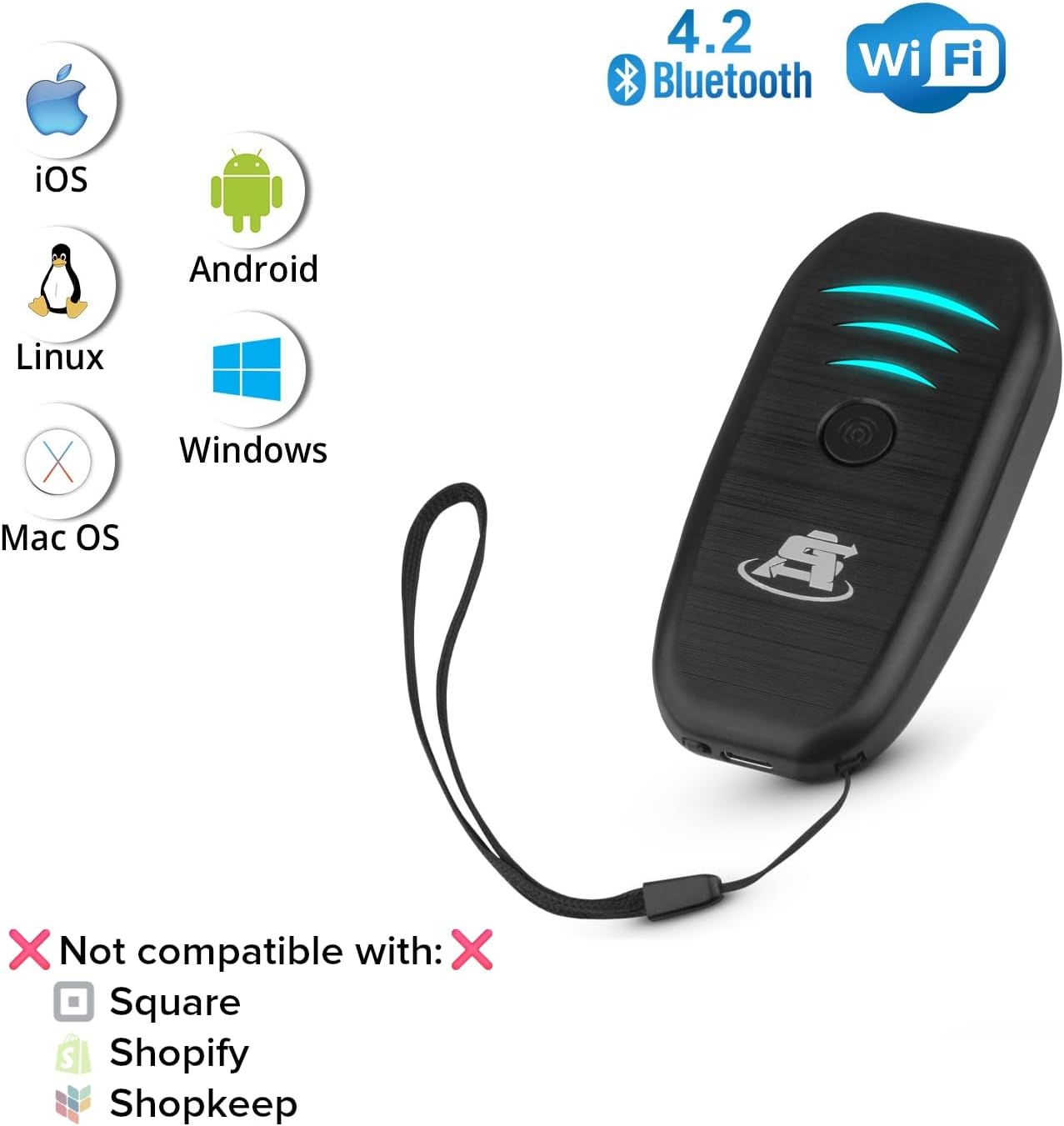
Image: Icons indicating compatibility with iOS, Android, Linux, Windows, and Mac OS, along with a clear statement of non-compatibility with Square, Shopify, and Shopkeep.
Maintenance
Battery Care
- To prolong battery life, charge the scanner with a 5V/1A charger.
- Avoid using fast chargers (e.g., 5V/2A or 9V) as they can damage the battery over time.
- If the scanner will not be used for an extended period, charge it periodically to maintain battery health.
Cleaning
Wipe the scanner with a soft, dry cloth. Do not use abrasive cleaners or solvents, as these can damage the device's surface.
Troubleshooting
If you encounter issues with your scanner, please refer to the following common solutions:
- Scanner not connecting: Ensure the scanner is charged and powered on. Re-attempt the pairing process for Bluetooth or 2.4G wireless connections. For wired connection, ensure the USB cable is securely connected.
- Barcode not scanning: Ensure the barcode is clean and not damaged. Adjust the distance and angle of the scanner to the barcode. Check if the scanner is in the correct operating mode (e.g., not in sleep mode).
- Incorrect data output: Verify the scanner is correctly paired with your device. Ensure your device's keyboard settings are configured to receive input from external devices if using Bluetooth.
- Battery not charging: Confirm you are using the correct 5V/1A charger and the cable is properly connected.
For more detailed troubleshooting or persistent issues, please contact ScanAvenger customer support.
Specifications
| Model | 1D&2D Mini Barcode Scanner |
| Connectivity Technology | Bluetooth, 2.4G USB Wireless, USB Cable |
| Compatible Devices | Laptop, POS, Smartphone, Tablet, iPhone |
| Power Source | Battery Powered, Corded Electric |
| Battery Type | 1 Lithium Ion battery (included) |
| Scan Rate | 9.84 inches per second (25 cm/s) |
| Resolution | > 4mil/0.1mm |
| Print Contrast | >25% |
| Transmission Range (2.4G Wireless) | Up to 328 feet (100 meters) in obstacle-free environment |
| Transmission Range (Bluetooth) | Up to 98 feet (30 meters) in light obstacle environment |
| Item Dimensions (D x W x H) | 4.1"D x 1.98"W x 0.94"H |
| Item Weight | 68.8 g |
| Certifications | FCC, RoHS |

Image: Diagram illustrating the 2.4G wireless range (100 meters / 328 feet) and Bluetooth range (30 meters / 98 feet) in environments with light obstacles.
Warranty and Support
Warranty Information
This ScanAvenger barcode scanner comes with a 1-year warranty from the date of purchase, covering manufacturing defects and normal operational failures.
Customer Support
ScanAvenger provides dedicated customer support to assist with any questions or issues you may encounter. Our support team is available 24/7, 365 days a year.
You can reach us via:
- Phone
- Chat
We aim for a response time of under 1 hour for email inquiries and within 5 minutes for phone and chat support.
Product Videos
Common ScanAvenger Scanner Questions
Video: This video addresses common questions and provides helpful tips for using ScanAvenger barcode scanners, covering various aspects of their functionality and troubleshooting.
ScanAvenger Portable Mini-Wireless Bluetooth Barcode Scanner Overview
Video: A brief overview demonstrating the features and portability of the ScanAvenger Portable Mini-Wireless Bluetooth Barcode Scanner.


