
1. Introduction and Overview
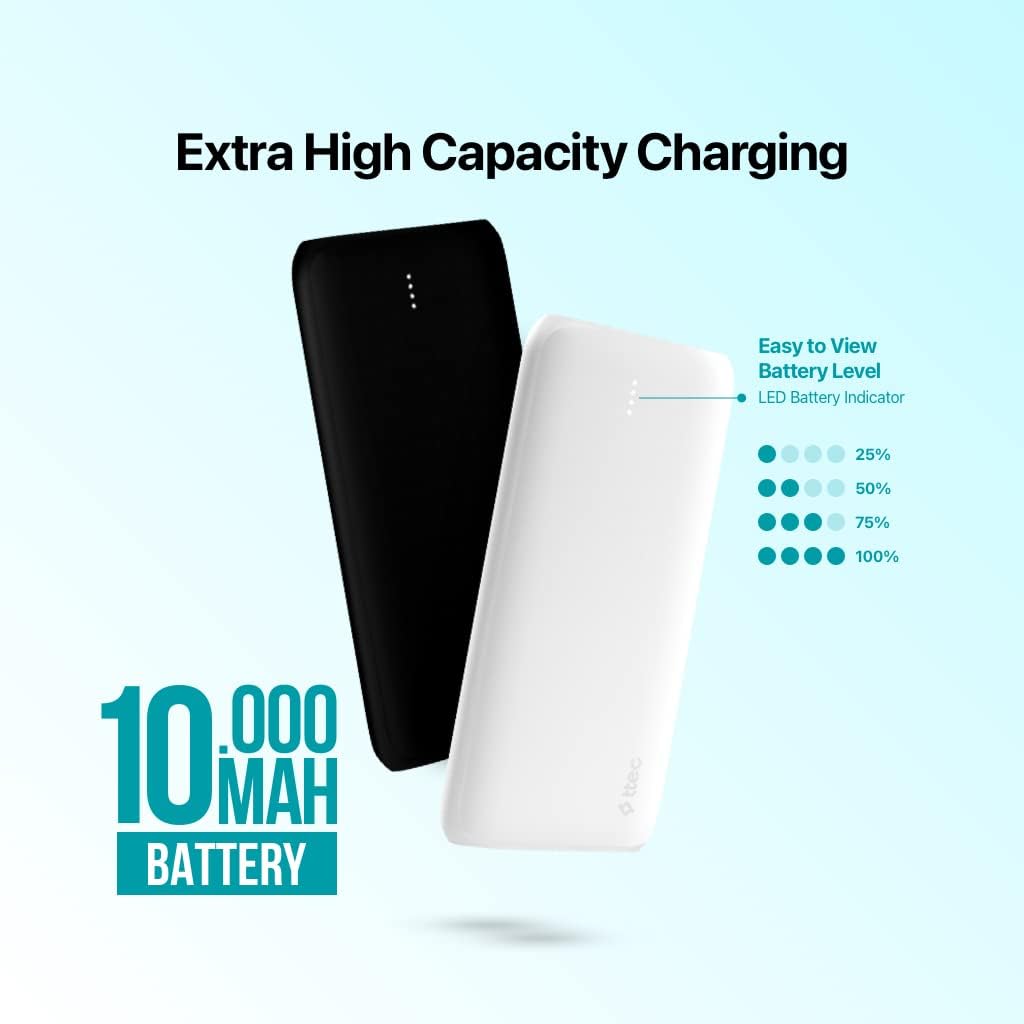
The ttec PowerSlim Duo is a high-capacity 10,000mAh universal mobile charger designed to provide portable power for your smartphones and other compatible devices. Featuring multiple output ports and an LED battery indicator, it ensures your devices stay charged on the go.
- High Capacity: 10,000mAh battery for extended use.
- Multiple Outputs: Two USB-A ports and one Type-C port for charging multiple devices simultaneously.
- Fast Charging: Supports fast charging with a 2 Amp/10 Watt output.
- LED Indicator: Clear LED battery level indicator to monitor remaining power.
- Safety Features: Built-in surge protection for safe and reliable charging.

2. Setup
2.1 Initial Charging of the Power Bank
Before first use, fully charge your ttec PowerSlim Duo power bank. Use a compatible USB wall adapter (not included) and the provided USB cable or a Type-C cable.
- Connect the small end of the USB cable (Micro USB or Type-C) to the corresponding input port on the power bank.
- Connect the larger end of the USB cable to a USB wall adapter.
- Plug the wall adapter into a power outlet.
- The LED indicators will illuminate to show the charging progress. All four LEDs will be solid when fully charged.
2.2 What's in the Box
- 1 x ttec PowerSlim Duo Power Bank
- 1 x USB Cable (Micro USB)
3. Operating Instructions
3.1 Charging Your Devices
The PowerSlim Duo features two USB-A output ports and one Type-C port, allowing you to charge up to three devices simultaneously.
- Connect your device's charging cable to one of the USB-A output ports (10.5W or 5W) or the Type-C port (10W) on the power bank.
- Connect the other end of the cable to your device.
- The power bank will automatically begin charging your device. If not, press the power button once to activate charging.
- The LED indicators will show the remaining battery level of the power bank during charging.
3.2 LED Battery Indicator
The LED lights on the power bank indicate the current battery level:
- One LED: 0-25% charge remaining
- Two LEDs: 25-50% charge remaining
- Three LEDs: 50-75% charge remaining
- Four LEDs: 75-100% charge remaining
When charging the power bank, the LEDs will blink to indicate charging status and become solid when that charge level is reached.
4. Maintenance
- Cleaning: Use a soft, dry cloth to clean the power bank. Avoid using harsh chemicals or abrasive materials.
- Storage: Store the power bank in a cool, dry place away from direct sunlight and extreme temperatures.
- Battery Care: To prolong battery life, fully charge the power bank at least once every three months if not in regular use. Avoid completely draining the battery frequently.
- Safety: Do not expose the power bank to water, fire, or high impact. Do not attempt to disassemble or modify the device.
5. Troubleshooting
- Power bank not charging: Ensure the charging cable is securely connected to both the power bank and the wall adapter. Verify the wall adapter and power outlet are functional.
- Device not charging from power bank: Ensure the power bank has sufficient charge. Press the power button to activate charging. Try a different charging cable or output port.
- Slow charging: Ensure you are using a high-quality charging cable. Some devices may charge slower if multiple devices are connected simultaneously.
- LED indicators not working: If the power bank is completely drained, the LEDs may not light up immediately. Charge the power bank for a few minutes before checking the indicators again.
6. Specifications
| Feature | Detail |
|---|---|
| Model Number | 2BB163S |
| Battery Capacity | 10,000 mAh |
| Battery Cell Composition | Lithium Ion |
| Input Voltage | 5 Volts |
| Input Current | 2 Amps |
| Output Current | 2 Amps (Max) |
| Number of Ports | 4 (2 USB-A Output, 1 Type-C Input/Output, 1 Micro USB Input) |
| Special Features | LED Indicator Light, Surge Protection |
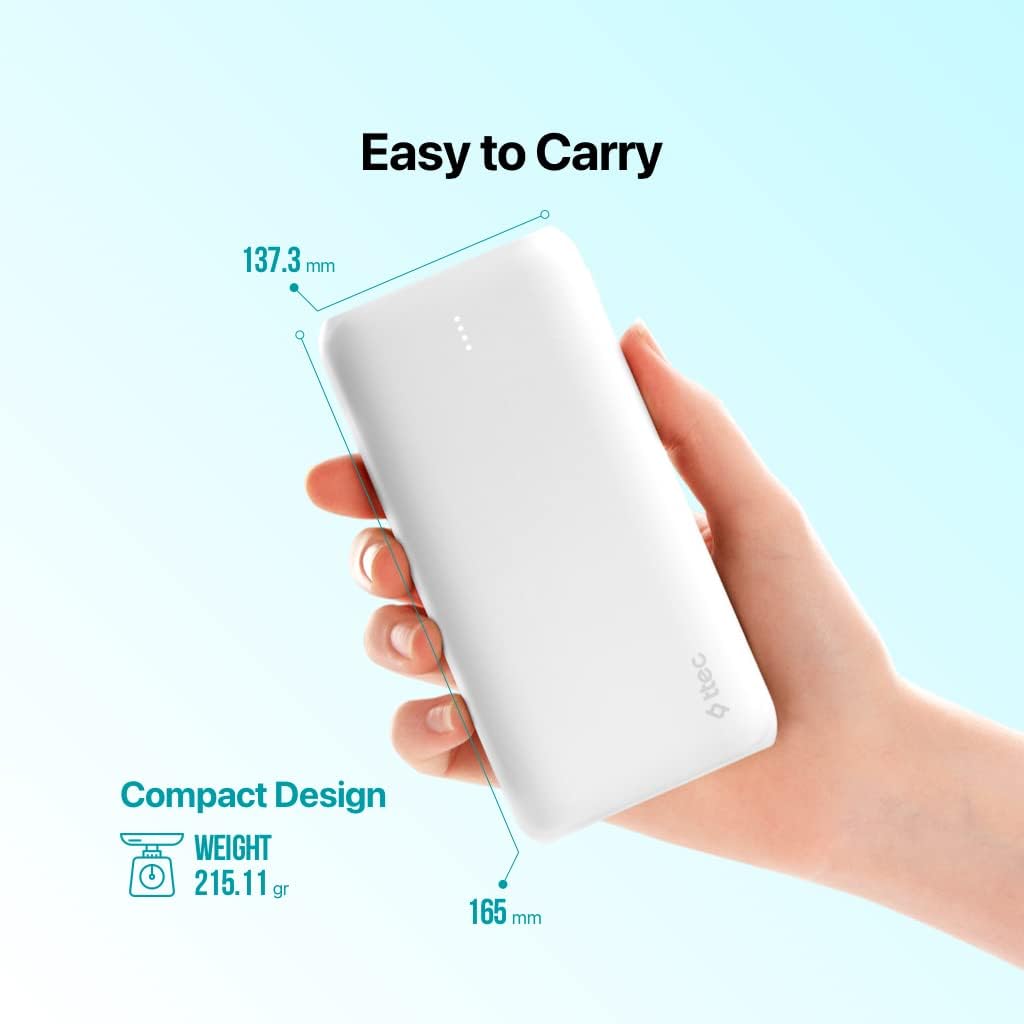
| Product Dimensions | 100 x 3 x 3 cm |
| Item Weight | 300 grams |
7. Warranty Information
This product is covered by a manufacturer's warranty. Please refer to the warranty card included with your purchase or visit the official ttec website for detailed warranty terms and conditions specific to your region.
8. Support
For further assistance, technical support, or inquiries regarding your ttec PowerSlim Duo, please visit the official ttec website or contact their customer service department. Contact information can typically be found on the product packaging or the official website.
Website: www.ttec.com (Please verify the exact URL for your region)