
1. Introduction
This manual provides essential information for the safe and effective operation of your Ring Automotive RSC808 Smart Car Battery Charger. The RSC808 is an 8A smart charger and battery maintainer designed for 12V and 24V vehicles, including those with START/STOP battery technology. It is compatible with various battery types such as lead acid, gel, calcium, EFB, and AGM batteries. The charger is engineered to maintain batteries in optimal condition without the risk of overcharging, featuring a user-friendly one-button operation and a large, backlit LCD display. Safety features include reverse polarity and short-circuit protection.
The RSC808 offers dual functionality: it recharges your battery for optimum performance and then transitions into a maintenance mode for long-term connection. It supports both 12V and 24V settings, making it suitable for motorbikes, cars, vans, and trucks. With 4-8 Amp settings, it allows for faster charging times, and its 7-stage charging process, including reconditioning, ensures optimal battery performance.
2. Safety Information
Please read and understand all safety instructions before using the battery charger. Failure to follow these instructions may result in electric shock, fire, or serious injury.
- Ventilation: Ensure the charging area is well-ventilated. Batteries can produce explosive gases during charging.
- Eye and Face Protection: Always wear safety glasses and protective clothing when working with batteries.
- Avoid Sparks and Flames: Do not smoke or allow sparks or flames in the vicinity of the battery or charger.
- Electrical Connections: Ensure all connections are secure before turning on the charger. Disconnect the power supply before making or breaking connections to the battery.
- Reverse Polarity Protection: The charger is equipped with reverse polarity protection. However, always double-check battery terminal polarity before connecting.
- Short-Circuit Protection: The charger includes short-circuit protection. Avoid touching the positive and negative clamps together.
- Water and Moisture: Do not expose the charger to rain or excessive moisture. The unit is IP65 rated for weather resistance, but direct immersion or heavy water jets should be avoided.
- Children and Pets: Keep the charger and battery out of reach of children and pets.
- Damaged Equipment: Do not operate the charger if it has been dropped, damaged, or if the power cord is frayed. Contact qualified service personnel for repair.
- Intended Use: Use the charger only for charging 12V and 24V lead-acid, gel, calcium, EFB, and AGM batteries. Do not use it for charging dry-cell batteries that are commonly used with home appliances.
3. Product Overview and Contents
The Ring Automotive RSC808 Smart Car Battery Charger is a compact and robust unit designed for efficient battery charging and maintenance.

Figure 3.1: The Ring Automotive RSC808 Smart Charger, showcasing the main unit, detachable battery clamps (red and black), and O-ring terminal connectors.
3.1. What's in the Box
Upon opening the packaging, you should find the following components:
- Ring Automotive RSC808 Smart Charger Unit
- Battery Clamps (Red for positive, Black for negative)
- O-Ring Terminal Connectors (for permanent battery connection)
- User Manual (this document)

Figure 3.2: An illustration detailing the contents of the RSC808 package, including the charger unit, battery clamps, O-ring terminals, and the user manual.
3.2. Key Features
- Dual Function: Charges and maintains 12V/24V batteries.
- Wide Compatibility: Suitable for lead acid, gel, calcium, EFB, and AGM batteries, including START/STOP.
- Smart Charging: 7-stage charging process with reconditioning.
- User-Friendly: One-button operation and large backlit LCD display.
- Safety: Reverse polarity and short-circuit protection.
- Weatherproof: IP65 rated for outdoor use.

Figure 3.3: The RSC808 charger highlighting its rugged and weatherproof (IP65) design, indicating suitability for various environmental conditions.
4. Setup
Follow these steps to properly set up your Ring Automotive RSC808 charger.
- Prepare the Battery: Ensure the battery terminals are clean and free from corrosion. If necessary, clean them with a wire brush.
- Choose Connection Method:
- Battery Clamps: For temporary connection. Connect the RED positive (+) clamp to the positive battery terminal and the BLACK negative (-) clamp to the negative battery terminal.
- O-Ring Terminals: For permanent connection. Attach the O-ring terminals to the corresponding battery posts (red to positive, black to negative) and secure them.
- Connect to Battery: Ensure the charger's output cable is securely connected to the chosen battery connection method (clamps or O-rings).
- Connect to Power: Plug the charger's AC power cord into a standard electrical outlet. The charger will power on and display the current battery voltage.
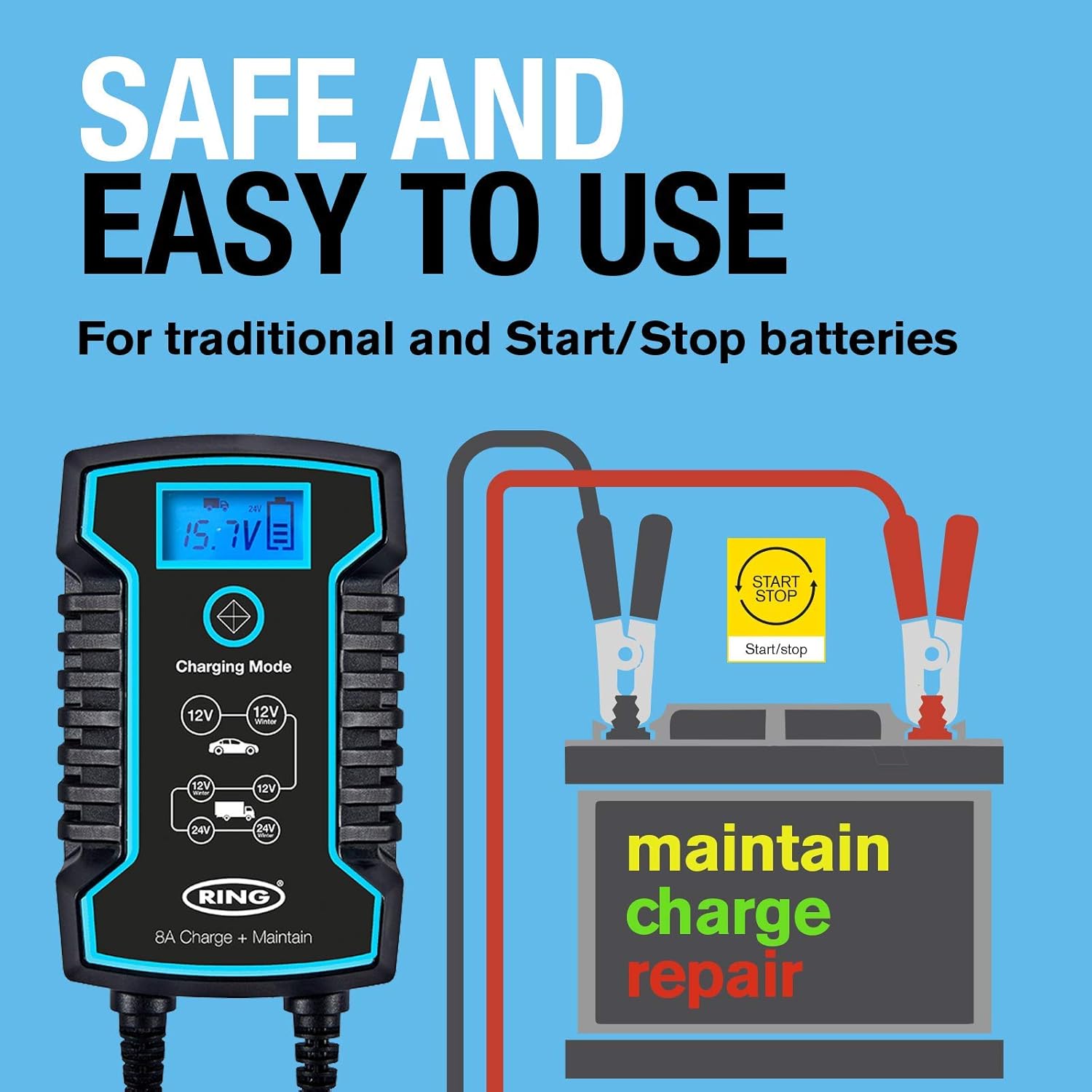
Figure 4.1: An illustration demonstrating the correct and safe connection of the battery charger to a vehicle battery, highlighting the positive and negative terminals.
Important: Always connect the charger to the battery first, then plug it into the AC power outlet. When disconnecting, unplug from the AC outlet first, then disconnect from the battery.
5. Operating Instructions
The RSC808 charger features a simple one-button operation for selecting charging modes.
5.1. Understanding the LCD Display
The backlit LCD display provides real-time information about the charging process, even in low light conditions.
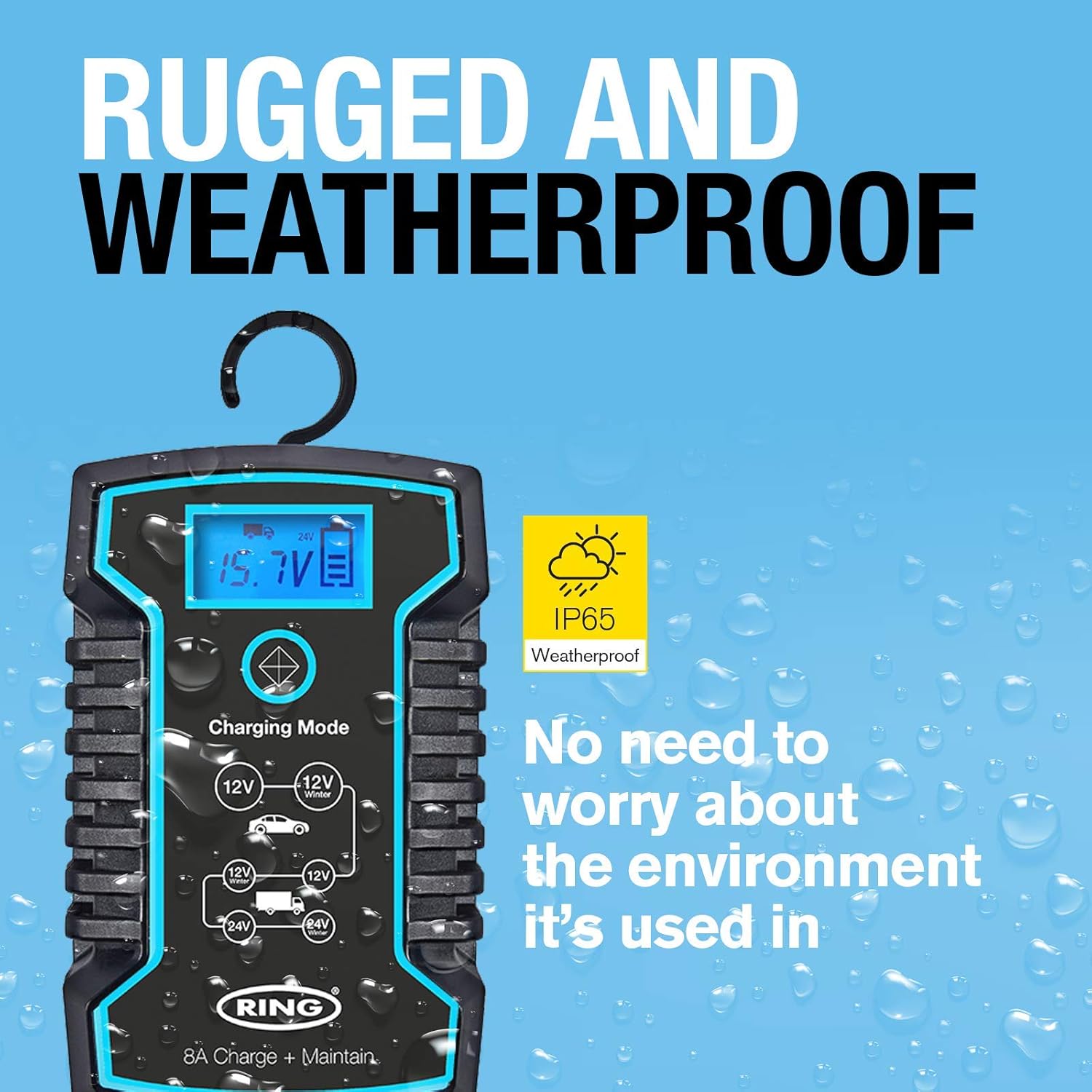
Figure 5.1: A detailed view of the charger's LCD screen, indicating how charge progress, current battery voltage, and the active charging mode are displayed.
- Charge Progress: Indicated by a battery icon or percentage.
- Battery Voltage: Displays the current voltage of the connected battery.
- Selected Mode: Shows the active charging mode (e.g., 12V Car, 24V Truck, 12V Winter).
5.2. Selecting a Charging Mode
After connecting the charger to the battery and power, press the "Charging Mode" button (the central button with an arrow icon) to cycle through the available charging programs.
- 12V Car Mode: Standard charging for 12V car batteries.
- 12V Winter Mode: Optimized for charging 12V batteries in cold conditions (below 5°C / 41°F).
- 24V Truck Mode: Standard charging for 24V truck batteries.
- 24V Winter Mode: Optimized for charging 24V batteries in cold conditions.
- Note: The charger automatically detects 12V or 24V, but you must select the appropriate mode for optimal charging.
5.3. The 7-Stage Charging Process
The RSC808 utilizes an advanced 7-stage charging process to ensure thorough and safe battery charging, including a reconditioning stage for deeply discharged batteries. The charger automatically progresses through these stages:
- Desulphation: Recovers deeply discharged batteries.
- Soft Start: Gently introduces current to the battery.
- Bulk Charge: Charges the battery to approximately 80% capacity.
- Absorption: Charges the battery to 100% capacity at a decreasing current.
- Analysis: Tests the battery to ensure it can hold a charge.
- Recondition: Recovers deeply discharged or stratified batteries.
- Float/Maintenance: Maintains the battery at full charge indefinitely.
6. Maintenance
Proper maintenance ensures the longevity of your battery and charger.
6.1. Long-Term Battery Maintenance
The RSC808 is designed to be connected to your battery for extended periods. Once the battery is fully charged, the unit automatically switches to a maintenance (float) mode, preventing overcharging and keeping the battery in optimal condition. This is ideal for vehicles stored for long durations.
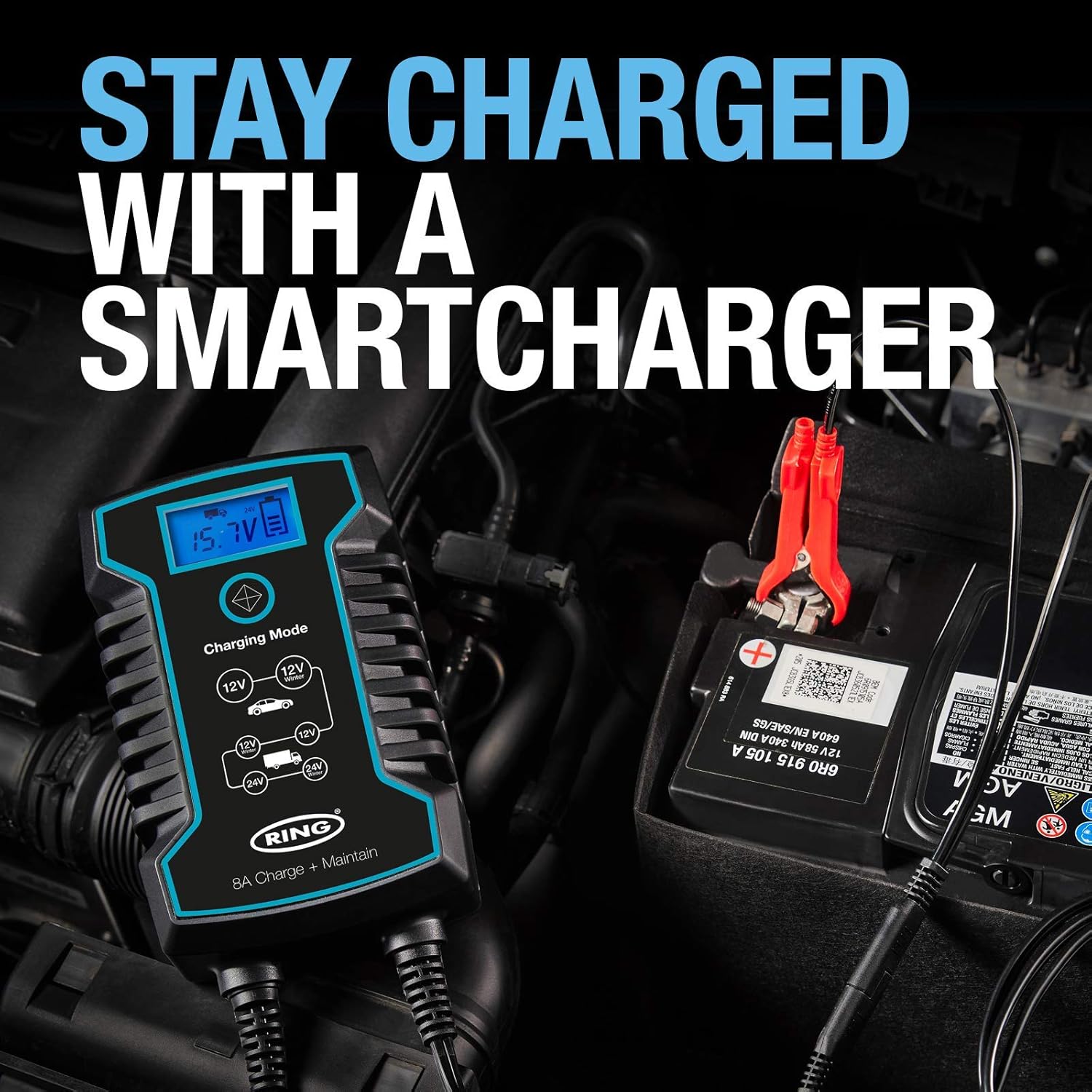
Figure 6.1: The RSC808 charger connected to a vehicle battery, demonstrating its use for continuous charging and maintenance to keep the battery fully charged.
6.2. Charger Care
- Cleaning: Disconnect the charger from the power supply and battery before cleaning. Wipe the exterior with a soft, damp cloth. Do not use harsh chemicals or abrasive cleaners.
- Storage: Store the charger in a cool, dry place when not in use. Ensure cables are neatly coiled and not kinked.
- Inspection: Periodically inspect the charger, cables, and connectors for any signs of damage or wear.
7. Troubleshooting
If you encounter issues with your RSC808 charger, refer to the following common problems and solutions.
| Problem | Possible Cause | Solution |
|---|---|---|
| Charger does not turn on. | No power from AC outlet; faulty connection; charger malfunction. | Check AC power supply. Ensure charger is securely plugged in. Verify battery connections. If problem persists, contact support. |
| Battery not charging. | Incorrect mode selected; poor battery connection; deeply discharged battery; faulty battery. | Ensure correct charging mode is selected. Check all battery connections for cleanliness and security. Allow time for desulphation if battery is deeply discharged. Test battery condition. |
| "Reverse Polarity" error displayed. | Battery clamps connected incorrectly. | Disconnect charger from AC power. Reconnect the RED clamp to the positive (+) terminal and the BLACK clamp to the negative (-) terminal. Reconnect AC power. |
| Charger gets warm during operation. | Normal operation during charging. | This is normal. Ensure adequate ventilation around the charger. If it becomes excessively hot or emits smoke/smell, disconnect immediately and contact support. |
8. Specifications
Detailed technical specifications for the Ring Automotive RSC808 Smart Car Battery Charger.
| Feature | Detail |
|---|---|
| Model Number | RSC808 |
| Brand | Ring |
| Product Dimensions | 6.4D x 11.4W x 18.3H centimeters (6.4 x 11.4 x 18.3 cm) |
| Item Weight | 1.18 Kilograms |
| Input Voltage | Typically 220-240V AC (for mains power). The charger is compatible with 12V and 24V battery systems. |
| Output Voltage | 12 Volts / 24 Volts (selectable) |
| Current Rating | 8 Amps (4-8 Amp settings for faster charging) |
| Battery Compatibility | Lead Acid, Gel, Calcium, EFB, AGM (including START/STOP) |
| Charging Stages | 7-stage (Desulphation, Soft Start, Bulk Charge, Absorption, Analysis, Recondition, Float/Maintenance) |
| Protection Features | Reverse Polarity, Short-Circuit |
| Environmental Rating | IP65 (Weatherproof) |
| Colour | Black |
| Manufacturer | Ring Automotive |
9. Warranty and Support
For warranty information and customer support, please refer to the official Ring Automotive website or contact their customer service directly.
- Official Website: www.ringautomotive.com
- Customer Support: Refer to the contact section on the official website for phone numbers or email support.
- Proof of Purchase: Retain your proof of purchase for any warranty claims.


