
Introduction
Thank you for choosing the Sanitas SBC 26 Wrist Blood Pressure Monitor. This device is designed for fully automatic, non-invasive measurement of arterial blood pressure and pulse rate on the wrist. It is intended for use by adults in a home environment. Please read this manual carefully before first use and keep it for future reference. Proper use is essential for accurate results and safe operation.
Safety Information
Always observe the following safety precautions:
- This device is for personal use only. Consult your doctor before using it for medical conditions.
- Do not use the device on infants, children, or individuals unable to express consent.
- Do not use the device in conjunction with high-frequency surgical equipment.
- Avoid taking measurements in areas with strong electromagnetic fields.
- If you experience discomfort during measurement, press the START/STOP button to immediately deflate the cuff.
- Keep the device away from water, moisture, extreme temperatures, and direct sunlight.
- Only use the specified batteries. Replace all batteries at the same time.
Product Overview
The Sanitas SBC 26 is a compact wrist blood pressure monitor. It features an LCD display for showing measurement results, date, and time. The device includes a wrist cuff suitable for circumferences from 14 to 19.5 cm.
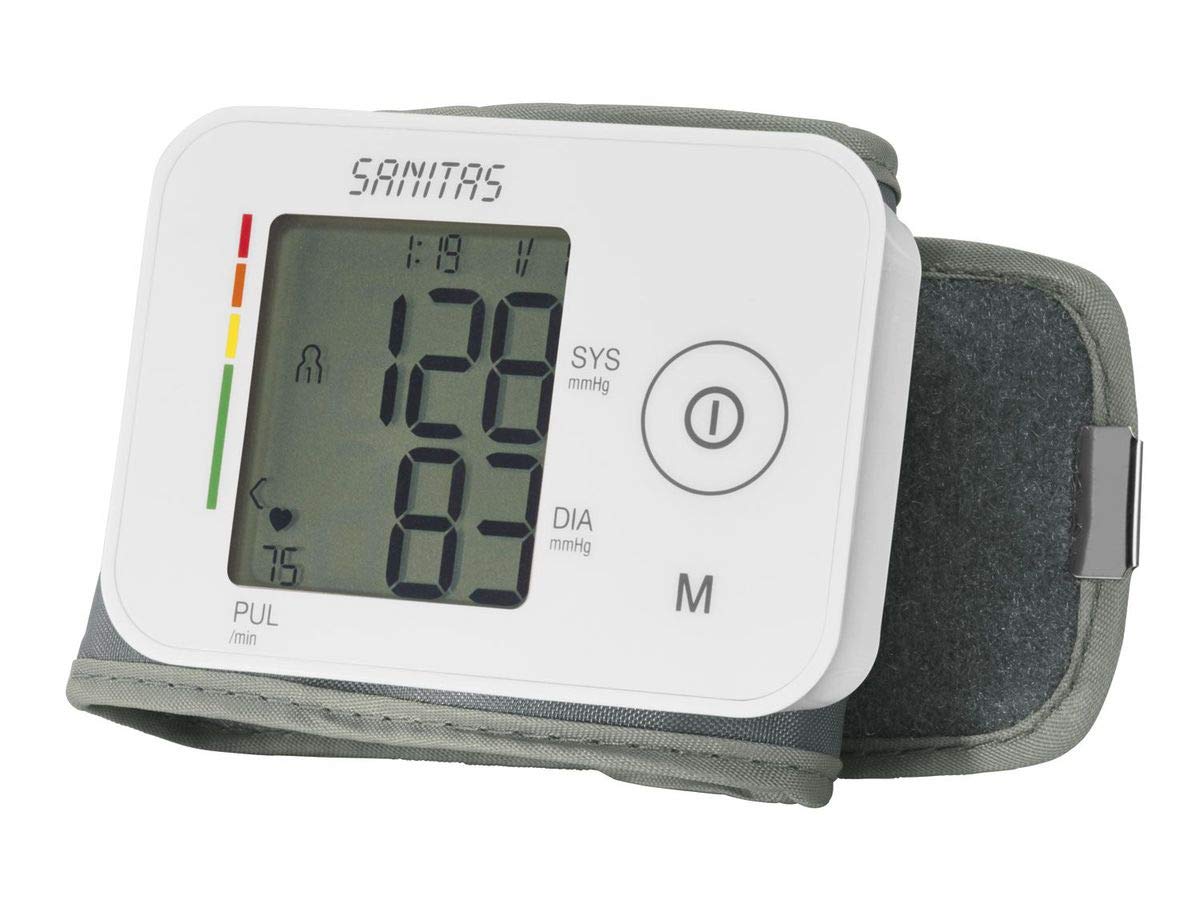
This image shows the Sanitas SBC 26 Wrist Blood Pressure Monitor. The device is white with the 'SANITAS' logo visible on the top cover. The lower part of the device, which opens like a clamshell, reveals a display area with a printed chart for blood pressure classification based on WHO guidelines. The chart categorizes systolic and diastolic readings into different ranges, indicated by colors.
Key features include:
- Fully automatic blood pressure and pulse measurement.
- Arrhythmia detection.
- 2 x 60 memory slots for two users.
- Automatic switch-off function.
- Date and time display.
- Average value calculation.
- Clear LCD display for systolic/diastolic readings in mmHg.
Setup
1. Battery Installation
- Open the battery compartment cover on the back of the device.
- Insert two 1.5V AAA batteries, ensuring correct polarity (+/-).
- Close the battery compartment cover securely.
- If the battery symbol appears on the display, replace both batteries.
2. Setting Date and Time
After inserting batteries, the device will prompt you to set the date and time. Follow the on-screen instructions using the designated buttons (refer to the device's specific button layout for 'SET' and 'MEM' buttons, typically).
Operating Instructions
1. Preparing for Measurement
- Avoid eating, smoking, or exercising for at least 30 minutes before measurement.
- Rest for 5 minutes before taking a measurement.
- Sit comfortably with your back supported and feet flat on the floor.
- Place your arm on a table so the cuff is at heart level.
- Ensure the cuff is directly on your skin, not over clothing.
2. Applying the Wrist Cuff
- Place the cuff on your left wrist, approximately 1-2 cm above your hand.
- Ensure the palm of your hand is facing upwards.
- Tighten the cuff snugly but not too tightly. There should be enough space for one finger between the cuff and your wrist.
3. Taking a Measurement
- Press the START/STOP button to turn on the device. The cuff will automatically inflate.
- Remain still and silent during the measurement.
- Once the measurement is complete, the systolic, diastolic blood pressure, and pulse rate will be displayed.
- The device will automatically store the reading in the selected user memory.
- Press START/STOP again to turn off the device, or it will automatically switch off after a period of inactivity.
4. Interpreting Results (WHO Classification)
The Sanitas SBC 26 classifies your blood pressure readings according to the World Health Organization (WHO) guidelines. The device's display or an integrated chart helps you understand your results:
| Classification | Systolic (mmHg) | Diastolic (mmHg) |
|---|---|---|
| Normal (OK) | <120 | <80 |
| Normal high / Leichte Hypertonie | 120-129 | 80-84 |
| Mild Hypertension / Hipertensión leve | 130-139 | 85-89 |
| Moderate Hypertension / Hipertensión media | 140-159 | 90-99 |
| Severe Hypertension / Hipertensión elevada | 160-179 | 100-109 |
| Very Severe Hypertension | ≥180 | ≥110 |
Note: This classification is a general guideline. Always consult a healthcare professional for diagnosis and treatment of high blood pressure.
Maintenance
Cleaning the Device
- Clean the device and cuff carefully with a slightly damp cloth.
- Do not use abrasive cleaners or solvents.
- Never immerse the device in water.
Storage
- Store the device in its original storage box to protect it from dust and damage.
- Keep it in a cool, dry place, away from direct sunlight.
- Remove batteries if the device will not be used for an extended period.
Troubleshooting
| Problem | Possible Cause | Solution |
|---|---|---|
| No display after turning on | Batteries are low or incorrectly inserted. | Check battery polarity or replace batteries. |
| Error message on display | Cuff not applied correctly, movement during measurement, or technical error. | Reapply cuff, remain still, or restart the device. If error persists, contact customer service. |
| Inconsistent readings | Improper measurement technique, stress, or recent activity. | Ensure proper preparation and technique. Take multiple readings over time. Consult a doctor if concerned. |
Specifications
- Model: Sanitas SBC 26
- Measurement Method: Oscillometric, non-invasive blood pressure measurement on the wrist
- Wrist Circumference: 14 - 19.5 cm
- Memory: 2 x 60 memory spaces
- Power Source: Battery operated (2 x 1.5V AAA)
- Automatic Switch-off: Yes
- Arrhythmia Detection: Yes
- Manufacturer: Sanitas
- Product Reference ID: 650.12
- Dimensions (Packaging): 10.7 x 9.9 x 8.9 cm
- Weight (Packaging): 260 g
Warranty and Support
Sanitas provides a limited warranty for this product. Please refer to the warranty card included with your purchase for specific terms and conditions. For technical support, spare parts, or service inquiries, please contact your local Sanitas customer service or visit the official Sanitas website. Keep your purchase receipt as proof of purchase.
Manufacturer: Sanitas
Manufacturer Reference ID: 650.12


