1. Introduction
The LawMate PV-900 EVO 3 is a high-definition covert camera and digital video recorder (DVR) integrated into a device resembling a smartphone. Designed for discreet surveillance, it features motion activation, time and date stamping, and records video in 1080P resolution at up to 60 frames per second (FPS). This device includes built-in Wi-Fi for smartphone app control, allowing for live viewing, recording, and video playback. It is equipped with an embedded pinhole camera strategically placed on the top edge, enabling recording even when laid flat.
2. Product Overview
The PV-900 EVO 3 is designed to be inconspicuous, appearing as a standard smartphone. Key components and controls are integrated seamlessly into its design.
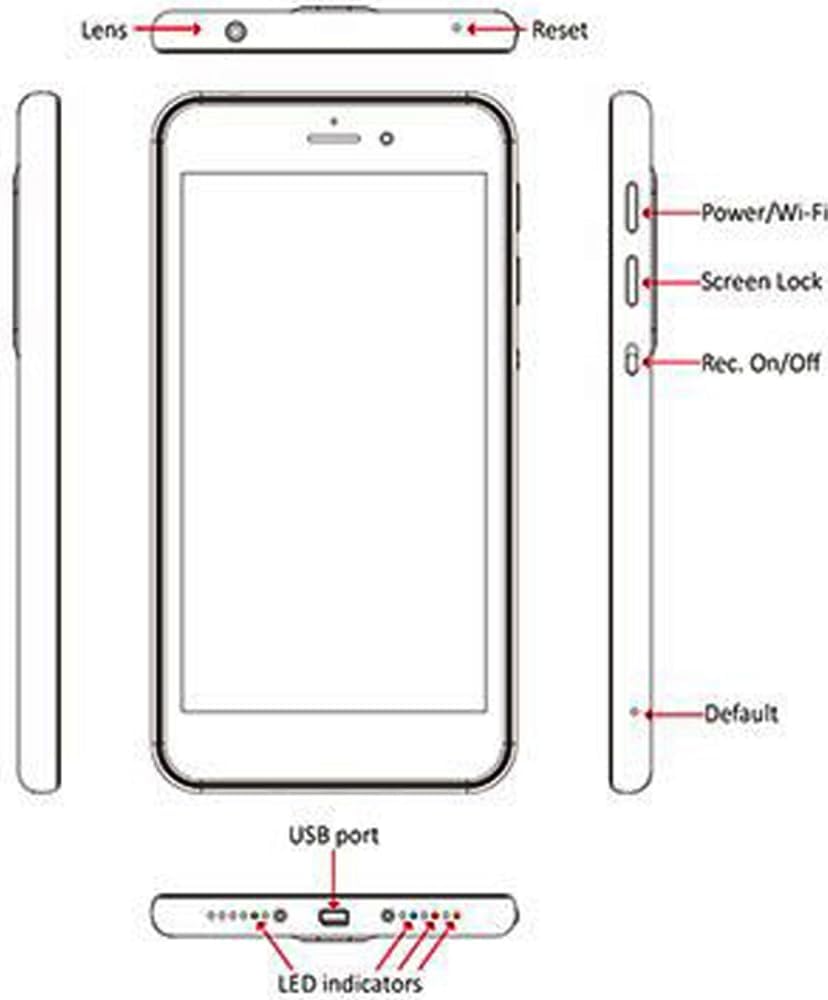
Figure 2.1: Product Diagram with Labeled Components
2.1 Front View and User Interface
The front of the device features a screen that displays the main menu and operational status. The menu is icon-based for easy navigation.

Figure 2.2: Device Front with Main Menu Display
2.2 Bottom Ports and Indicators
The bottom edge of the device houses the USB port for charging and data transfer, along with LED indicators for status updates.

Figure 2.3: Device Bottom with USB Port and Indicators
2.3 Side Controls
The side of the device features various buttons for power, screen lock, and recording activation.

Figure 2.4: Device Side with Control Buttons
2.4 Rear View
The rear of the device maintains a discreet appearance, similar to a standard smartphone back cover, with regulatory information.
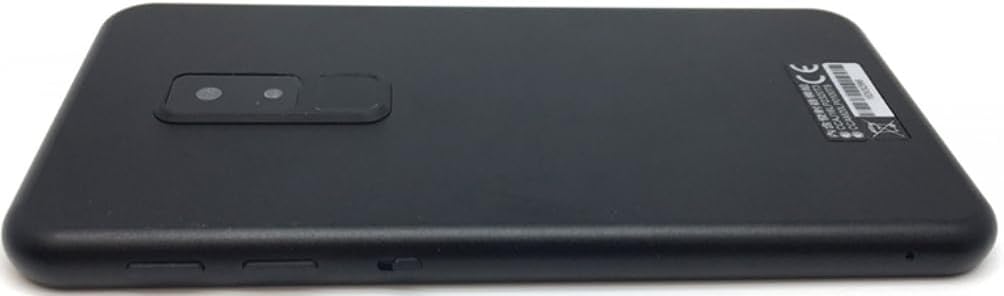
Figure 2.5: Device Rear View
3. Package Contents
Verify that all items are present in the package:
- LawMate PV-900 EVO 3 Hidden Camera DVR
- USB Charging/Data Cable
- Earphones
- Instruction Manual (this document)

Figure 3.1: PV-900 EVO 3 and Included Accessories
3.1 USB Cable
The included USB cable is used for charging the device and transferring recorded data to a computer.
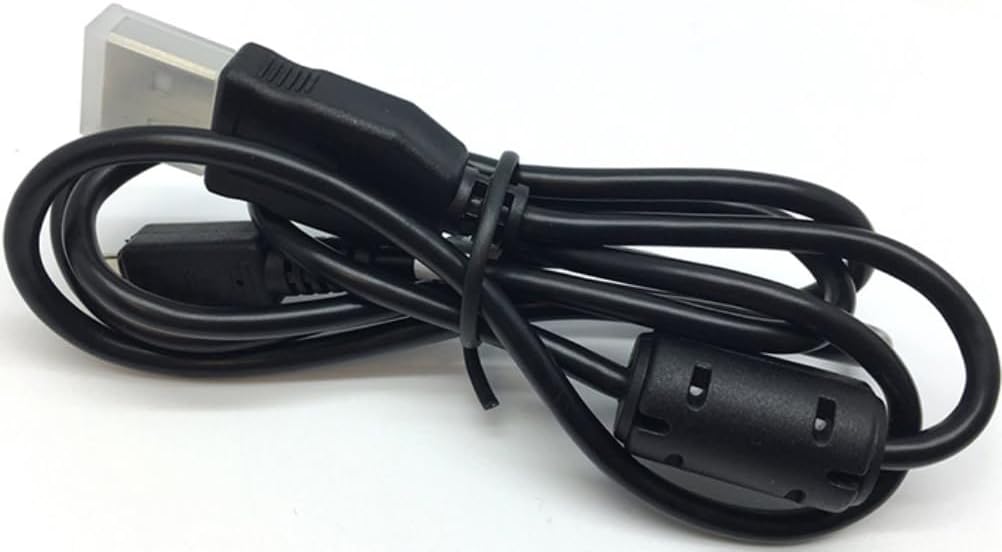
Figure 3.2: USB Charging/Data Cable
3.2 Earphones
Earphones are provided for audio playback from the device.
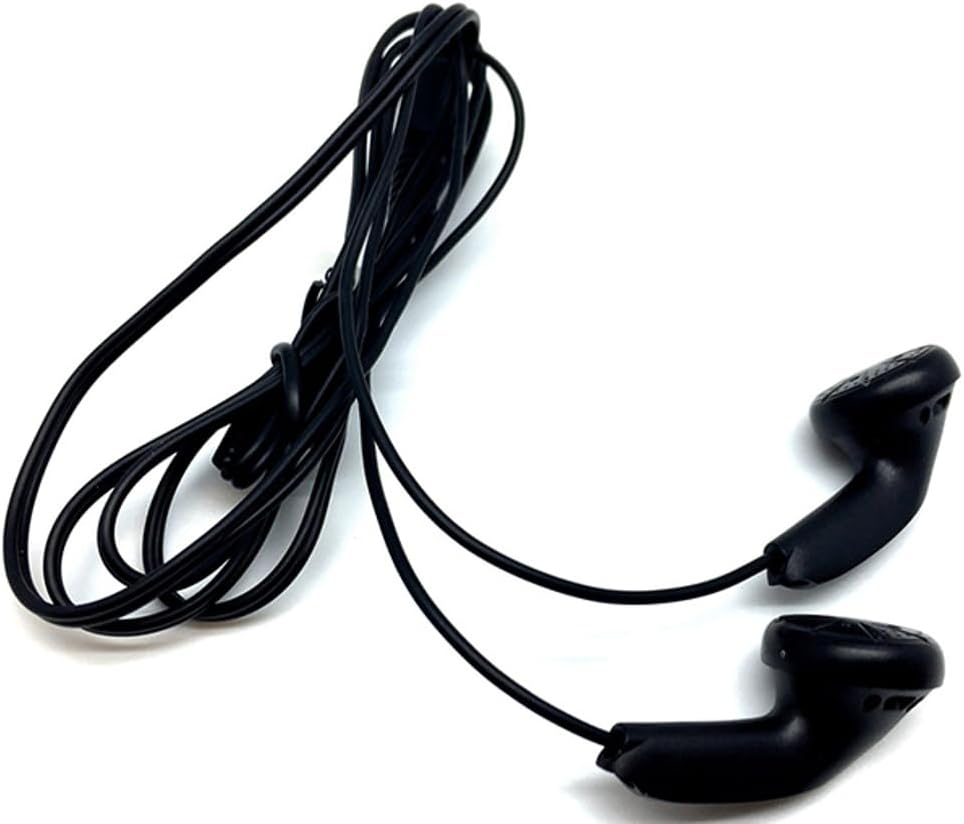
Figure 3.3: Earphones
4. Setup
4.1 Initial Charging
Before first use, fully charge the device. Connect the provided USB cable to the device's USB port and plug the other end into a compatible USB power adapter or computer. The device has a built-in 230 mAh battery. Charging indicators will typically show the charging status.
4.2 App Installation
To utilize the full functionality of the PV-900 EVO 3, including live view and remote control, download and install the dedicated LawMate app on your Android smartphone. Refer to the app store or the manufacturer's website for the correct application.
4.3 Wi-Fi Connection
The device functions as a stand-alone DVR with Wi-Fi capabilities. To connect to your smartphone:
- Power on the PV-900 EVO 3.
- Activate the Wi-Fi function on the device (refer to the on-screen menu or side button diagram).
- On your smartphone, go to Wi-Fi settings and connect to the network broadcast by the PV-900 EVO 3. The network name (SSID) and password can typically be found in the device's settings menu or the printed manual.
- Open the LawMate app on your smartphone to establish a connection and begin control.
5. Operating Instructions
5.1 Recording Video
The PV-900 EVO 3 supports video recording in 1080P or 720P resolution at various frame rates (25/30/60fps). Recording can be initiated via the physical record button on the device or through the smartphone app.
- Manual Recording: Press the dedicated record button on the side of the device to start/stop recording.
- App Control: Use the LawMate app to remotely start and stop video recording.
5.2 Motion Detection Recording
The device features a motion sensor that can trigger recording automatically when movement is detected. This conserves battery life and storage space.
- Activate motion detection mode through the device's menu or the smartphone app.
- Adjust sensitivity settings as needed to prevent false triggers.
5.3 Live View and Playback
Once connected via Wi-Fi to the smartphone app, you can:
- Live View: Stream real-time video from the camera to your smartphone.
- Playback: Access and review recorded video files stored on the device's 64GB internal memory directly through the app.
5.4 Time and Date Stamping
All recorded videos are automatically stamped with the current time and date, providing crucial information for surveillance purposes. Ensure the device's internal clock is set correctly via the settings menu or app.
6. Maintenance
6.1 Cleaning
Use a soft, dry cloth to clean the device's exterior. Avoid abrasive cleaners or solvents. For the camera lens, use a lens cleaning cloth specifically designed for optics.
6.2 Storage
Store the device in a cool, dry place away from direct sunlight and extreme temperatures. If storing for extended periods, ensure the battery is partially charged (around 50%) to prolong its lifespan.
6.3 Firmware Updates
Periodically check the manufacturer's website for any available firmware updates. Updates can improve performance, add features, or resolve issues.
7. Troubleshooting
This section addresses common issues you might encounter with the PV-900 EVO 3.
- Device does not power on: Ensure the device is fully charged. If the issue persists, try performing a hard reset (refer to the product diagram for the reset button location).
- Device gets stuck on powering on screen: If the device freezes during startup, power it off completely and then power it back on. If the problem continues, a factory reset might be necessary (consult the full manual or support).
- Cannot connect to PC for data transfer: Connect the device to your PC using the USB cable while the device is powered OFF. Then, power on the device. This sequence is often required for proper recognition by the computer. If direct connection remains unstable, consider transferring videos via the Wi-Fi app to your smartphone and then to your PC.
- Wi-Fi connection is unstable or fails: Ensure the device and smartphone are within close proximity. Check for interference from other Wi-Fi networks or electronic devices. Restart both the PV-900 EVO 3 and your smartphone's Wi-Fi.
- Poor video quality: Ensure the camera lens is clean. Check that the recording resolution is set to 1080P in the settings. Ensure adequate lighting for optimal performance, especially if not using night color technology.
8. Specifications
| Feature | Specification |
|---|---|
| Model Number | PV-900EVO3 |
| Video Capture Resolution | 1080p, 720p |
| Video Capture Format | AVI |
| Internal Memory | 64GB |
| Connectivity Technology | Wireless (Wi-Fi) |
| Control Method | App (Android compatible) |
| Power Source | Battery Powered (Built-in 230 mAh) |
| Special Features | Motion Sensor, Portable |
| Alert Type | Motion Only |
| Low Light Technology | Night Color |
| Focus Type | Auto/Manual/Motion |
| Photo Sensor Technology | CMOS |
| International Protection Rating | IP54 |
| Indoor/Outdoor Usage | Indoor |
| Item Weight | 1.76 ounces |
| UPC | 683318835061 |
9. Warranty and Support
For warranty information, please refer to the documentation included with your purchase or visit the official Lawmate website. If you encounter issues not covered in this manual or require further assistance, please contact Lawmate customer support through their official channels.