
1. Introduction
This manual provides detailed instructions for the ASHATA Gold Metal Buttons and Thumbstick Modification Kit (Model ASHATAgcmpy43n9a). It covers product overview, package contents, installation, maintenance, troubleshooting, and specifications. Please read this manual carefully before attempting installation to ensure proper use and to avoid damage to your controller or the product.
2. Product Overview
The ASHATA Gold Metal Buttons and Thumbstick Modification Kit is designed to replace standard controller buttons and thumbsticks. Crafted from high-quality aluminum alloy, these components offer enhanced durability and a distinct aesthetic. The kit aims to provide a stable and responsive gaming experience.
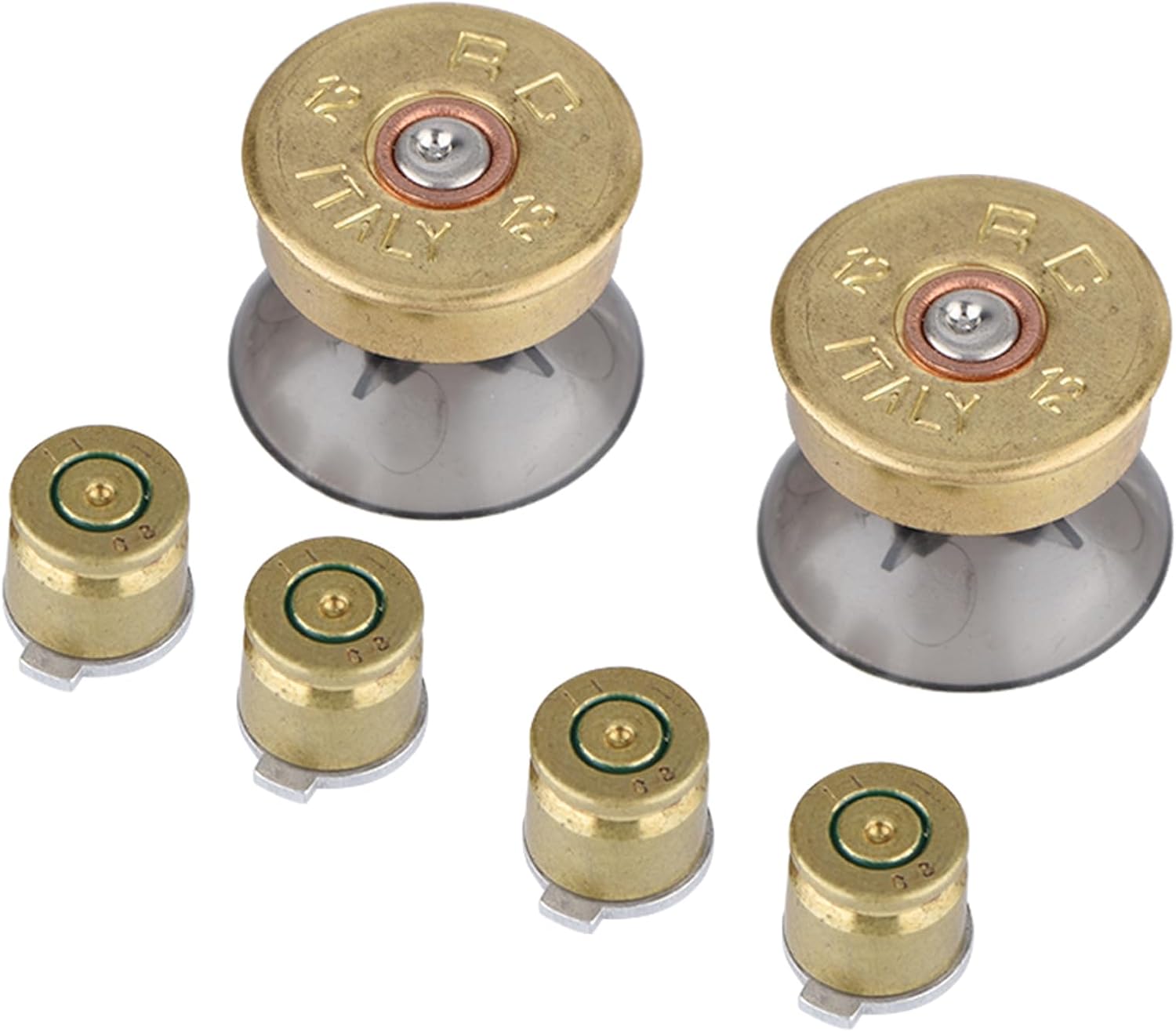
Image 2.1: The complete ASHATA Gold Metal Buttons and Thumbstick Modification Kit, showing two thumbsticks and four buttons.
3. Package Contents
Verify that all items listed below are present in your package:
- 4 x Gold Metal Buttons
- 2 x Gold Metal Thumbsticks

Image 3.1: Close-up view of the two gold metal thumbsticks included in the kit.

Image 3.2: Close-up view of the four gold metal buttons included in the kit.
4. Setup and Installation
Installation of this modification kit requires disassembling your game controller. This process may involve specialized tools and could potentially void your controller's warranty. It is recommended that installation be performed by individuals with experience in electronics modification.
4.1 Compatibility Note
While designed for compatibility with various controllers, specific fitment may vary. Some users have reported that certain buttons, such as the 'B' button on Xbox One controllers, may not fit correctly due to differing button lengths or tab configurations. Thumbsticks may also vary in size and feel compared to original components. Please verify compatibility with your specific controller model before proceeding with installation.
4.2 General Installation Steps (Consult Controller-Specific Guides)
- Disassemble Controller: Carefully open your controller casing. Refer to a controller-specific disassembly guide for your model.
- Remove Original Components: Detach the existing buttons and thumbsticks. Note their orientation and placement.
- Install New Components: Place the ASHATA metal buttons and thumbsticks into their respective slots. Ensure they sit flush and move freely.
- Reassemble Controller: Carefully reassemble the controller, ensuring all connections are secure and no wires are pinched.
- Test Functionality: After reassembly, test all buttons and thumbstick movements to confirm proper operation.

Image 4.1: The kit components are designed for precise fitment, though compatibility can vary by controller model.
5. Operating Instructions
Once installed, the ASHATA Gold Metal Buttons and Thumbsticks function identically to the original components of your controller. Their primary purpose is to provide a durable and distinct tactile experience during gameplay. No special operating procedures are required beyond standard controller usage.
6. Maintenance
To ensure the longevity and appearance of your metal buttons and thumbsticks, follow these maintenance guidelines:
- Cleaning: Use a soft, dry cloth to wipe the surface of the buttons and thumbsticks. For stubborn dirt, a slightly damp cloth with mild soap can be used, followed by immediate drying.
- Avoid Harsh Chemicals: Do not use abrasive cleaners, solvents, or strong chemicals, as these can damage the metal finish.
- Storage: If removed, store the components in a clean, dry place to prevent dust accumulation and scratches.
7. Troubleshooting
If you encounter issues after installing the modification kit, consider the following:
- Buttons Not Registering:
- Ensure the buttons are correctly seated and not obstructed.
- Verify that the controller's internal contacts are clean and making proper contact with the buttons.
- Recheck all internal connections if the controller was fully disassembled.
- Thumbsticks Not Moving Freely or Drifting:
- Confirm that the thumbsticks are properly aligned with the analog stick modules.
- Check for any debris or obstructions around the base of the thumbsticks.
- Ensure the controller casing is not too tight, which could impede movement.
- Incompatible Fit:
- As noted in Section 4.1, some controller models may have specific button or thumbstick designs that are not fully compatible with this kit. If components do not fit or function correctly, they may not be suitable for your specific controller.
8. Specifications
| Model Number | ASHATAgcmpy43n9a |
| Material | Aluminum Alloy |
| Color | Gold |
| Thumbstick Size (Approx.) | 22 x 22 x 19 mm (0.87 x 0.87 x 0.75 in) |
| Button Size (Approx.) | 10 x 10 x 9.6 mm (0.39 x 0.39 x 0.38 in) |
| Weight (Approx.) | 25 g (Total package weight) |
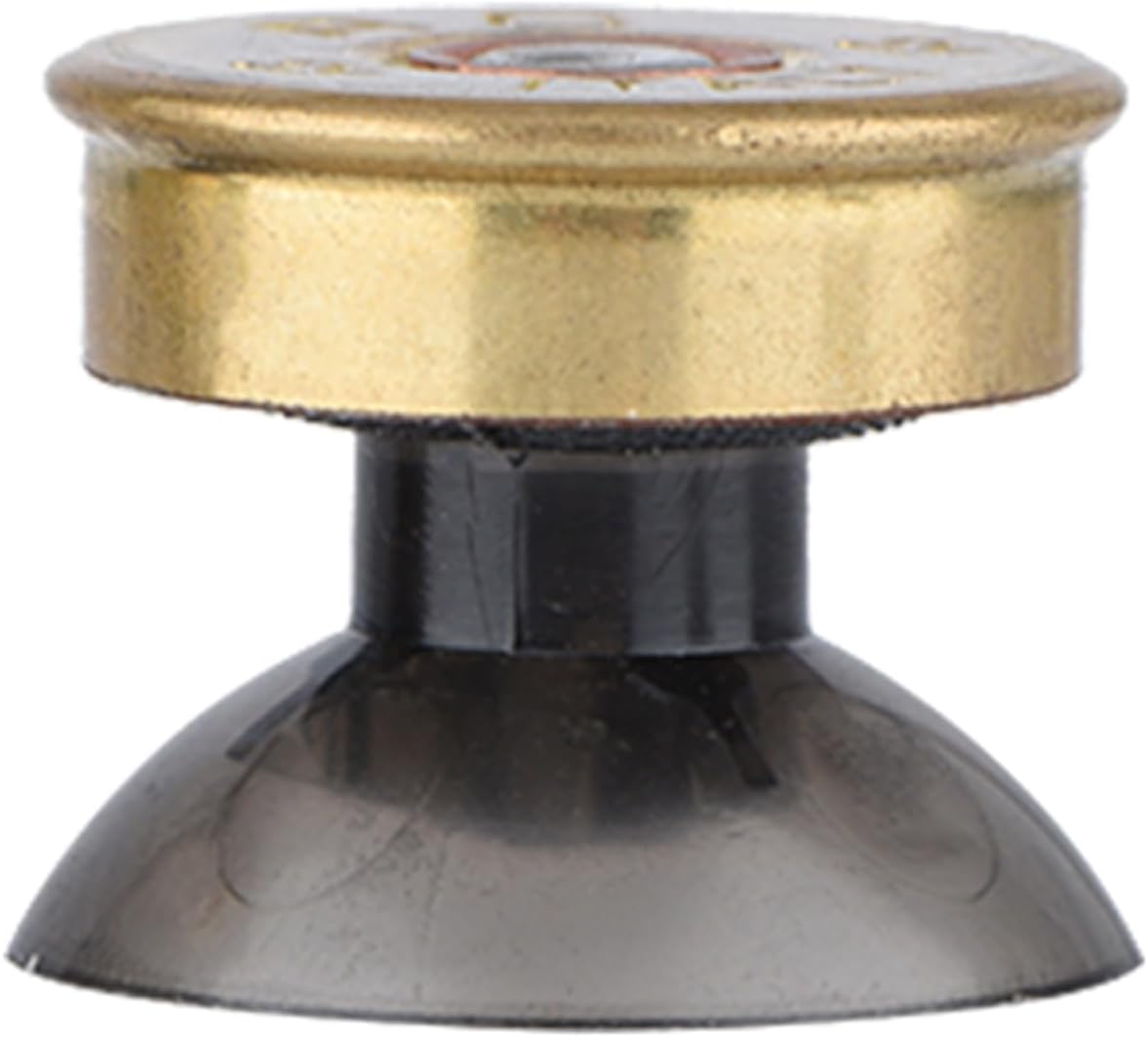
Image 8.1: Side profile of a gold metal thumbstick, illustrating its dimensions.
9. Warranty and Support
ASHATA guarantees that this product is new and free from manufacturing defects upon purchase. For any issues or concerns regarding the ASHATA Gold Metal Buttons and Thumbstick Modification Kit, please contact ASHATA customer support. We are committed to providing professional after-sales service and will endeavor to resolve any problems to your satisfaction.
Please refer to the retailer's return policy for information on returns and exchanges.