
SURKER SK-7206
SURKER Electric Pro Li Clippers User Manual
Model: SK-7206
Brand: SURKER
1. Introduction
Thank you for choosing the SURKER Electric Pro Li Clippers. This manual provides essential information for the safe and effective operation, maintenance, and troubleshooting of your new hair trimmer. Please read it thoroughly before first use and retain it for future reference.
2. Safety Information
WARNING: Keep away from water sources. Do not use on infants or children. Always unplug and turn off before cleaning. Keep blades away from eyes and face. Always use with caution and follow instructions for safe use.
- Ensure the device is fully charged before first use.
- Do not immerse the charging cable or adapter in water.
- Store the clippers in a dry place when not in use.
- Keep out of reach of children.
- If the device shows signs of damage, discontinue use immediately.
3. Product Overview
The SURKER Electric Pro Li Clippers are designed for precise hair trimming and grooming. Key components include the T-shaped Titanium Ceramic cutter head, a durable metal body, and a USB Type-C charging port.

Figure 1: SURKER Electric Pro Li Clippers with included accessories (guide combs, USB charging cable, cleaning brush).
Features:
- 100% IPX7 Waterproof Design: Allows for quick and easy cleaning under running water.
- USB Fast Charge: 2 hours charge provides 120 minutes of cordless use. Compatible with USB adapter, laptop, car charger, and power bank.
- Titanium Ceramic T-Blade: Designed for sharp, comfortable trimming and zero-distance oil head design. Ultra-short pitch T-type 0 cutter head prevents scalp irritation.
- Professional Trimmer: Equipped with 3 guide combs (1mm, 2mm, 3mm) for various trimming lengths and patterns. S-shaped obtuse angle 360-degree skin-friendly design minimizes scratches.
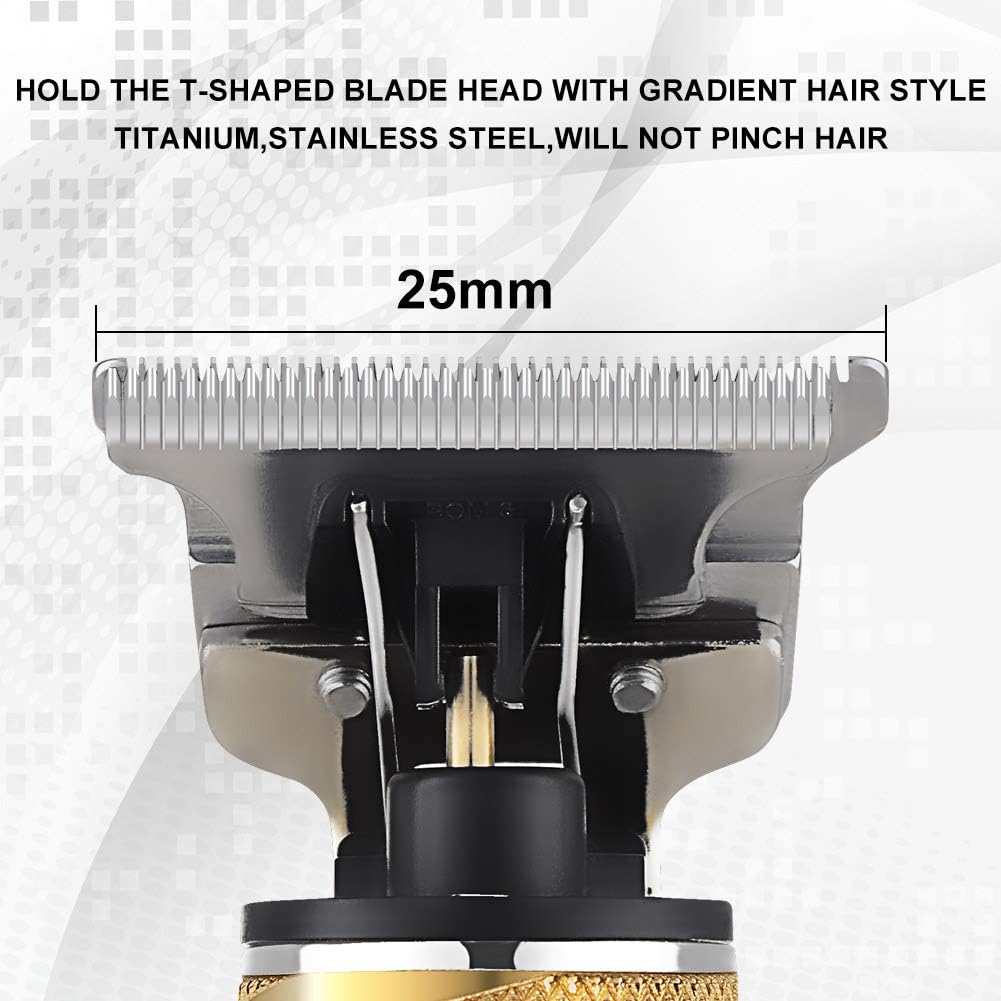
Figure 2: Key features including Titanium Ceramic Blade, T-Shaped Cutter Head, One-Touch Switch Button, Strong Power, Charging Port, and 3 Guide Combs.
4. Setup
4.1 Charging the Clippers
Before first use, fully charge the clippers. Connect the USB Type-C charging cable to the charging port at the bottom of the clippers and plug the other end into a compatible USB power source (e.g., USB adapter, laptop, power bank). A full charge takes approximately 2 hours and provides up to 120 minutes of cordless operation. The blue indicator light will stop blinking when fully charged.

Figure 3: Clippers connected via USB-C for charging.
4.2 Attaching Guide Combs
Select the desired guide comb (1mm, 2mm, or 3mm) based on your preferred hair length. Align the comb with the clipper blade and gently push it into place until it clicks securely. To remove, gently pull the comb away from the blade.

Figure 4: Included guide combs (1mm, 2mm, 3mm) and a protective cap.
5. Operating Instructions
5.1 General Trimming
- Ensure the clippers are charged and a guide comb is attached if desired.
- Press the power button to turn on the clippers.
- Hold the clippers firmly and move them against the direction of hair growth for an even cut.
- For detailing or edging, remove the guide comb and use the T-blade directly.
- After use, turn off the clippers by pressing the power button.
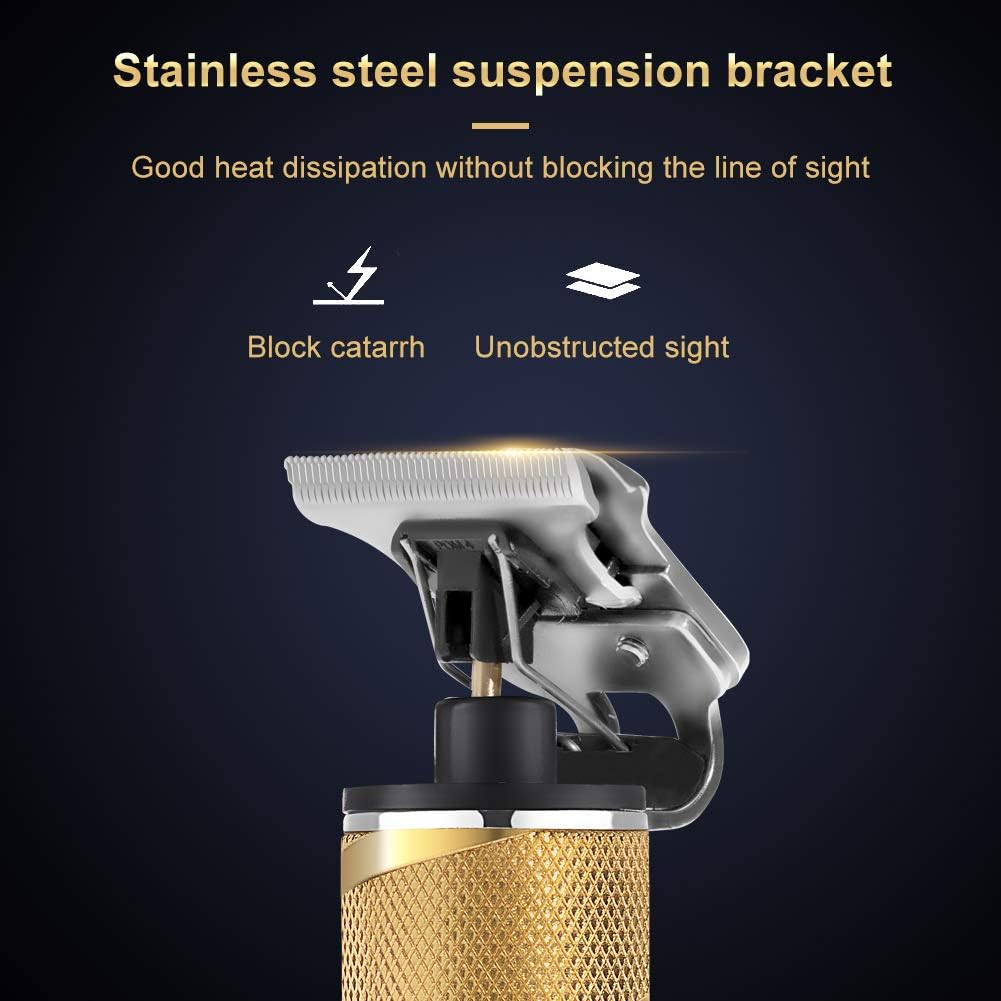
Figure 5: Various applications of the clippers, including beard trimming, hair cutting, and detailing.
5.2 T-Blade Precision
The T-shaped Titanium Ceramic blade is designed for close cutting, outlining, and detailing. Its ultra-short pitch allows for precise lines and patterns without irritating the scalp. Use gentle pressure when working on sensitive areas.

Figure 6: Detail of the T-shaped blade, highlighting its precision design.
6. Maintenance
6.1 Cleaning
Due to its IPX7 waterproof design, the clippers can be easily cleaned under running water. After each use:
- Turn off and unplug the clippers.
- Remove any attached guide combs.
- Use the included cleaning brush to remove loose hairs from the blade and body.
- Rinse the blade and the entire clipper body under running water.
- Shake off excess water and allow the clippers to air dry completely before storing or recharging.
6.2 Oiling the Blades
Regular oiling of the blades ensures optimal performance and longevity. Apply a small drop of clipper oil (not included) to the teeth of the blade after every few uses, especially after rinsing. Turn on the clippers for a few seconds to distribute the oil evenly.
7. Troubleshooting
| Problem | Possible Cause | Solution |
|---|---|---|
| Clippers not turning on. | Low battery or no charge. | Charge the clippers for at least 2 hours. |
| Poor cutting performance. | Blades are dull, dirty, or not oiled. | Clean and oil the blades. If performance does not improve, consider professional sharpening or blade replacement. |
| Clippers pulling hair. | Blades are dull or hair buildup. | Clean and oil the blades. Ensure blades are properly aligned. |
| Device overheating. | Prolonged use or dirty blades. | Turn off the device and allow it to cool down. Clean the blades. |
8. Specifications
| Feature | Detail |
|---|---|
| Brand | SURKER |
| Model | SK-7206 |
| Color | Gold |
| Power Source | Battery Powered |
| Battery Type | 1 AA batteries required (included) |
| Charging Time | 2 hours |
| Cordless Use Time | Up to 120 minutes |
| Waterproof Rating | IPX7 |
| Blade Material | Titanium Ceramic |
| Guide Combs | 1mm, 2mm, 3mm |
| Dimensions | 7.9 x 4.5 x 1.9 inches |
| Weight | 13.62 ounces |
9. Warranty and Support
For any issues or concerns regarding your SURKER Electric Pro Li Clippers, please contact our customer support. We are committed to providing a satisfactory solution.
Please refer to your purchase documentation for specific warranty details and contact information.
Ask a question about this manual
Ask about setup, troubleshooting, compatibility, parts, safety, or missing instructions. Manuals+ will review the question and use this page’s manual context to help answer it.