
VIJIM VL120
VIJIM VL120 LED Video Light Instruction Manual
Model: VL120 | Brand: VIJIM
Introduction
The VIJIM VL120 LED Video Light is a compact and versatile lighting solution designed for photographers and videographers. It features 120 high-quality LED beads, adjustable bi-color temperature (3200K-6500K), and dimmable brightness, making it suitable for various shooting environments. This manual provides detailed instructions for the proper setup, operation, and maintenance of your VL120 LED Video Light.
What's in the Box
- LED Video Light
- Silicone Cover
- Color Paper (6 pieces)
- Mounting Base
- Type-C Charging Cable

Product Features
- High CRI LED Beads: Equipped with 120 high-quality LED beads, offering a Color Rendering Index (CRI) of 95+ for accurate color reproduction and up to 1250 Lux maximum brightness.
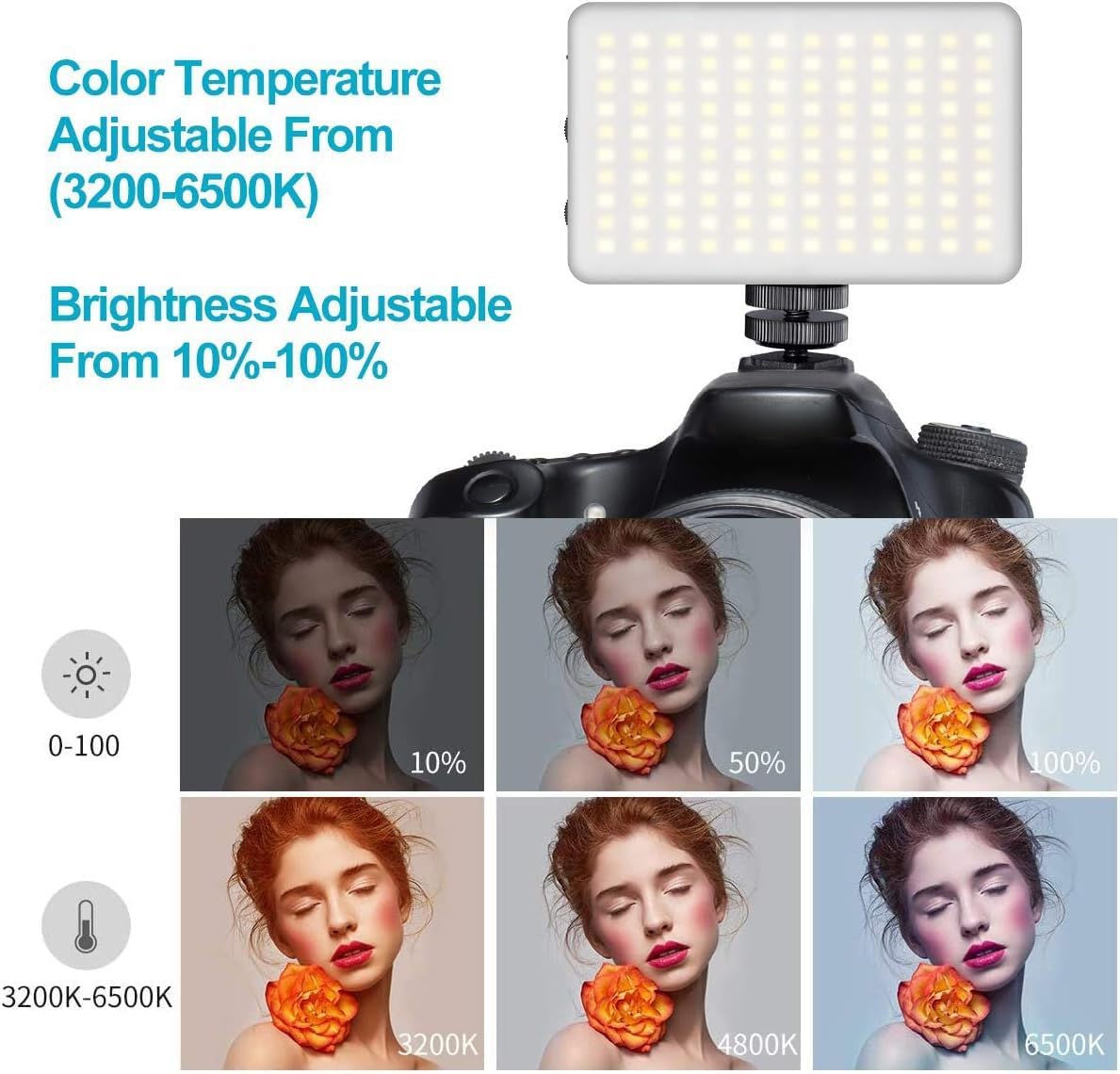
- Bi-Color Temperature: Steplessly adjustable color temperature from 3200K (warm) to 6500K (cool) to match various lighting conditions.
- Dimmable Brightness: Brightness is adjustable from 10% to 100% using a single switch, providing precise control over light output.
- Soft Light Diffusion: Includes a silicone cover to soften the light output, protecting eyes and creating a more natural illumination.
- Color Filters: Six color filters (pink, red, yellow, purple, green, blue) are provided to create diverse lighting effects and moods.
- Built-in Rechargeable Battery: Features a 3100mAh lithium battery, offering 120-150 minutes of continuous use at maximum power.
- Type-C Charging: Convenient Type-C charging port allows for charging while in use.
- Compact and Portable: Lightweight and durable construction for easy portability.

Setup
- Charge the Device: Before first use, fully charge the VL120 using the provided Type-C charging cable. The battery indicator lights will show the charging status.
- Attach Mounting Base: Screw the cold shoe mounting base into the 1/4-inch screw hole at the bottom of the light.
- Mount to Camera/Tripod: Slide the cold shoe mount into your camera's hot shoe or attach it to a compatible tripod.
- Apply Silicone Cover (Optional): For softer light, slide the silicone diffuser cover over the LED panel.
- Insert Color Gels (Optional): If using color filters, place the desired color paper inside the silicone cover before attaching it to the light.

Operating Instructions
- Power On/Off: Slide the "OFF/ON" switch to turn the light on or off.
- Adjust Brightness: Use the "DIM +/-" knob to increase or decrease the brightness from 10% to 100%.
- Adjust Color Temperature: Use the "CT +/-" knob to change the color temperature from 3200K (warm) to 6500K (cool).
- Monitor Battery: The LED indicator lights on the side of the unit display the remaining battery charge.

Video: Demonstrates the features of the VIJIM VL120 LED Video Light, including its soft light cover and color gels. This video is provided by the seller.
Maintenance
- Keep the device dry and clean.
- Avoid exposing the light to extreme temperatures or direct sunlight for prolonged periods.
- Clean the LED panel and body with a soft, dry cloth. Do not use harsh chemicals or abrasive materials.
- Store the light in a cool, dry place when not in use.
Troubleshooting
Light does not turn on:
- Ensure the power switch is in the "ON" position.
- Check the battery level. If low, charge the device using the Type-C cable.
Brightness/Color Temperature cannot be adjusted:
- Verify that the respective adjustment knobs are being turned correctly.
- Ensure the device is powered on.
Short battery life:
- Battery life is shorter at maximum brightness. Reduce brightness for extended use.
- Ensure the battery is fully charged before use.
Specifications
| Model Number | VL120 |
| Product Dimensions | 4.2 x 2.6 x 0.6 inches (10.67 x 6.6 x 1.52 cm) |
| Item Weight | 11.3 ounces (320 grams) |
| LED Beads | 120 pcs |
| Max Brightness Illuminance | Up to 1250 Lux |
| Color Rendering Index (CRI) | 95+ |
| Color Temperature | 3200K-6500K (Bi-Color, Steplessly Dimmable) |
| Brightness Adjustment | 10%-100% |
| Battery Capacity | 3100mAh Lithium Ion |
| Battery Life (Max Power) | 120-150 minutes (approx. 2-2.5 hours) |
| Charging Port | USB Type-C |
| Hardware Interface | USB Type C |
Warranty and Support
For warranty information or technical support, please refer to the product packaging or contact VIJIM customer service directly. Specific warranty terms may vary by region and retailer.
Related documentsVL120


Ask a question about this manual
Ask about setup, troubleshooting, compatibility, parts, safety, or missing instructions. Manuals+ will review the question and use this page’s manual context to help answer it.