
Important Safety Instructions
Please read all instructions carefully before using the HOWORK Stand Mixer. Retain this manual for future reference.
- Always unplug the appliance from the power supply before assembly, disassembly, or cleaning.
- Do not immerse the motor unit in water or any other liquid.
- Keep hands, hair, clothing, as well as spatulas and other utensils away from moving beaters during operation to prevent injury and/or damage to the mixer.
- Supervise children closely when the appliance is in use.
- Do not operate any appliance with a damaged cord or plug, or after the appliance malfunctions or has been dropped or damaged in any manner.
- Use only attachments and accessories recommended by the manufacturer.
- Avoid placing the mixer near hot surfaces or open flames.
- Ensure the mixer is placed on a stable, flat, and dry surface during operation.
Product Overview and Components
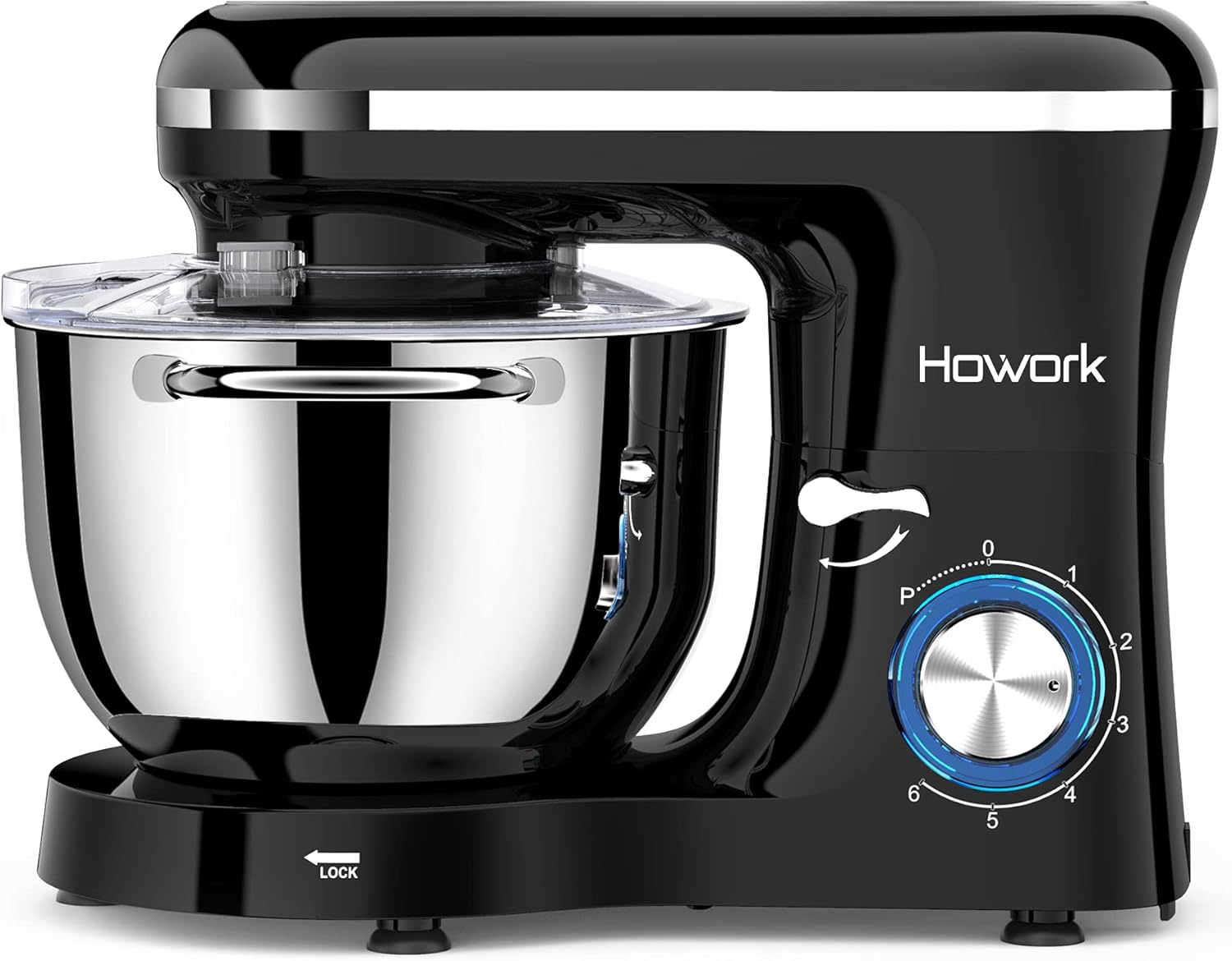
The HOWORK SM-1518Z Stand Mixer is a versatile kitchen appliance designed for various mixing tasks, from kneading dough to whipping cream. It features a powerful motor and multiple speed settings for optimal performance.
Components Included
- Mixer Body with Tilt-Head Design
- 6.55 Quart Stainless Steel Mixing Bowl with Handles
- Dough Hook (for heavy mixtures like bread dough)
- Flat Beater (for medium mixtures like cake batter, cookies)
- Wire Whisk (for light mixtures like egg whites, cream)
- Splash Guard with Ingredient Chute
- Scraper
- Egg White Separator

This image illustrates the main components of the HOWORK Stand Mixer: the mixer body, 6.55QT stainless steel mixing bowl, splash guard, whisk, tilt-head design, speed and pulse control, scraper, egg separator, beater, and dough hook.
Setup and First Use
Unpacking
- Carefully remove all parts from the packaging.
- Remove any protective films or stickers.
- Clean all accessories and the mixing bowl before first use (refer to the 'Care and Cleaning' section).
Attaching the Mixing Bowl
- Place the mixing bowl onto the base of the mixer.
- Turn the bowl clockwise until it locks securely into place.
Attaching Accessories (Dough Hook, Flat Beater, Wire Whisk)
- Ensure the mixer is unplugged.
- Push the tilt-head release lever and lift the motor head until it locks in the tilted position.
- Insert the desired accessory (dough hook, flat beater, or wire whisk) into the attachment shaft. Turn and push upwards until it clicks into place.
- Lower the motor head by pushing the tilt-head release lever again and gently pressing the head down until it locks.

The mixer features a tilt-head design for easy attachment and removal of accessories. Lift the head, insert the desired attachment, and lower the head until it locks into place.
This video demonstrates the unboxing and initial setup of the HOWORK Stand Mixer, Model SM-1518Z, including placing the bowl and attaching the whisk.
Operating Your Stand Mixer
Speed Control Guide
The mixer offers 6 optimized speeds plus a pulse function (P) for precise control over your mixing tasks. Refer to the table below for recommended speed settings for each attachment:
| Attachment | Recommended Speed | Application |
|---|---|---|
| Dough Hook | 1-3 | Kneading heavy mixtures (e.g., bread dough, pizza dough) |
| Flat Beater | 2-4 | Mixing medium mixtures (e.g., cake batter, cookie dough, mashed potatoes) |
| Wire Whisk | 5-6 | Whipping light mixtures (e.g., egg whites, cream, sauces) |
| Pulse (P) | Momentary High Speed | Quick bursts for fine mixing or blending |

This image provides a visual guide for selecting the appropriate speed setting (1-6 and Pulse) for each attachment: dough hook for speeds 1-3, beater for speeds 2-4, and whisk for speeds 5-6.
Using the Pulse Function
The 'P' (Pulse) setting provides short bursts of high-speed mixing. This is ideal for quickly incorporating ingredients, achieving a delicate texture for whipped cream, or for post-processing tasks.
Adding Ingredients
The included splash guard features an ingredient chute, allowing you to add ingredients during mixing without stopping the machine or creating a mess. Always add ingredients slowly to ensure proper incorporation.

This image demonstrates the versatility of the HOWORK Stand Mixer's attachments: the dough hook for kneading bread, pizza, and cinnamon rolls; the beater for mixing cakes, cookie dough, and fudge; and the whisk for quickly whipping liquids, sauces, egg whites, and cream.
Care and Cleaning
Proper cleaning and maintenance will extend the life of your HOWORK Stand Mixer.
- Always unplug the mixer before cleaning.
- Wipe the motor unit (base) with a damp cloth. Do not immerse it in water.
- The stainless steel mixing bowl and all attachments (dough hook, flat beater, wire whisk) are dishwasher safe for easy cleaning.
- The splash guard can be hand-washed with warm, soapy water.
- Ensure all parts are completely dry before reassembling or storing the mixer.
Troubleshooting Guide
If you encounter any issues with your HOWORK Stand Mixer, please refer to the following common problems and solutions:
| Problem | Possible Cause | Solution |
|---|---|---|
| Mixer does not turn on | Not plugged in; power outlet malfunction; head not locked down. | Check power connection; test outlet with another appliance; ensure motor head is fully locked. |
| Attachments not mixing properly | Incorrect attachment for mixture; too much/too little ingredients. | Use the correct attachment for the task; adjust ingredient quantities according to recipes. |
| Excessive noise or vibration | Mixer not on a stable surface; bowl/attachment not properly secured. | Place mixer on a flat, stable surface; ensure bowl and attachment are securely locked. |
| Motor stops during operation | Overload protection activated. | Turn off and unplug the mixer. Reduce load or mixture consistency. Allow to cool before restarting. |
Product Specifications
- Model Name: SM-1518Z
- Brand: HOWORK
- Wattage: 660 watts
- Voltage: 120 Volts
- Capacity: 6.55 Quarts (6.2 Liters)
- Material: Stainless Steel (Bowl), ABS (Body)
- Product Dimensions: 9.7"D x 15"W x 12"H
- Item Weight: 13.33 pounds
- Noise Level: ≤75 Decibels
- Controls Type: Knob with 6+P Speed Control
This image displays the product dimensions (9.37"D x 15.24"W x 11.46"H) and highlights key features such as 304 Stainless Steel, 660W Motor, 6 Speeds Control, and Anti-splash design.

The HOWORK Stand Mixer features a quiet motor operating at ≤75dB, ensuring a peaceful kitchen environment even during use.
Warranty Information and Customer Support
HOWORK provides a 2-year warranty for this stand mixer, covering manufacturing defects and ensuring reliable performance. For any questions, concerns, or technical assistance, please contact our customer service team.
- 24/7 Online Support: Assistance is available around the clock.
- 48-Hour Service Completion: Efficient resolution for your inquiries.
- 2-Year Support: Comprehensive coverage for your product.
- 100% Customer Service: Dedicated to ensuring your satisfaction.
Please refer to the contact information provided on the product packaging or the official HOWORK website for direct support.

The HOWORK Customer Service Team is available for support, offering 24/7 online assistance, 48-hour service completion, 2-year product support, and a commitment to 100% customer satisfaction. Contact them for any issues.