
1. Introduction
This manual provides essential information for setting up, operating, and maintaining your TCL 10 Pro Unlocked Android Smartphone. The TCL 10 Pro features a 6.47-inch AMOLED FHD+ curved display with NXTVISION technology, a versatile 64MP quad-rear camera system, 128GB of internal storage, 6GB of RAM, and a 4500mAh fast-charging battery. It is powered by a Qualcomm Snapdragon 675 Octa-core processor, ensuring smooth performance for daily tasks and multimedia consumption.

Image 1.1: Front and back view of the TCL 10 Pro Smartphone.
2. Setup
2.1 What's Included
Upon unboxing your TCL 10 Pro, verify that the following items are present:
- 1 x TCL 10 Pro Mobile Phone
- 1 x TCL 10 Pro Mobile Phone Case
- 1 x SIM Card Tray Pin
- 1 x Type-C Cable
- 1 x Charger
- 1 x User Manual (this document)
Note: Headphones, SIM Card, and SD Card are not included and must be purchased separately.
2.2 Inserting the SIM Card and MicroSD Card
- Locate the SIM card tray on the side of the phone.
- Insert the SIM card tray pin into the small hole next to the tray to eject it.
- Place your Nano-SIM card(s) and/or microSD card into the designated slots on the tray. Ensure proper orientation.
- Carefully reinsert the tray into the phone until it clicks into place.
2.3 Initial Power On and Setup
- Press and hold the Power button (located on the right side of the phone) until the TCL logo appears.
- Follow the on-screen instructions to complete the initial setup, including language selection, Wi-Fi connection, Google account login, and security settings.
3. Operating Your Device
3.1 Basic Navigation
The TCL 10 Pro utilizes a touchscreen interface for navigation. Common gestures include tapping, swiping, pinching, and long-pressing.
3.2 In-Display Fingerprint Sensor
Unlock your phone securely using the in-display fingerprint sensor. During initial setup, you will be prompted to register your fingerprints. To unlock, simply place your registered finger on the designated area of the screen.

Image 3.1: Illustration of the in-display fingerprint sensor.
3.3 Smart Key Customization
The TCL 10 Pro features a customizable Smart Key on the left side of the device. This button can be programmed for three different actions:
- Single Press: Assign to launch an app or function.
- Double Press: Assign to launch a different app or function (e.g., screenshot).
- Long Press: Assign to launch a third app or function (e.g., silent mode, Google Assistant).
To customize, navigate to Settings > Smart Key.

Image 3.2: Location and function of the Smart Key.
3.4 Edge Bar
The curved edges of the display can be utilized for quick access to frequently used apps and contacts via the Edge Bar. This feature can be customized in the display settings.
4. Camera System
The TCL 10 Pro is equipped with a powerful quad-camera system on the rear and a high-resolution front camera.
4.1 Rear Camera Specifications
- 64MP Ultra High-Resolution Camera: For detailed photos with hybrid autofocus.
- 2MP Super Low-Light Video Camera (2.9μm): Enhances video clarity in dim conditions.
- 16MP 123° Super Wide-Angle Camera: Captures broader scenes.
- 5MP Macro Camera: For close-up shots of small objects.
The camera system also includes dual LED flash.

Image 4.1: Diagram detailing the TCL 10 Pro's quad-camera setup.

Image 4.2: Example of macro photography capability.
4.2 Front Camera
A 24MP front-facing camera is provided for selfies and video calls.
4.3 Camera Features
The camera application includes various modes and features:
- Brighter Night Video: Improves video quality in low-light conditions, resulting in clearer and more vivid colors.
- Super Slo-mo Video: Allows for capturing slow-motion video.
- AI-powered enhancements: Optimizes settings for different scenes.

Image 4.3: Comparison demonstrating Brighter Night Video feature.
5. Display
The TCL 10 Pro features a 6.47-inch FHD+ curved AMOLED display, enhanced by NXTVISION visual technology.

Image 5.1: The TCL 10 Pro display powered by NXTVISION.
5.1 NXTVISION Technology
NXTVISION enhances color, clarity, and contrast in real-time using an independent display engine and advanced image processing. This provides an optimized viewing experience for all content.
5.2 HDR10 Support
The display supports HDR10, allowing for richer shades, brighter whites, and deeper blacks when streaming compatible content, including Netflix-certified HDR10 videos.
5.3 Eye Comfort Modes
The TCL 10 Pro includes various visual modes designed to protect your eyes during extended use, such as reading mode and dark mode.
6. Performance and Storage
The TCL 10 Pro is designed for smooth and reliable performance.
6.1 Processor and RAM
The device is powered by a Qualcomm Snapdragon 675 Octa-core processor, paired with 6GB of RAM, to handle multitasking and demanding applications efficiently.
6.2 Storage
It comes with 128GB of internal memory, which can be expanded up to 256GB using a microSD card (sold separately).

Image 6.1: Overview of TCL 10 Pro's core performance components.
7. Battery and Charging
The TCL 10 Pro is equipped with a high-capacity battery and supports fast charging.
7.1 Battery Capacity
The phone features a 4500mAh battery, providing extended usage time.

Image 7.1: Illustration highlighting the 4500mAh battery capacity.
7.2 Fast Charging
The device supports 18W fast charging (9V2A QC3.0), allowing for quick replenishment of the battery.
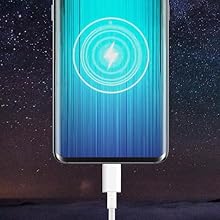
Image 7.2: Visual representation of fast charging.
7.3 OTG Reverse Charging
The TCL 10 Pro supports OTG (On-The-Go) reverse charging, allowing you to use your phone to charge other compatible devices.

Image 7.3: Illustration of the reverse charging feature.
8. Connectivity
The TCL 10 Pro offers various connectivity options.
8.1 Network Compatibility
This device is compatible with GSM carriers, including AT&T and T-Mobile. It is also certified for use on Verizon’s LTE network. This device is not compatible with CDMA networks (such as Sprint, Spectrum, Xfinity, etc.).
8.2 NFC (Near Field Communication)
The TCL 10 Pro includes NFC functionality for contactless payments and quick pairing with compatible devices.
8.3 Super Bluetooth
The device supports Super Bluetooth, allowing connection to up to four speakers or headsets simultaneously for an enhanced audio experience.
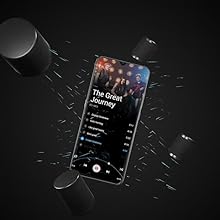
Image 8.1: Super Bluetooth connecting to multiple audio devices.
9. Maintenance
9.1 General Care
- Keep your phone dry and away from extreme temperatures.
- Clean the screen and body with a soft, lint-free cloth. Avoid harsh chemicals.
- Protect the screen with a screen protector and use the provided phone case to prevent scratches and damage.
9.2 Software Updates
Regularly check for and install software updates to ensure your device has the latest features, security patches, and performance improvements. The TCL 10 Pro is upgradeable to Android 11.
10. Troubleshooting
10.1 Verizon Network Issues (CDMA-less Provisioning)
If you are a Verizon user experiencing issues with messaging or phone calls, your account may need to be provisioned to support “CDMA-less” devices. Follow these steps:
- Online Activation: Log into Verizon’s website. Navigate to Account > My Devices > Activate or switch device > Activate on an existing line to enable CDMA-less on your SIM.
- Contact Verizon Support: If the online steps do not resolve the issue, contact Verizon’s technical support team or visit a Verizon store. Inform them you have a new phone with an existing SIM card and need to add CDMA-less provisioning to your account.
Note: It may take a few hours for provisioning to be completed. Local Verizon stores may not be able to perform this conversion; contacting technical support directly is often more effective.
10.2 General Troubleshooting Tips
- Restart Device: A simple restart can often resolve minor software glitches.
- Check for Updates: Ensure your operating system and apps are up to date.
- Clear Cache: If an app is misbehaving, try clearing its cache in Settings > Apps > [App Name] > Storage > Clear Cache.
- Factory Reset: As a last resort, a factory reset can resolve persistent software issues. Warning: This will erase all data on your phone. Back up important data before proceeding. Navigate to Settings > System > Reset options > Erase all data (factory reset).
11. Specifications
Detailed technical specifications for the TCL 10 Pro (Model: TCL T799B-2ALCUS11-2).

Image 11.1: Visual overview of key product specifications.
| Feature | Specification |
|---|---|
| Model Number | TCL T799B-2ALCUS11-2 |
| Operating System | Android 11.0 (upgradeable) |
| Processor | Qualcomm Snapdragon 675 Octa-Core (2 GHz) |
| RAM | 6 GB |
| Internal Storage | 128 GB |
| Expandable Storage | microSD up to 256GB |
| Display | 6.47-inch AMOLED FHD+ (1920 x 1080) Curved Display |
| Rear Camera System | 64MP (f/1.79), 2MP Super Low Light (f/1.8), 16MP Wide-Angle (f/2.4), 5MP Macro (f/2.2) |
| Front Camera | 24MP |
| Battery Capacity | 4500 mAh |
| Charging | 18W Fast Charging (9V2A QC3.0), OTG Reverse Charging |
| Connectivity | GSM, LTE (Verizon certified), NFC, Super Bluetooth |
| Dimensions | 158.5 x 72.4 x 8.6~9.2 mm (6.24 x 2.85 x 0.34~0.36 inches) |
| Weight | 177g (6.6 oz) |
| Audio Jack | No headphone jack |
12. Warranty and Support
12.1 Warranty Information
The TCL 10 Pro comes with a one-year US warranty. Please refer to the warranty card included with your product for specific terms and conditions.
12.2 Customer Support
For technical assistance, warranty claims, or further inquiries, please visit the official TCL support website or contact their customer service. Contact details can typically be found on the TCL website or in the product packaging.