
FLAMA 5540FL
FLAMA 5540FL Ironing Center User Manual
Model: 5540FL
Introduction
Thank you for choosing the FLAMA 5540FL Ironing Center. This powerful steam generator iron is designed to make your ironing tasks efficient and effortless. With its 3000W power, 6 bar steam pressure, 120 g/min continuous steam, and a 1.7L water tank, it provides professional results at home. Please read this manual carefully before first use to ensure safe and optimal operation of your appliance.
Important Safety Instructions
- Always ensure the voltage indicated on the rating label matches your mains supply voltage.
- Do not immerse the appliance, power cord, or plug in water or any other liquid.
- Keep the appliance out of reach of children and pets.
- Never leave the ironing center unattended when it is switched on or connected to the mains.
- Use the appliance only for its intended purpose as described in this manual.
- Allow the iron to cool completely before storing.
- Do not touch the hot soleplate or steam. Risk of burns.
- Unplug the appliance from the mains socket before filling with water, cleaning, or when not in use.
- If the supply cord is damaged, it must be replaced by the manufacturer, its service agent, or similarly qualified persons to avoid a hazard.
Product Overview
Familiarize yourself with the components of your FLAMA 5540FL Ironing Center.
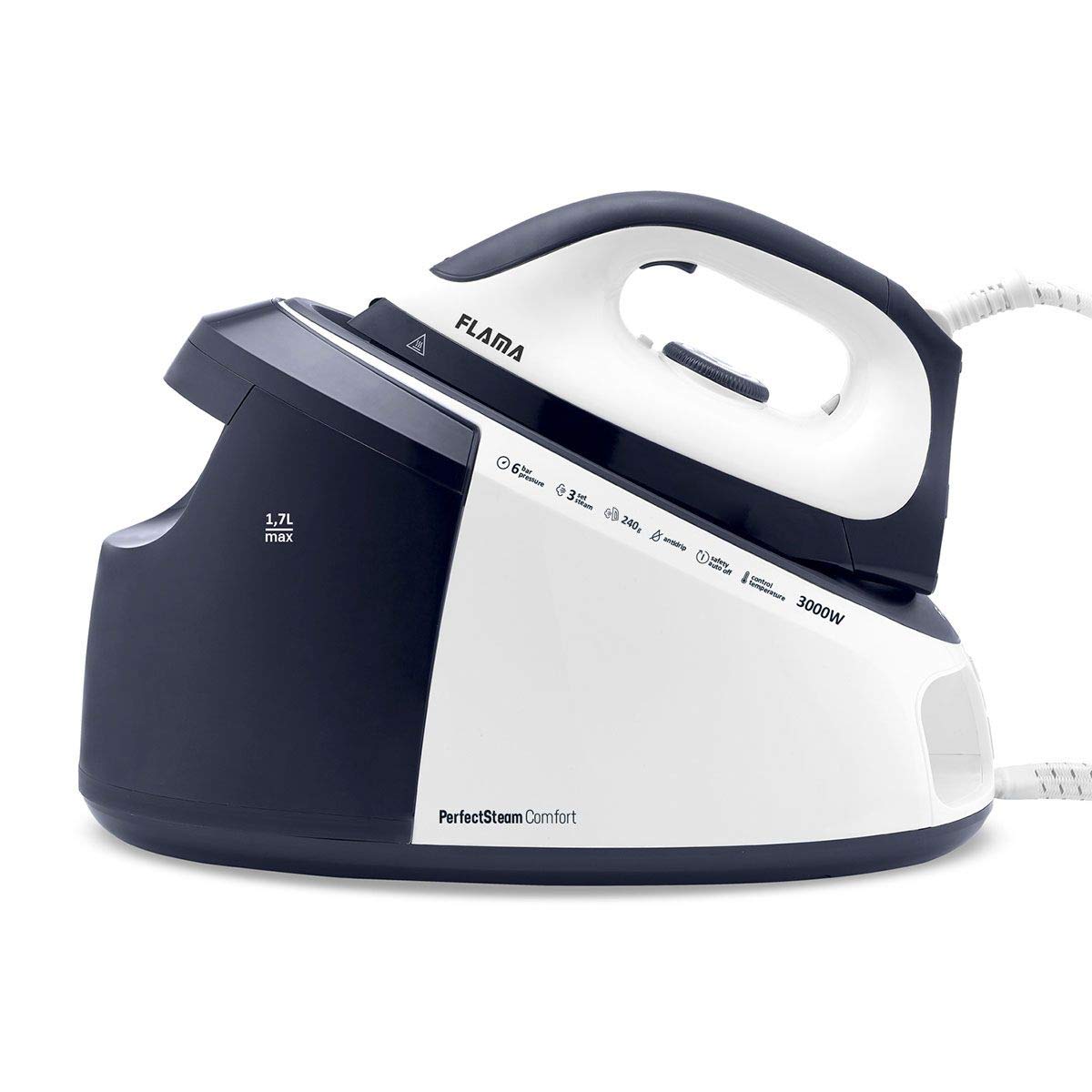
Image: The FLAMA 5540FL Ironing Center, showing the main steam generator unit and the iron. The unit is white and blue with control buttons visible.
- Iron with ceramic soleplate
- Temperature control dial
- Steam trigger button
- Steam generator base unit
- Removable water tank (1.7L capacity)
- Control panel (ON/OFF, steam mode buttons)
- Steam hose
- Power cord
Setup and First Use
1. Unpacking
- Carefully remove all packaging materials from the ironing center.
- Check for any damage during transit. If damaged, do not use and contact customer support.
- Place the steam generator base unit on a stable, heat-resistant surface.
2. Filling the Water Tank
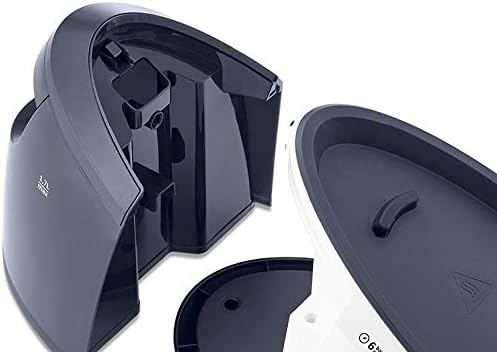
Image: The removable 1.7L water tank detached from the base unit, showing the filling opening. The tank is black and transparent.
- Ensure the appliance is unplugged from the power outlet.
- Remove the water tank from the base unit.
- Fill the tank with clean tap water up to the "MAX" indicator. Distilled or demineralized water is recommended to prevent limescale buildup, especially in hard water areas.
- Replace the water tank securely into the base unit.
3. First Use
- Plug the power cord into a grounded electrical outlet.
- Press the ON/OFF button on the control panel. The indicator light will illuminate.
- Allow the iron to heat up. This usually takes a few minutes. The indicator light on the iron will turn off when the desired temperature is reached.
- For the first use, iron an old piece of fabric to remove any manufacturing residues from the soleplate.
Operating Instructions
1. Powering On and Off
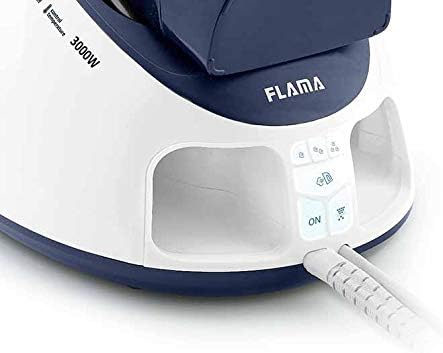
Image: Close-up of the control panel on the base unit, showing the 'ON' button illuminated, along with steam control buttons.
- To turn on, press the ON/OFF button on the base unit. The indicator light will glow.
- To turn off, press the ON/OFF button again. Unplug the appliance from the wall socket after use.
2. Setting the Temperature
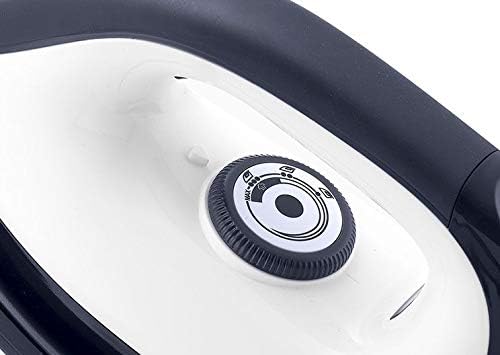
Image: A close-up of the temperature control dial located on the iron, showing various fabric settings.
- Adjust the temperature control dial on the iron to the desired setting according to the fabric type.
- Refer to the fabric care labels on your garments. Start with lower temperatures for delicate fabrics and increase for heavier materials.
- Wait for the iron's indicator light to turn off, indicating it has reached the set temperature.
3. Steam Functions

Image: The FLAMA 5540FL iron with steam visibly emanating from its soleplate, demonstrating its steam function.
- Continuous Steam: Once the iron is hot, press and hold the steam trigger button under the iron handle for continuous steam (up to 120 g/min). Release to stop.
- Steam Jet (Shot of Steam): For stubborn creases, press the steam jet button on the control panel or rapidly press the steam trigger multiple times for a powerful burst of steam (up to 240 g).
- Ensure the temperature setting is high enough for steam generation. Steam will not be produced at very low temperatures.
4. Dry Ironing
- To dry iron, simply do not activate the steam functions.
- Ensure the water tank is empty or the steam function is turned off on the control panel.
Maintenance and Care
1. Cleaning the Soleplate
- Always ensure the iron is unplugged and completely cool before cleaning.
- Wipe the ceramic soleplate with a damp cloth and a non-abrasive cleaner if necessary.
- Do not use abrasive scouring pads or harsh chemicals, as these can damage the soleplate.
2. Descaling (Anti-Calc System)
The FLAMA 5540FL Ironing Center features an anti-calc system to reduce limescale buildup. However, regular descaling is still recommended, especially in hard water areas.
- Refer to the specific descaling instructions in the full product manual for your model.
- Generally, this involves using a descaling solution or a vinegar-water mixture (check manufacturer's recommendation) and running steam through the iron.
- Perform descaling every 1-3 months depending on water hardness and usage frequency.
3. Storage
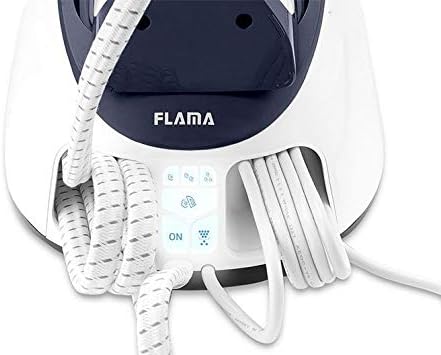
Image: The FLAMA 5540FL Ironing Center base unit showing the integrated storage for the power cord and steam hose, keeping them tidy.
- Ensure the appliance is unplugged and completely cool before storing.
- Empty any remaining water from the tank.
- Wrap the power cord and steam hose neatly around the designated storage areas on the base unit.
- Store the ironing center in a dry, safe place, away from direct sunlight and moisture.
Troubleshooting
Before contacting customer service, please check the following common issues and solutions:
| Problem | Possible Cause | Solution |
|---|---|---|
| No steam produced. | Water tank empty. Iron not hot enough. Steam function not activated. | Fill the water tank. Allow the iron to heat up to the correct temperature. Press the steam trigger/button. |
| Water leaking from soleplate. | Temperature too low for steam. Overfilling the water tank. | Increase the iron temperature setting. Do not fill past the MAX line. |
| Iron not heating up. | Not plugged in. Power button not pressed. Faulty power outlet. | Check power connection. Press the ON/OFF button. Try a different outlet. |
| White flakes on clothes. | Limescale buildup. | Perform descaling procedure. Use distilled water. |
Technical Specifications
- Model: FLAMA 5540FL
- Power: 3000 Watts
- Steam Pressure: 6 Bar
- Continuous Steam: 120 g/min
- Steam Jet: Up to 240 g
- Water Tank Capacity: 1.7 Liters
- Soleplate Material: Ceramic
- ASIN: B087LKSCK9
Warranty and Support
Your FLAMA 5540FL Ironing Center comes with a standard manufacturer's warranty. Please refer to the warranty card included in your product packaging for specific terms and conditions, including the warranty period and coverage details.
For technical assistance, spare parts, or warranty claims, please contact FLAMA customer support through their official website or the contact information provided in your product documentation. Always have your model number (5540FL) and proof of purchase ready when contacting support.
Related documents5540FL

Ask a question about this manual
Ask about setup, troubleshooting, compatibility, parts, safety, or missing instructions. Manuals+ will review the question and use this page’s manual context to help answer it.