
CREATE 901ac5f5-3fab-4ab6-92cb-7ef7d8ca7a54
CREATE/COOL DC Tower Fan User Manual
Model: 901ac5f5-3fab-4ab6-92cb-7ef7d8ca7a54
1. Introduction
Thank you for choosing the CREATE/COOL DC Tower Fan. This bladeless tower fan is designed to provide efficient and quiet air circulation with its advanced DC motor and 9-speed settings. Featuring a sleek design, remote control, and 90-degree oscillation, it offers optimal comfort for any room.
Please read this manual thoroughly before operating the device to ensure safe and proper use. Keep this manual for future reference.
2. Safety Instructions
- Always unplug the fan from the power outlet before cleaning or performing any maintenance.
- Do not operate the fan with a damaged cord or plug. If the cord or plug is damaged, contact qualified service personnel.
- Do not place the fan near water or in excessively humid environments.
- Keep fingers, hair, and loose clothing away from the fan's openings during operation.
- Ensure the fan is placed on a stable, flat surface to prevent tipping.
- This appliance is not intended for use by persons (including children) with reduced physical, sensory or mental capabilities, or lack of experience and knowledge, unless they have been given supervision or instruction concerning use of the appliance by a person responsible for their safety.
- Children should be supervised to ensure that they do not play with the appliance.
- Do not insert any objects into the fan's openings.
- Do not cover the fan during operation.
3. Package Contents
Verify that all items are present in the package:
- CREATE/COOL DC Tower Fan Unit
- Remote Control
- Power Cord (integrated)
- User Manual (this document)
4. Setup
- Unpack the Fan: Carefully remove the tower fan and all accessories from the packaging.
- Placement: Place the fan on a firm, level surface. Ensure there is adequate space around the fan for proper air circulation and oscillation.
- Connect Power: Insert the power plug into a standard electrical outlet. Ensure the voltage matches the fan's requirements (230V).
- Remote Control Battery: The remote control may require batteries (not included). Open the battery compartment and insert the correct type and number of batteries, observing polarity.
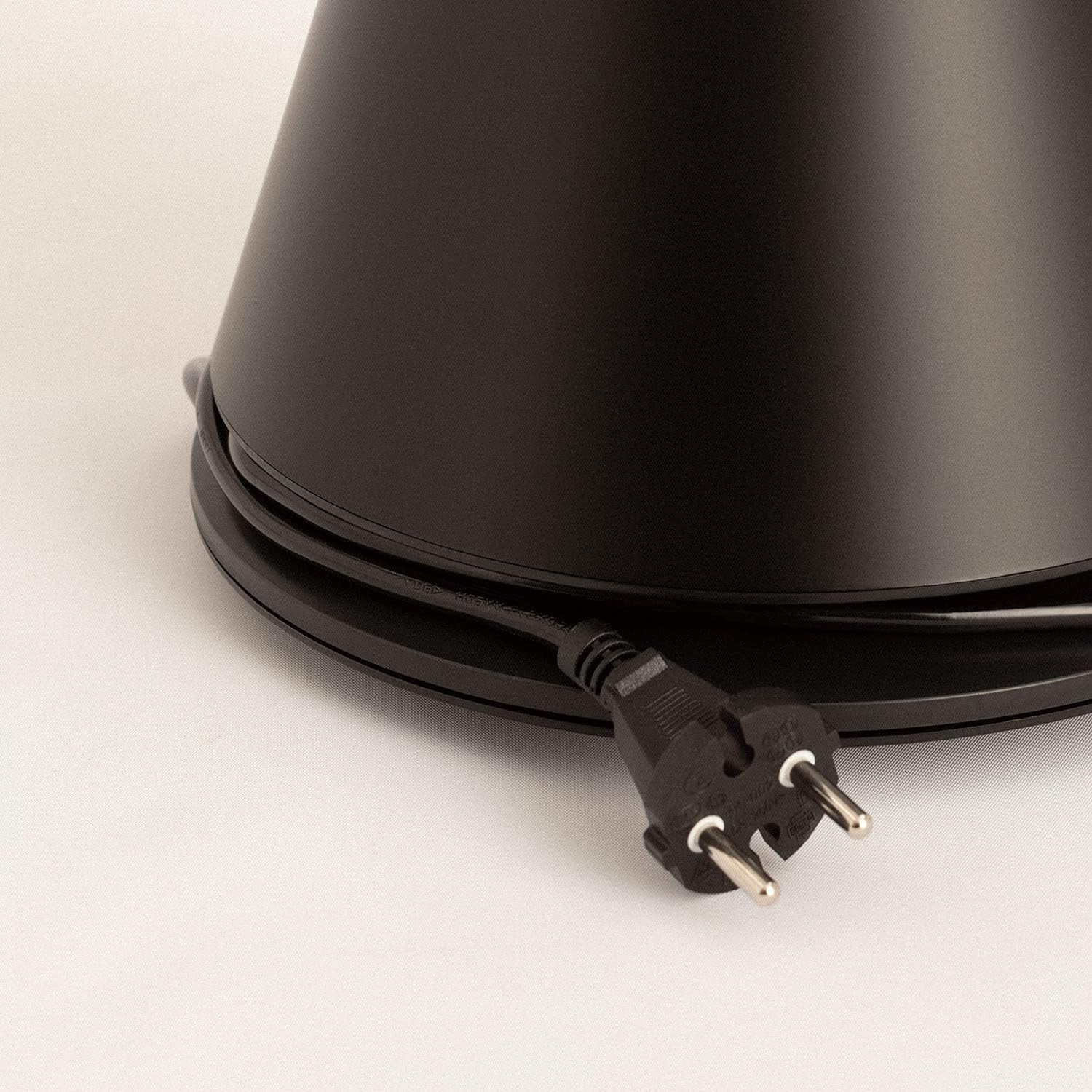
Image: Power cord connected to the fan base.
This image shows the integrated power cord and plug, ready for connection to a wall outlet. The cord is neatly wrapped around the base for storage.
5. Operating Instructions
Control Panel (Digital Display Touch-System)
The fan features a digital display touch-system on its top, which also serves as the integrated remote control storage. Touch the icons to control the fan.
Remote Control
The magnetic remote control can be stored conveniently on top of the fan. It provides full functionality for operating the fan from a distance.

Image: Remote control for the tower fan.
This image displays the compact remote control with clearly labeled buttons for power, speed adjustment, mode selection, and oscillation control.
Functions:
- Power On/Off: Press the power button (⏻) to turn the fan on or off.
- Speed Adjustment: The fan has 9 speed levels. Use the '+' and '-' buttons to increase or decrease the fan speed.
- Wind Modes: Select between 2 wind modes (e.g., Normal, Sleep, Natural - specific modes may vary). Press the mode button to cycle through available modes.
- Oscillation: Press the oscillation button (↻) to activate or deactivate the 90-degree oscillation feature, which distributes air evenly across the room.
- Timer: Set the fan to automatically turn off after a specified period. Refer to the display for timer settings (e.g., 1-12 hours).

Image: Tower fan placed in a bedroom.
This image shows the sleek black tower fan positioned in a modern bedroom, demonstrating its compact footprint and aesthetic integration into a living space.
6. Maintenance
Regular cleaning will help maintain the fan's performance and extend its lifespan.
- Cleaning the Exterior: Wipe the exterior surfaces of the fan with a soft, damp cloth. Do not use abrasive cleaners or solvents.
- Dust Removal: Use a vacuum cleaner with a brush attachment or compressed air to remove dust from the air intake and outlet grilles.
- Storage: If storing the fan for an extended period, unplug it, clean it thoroughly, and store it in a cool, dry place, preferably in its original packaging.
- Do not immerse the fan in water or any other liquid.
7. Troubleshooting
| Problem | Possible Cause | Solution |
|---|---|---|
| Fan does not turn on. | Not plugged in; Power outlet not working; Power button not pressed. | Ensure the fan is securely plugged into a working outlet. Press the power button. |
| Weak airflow. | Low speed setting; Air inlets/outlets blocked by dust. | Increase the fan speed. Clean the air inlets and outlets. |
| Fan is noisy. | Fan not on a level surface; Internal obstruction; High speed setting. | Place the fan on a flat, stable surface. Check for any obstructions. Reduce fan speed. |
| Remote control not working. | Batteries dead or incorrectly inserted; Obstruction between remote and fan. | Replace batteries, ensuring correct polarity. Remove any obstructions. Ensure remote is pointed at the fan. |
8. Specifications
| Feature | Detail |
|---|---|
| Brand | CREATE |
| Model Number | 901ac5f5-3fab-4ab6-92cb-7ef7d8ca7a54 |
| Product Dimensions | 102 x 23 x 102 cm (approx. 23D x 23W x 102H cm) |
| Weight | 2.6 Kilograms |
| Color | Black |
| Power Source | Corded Electric |
| Voltage | 230 Volts |
| Wattage | 26 Watts |
| Noise Level | 2 dB (Note: This value seems unusually low based on customer reviews, typical fan noise is higher. Please refer to actual product performance.) |
| Number of Speeds | 9 |
| Special Features | Oscillating, Lightweight, DC Motor, Timer, Remote Control |
9. Warranty and Support
CREATE products are manufactured to the highest quality standards. For information regarding warranty coverage, please refer to the warranty card included with your purchase or visit the official CREATE website.
For technical support, troubleshooting assistance, or spare parts, please contact CREATE customer service. Contact details can typically be found on the product packaging or the official brand website.
Website: CREATE Official Store
Related documents901ac5f5-3fab-4ab6-92cb-7ef7d8ca7a54


Ask a question about this manual
Ask about setup, troubleshooting, compatibility, parts, safety, or missing instructions. Manuals+ will review the question and use this page’s manual context to help answer it.