
Introduction
Thank you for choosing the MAIDeSITe T2 Pro Plus Electric Height Adjustable Desk. This manual provides detailed instructions for assembly, operation, maintenance, and troubleshooting to ensure safe and efficient use of your new desk. Please read this manual thoroughly before installation and operation, and keep it for future reference.
1. Setup and Assembly
The MAIDeSITe T2 Pro Plus desk frame requires assembly. It is recommended that two people assemble the desk for ease and safety. All necessary instructions are included in the packaging.
1.1 Unpacking and Component Check
Carefully unpack all components and compare them with the parts list provided in your package. Ensure all parts are present and undamaged before proceeding with assembly.
1.2 Assembly Steps
Follow the step-by-step instructions provided in the included assembly guide. Ensure all screws are tightened securely. Do not overtighten.
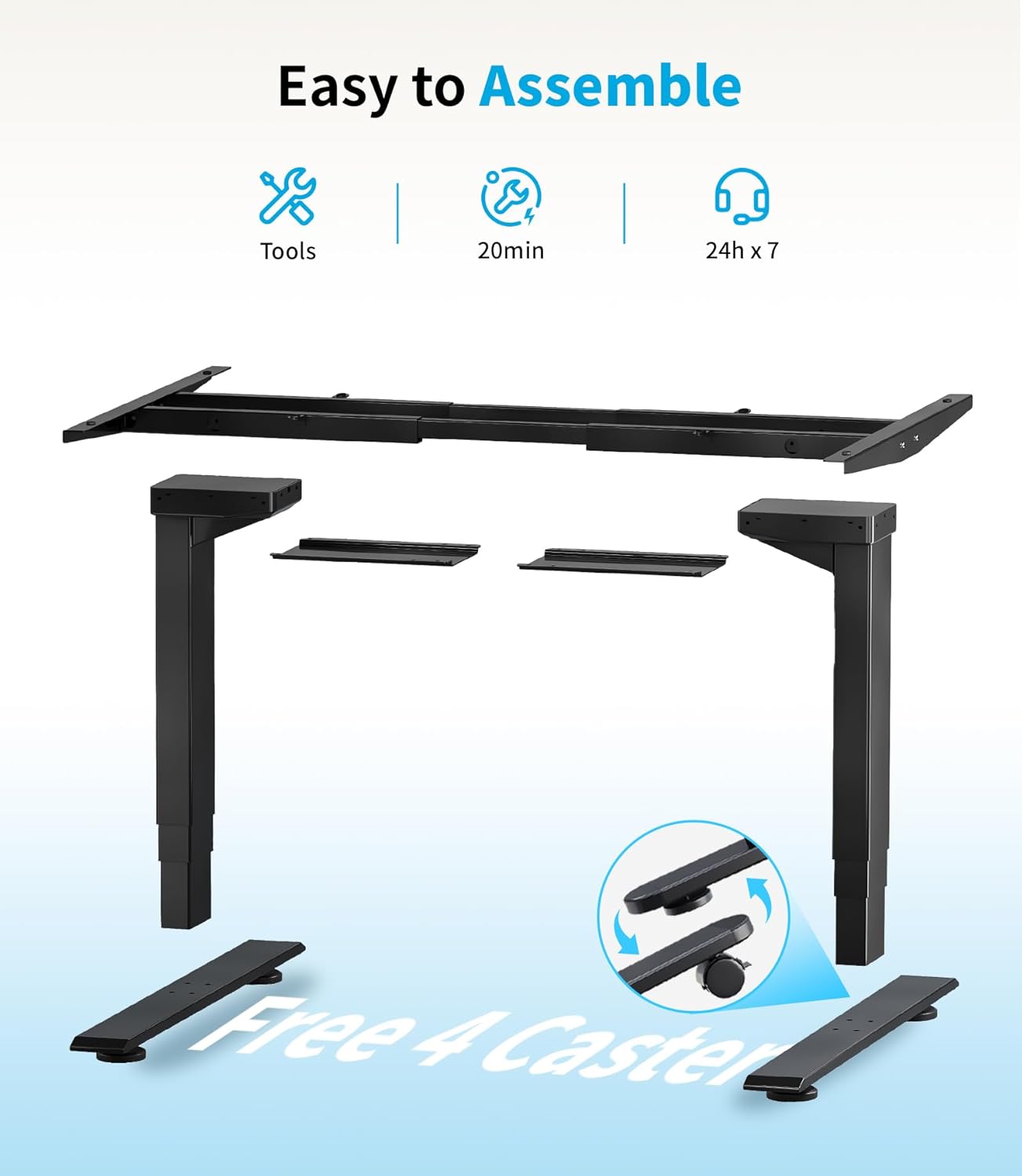
Image 1.2.1: Components of the MAIDeSITe T2 Pro Plus desk frame, illustrating the parts required for assembly. Assembly typically takes around 20 minutes with basic tools.
1.3 Initial Power-On and Reset
After assembly, connect the power cable. The desk may require an initial reset to synchronize the motors. Refer to your specific assembly guide for the exact reset procedure, which usually involves holding down a specific button (often the 'Down' button or 'M' button) until the desk reaches its lowest point and slightly rises, indicating a successful reset.
2. Operating Instructions
The MAIDeSITe T2 Pro Plus features an intuitive LED control panel for easy height adjustment and personalized settings.

Image 2.0.1: The smart touch control panel, showing the LED display, up/down buttons, memory presets (1-4), sit-stand reminder (0.5h, 1h, 2h), child safety lock, and a USB charging port.
2.1 Height Adjustment
- Press the Up (▲) button to raise the desk.
- Press the Down (▼) button to lower the desk.
- Release the button at your desired height. The LED display shows the current height in centimeters.
2.2 Memory Presets
The desk allows you to save up to four preferred heights for quick adjustments.
- Adjust the desk to your desired height using the Up/Down buttons.
- Press the SET button. The display will flash 'S-'.
- Immediately press one of the memory buttons (1, 2, 3, or 4). The display will show 'S-1', 'S-2', etc., confirming the height is saved.
- To recall a saved height, simply press the corresponding memory button (1, 2, 3, or 4). The desk will automatically move to the stored position.
2.3 Sit-Stand Reminder
To promote healthy work habits, the desk includes a sit-stand reminder function.
- Press the 0.5h, 1h, or 2h button to set a reminder timer.
- After the set time, the desk will beep to remind you to change your working posture.
- To deactivate the reminder, press the corresponding timer button again or the ON/OFF button.
2.4 Child Safety Lock
Activate the child safety lock to prevent accidental adjustments.
- To activate: Press and hold the Child Lock button (often represented by a lock icon) for 3 seconds until 'LOC' appears on the display.
- To deactivate: Press and hold the Child Lock button again for 3 seconds until 'LOC' disappears.
2.5 USB Charging Port
A convenient USB port is integrated into the control panel for charging your devices.
- Connect your USB charging cable to the port to power your smartphone, tablet, or other compatible devices.
3. Maintenance
Regular maintenance ensures the longevity and optimal performance of your MAIDeSITe T2 Pro Plus desk.
3.1 Cleaning
- Wipe the desk frame and control panel with a soft, damp cloth.
- Avoid using abrasive cleaners or solvents, as these can damage the finish.
- Ensure no liquid enters the electrical components.
3.2 Regular Checks
- Periodically check all screws and bolts to ensure they are tight. Retighten if necessary, but do not overtighten.
- Inspect the power cable for any signs of damage. If damaged, contact customer support for a replacement.
4. Troubleshooting
If you encounter any issues with your desk, please refer to the following common problems and solutions.
4.1 Desk Not Moving / Unresponsive
- Check Power Connection: Ensure the power cable is securely plugged into both the desk and a working wall outlet.
- Perform a Reset: Disconnect the power for 10 seconds, then reconnect. Hold the 'Down' button until the desk reaches its lowest point and slightly rises. This often resolves minor electronic glitches.
- Check Child Lock: Ensure the child safety lock is not activated (refer to section 2.4).
4.2 Error Codes on Display
If an error code (e.g., E01, E02, E03) appears on the display, it indicates a specific issue.
- E01/E02 (Overload/Overheat): The desk may be overloaded or has been operated continuously for too long. Remove some weight or let the desk cool down for 20 minutes.
- E03 (Sensor Error/Motor Malfunction): Try performing a full reset (as described in 4.1). If the error persists, contact customer support.
4.3 Anti-Collision Feature
The desk is equipped with an anti-collision system. If the desk encounters an obstacle during movement, it will stop and reverse slightly to prevent damage.
- If the desk stops unexpectedly, check for any obstructions in its path. Remove them and resume operation.
- If the anti-collision sensitivity seems too high or low, refer to your specific control panel manual for adjustment options, if available.
5. Specifications
Detailed technical specifications for the MAIDeSITe T2 Pro Plus Electric Height Adjustable Desk.

Image 5.0.1: Illustration of the desk's adjustable height and width ranges, providing flexibility for various desktop sizes.
| Feature | Specification |
|---|---|
| Model Number | T2 Pro Plus |
| Height Adjustment Range | 62 cm - 125 cm (without desktop) |
| Frame Width Adjustment Range | 108 cm - 180 cm |
| Load Capacity | Up to 160 kg |
| Motor Type | Dual Motor, 3-Column System |
| Lift Speed | 40 mm/s |
| Noise Level | < 45 dB |
| Material | High-quality Alloy Steel Frame |
| Control Panel | LED Display with 4 Memory Presets, Sit-Stand Reminder, Child Lock, USB Charging Port |
| Anti-Collision System | Yes |
| Item Weight | 27 Kilograms (frame only) |
| Power Source | Electric |
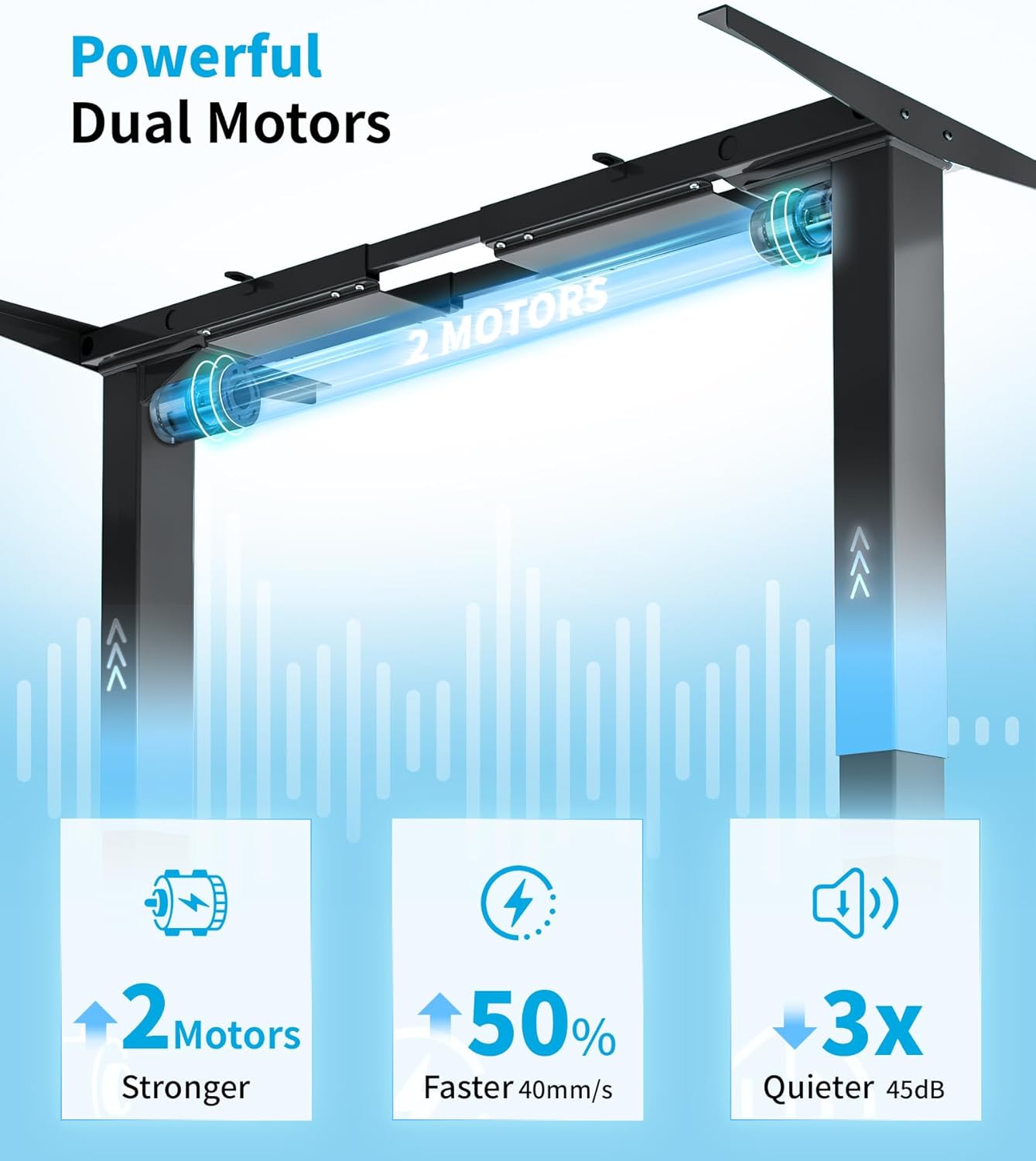
Image 5.0.2: The powerful dual motor system ensures stable and smooth height adjustments at 40mm/s, with a quiet operation below 45dB.

Image 5.0.3: The desk's exceptional performance is demonstrated by its 160kg load capacity and durability, tested over 20,000 cycles.
6. Warranty Information
MAIDeSITe provides a limited warranty for the T2 Pro Plus Electric Height Adjustable Desk.
- Frame Warranty: 5 years
- Motor Warranty: 3 years
This warranty covers manufacturing defects under normal use. Please retain your proof of purchase for warranty claims. The warranty does not cover damage caused by misuse, accidents, unauthorized modifications, or improper assembly.
7. Customer Support
If you have any questions, require assistance with assembly, or need troubleshooting help that is not covered in this manual, please contact MAIDeSITe customer support.
Contact Information:
- Email: support@maidesite.com
- Website: www.maidesite.com
- Please have your model number (T2 Pro Plus) and purchase date ready when contacting support.


