
1. Introduction
This manual provides detailed instructions for the safe and efficient operation of your Walfront DK-300PF 3.2L Multifunctional Touch Ultrasonic Cleaner. Please read this manual thoroughly before use and retain it for future reference.
The DK-300PF is designed for professional and home use, featuring a durable stainless steel tank, precise digital controls, and advanced ultrasonic cleaning capabilities for various items including jewelry, glasses, watches, and small parts.
2. Safety Precautions
To ensure safe operation and prevent damage to the unit or injury, observe the following precautions:
- Electrical Safety: Always ensure the power source is disconnected before filling or emptying the tank. Do not operate with wet hands.
- Water Level: Never operate the unit without sufficient water in the tank. Ensure the water level is between the MIN and MAX marks.
- Heating: Do not keep heating without water or supervision. Allow the unit to cool down before draining water after heating.
- Flammable Liquids: Do not use flammable, explosive, or corrosive liquids in the tank.
- Ventilation: Ensure adequate ventilation during operation.
- Children and Pets: Keep the unit out of reach of children and pets.
- Damage: If the unit or power cord is damaged, do not operate. Contact customer support.

Image: The Walfront DK-300PF Ultrasonic Cleaner, showing the main unit, detachable power cord, and a stainless steel cleaning basket. The control panel is visible on the front.
3. Package Contents
Upon unpacking, please verify that all items listed below are present and undamaged:
- 1 x Walfront DK-300PF Ultrasonic Cleaner
- 1 x User Manual
- 1 x Power Cable (EU Plug)
- 1 x Stainless Steel Cleaning Basket
- 1 x Sound Reduction Cover (Lid)
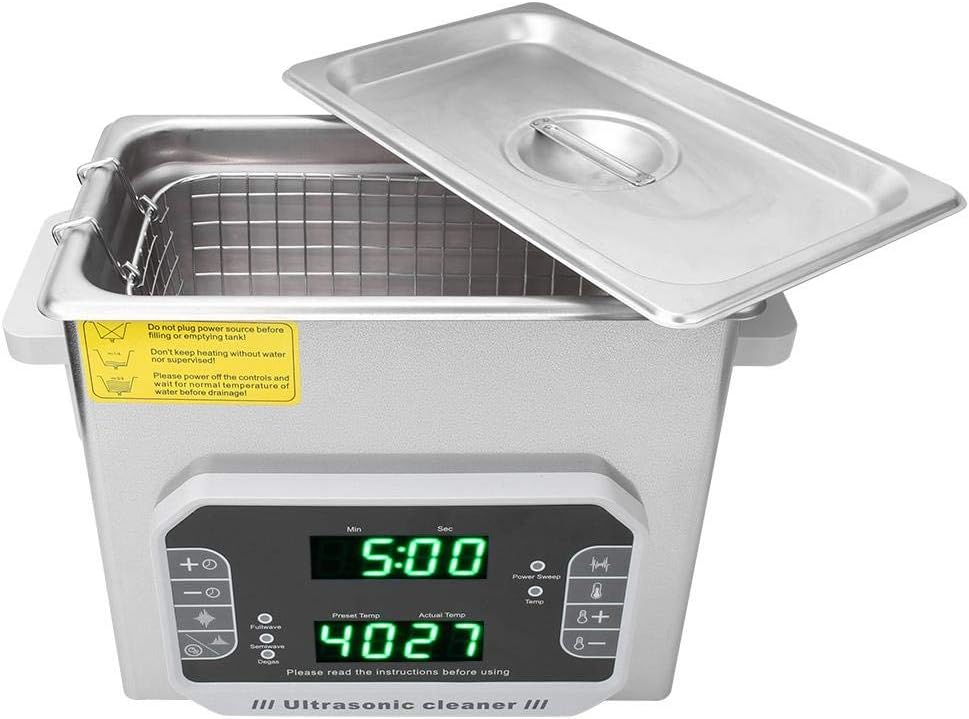
Image: The ultrasonic cleaner with its lid open, revealing the stainless steel tank and the cleaning basket placed inside.
4. Product Features
- Durable die-cast stainless steel tank for extended lifespan.
- Industrial-grade integrated circuit with a temperature range of 0℃ to 80℃.
- Equipped with degas and degrease functions.
- Adjustable working time from 1 to 99 minutes.
- Dual ultrasonic frequencies: 33KHz for coarse rinsing and 40KHz for intensive rinsing.
- Power sweep function to prevent ultrasonic fatigue.
- Automatic standby, sleep, and one-key wake-up mode.
- High-precision, long-life digital controller.
- Waterproof touch button control panel.
5. Setup and Preparation
- Placement: Place the ultrasonic cleaner on a stable, flat, and dry surface, away from heat sources and direct sunlight. Ensure adequate space around the unit for ventilation.
- Power Connection: Ensure the unit is unplugged before proceeding.
- Fill Tank: Open the lid and fill the stainless steel tank with an appropriate cleaning solution or water. The liquid level should be between the "MIN" and "MAX" marks indicated inside the tank. For optimal results, use distilled water and a suitable ultrasonic cleaning concentrate.
- Insert Basket: Place the cleaning basket into the tank.
- Load Items: Carefully place the items to be cleaned into the cleaning basket. Ensure items are not overcrowded and are fully submerged in the cleaning solution. Avoid direct contact between items and the tank bottom.
- Close Lid: Close the sound reduction cover (lid) to minimize noise and prevent splashing.
- Connect Power: Plug the power cable into the unit's power inlet and then into a grounded electrical outlet.

Image: A side view of the ultrasonic cleaner, highlighting the power switch and the power cable connection port at the rear of the unit.
6. Operating Instructions
The DK-300PF features a touch control panel for easy operation.
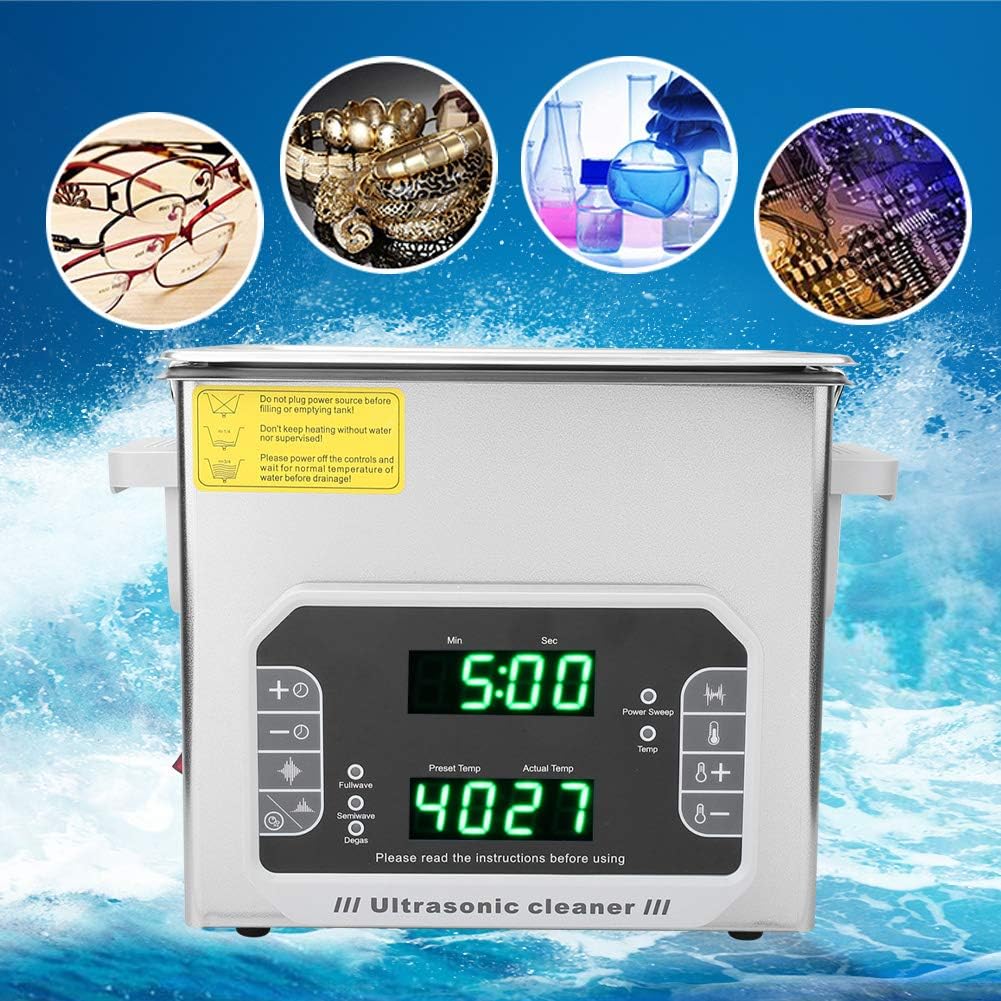
Image: A close-up of the ultrasonic cleaner's digital control panel, showing time and temperature displays, along with various function buttons.
6.1. Power On/Off
- Press the power button (usually located on the side or rear) to turn the unit on. The digital display will illuminate.
- To turn off, press the power button again or allow the unit to enter automatic standby/sleep mode after a period of inactivity.
6.2. Setting Time
- Use the "Min" and "Sec" buttons (or "+" and "-" buttons near the time display) to adjust the desired cleaning time from 1 to 99 minutes.
- The display will show the preset time.
6.3. Setting Temperature (Heating Function)
- Press the "Temp" button (or "+" and "-" buttons near the temperature display) to set the desired heating temperature, up to 80℃.
- The display will show the preset temperature and the actual temperature of the liquid.
- The heating element will automatically turn off once the set temperature is reached.
6.4. Ultrasonic Frequency Selection
- The unit offers two frequencies: 33KHz (for coarse rinsing) and 40KHz (for intensive rinsing).
- Select the appropriate frequency based on the cleaning requirement using the dedicated frequency selection button (e.g., "Fullwave" for 33KHz, "Semiwave" for 40KHz, or similar labels on the control panel).
6.5. Degas and Degrease Functions
- Degas: This function removes dissolved gases from the cleaning solution, which can improve ultrasonic cleaning efficiency. Activate this function before starting a cleaning cycle, especially with fresh solution.
- Degrease: This function is designed to enhance the removal of oils and greases from items.
- Activate these functions using their respective buttons on the control panel.
6.6. Starting and Stopping Cleaning
- Once time and temperature (if desired) are set, press the "Start" or "Run" button to begin the ultrasonic cleaning cycle.
- The unit will automatically stop when the set time expires.
- To stop the cycle manually, press the "Stop" or "Pause" button.
6.7. After Cleaning
- Once the cycle is complete, turn off the unit and disconnect the power cable.
- Carefully open the lid and remove the cleaning basket with the cleaned items.
- Rinse the cleaned items under clean water to remove any residual cleaning solution.
- Dry the items thoroughly with a soft, lint-free cloth.

Image: An illustration showing the versatility of the ultrasonic cleaner, depicting glasses, jewelry, laboratory ware, circuit boards, seals, spare parts, optical lenses, and cartridge nozzles as suitable items for cleaning.
7. Maintenance
7.1. Draining the Tank
- Always disconnect the power before draining.
- If the solution was heated, allow it to cool to a safe temperature before draining.
- Use the drain valve (if present, typically on the side or rear) to empty the tank. If no valve, carefully pour out the solution.
- Dispose of cleaning solutions according to local regulations.
7.2. Cleaning the Unit
- Wipe the exterior of the unit with a soft, damp cloth. Do not use abrasive cleaners or immerse the unit in water.
- Clean the stainless steel tank interior with a soft cloth and mild detergent. Rinse thoroughly and dry completely before storage.
- Ensure no water enters the control panel or electrical components.
7.3. Storage
- Store the unit in a cool, dry place, away from direct sunlight and extreme temperatures.
- Keep the lid closed to prevent dust accumulation.

Image: A close-up of the stainless steel cleaning basket, designed to hold items during the ultrasonic cleaning process.
8. Troubleshooting
| Problem | Possible Cause | Solution |
|---|---|---|
| Unit does not power on. | No power supply; power cable loose; unit fault. | Check power connection and outlet. Ensure power switch is ON. If problem persists, contact support. |
| Ultrasonic function not working. | Insufficient water; incorrect settings; unit fault. | Ensure water level is adequate. Check time settings. Activate ultrasonic function. |
| Heating function not working. | Temperature not set; insufficient water; unit fault. | Set desired temperature. Ensure water level is adequate. |
| Poor cleaning results. | Incorrect cleaning solution; insufficient cleaning time; items overcrowded; solution too cold; dissolved gases. | Use appropriate cleaning solution. Increase cleaning time. Avoid overcrowding. Use heating function. Activate degas function. |
| Excessive noise during operation. | Lid not closed properly; items touching tank bottom; unit not on a stable surface. | Ensure lid is closed. Use cleaning basket to prevent items from touching the tank. Place unit on a stable surface. |
9. Specifications
| Parameter | Value |
|---|---|
| Model | DK-300PF |
| Inner Tank Capacity | 3.2 L |
| Inner Tank Size | Approx. 240 x 140 x 100 mm (9.4 x 5.5 x 3.9 inches) |
| Overall Size | Approx. 270 x 170 x 240 mm (10.6 x 6.7 x 9.4 inches) |
| Ultrasonic Frequency | 33/40 KHz (Adjustable) |
| Ultrasonic Power | 120 W |
| Heating Power | 100 W |
| Working Time Adjustment Range | 1-99 minutes |
| Heating Temperature Range | Up to 80 ℃ |
| Degas and Degrease Function | Equipped |
| Liner Material | SUS304 Stainless Steel |
| Shell Material | Stainless Steel |
| Control Mode | Waterproof Touch Button |
| Power Plug Type | EU Plug |
10. Warranty and Support
For operational procedures and precautions not covered in this manual, or for any warranty-related inquiries, please contact Walfront customer support. Specific warranty details may vary by region and purchase point.
Please refer to your purchase documentation for contact information or visit the official Walfront website.