
Candy 33703089
Candy Timeless OCTA02I Built-in Electric Ventilated Oven User Manual
Model: OCTA02I | Brand: Candy
1. Introduction
This user manual provides comprehensive instructions for the safe and efficient operation, installation, and maintenance of your Candy Timeless OCTA02I Built-in Electric Ventilated Oven. Please read this manual thoroughly before using the appliance and retain it for future reference.
2. Important Safety Information
Always adhere to the following safety precautions to prevent personal injury or damage to the appliance.
- Electrical Safety: Ensure the oven is properly grounded. Do not use adapters or extension cords. Disconnect power before cleaning or maintenance.
- Child Safety: Keep children away from the oven during operation as surfaces can become hot. Do not allow children to play with the appliance.
- Hot Surfaces: The oven and its accessories become very hot during use. Always use oven mitts when handling hot items.
- Ventilation: Ensure adequate ventilation around the appliance as per installation instructions.
- First Use: During the first use, a slight odor and smoke may be emitted due to the burning off of manufacturing residues. This is normal and will dissipate. Ensure the kitchen is well-ventilated.
3. Product Components and Contents
Your Candy Timeless OCTA02I oven comes with the following components:
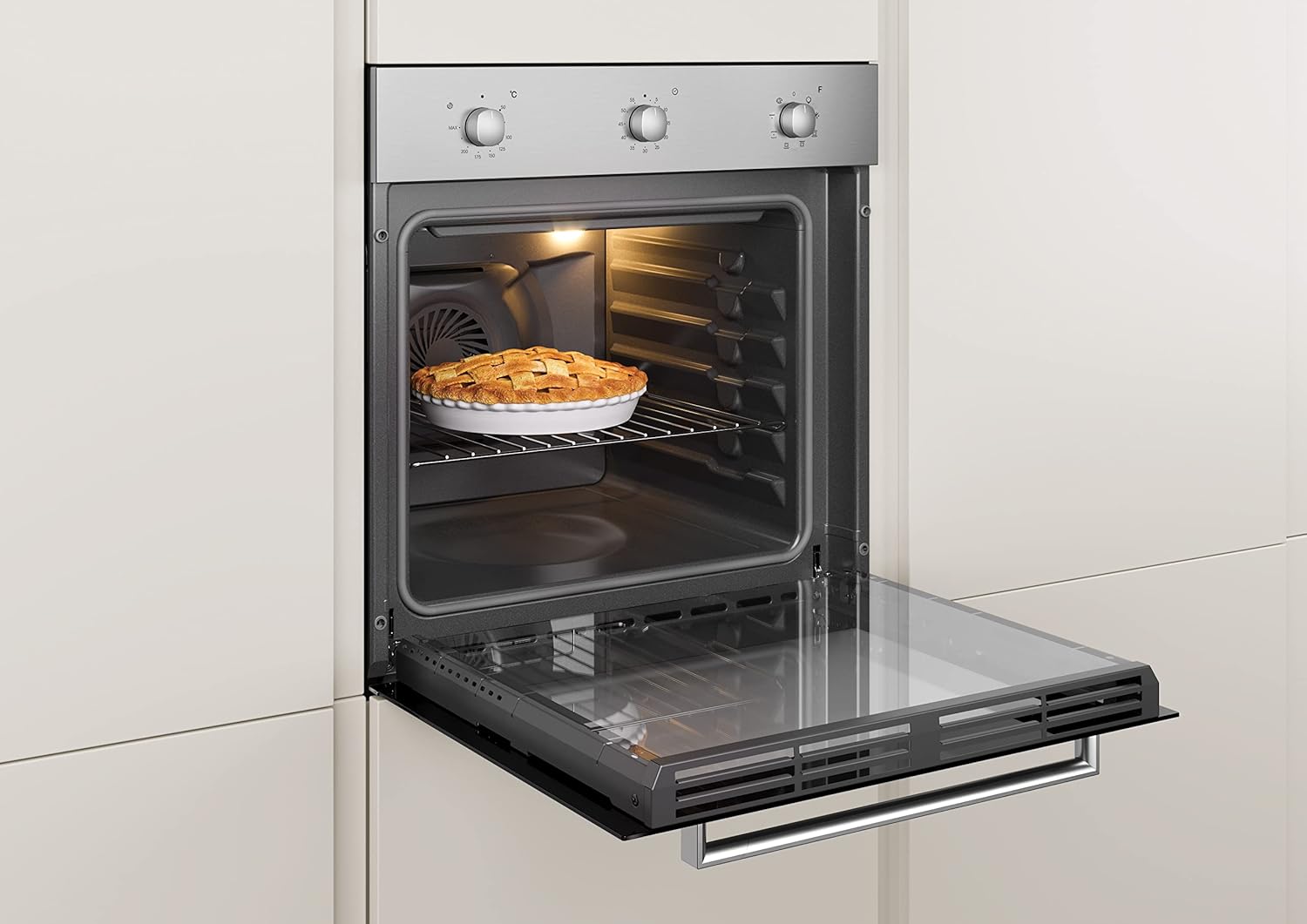
- Built-in Electric Ventilated Oven Unit
- 2 x Oven Grids
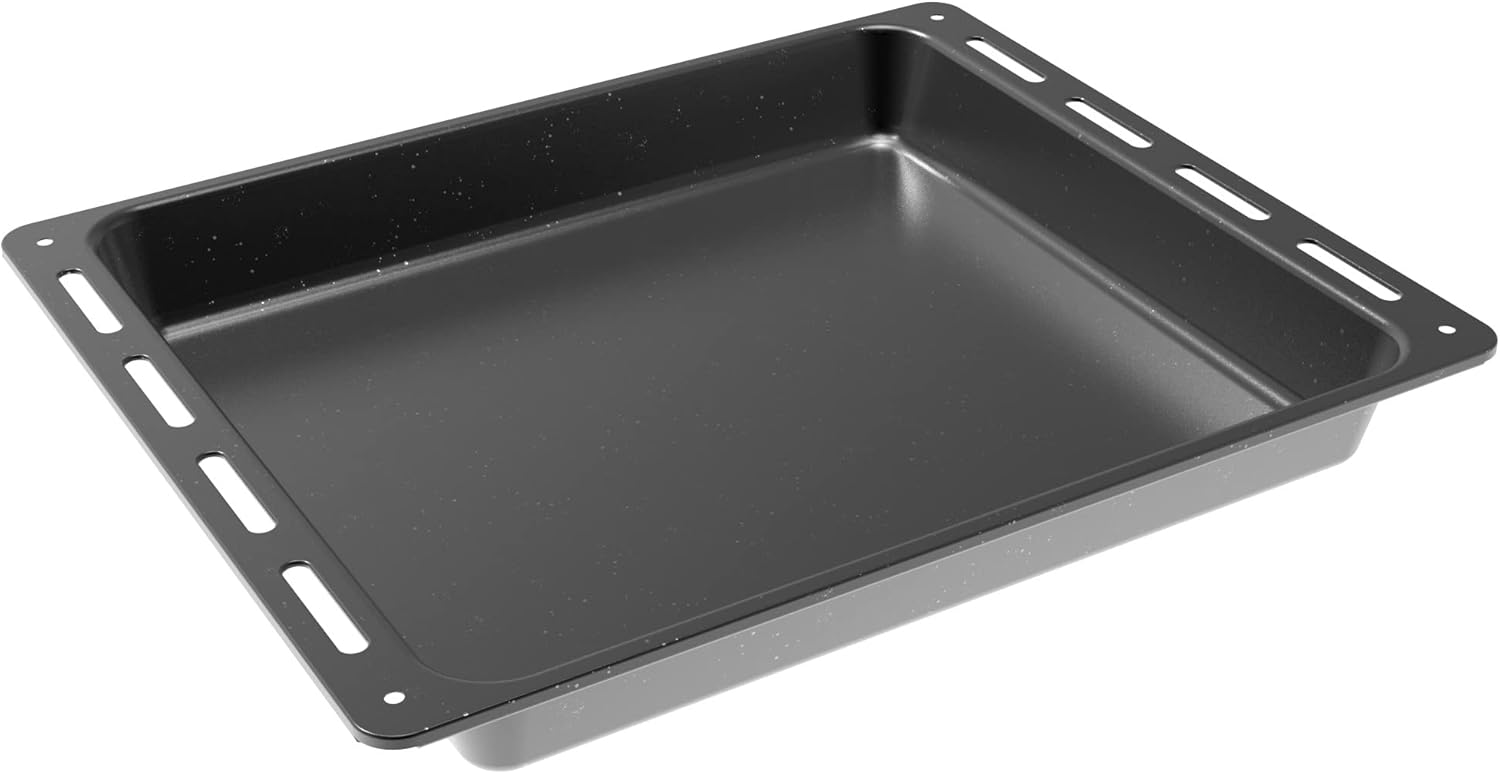
- 1 x Baking Tray (Leccarda)
- User Manual (this document)



4. Setup and Installation
The Candy Timeless OCTA02I is a built-in oven designed for integration into kitchen cabinetry. Professional installation is recommended.
4.1 Unpacking
- Carefully remove the oven from its packaging.
- Inspect the appliance for any signs of damage. Do not install a damaged appliance.
- Remove all internal packaging materials and accessories.
4.2 Electrical Connection
- Ensure the electrical supply matches the voltage and frequency specified on the oven's rating plate.
- The oven must be connected to a properly grounded electrical outlet.
- Installation should be performed by a qualified electrician in accordance with local wiring regulations.
4.3 Cabinet Installation
- Ensure the cabinet opening dimensions are appropriate for the oven (59.5 x 56.8 x 59.5 cm).
- The cabinet material must be heat-resistant.
- Secure the oven into the cabinet using the provided screws.
5. Operating Instructions
Your Candy Timeless OCTA02I oven offers 8 cooking functions for versatile meal preparation.
5.1 Control Panel Overview
The control panel features three rotary knobs:
- Left Knob: Temperature selection (MAX - 250°C).
- Middle Knob: Cooking function selection.
- Right Knob: Mechanical timer.
5.2 Cooking Functions
Select the desired function using the middle knob:
- Ventilated Oven: Distributes heat evenly for uniform cooking. Ideal for baking and roasting multiple dishes simultaneously.
- Convection Cooking: Excellent for cooking game or achieving very crispy results.
- Grill: For grilling meats, toast, or browning dishes.
- Defrost: Gently thaws frozen food.
- (Other functions are available, refer to the full appliance manual for details.)
5.3 Setting the Oven
- Place food inside the oven on the appropriate rack or tray.
- Turn the middle knob to select the desired cooking function.
- Turn the left knob to set the desired temperature.
- If required, set the cooking time using the right timer knob. The oven will switch off automatically when the time expires.
6. Maintenance and Cleaning
Regular cleaning and maintenance will ensure the longevity and optimal performance of your oven.
6.1 General Cleaning
- Always ensure the oven is cool and disconnected from the power supply before cleaning.
- Clean the interior and exterior surfaces with a soft cloth and mild detergent.
- Avoid abrasive cleaners, scouring pads, or harsh chemicals that can damage surfaces.
- For stubborn stains, use a specialized oven cleaner, following the product's instructions carefully.
6.2 Cleaning Accessories
- Oven grids and baking trays can be washed in hot soapy water or in a dishwasher.
- Ensure all accessories are completely dry before returning them to the oven.
7. Troubleshooting
If you encounter issues with your oven, refer to the following common problems and solutions:
| Problem | Possible Cause | Solution |
|---|---|---|
| Oven does not heat up. | No power supply; incorrect settings; tripped circuit breaker. | Check power connection; ensure knobs are set correctly; reset circuit breaker. |
| Food not cooking evenly. | Incorrect rack position; oven not preheated; excessive food quantity. | Use recommended rack position; preheat oven fully; avoid overcrowding. |
| Smoke/odor during first use. | Manufacturing residues burning off. | This is normal. Ventilate the kitchen well. It will dissipate after initial use. |
| Oven trips circuit breaker. | Electrical fault; overloaded circuit. | Disconnect oven and consult a qualified electrician. Do not attempt to repair yourself. |
If the problem persists after attempting these solutions, please contact customer support.
8. Technical Specifications
| Feature | Specification |
|---|---|
| Brand | Candy |
| Model Number | 33703089 (OCTA02I) |
| Product Dimensions (W x D x H) | 59.5 x 56.8 x 59.5 cm |
| Weight | 28 kg |
| Capacity | 65 Liters |
| Energy Efficiency Class | A+ |
| Heating Method | Electric, Ventilated |
| Number of Functions | 8 |
| Color | Stainless Steel |
| Installation Type | Built-in |

9. Warranty and Support
Your Candy Timeless OCTA02I oven is covered by a manufacturer's warranty. For specific details regarding warranty terms and conditions, please refer to the warranty card included with your appliance or visit the official Candy website.
9.1 Customer Support
For technical assistance, spare parts, or service requests, please contact Candy customer support. Contact information can typically be found on the manufacturer's website or in the warranty documentation.
For returns or issues related to purchase, please refer to the retailer's return policy. For Amazon.it purchases, consult their help page on returns and refunds or defective or damaged products.
Ask a question about this manual
Ask about setup, troubleshooting, compatibility, parts, safety, or missing instructions. Manuals+ will review the question and use this page’s manual context to help answer it.