
Introduction
Thank you for choosing the Waykar 296 Pints Commercial Dehumidifier. This manual provides essential information for the safe operation, installation, maintenance, and troubleshooting of your dehumidifier. Please read it thoroughly before use and retain it for future reference.
This commercial-grade dehumidifier is designed for large spaces up to 9,000 square feet, effectively removing up to 296 pints (37 gallons) of moisture per day. It is suitable for basements, industrial or commercial spaces, garages, cellars, workshops, libraries, laboratories, and flood restoration.
Important Safety Information
To reduce the risk of fire, electric shock, or injury, always follow these basic precautions:
- Read all instructions before using the appliance.
- Ensure the power supply matches the rating label on the unit.
- Do not operate the dehumidifier with a damaged cord or plug.
- Always unplug the unit before cleaning or servicing.
- Do not block air inlets or outlets.
- Keep the unit on a level surface to prevent water leakage.
- This appliance is not intended for use by persons (including children) with reduced physical, sensory or mental capabilities, or lack of experience and knowledge, unless they have been given supervision or instruction concerning use of the appliance by a person responsible for their safety.
Product Overview
Components and Features
The Waykar 296 Pints Commercial Dehumidifier features a robust design with intelligent controls for efficient moisture removal.
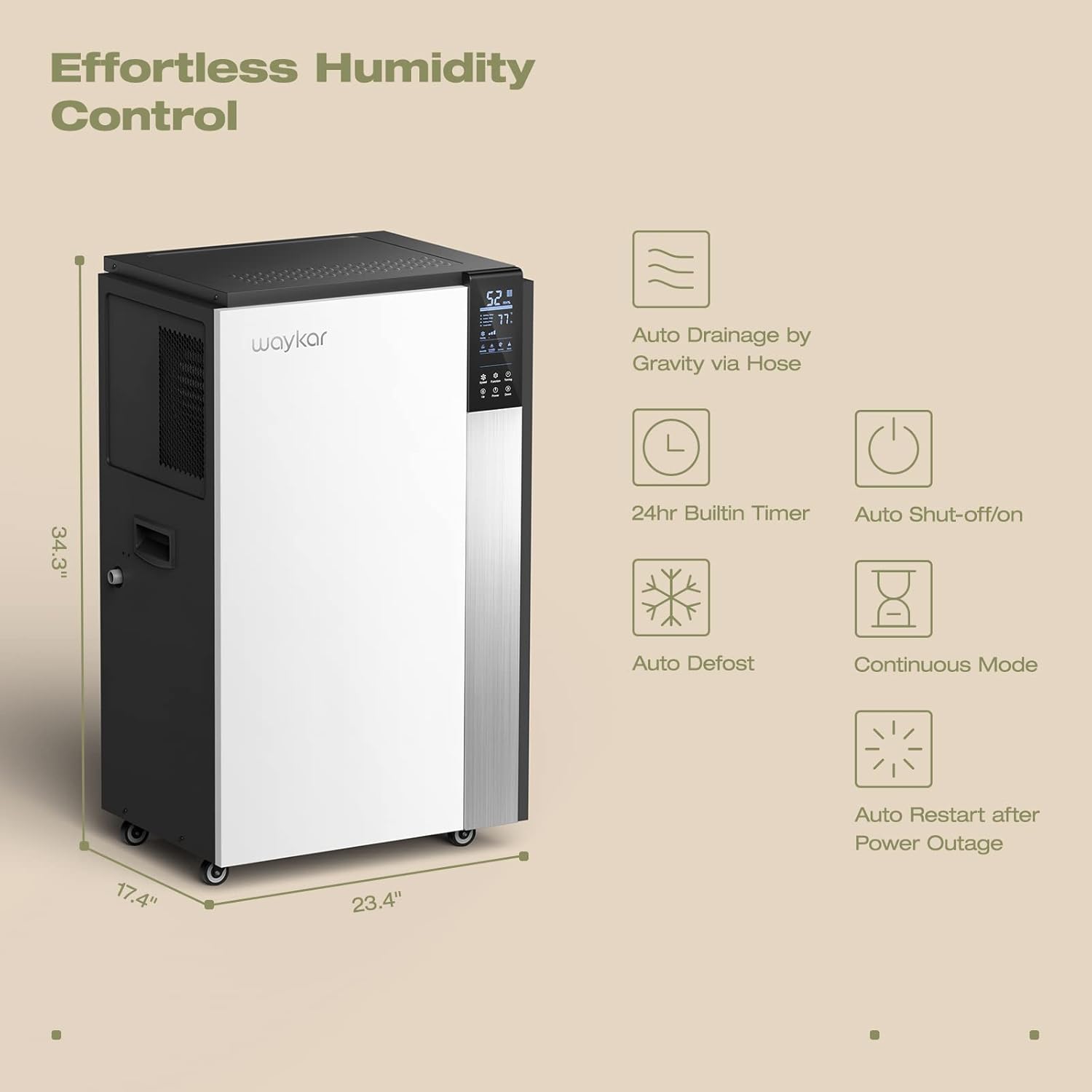
Figure 1: Intelligent Touch Control Panel
Displays humidity, temperature, and allows setting adjustments.

Figure 2: Dehumidifier Dimensions and Key Features
Illustrates the unit's dimensions (34.3" H x 23.4" W x 17.4" D) and highlights features like auto drainage, 24hr timer, auto shut-off/on, auto defrost, continuous mode, and auto restart after power outage.
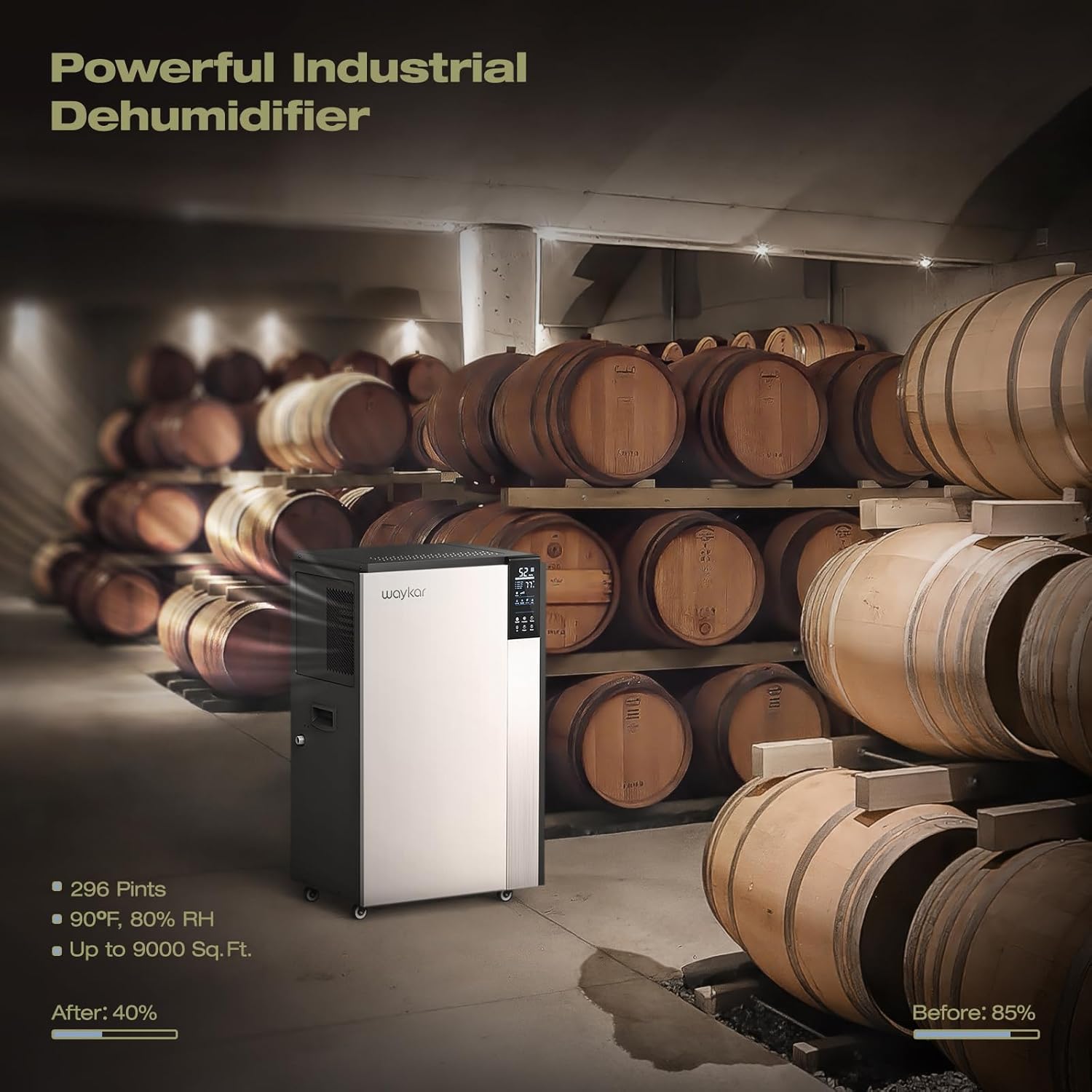
Figure 3: Continuous Drainage Setup and Detachable Filter
Shows the connection for the continuous drain hose and the location of the washable air filter.
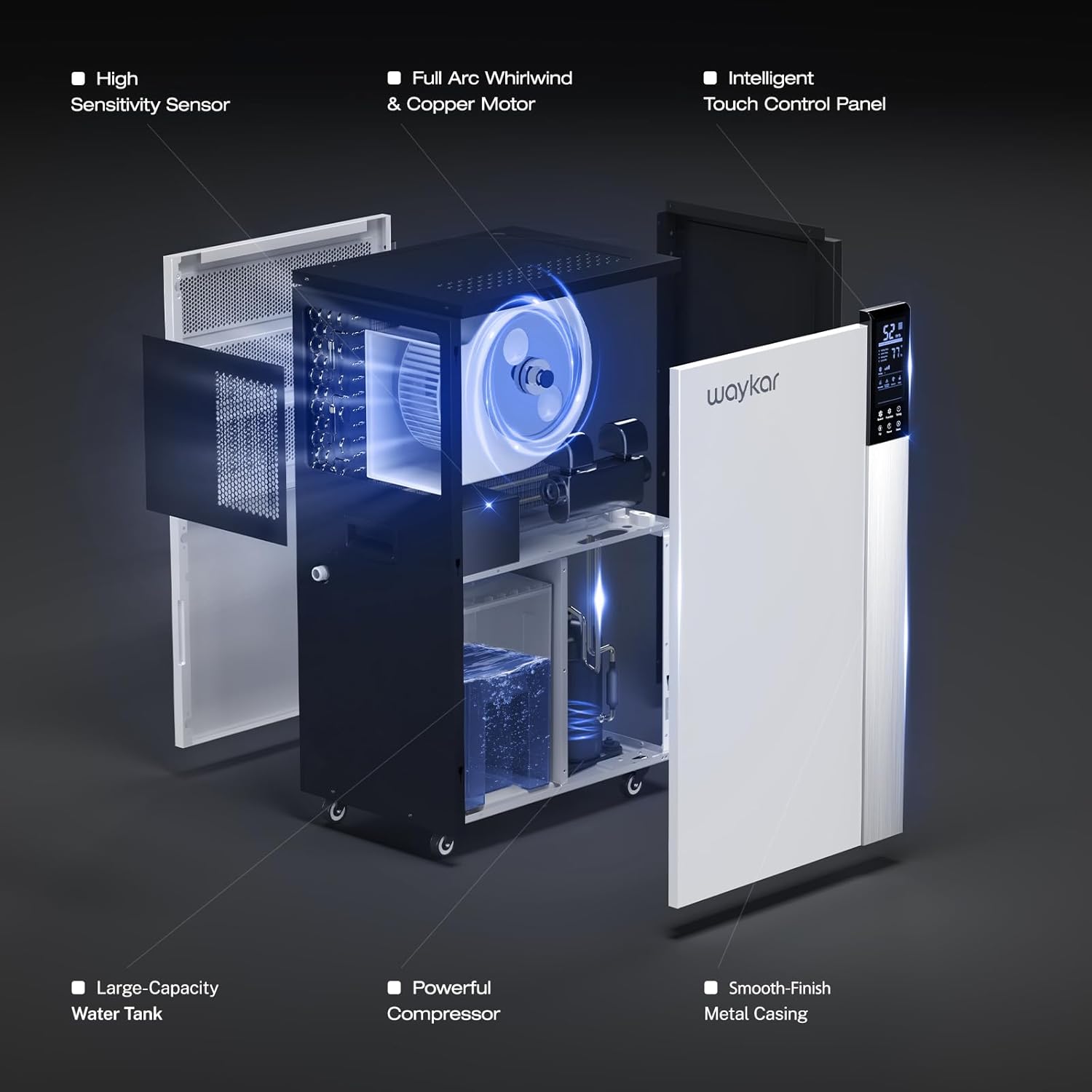
Figure 4: Internal Structure and Components
An exploded view showing the high sensitivity sensor, full arc whirlwind & copper motor, intelligent touch control panel, large-capacity water tank, powerful compressor, and smooth-finish metal casing.
Setup Instructions
- Unpacking: Carefully remove the dehumidifier from its packaging. Inspect for any shipping damage.
- Placement: Position the dehumidifier on a level, stable surface in the desired area. Ensure there is at least 8 inches (20 cm) of space around the unit for proper airflow. The unit is equipped with four universal wheels and two ergonomically placed handles for easy movement.
- Initial Standby: After transport, allow the unit to stand upright for at least 24 hours before plugging it in. This allows the refrigerant to settle.
- Power Connection: Plug the power cord into a grounded electrical outlet with the correct voltage (refer to the rating label).
- Drainage Setup:
- Continuous Drainage (Recommended): For continuous operation without manual emptying, connect the included 40-inch (100 cm) drain hose to the drainage port on the unit. Ensure the hose is sloped downwards to allow gravity drainage to a suitable floor drain or container.
- Water Bucket (Internal): If continuous drainage is not used, the unit will collect water in its internal bucket. The unit will automatically shut off when the bucket is full.
Operating Instructions
Control Panel Functions
The intelligent touch control panel allows for easy operation and monitoring.
- Power Button: Press to turn the unit ON or OFF.
- Humidity Setting (Up/Down Buttons): Adjust the desired humidity level between 10% and 90% Relative Humidity (RH). The unit will automatically operate to maintain this level.
- Fan Speed Button: Select between High and Low fan speeds.
- Timer Button: Set a 24-hour timer for automatic ON/OFF operation.
- Display: Shows current room humidity, set humidity, and operating temperature.
Operating Modes
- Automatic Humidity Control: Set your desired humidity level. The dehumidifier will sense the room's humidity and automatically turn on or off to maintain the pre-set level.
- Continuous Mode: For maximum dehumidification, select continuous mode. The unit will run continuously regardless of the humidity level. This mode is typically used with continuous drainage.
- Auto Defrost: The unit features an automatic defrost function that activates when frost builds up on the evaporator coils, ensuring efficient operation in low-temperature environments.
- Auto Restart: In case of a power outage, the unit will automatically restart with the previous settings once power is restored.
Maintenance
Regular maintenance ensures optimal performance and extends the lifespan of your dehumidifier.
- Cleaning the Air Filter:
- The unit has a "Clean Reminder" feature for the filter.
- Turn off and unplug the dehumidifier.
- Remove the detachable air filter (refer to Figure 3 for location).
- Wash the filter with warm, soapy water. Rinse thoroughly and allow it to air dry completely before reinstalling.
- Clean the filter every two weeks or more frequently depending on usage and air quality.
- Cleaning the Unit Exterior:
- Wipe the exterior with a soft, damp cloth. Do not use harsh chemicals or abrasive cleaners.
- Drainage System Check:
- Periodically check the drain hose for kinks, blockages, or algae growth if using continuous drainage.
- If using the internal water bucket, empty and clean it regularly to prevent mold and mildew growth.
- Storage:
- If storing the unit for an extended period, ensure it is clean and dry.
- Drain any remaining water from the internal bucket and hose.
- Store the unit upright in a cool, dry place. The back housing can be opened to store the drain hose and other accessories inside.
Troubleshooting Guide
Before contacting customer support, please refer to the following common issues and solutions:
| Problem | Possible Cause | Solution |
|---|---|---|
| Dehumidifier does not turn on. | No power, power cord loose, full water bucket. | Check power connection, ensure outlet is functional. Empty water bucket if full. |
| Unit runs but does not remove moisture. | Air filter clogged, room temperature too low, humidity setting too high. | Clean air filter. Ensure room temperature is above 5°C (41°F). Lower the desired humidity setting. |
| Water leaks from the unit. | Unit not level, drain hose kinked or blocked, drain hose not properly connected. | Place unit on a level surface. Check and clear drain hose. Ensure hose connection is secure. |
| Unit is noisy. | Air filter clogged, unit not on a stable surface, internal component issue. | Clean air filter. Ensure unit is on a firm, level surface. If noise persists, contact customer support. |
| Error Code E6 (as mentioned in reviews). | Defrost sensor issue or other internal fault. | Refer to specific troubleshooting steps provided by Waykar customer service, potentially involving disconnecting a low voltage wire. Contact customer support for guidance. |
Specifications
| Feature | Detail |
|---|---|
| Model | Waykar 296 Pints Commercial Dehumidifier |
| Moisture Removal Capacity | 296 Pints (37 Gallons) per day |
| Coverage Area | Up to 9,000 Sq. Ft. |
| Item Weight | 50.8 kg |
| Color | White |
| Special Features | Portable, Intelligent Touch Control, Auto Defrost, 24H Timer, Auto Shut-off/on, Auto Restart, Continuous Drainage |
| Included Components | Waykar 296 Pints Dehumidifier x 1, Drain Hose |
| Drain Hose Length | 40 inches (100 cm) |
Warranty and Customer Support
Waykar stands behind its products with comprehensive warranty and support services:
- Money Back Guarantee: 30-Days Money Back if you are not satisfied with the product.
- Warranty: 1-year warranty, with an option for a 2nd-year warranty extension.
- Technical Support: Lifetime expert technical support is available.
- Contact: For any questions or issues, please contact Waykar customer support. They aim to reply within 12 hours to assist with problem resolution.