
Introduction
Thank you for choosing the Coleshome 51" L Shaped Desk. This manual provides comprehensive instructions for the safe assembly, proper operation, and effective maintenance of your new desk. Designed for versatility and durability, this desk is ideal for home office, gaming, or general workstation use, offering ample space and a convenient monitor stand.
Please read this manual thoroughly before beginning assembly or use to ensure a smooth and correct setup. Keep this manual for future reference.
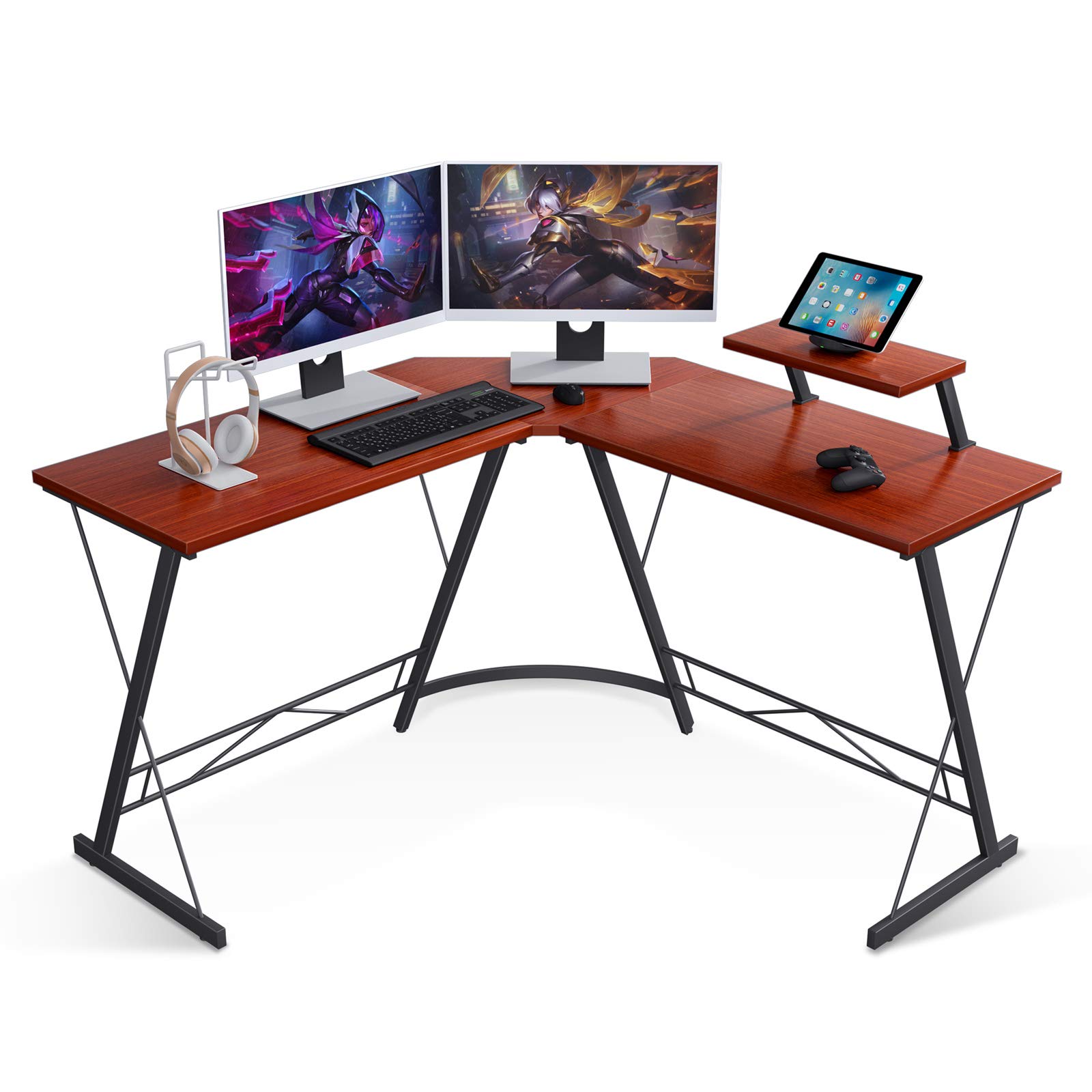
Image: Coleshome 51" L Shaped Desk in a typical setup.
Safety Information
- Always assemble the desk on a soft, clean surface to prevent scratches or damage.
- Ensure all screws and fasteners are securely tightened before use. Periodically check and re-tighten as necessary.
- Do not overload the desk or monitor stand. Refer to the specifications for weight limits.
- Keep small parts and packaging materials away from children and pets to prevent choking hazards.
- Avoid standing or climbing on the desk.
- Use caution when moving the assembled desk to prevent injury or damage.
Package Contents
Please verify that all components listed below are present before beginning assembly. If any parts are missing or damaged, please contact customer service.
- Desktop Panels (L-shaped sections)
- Monitor Stand Panel
- Metal Frame Legs (X-shaped supports)
- Connecting Bars/Brackets
- Adjustable Foot Pads
- Assembly Hardware (Screws, Allen wrench)
- Instruction Manual
Assembly Instructions
Follow these steps carefully for a successful assembly. A detailed instruction manual with diagrams is included in your package.
Step 1: Unpack and Identify Components
Carefully remove all parts from the packaging. Lay them out on a soft, clean surface. Refer to the parts list in the included manual to identify each component.
Step 2: Assemble the Frame
Attach the X-shaped metal frame legs to the connecting bars using the provided hardware. Ensure all connections are firm but do not fully tighten screws until the entire frame is assembled.

Image: X-shaped frame design for stability.
Step 3: Attach Desktop Panels
Carefully place the desktop panels onto the assembled frame. Align the pre-drilled holes on the desktop with the holes on the frame. Secure the desktop panels to the frame using the appropriate screws. Once all panels are in place, fully tighten all screws on the frame and desktop.
Step 4: Install Monitor Stand
Position the monitor stand on the desired side of the desk. The monitor stand is reversible and can be placed on either the left or right side to suit your setup. Secure it using the designated hardware.

Image: Reversible desk board and monitor stand setup.
Step 5: Adjust Foot Pads
Adjust the leveling studs on the bottom of the desk legs to ensure stability on uneven floors. Rotate the foot pads until the desk is level and does not wobble.

Image: Adjustable foot pads for stability.
Operating Instructions
The Coleshome L Shaped Desk is designed for optimal functionality and comfort. Here are some tips for maximizing your experience:
- Utilize the L-Shape: The L-shaped design provides a large surface area, allowing you to separate your work, gaming, or creative zones. Place your main monitor and keyboard on one side and secondary monitors, documents, or accessories on the other.
- Monitor Stand: The elevated monitor stand helps improve ergonomics by raising your screen to a comfortable viewing height, reducing neck and eye strain. It also frees up valuable desktop space underneath.
- Reversible Design: The desk can be configured with the longer section on either the left or right side, adapting to your room layout and personal preference.
- Ample Legroom: The open design beneath the desk provides generous legroom, allowing for comfortable seating and stretching during long periods of use.

Image: Space-saving corner desk setup.
Maintenance
- Cleaning: Wipe the desk surface with a soft, damp cloth. Avoid harsh chemicals or abrasive cleaners that may damage the finish.
- Spills: The desktop is waterproof. In case of spills, wipe immediately with a dry cloth to prevent any potential damage.
- Hardware Check: Periodically inspect all screws and connections to ensure they remain tight. Re-tighten if necessary to maintain stability.
- Avoid Direct Sunlight: Prolonged exposure to direct sunlight may cause fading or discoloration of the desktop finish.

Image: Waterproof desktop surface.
Troubleshooting
- Desk Wobbles: Ensure all screws are fully tightened. Adjust the leveling foot pads on each leg until the desk is stable on the floor.
- Missing Parts: If any parts are missing from your package, please refer to the parts list in the included manual and contact Coleshome customer service for assistance.
- Difficulty Assembling: Review the assembly instructions carefully. Ensure all components are oriented correctly. If issues persist, contact customer support.
Specifications
| Feature | Detail |
|---|---|
| Brand | Coleshome |
| Model Number | LDSTE51-001 |
| Shape | L-Shape |
| Product Dimensions | 51"D x 51"W x 29.5"H |
| Color | Teak |
| Style | Gaming |
| Top Material Type | Engineered Wood |
| Base Material | Engineered Wood, Metal |
| Finish Type | Powder Coated |
| Special Feature | Adjustable Foot Pads, Reversible Design |
| Item Weight | 35.8 Pounds |
| Required Assembly | Yes |

Image: Detailed dimensions of the L Shaped Desk.
Warranty and Support
Coleshome is committed to providing high-quality products and customer satisfaction. For any issues regarding product quality, missing parts, or assembly assistance, please contact Coleshome customer service. Refer to your purchase documentation for specific warranty details and contact information.
Your satisfaction is our priority, and we are here to help with any concerns you may have.
